Picongpu: Higher order Laguerre mode
Hi,
I am setting up the laser profile with higher-order Laguerre mode. In laser.param there is an example for MODENUMBER = 12:
PMACC_CONST_VECTOR(float_X, MODENUMBER + 1,
LAGUERREMODES, -1.0, 0.0300519, 0.319461,
-0.23783, 0.0954839, 0.0318653, -0.144547,
0.0249208, -0.111989, 0.0434385, -0.030038,
-0.00896321, -0.0160788)
My question is that what are those numbers after the LAGUERREMODES? I cannot find in the documentation mentioning this. How should we get the number for other mode? Thanks.
 StevE-Ong
All 7 comments
@StevE-Ong This parameter vector allows you the use a laser pulse with higher transversal modes according to the Laguerre-Gauss mode description. Only radial symmetric modes are currently enabled (l=0 wikipedia notation, m=0 Sigman's Laser notation (see page 647 and 689)). See #3366 for more options.
The vector values give the strength of each mode. They can be given in any values as long as the relations between the modes fit your measurement since the code normalizes the vector internally.
 PrometheusPi
on 16 Dec 2020
PrometheusPi
on 16 Dec 2020
@PrometheusPi Thank you for your reply. So to my understanding, those numbers are a kind of amplification factor in order to match the laser transverse profile, say from the experiments?
for example the lowest order
static constexpr uint32_t MODENUMBER = 0;
PMACC_CONST_VECTOR(float_X, MODENUMBER + 1, LAGUERREMODES, 1.0)
It can be (float_X, MODENUMBER + 1, LAGUERREMODES, 1.05) when we see a slight difference from the measured profile?
StevE-Ong
on 17 Dec 2020
Yes, these higher modes are there to fit experimental lasers into the simulation.
No, there is no difference (at least there should be none) if you have only one mode. both 1.0 and 1.05 should produce the same laser in simulation.
However, if your transversal laser profile has higher modes, including these higher modes, say e.g. you have a first order mode (a ring) around your zeros order mode (Gauss profile in the center) you can give the relative intensity ratio of these by the numbers - e.g. if both modes are equally strong:
static constexpr uint32_t MODENUMBER = 1;
PMACC_CONST_VECTOR(float_X, MODENUMBER + 1, LAGUERREMODES, 1.0, 1.0)
or equivalently, but more "readable":
static constexpr uint32_t MODENUMBER = 1;
PMACC_CONST_VECTOR(float_X, MODENUMBER + 1, LAGUERREMODES, 0.5, 0.5)
@BeyondEspresso please correct me if my statement on internal normalization is not true.
PrometheusPi
on 17 Dec 2020
Hi,
Trying different vector values by running full pic takes quite some time. So, I was trying to write a script to plot and estimate the Laguerre-Gaussian beam with different vector values, kind of a pre-pic setting. The Laguerre-Gaussian mode here is up to the second orders only. I hope I fully understand the one implemented in picongpu. Please feel free to correct me if you found something wrong.
https://github.com/StevE-Ong/Laguerre-Gaussian.git
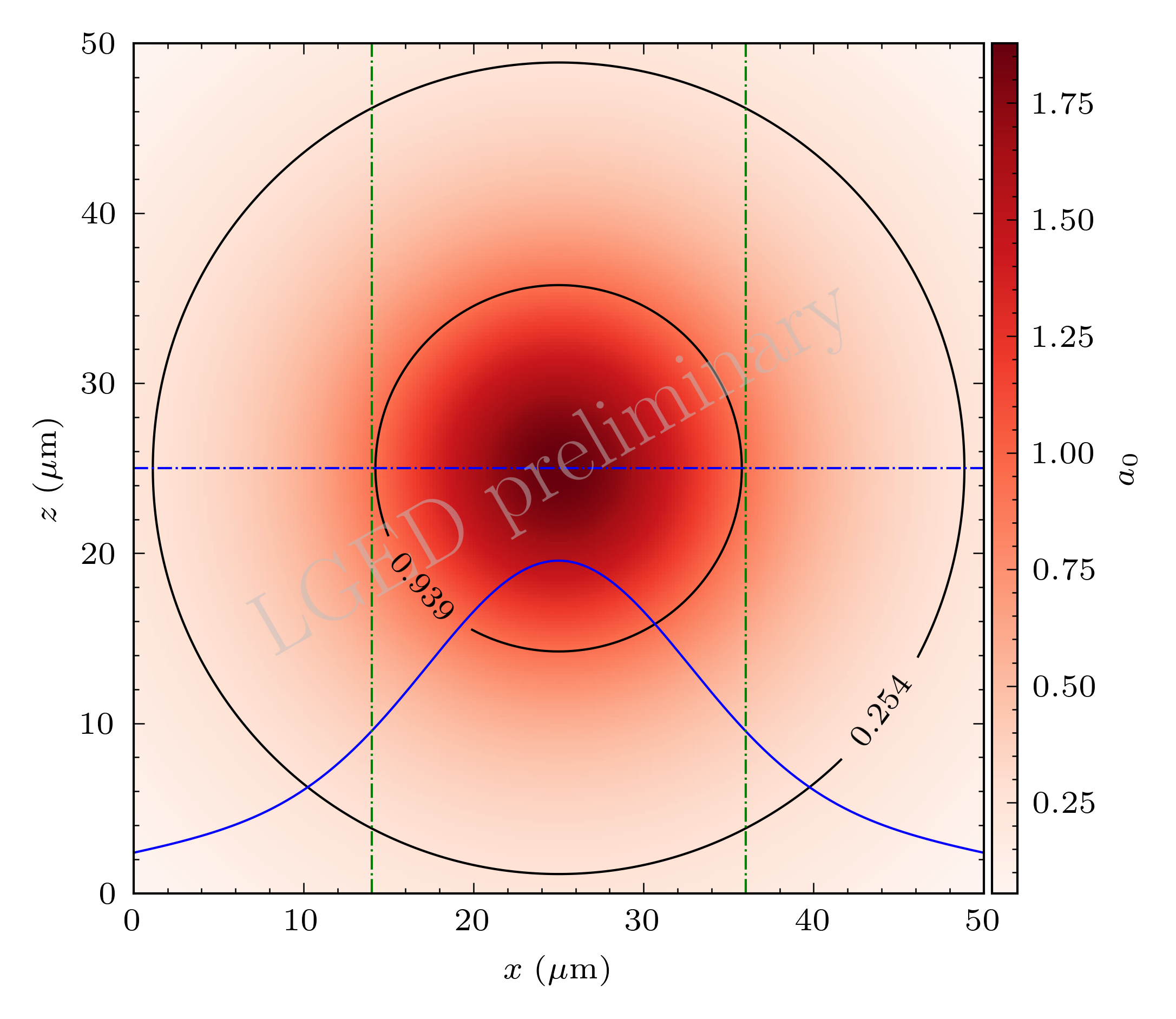
The inner circle is the FWHM spot diameter and the outer circle is at its 1/e^2
StevE-Ong
on 5 Jan 2021
@StevE-Ong With only a brief look at your code, this looks correct. You are missing the normalization, but this should be not that significant.
However from the plot you provide with LAGUERREMODES = np.array([-1.0,0.31,-0.2]) deviations from the purely-Gaussian profile are hardly visible from your plot. For testing I would recommend:
LAGUERREMODES = np.array([1.,0.,0.])
LAGUERREMODES = np.array([0.,1.,0.])
LAGUERREMODES = np.array([0.,0.,1.])
# and a mixture of the above
Really nice tool by the way. :+1:
PrometheusPi
on 5 Jan 2021
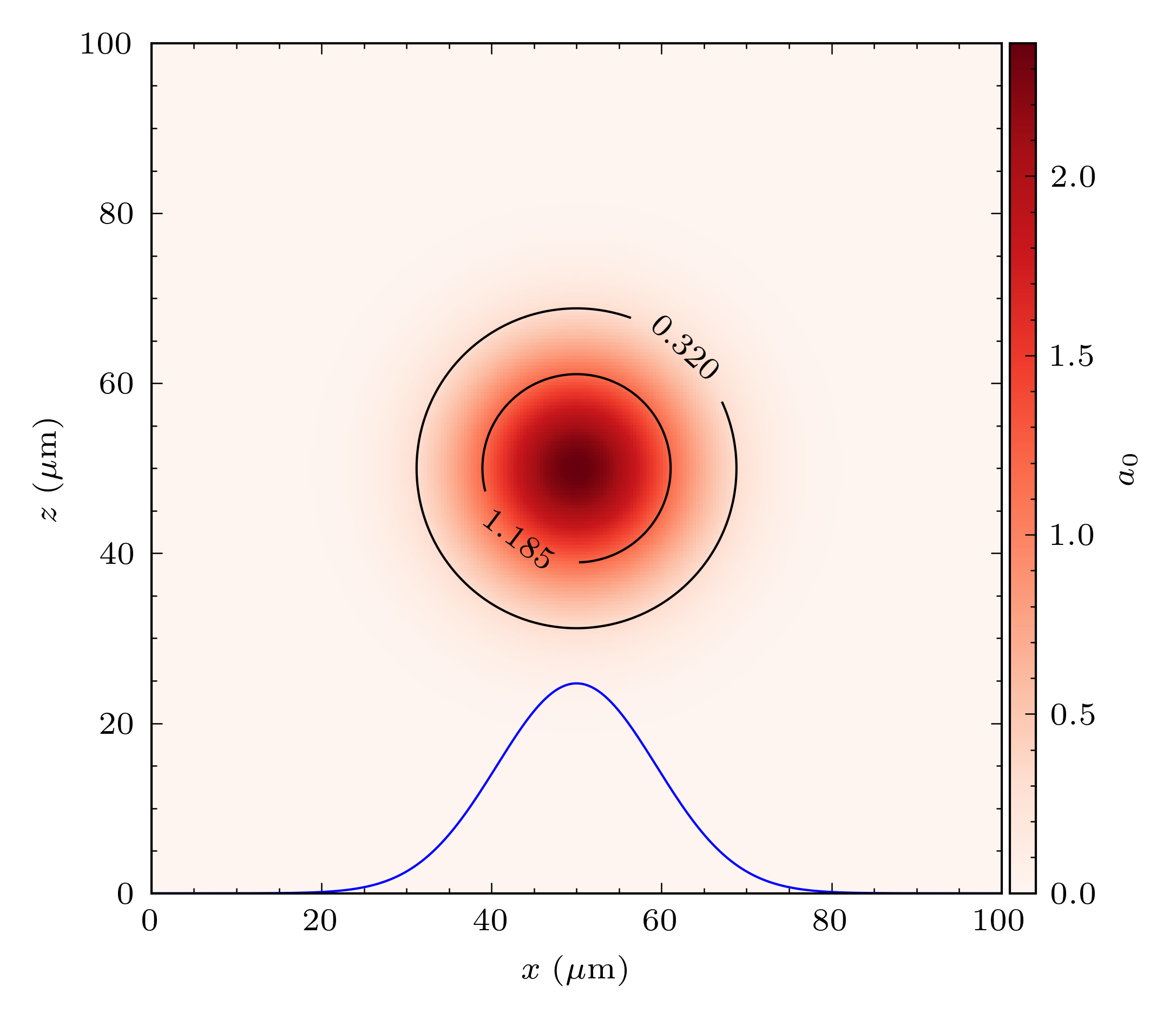
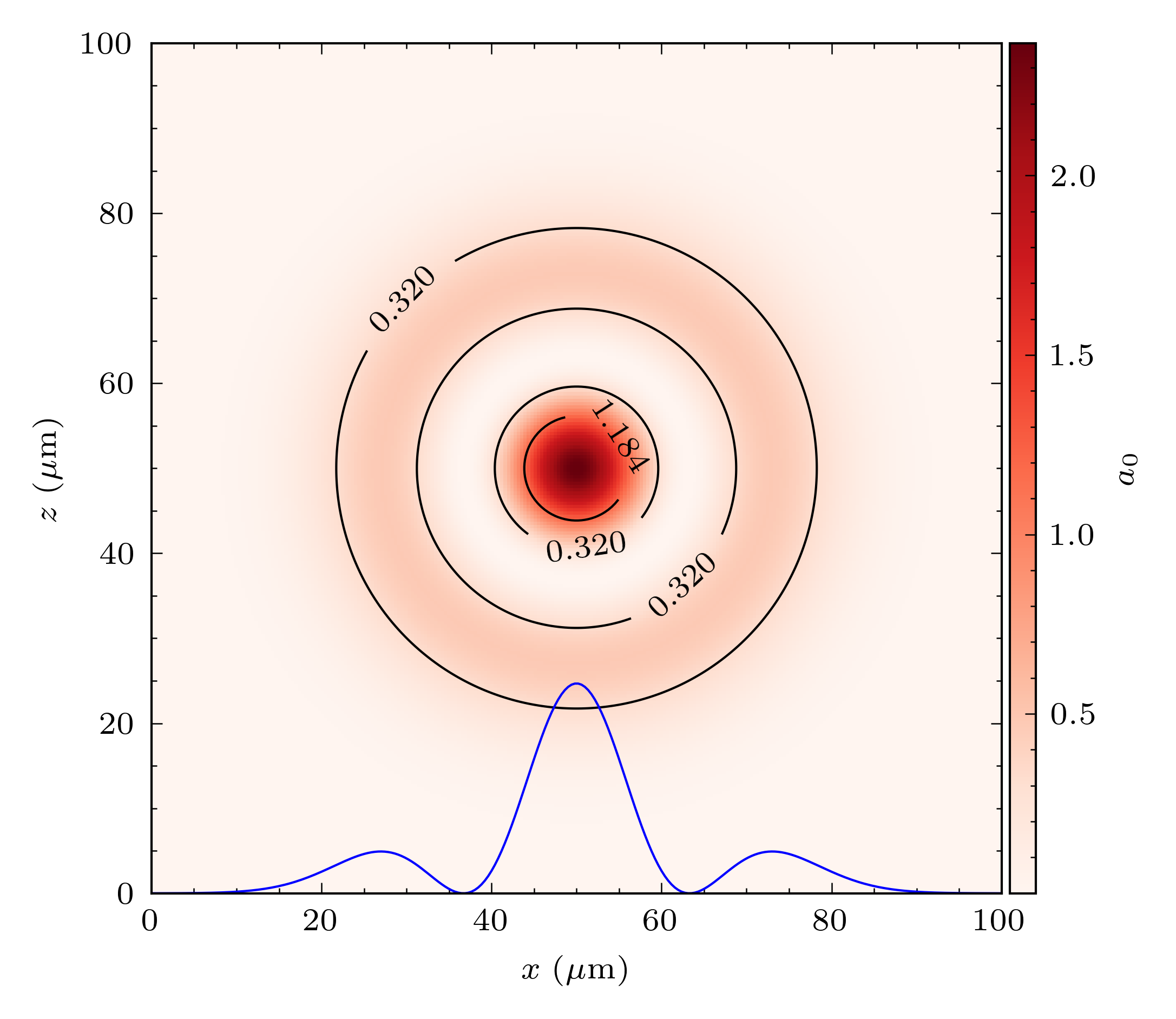
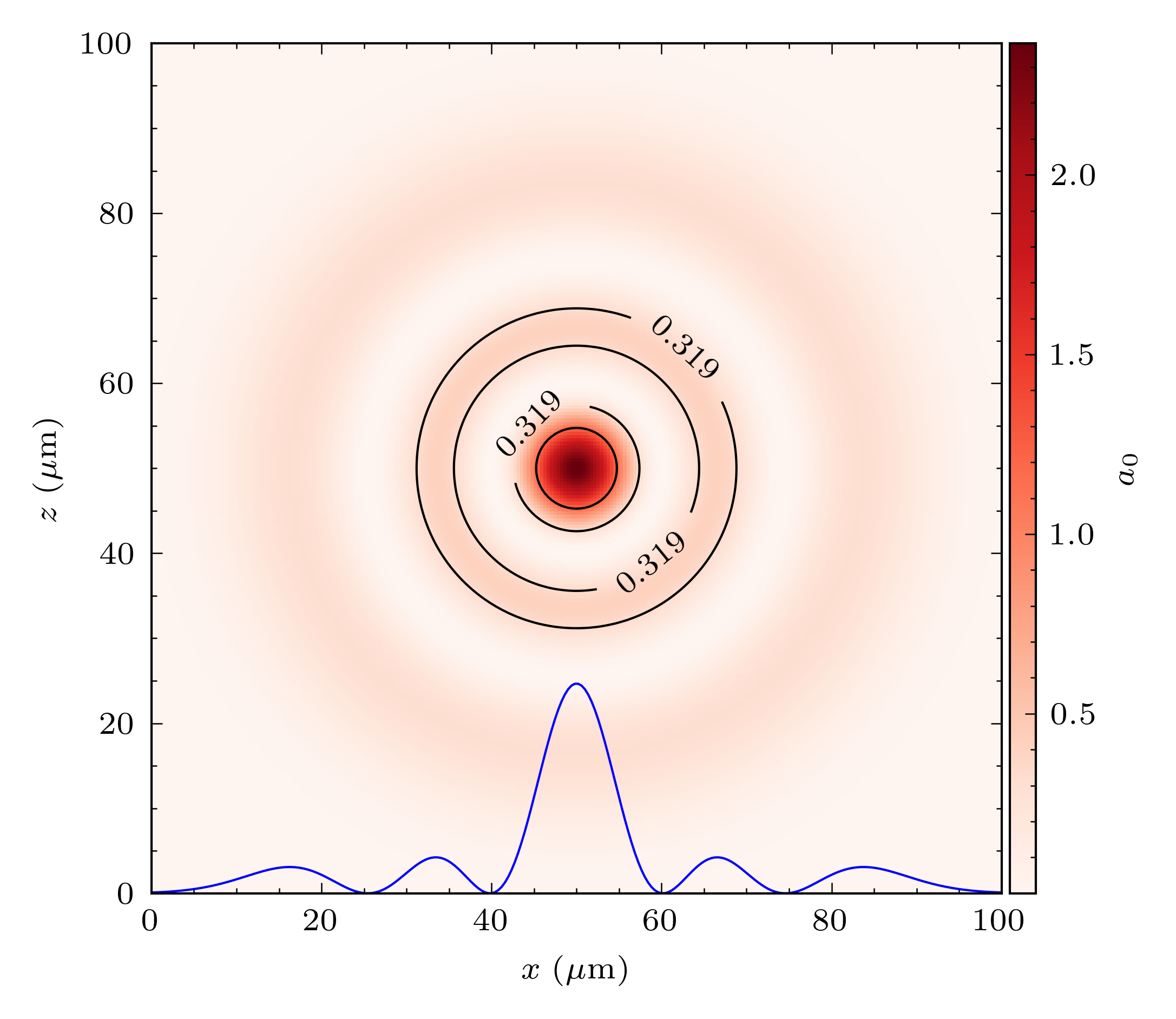
@PrometheusPi Hi, by looking only at the shape for those three modes and their mixture seem OK.
LAGUERREMODES = np.array([1.,0.,0.])
LAGUERREMODES = np.array([0.,1.,0.])
LAGUERREMODES = np.array([0.,0.,1.])
LAGUERREMODES = np.array([1.,1.,1.])
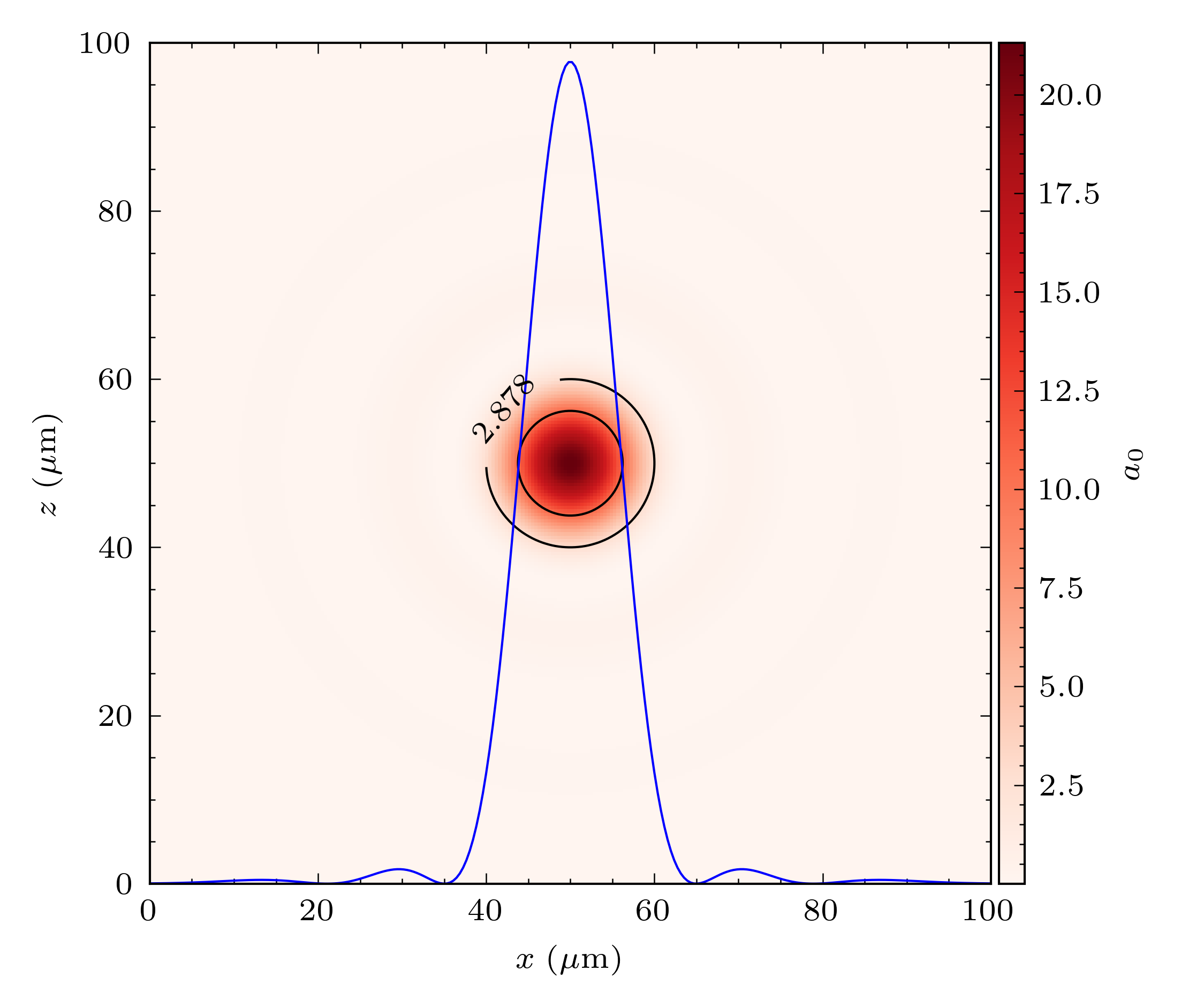
StevE-Ong
on 5 Jan 2021
Looks good to me (I was a bit surprised that the center always remains, but I just forgot that the generalize Laguerre polynomials equal 1 at 0 not 0.)
PrometheusPi
on 8 Jan 2021
Related issues
 ajitup73
·
31Comments
ajitup73
·
31Comments
 paschk31
·
26Comments
paschk31
·
26Comments
 MaxThevenet
·
32Comments
MaxThevenet
·
32Comments
 cbontoiu
·
38Comments
cbontoiu
·
38Comments
 hightower8083
·
26Comments
hightower8083
·
26Comments