Phpmyadmin: Web page access is too slow, request improvement
Web page access is too slow, while adminer web access is very fast, making phpmyadmin much less attractive
 linjialiang
All 36 comments
My installation isn’t particularly slow, and my machine is rather
resource-constrained.
Could you tell us more about your configuration as well as PHP, MySQL,
phpMyAdmin, and web browser versions?
Is the web server running locally or on another machine? What about the
database server?
Does the web server machine have internet access or is it running on an
isolated network segment?
 ibennetch
on 16 Dec 2019
ibennetch
on 16 Dec 2019


My access is really slow, also
Jqueryhas a lot of bugs!
linjialiang
on 23 Dec 2019
phpmyadmin is the latest stable version
linjialiang
on 23 Dec 2019
In contrast to adminer, the speed was astronomical
linjialiang
on 23 Dec 2019
@linjialiang what version of phpMyAdmin are you using?
The server is on MacOS/Windows/Linux?
Please send a lot more information so I can help you :)
 williamdes
on 23 Dec 2019
williamdes
on 23 Dec 2019
@williamdes
name|version|
---|---
phpmyadmin|4.9.2
OS|Microsoft Windows [version 10.0.17763.914]
Composer installation phpMyAdmin
sh
$ composer create-project phpmyadmin/phpmyadmin
linjialiang
on 24 Dec 2019
@williamdes
I also have two servers, debian and centos, and phpMyAdmin that works on them is not very smooth either.
Relatively speaking, the lower the phpmyadmin version, the smoother the browser access will be
linjialiang
on 24 Dec 2019
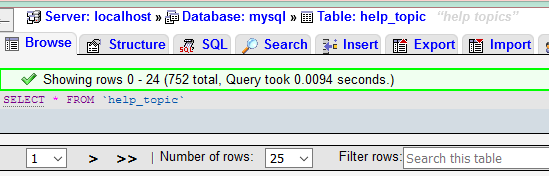
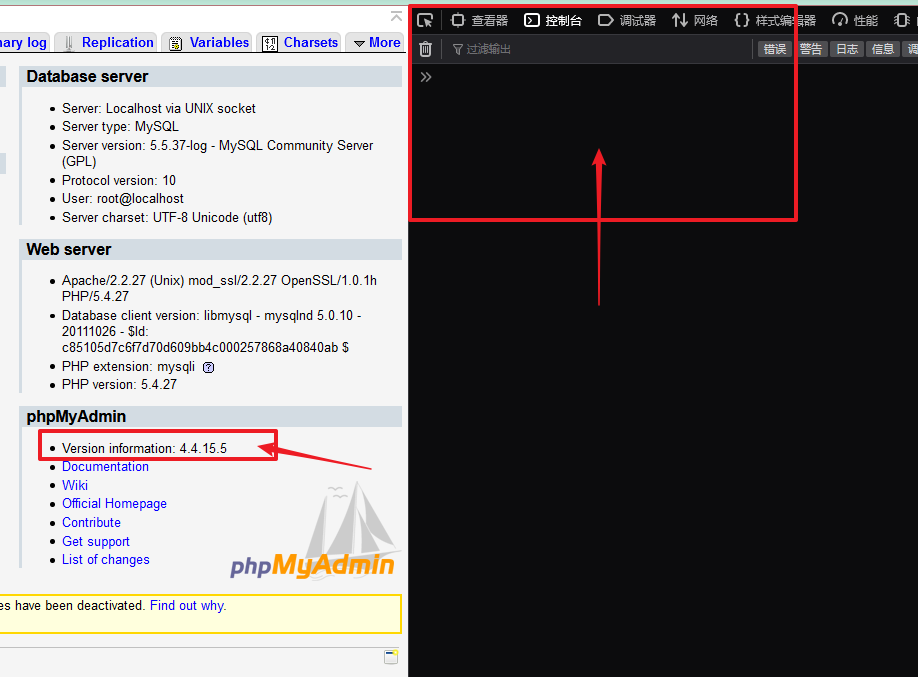
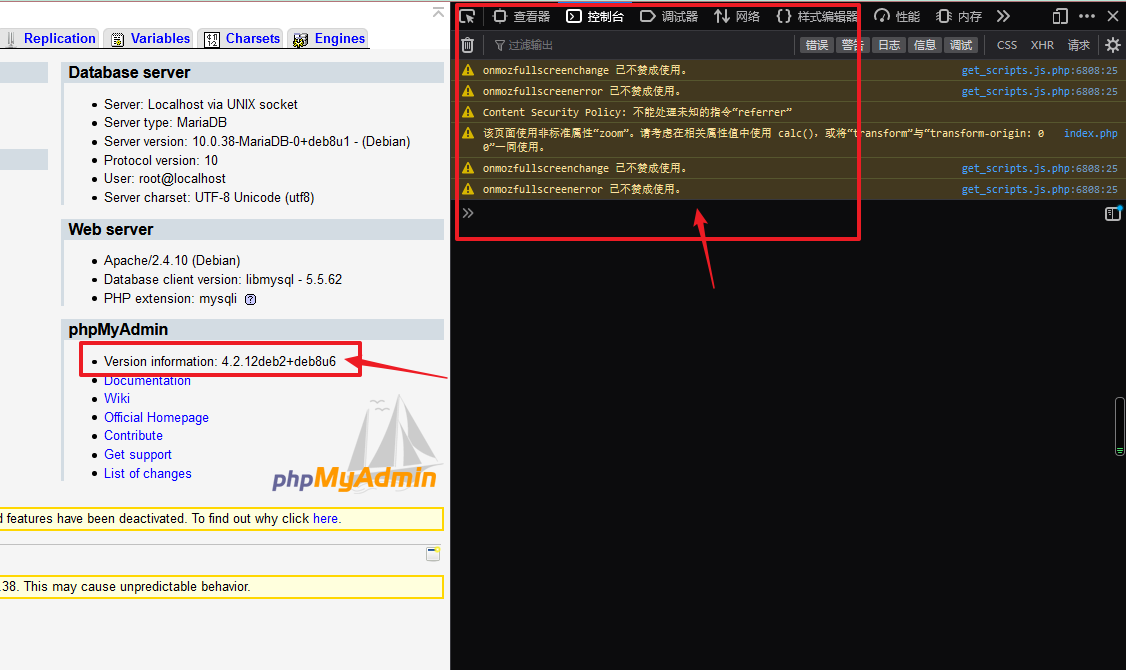
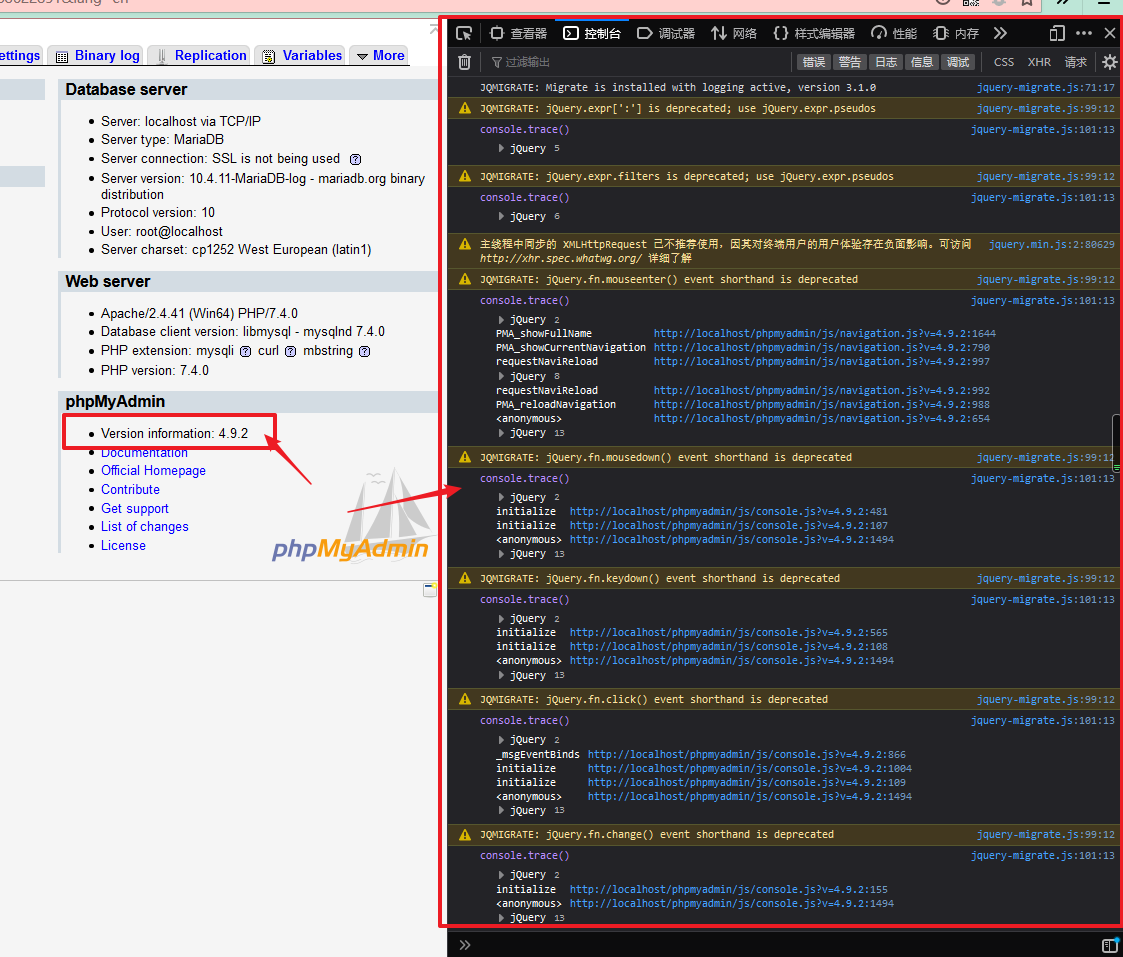
I see that the execution time returned by phpMyAdmin is very fast.
The reason why phpMyAdmin is slow is probably because of the slow rendering of the front-end code
linjialiang
on 24 Dec 2019
phpMyAdmin 4.4.15.5
phpMyAdmin 4.2.12deb2+deb8u6
phpMyAdmin 4.9.2
linjialiang
on 24 Dec 2019
I see that the execution time returned by phpMyAdmin is very fast.
The reason why phpMyAdmin is slow is probably because of the slow rendering of the front-end code
I agree that we have some code to improve
Does your data results have a lot of foreign key links?
williamdes
on 24 Dec 2019
A'd for the jquery warnings, do not worry I fixed them in another version
Maybe 5.0
I will have a look
williamdes
on 24 Dec 2019
Your work is great and I admire you and hope phpmyadmin gets better and better
linjialiang
on 25 Dec 2019
@williamdes
Phpmyadmin 5.0.0 operates smoothly under LNMP
But it is still slow to operate in a wamp development environment
linjialiang
on 28 Dec 2019
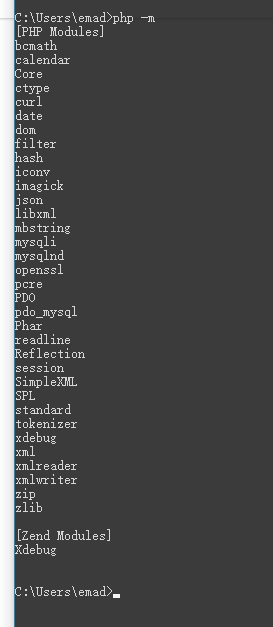
@linjialiang is Xdebug extension enabled on wamp?
williamdes
on 28 Dec 2019
I've enabled xdebug
linjialiang
on 28 Dec 2019
linjialiang
on 28 Dec 2019
@williamdes It's much faster to remove the xdebug plug-in, but the xdebug extension is still useful to me
I've also enabled xdebug on Linux, but it's still fast
linjialiang
on 28 Dec 2019
@linjialiang Thank you for the precious feedback :)
williamdes
on 28 Dec 2019
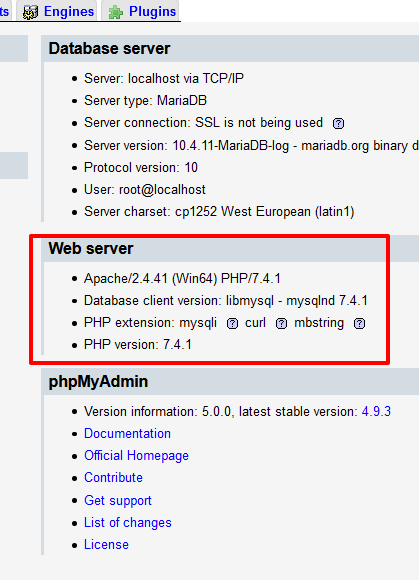
Is it possible that part of my PHP plugin is missing?
 linjialiang
on 28 Dec 2019
linjialiang
on 28 Dec 2019
Is it possible that part of my PHP plugin is missing?
I am not sure to understand your question
I just remembered that I had to disable x-debug on our PHP 7.4 CI for Linux build since they where so slow (a3d621762229b3dd0cf600095241eab3c01d57f3)
williamdes
on 28 Dec 2019
ok
linjialiang
on 29 Dec 2019
@williamdes Factors that affect the efficiency of phpmyadmin web pages:
Effect of php_xdebug on phpmyadmin:
| os | effect | Whether php_xdebug compiles itself |
| ---------- | ---------------------------------- | ---------------------------------- |
| windows 10 | Greatly reduced efficiency | The official download |
| Linux | Affected, but less so than Windows | Compile and install yourself |Effect of my.ini configuration parameters on phpmyadmin:
skip-external-locking
bind-address                = 127.0.0.1
Either of these two parameters, if opened, will affect the efficiency of the phpmyadmin web page
| os | effect | Whether MariaDB compiles itself |
| ---------- | -------------------------- | ------------------------------- |
| windows 10 | Greatly reduced efficiency | The official download |
| Linux | Almost no effect | Compile and install yourself |
linjialiang
on 29 Dec 2019
I am also attempting to switch to adminer due to the extreme slowness of phpmyadmin. But it doesn't seem to behave in the same way and I think I messed up my privileges. Can't you please analyse the slowness of phpmyadmin and fix it? Won't it just die if you don't fix it?
 David263
on 4 Jan 2021
David263
on 4 Jan 2021
PHPMyAdmin was also very slow on my machine.
I had to wait up to ten seconds to show any PHPMyAdmin page, no matter the databases size (you know how frustrating it is).
I finally investigated, for hours, and found a solution.
I am using Bitnami WAMP Stack 8.0.0-1 on Windows 10.
I opened the file phpmyadmin\htdocs\config.inc.php,
replaced $cfg['Servers'][$i]['host'] = 'localhost'; by $cfg['Servers'][$i]['host'] = '127.0.0.1';,
and restarted my servers.
Now PHPMyAdmin is fast, every page shows within 1-2 seconds.
I have not investigated why PHPMyAdmin has issues locating 'localhost'.
It can be a PHPMyAdmin issue, an Apache issue, a Windows issue, ...
 0xRaf
on 8 Jan 2021
0xRaf
on 8 Jan 2021
Thank you! Please also give the exact URL you use to run phpmyadmin. I use either http://127.0.0.1/phpmyadmin or http://localhost/phpmyadmin, not sure if either is preferred. If I try https, I get errors, since phpmyadmin has no valid certificate. That is okay with me, since I'm running phpmyadmin locally.
David263
on 8 Jan 2021
@David263
I use either http://127.0.0.1/phpmyadmin/ or http://localhost/phpmyadmin/ too, it doesn't make any difference on the browser side.
Ah, I just noticed there is no https, but as I use it locally too, I don't care.
0xRaf
on 8 Jan 2021
There was only one instance of "localhost", but replacing it by 127.0.0.1 caused an infinite loop in phphmyadmin when trying to select a database. When I need speed, I'll use adminer, which is harder to use but faster, and works with Bitnami WAMP Stack.
David263
on 8 Jan 2021
An infinite loop ?
Do you have any particular configuration ?
Have you tried restarting the servers ?
I made a fresh install of Bitnami WAMP Stack 8.0.0-1 yesterday (with PHP 8.0 and PHPMyAdmin 5.0.4 inside), so I have no particular configuration except $cfg['Servers'][$i]['host'] = '127.0.0.1'; in .config.inc.php.
You could try a fresh install of the latest WAMP Stack, but it's a bit overkill.
0xRaf
on 8 Jan 2021
Definitely an infinite loop, had to restart computer. Got it working by returning to 'localhost'. Possibly my own fault, since I have to modify httpd.conf to meet my local website and software development needs. That makes upgrading the WAMP stack, which I also have just done, time-consuming. Neither Apache, PHP, nor PHPMyAdmin are written to do complete self-testing of user configuration to ensure correctness. Frankly, I don't have the time, for example, to read and understand every Apache directive, some of which are almost impossible to understand due mostly to the use of undefined jargon and assumptions. Unlike with my 40 years of writing pure software, where the syntax and semantics of any programming language could be fully understood to any desired depth, as a Web developer I have to rely on question-answering fora to make my way through to laborious success with server configuration and usage and at least four programming languages (HTML, JavaScript, CSS, PHP). Even this process becomes difficult when one is banned from a certain major forum by its zealous users who downvote questions that in their opinion do not meet the stringent requirements, such that one is allowed only one question every six months. Sorry to go off-topic.
David263
on 8 Jan 2021
Hi @David263
I would like to solve this issue you are running into, could you let me know more about your operating system, database server etc .. ?
williamdes
on 13 Jan 2021
PHPMyAdmin has always been unreasonably slow (probably because it is implemented in tiny functions in hundreds of files), but it has gotten much worse recently. My environment:
    Windows Home
Bitnami WAMP Stack: 7.4.13-0
Apache: Apache/2.4.46 (Win64)
    OpenSSL/1.1.1h
    PHP/7.4.13
MySQL: 8.0.22
phpmyadmin: version 5.0.4
PHPMyAdmin has always been unreasonably slow (probably because it is implemented in tiny functions in hundreds of files), but it has gotten much worse recently. My environment:
    Windows Home
Bitnami WAMP Stack: 7.4.13-0
Apache: Apache/2.4.46 (Win64)
    OpenSSL/1.1.1h
    PHP/7.4.13
MySQL: 8.0.22
phpmyadmin: version 5.0.4
Thanks, are you using a SSD or a HDD ?
Has the database server a lot of data ?
Do you have docker installed ?
williamdes
on 13 Jan 2021
SSD with 18 GB free. Almost no data on MySQL and I rarely use this server, so it is usually idle. I wouldn't install docker if you paid me. My local server has no known overhead; its full power is available to PHPMyAdmin if it needs it.
Please, on your own system, compare the performance of PHPMyAdmin with Adminer. Don't just assume that PHPMyAdmin is a just a little slower. It is DRAMATICALLY slower, almost a minute to access a small database as compared with a fraction of a second with Adminer.
Assuming that both programs access MySQL, this indicates that the fault is in the program, not in MySQL.
David263
on 13 Jan 2021
SSD with 18 GB free. Almost no data on MySQL and I rarely use this server, so it is usually idle. I wouldn't install docker if you paid me. My local server has no known overhead; its full power is available to PHPMyAdmin if it needs it.
Please, on your own system, compare the performance of PHPMyAdmin with Adminer. Don't just assume that PHPMyAdmin is a just a little slower. It is DRAMATICALLY slower, almost a minute to access a small database as compared with a fraction of a second with Adminer.
Assuming that both programs access MySQL, this indicates that the fault is in the program, not in MySQL.
Thanks again.
Sure, I will compare but for now I did not see anything like " almost a minute to access a small database"
I am flagging this as very important before next release
cc @ibennetch
williamdes
on 13 Jan 2021
Thanks @williamdes, I actually was looking at this and working on a response.
I'm all for making speed improvements, but I don't see the performance problems that some of you are having. I completely understand how frustrating it is, but it's also clearly not a universal problem. I have a system with 1GB of memory and a single core of an older processor that runs phpMyAdmin and it's not frustratingly slow.
We should continue to look in to this, but it seems to be a relatively isolated problem right now that's tough to track down.
ibennetch
on 13 Jan 2021
As far as running xdebug, which is mostly what this specific ticket was originally about, I don't have many thoughts. Running any program through a debugger is going to slow things down, I'm actually more surprised that it wasn't insufferably slow on Linux than I am surprised that Windows was slow. I'd welcome any contributions to solve the problem, but the fact that it's relatively responsive on Linux but not Windows seems to me more of a platform problem than something specific to our code. Again, further research or contributions to improve it are welcome, but that's my perspective at the moment.
ibennetch
on 13 Jan 2021
Related issues
 mauriciofauth
·
45Comments
williamdes
·
71Comments
mauriciofauth
·
45Comments
williamdes
·
71Comments
 smallufo
·
52Comments
smallufo
·
52Comments
 phil123456
·
39Comments
phil123456
·
39Comments
 ntinti
·
54Comments
ntinti
·
54Comments
Most helpful comment
Effect of php_xdebug on phpmyadmin:
| os | effect | Whether php_xdebug compiles itself |
| ---------- | ---------------------------------- | ---------------------------------- |
| windows 10 | Greatly reduced efficiency | The official download |
| Linux | Affected, but less so than Windows | Compile and install yourself |
Effect of my.ini configuration parameters on phpmyadmin:
Either of these two parameters, if opened, will affect the efficiency of the phpmyadmin web page
| os | effect | Whether MariaDB compiles itself |
| ---------- | -------------------------- | ------------------------------- |
| windows 10 | Greatly reduced efficiency | The official download |
| Linux | Almost no effect | Compile and install yourself |