Php_codesniffer: VSCode / Homebrew on MacOS: UnexpectedValueException
Just a head's up. I don't know if this is a Homebrew problem or something you guys can control. I recently started seeing errors like this in VS Code (extra line breaks to make it easier to read):
phpcs: Uncaught UnexpectedValueException:
DirectoryIterator::__construct(/usr/local/etc/php-code-sniffer/Standards):
failed to open dir:
No such file or directory in /usr/local/Cellar/php-code-sniffer/3.2.3/src/Util/Standards.php:93
This used to work out of the box, so I'm not sure what has changed. On my system, there is no /usr/local/etc/php-code-sniffer. The closest is /usr/local/opt/php-code-sniffer -- which is a symlink to the /usr/local/Cellar/... installation. However, that doesn't contain the Standards directory that's being looked for.
In short, I had to change my /usr/local/Cellar/php-code-sniffer/3.2.3/CodeSniffer.conf file to the following to get it to work:
// OLD CONFIG
<?php
 $phpCodeSnifferConfig = array (
  'installed_paths' => '/usr/local/etc/php-code-sniffer/Standards',
)
?>

// WORKING CONFIG
<?php
 $phpCodeSnifferConfig = array (
  'installed_paths' => '/usr/local/opt/php-code-sniffer/src/Standards',
)
?>
This is MacOS 10.12.6 using brew with [email protected] installed.
Wanted to put this here in case anyone else is having the same problem.
 jeff-kilbride
All 7 comments
I don't think this has anything to do with PHPCS itself and I'm not sure what is going on, so I'll just leave it open for a while to see if anyone else comments.
 gsherwood
on 1 Jun 2018
gsherwood
on 1 Jun 2018
Had the same error.
It's not vscode related, you can run phpcs on terminal and same error will be fired.
This happened to me after run brew prune.
Anyway, you can fix by reinstalling PHP CodeSniffer, in my case, brew reinstall php-code-sniffer.
 skydiver
on 6 Jun 2018
skydiver
on 6 Jun 2018
@skydiver Thanks, that seems to have worked. I don't remember running prune before the errors started happening, but it's possible.
It's pretty strange, though. Prior to reinstalling, I had a lots of files / directories in /usr/local/Cellar/php-code-sniffer/3.2.3 -- including that CodeSniffer.conf file. Now, it's just this:
.
├── .brew
│   └── php-code-sniffer.rb
├── INSTALL_RECEIPT.json
└── bin
    ├── phpcbf
    └── phpcs
Actually, I just took a look at the history for the formula and it looks like it was significantly refactored on March 31.
https://github.com/Homebrew/homebrew-core/pull/25957
Anyway, for anyone else who may hit this problem, reinstalling is the best method for fixing it.
jeff-kilbride
on 6 Jun 2018
Thanks for posting a solution.
gsherwood
on 7 Jun 2018
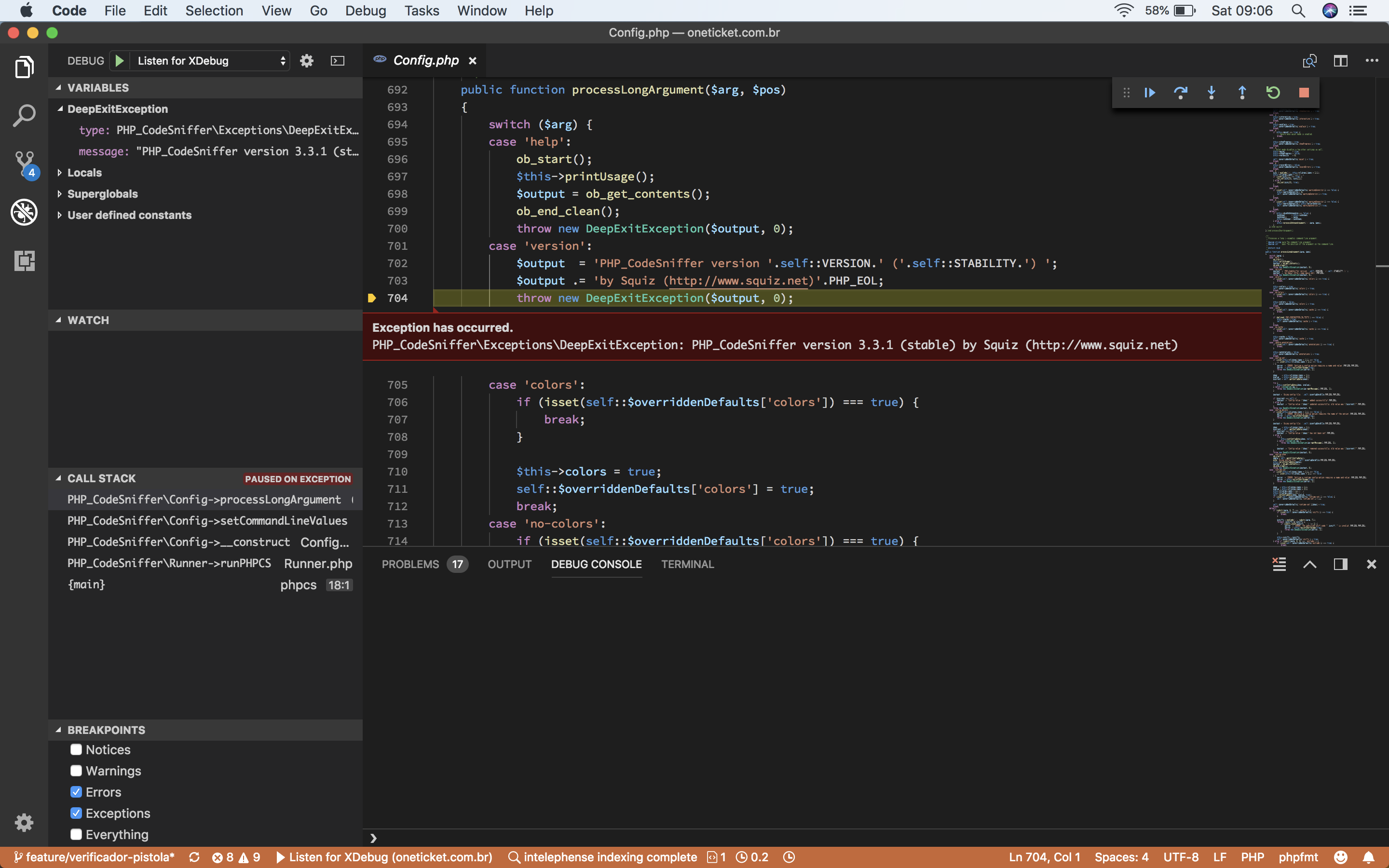
I can't debug in peace, please help. 😱
 odahcam
on 18 Aug 2018
odahcam
on 18 Aug 2018
@odahcam I'm not sure what problem you are asking about. I don't know why you are getting an exception in VSCode (I don't maintain the plugin there) but it is just reporting version info, as you've found.
gsherwood
on 20 Aug 2018
Let's try to report that there then, thanks.
odahcam
on 20 Aug 2018
Related issues
 UziTech
·
3Comments
UziTech
·
3Comments
 u01jmg3
·
3Comments
u01jmg3
·
3Comments
 SidIcarus
·
3Comments
SidIcarus
·
3Comments
 burzum
·
3Comments
burzum
·
3Comments
 brzuchal
·
3Comments
brzuchal
·
3Comments
Most helpful comment
Had the same error.
It's not vscode related, you can run
phpcson terminal and same error will be fired.This happened to me after run
brew prune.Anyway, you can fix by reinstalling PHP CodeSniffer, in my case,
brew reinstall php-code-sniffer.