Hi, this is sum of issues I found when working with Render Texture (WebGL). This is current setup:
- game 640x1024 pixels,
- render texture in scene 300x300 pixels
(I use render texture to prerender 9-image for menu)
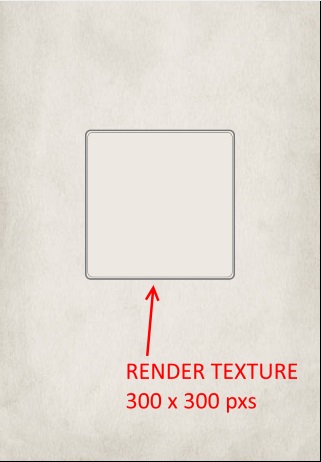
1] when using FireFox, erorr / warning is thrown: "Error: WebGL warning: drawArrays: Drawing to a destination rect smaller than the viewport rect. (This warning will only be given once)":

It is related to size of viewport and size of render texture. In this case, render texture is only 300x300, while viewport is 640x1024.
Original code in file RenderTextureWebGL.js can be changed to following and error then does not show (and everything else still seems to work...). Here I am using exact numbers from my game as I am not sure what is correct source for them in code.
    draw: function (texture, frame, x, y)
    {
        // add this line to change viewport size to size of render texture
        this.gl.viewport(0, 0, 300, 300);

        var glTexture = texture.source[frame.sourceIndex].glTexture;
        var tint = (this.globalTint >> 16) + (this.globalTint & 0xff00) + ((this.globalTint & 0xff) << 16);
        this.renderer.setFramebuffer(this.framebuffer);

        // set projection to size of render texture, not size of the game
        this.renderer.pipelines.TextureTintPipeline.projOrtho(0, 300 /* this.renderer.pipelines.TextureTintPipeline.width */ ,
                0, 300 /* this.renderer.pipelines.TextureTintPipeline.height */, -1000.0, 1000.0);

        this.renderer.pipelines.TextureTintPipeline.drawTexture(glTexture, x, y, tint, this.globalAlpha, frame.cutX, frame.cutY, frame.cutWidth, frame.cutHeight, this.currentMatrix, null, this);
        this.renderer.setFramebuffer(null);
        this.renderer.pipelines.TextureTintPipeline.projOrtho(0, this.renderer.pipelines.TextureTintPipeline.width, this.renderer.pipelines.TextureTintPipeline.height, 0, -1000.0, 1000.0);

        // add this line to change viewport size back to game viewport
        this.gl.viewport(0, 0, 640, 1024);

        return this;
    }
2] second issue comes from fact, that methods clear(), fill() and draw() of Render Texture are missing in TS defs (they are not present at RenderTexture.js - implementation is in RenderTextureWebGL.js and RenderTextureCanvas.js). Also type of first parametr of draw method in RenderTexture.js is not correct (string - key of texture). Method(s) uses texture (Phaser.Textures.Texture)
3] this is kind of feature request: It would be great if not only single frames could be rendered into render texture (as it is not possible to scale/rotate/... them ). More, currently rendering is not batched. It is ok, if prerendering something in create() method, but it can fire lot of draw calls if someone rendered something complex every frame.
It would be great if gameobject or whole displaylist/scene (or combination like container) could be rendered into render texture. Would it be possible if it used the same rendering as whole game uses, but only targeting render texture instead of main game texture?
 SBCGames
All 7 comments
I've fixed all of these issues. However, I'm thinking the RenderTexture class could do with being changed in a number of ways:
1) Remove the use of the MatrixStack entirely. You're limited to 1000 ops at the moment, and it creates a huge array big enough to hold all of that for every single RenderTexture, even if you never use one. This means removing methods like save, restore, rotate and scale from the RT, but I'm guessing adding the following feature is all anyone really needed anyway:
2) Add the ability to draw a texture based Game Object to a RT and for it to use the transform of the Game Object (rotation, scale, flip, tint - you'd still tell it where to draw x/y)
3) Allow an array of Game Objects to be drawn to a RT in a single call.
4) Doing the above I can remove the batch flush for every draw, and just do it for every group of array items. So drawing an array of 1000 items to an RT will take 1 draw, not 1000.
5) The same draw method can then take either an array of Frames or Game Objects without needing an extra method.
I may look into passing in Containers or Groups but I'm not overly keen on the idea.
I do feel that dropping all the MatrixStack stuff and allowing you to use the GOs transform would be a fair swap. I'm really not sure how many people make use of it anyway.
 photonstorm
on 31 Jul 2018
photonstorm
on 31 Jul 2018
Thanks for all the changes! 🥇
SBCGames
on 31 Jul 2018
Do you ever use the current RT transform methods? (like save, restore, etc)
photonstorm
on 31 Jul 2018
Personally, I did not use it ever... not sure about others.
SBCGames
on 31 Jul 2018
That's what I figured. It was just too frustrating to use imho.
photonstorm
on 31 Jul 2018
Just to say that I'm using those RT transform methods (although that feature has been disabled in my game for a few weeks at this point) and I would much rather use GO transforms.
 jorbascrumps
on 1 Aug 2018
jorbascrumps
on 1 Aug 2018
Ok, now in the master branch is the brand new Render Texture. Here's what it can do:
Render Texture Updates
The Render Texture class has been rewritten from scratch and all Game Objects have been updated to support it. Previously it was very restricted in what you could do with it. It used to have a matrix stack for internal transforms, but this has been replaced with a Camera instead. This means you have the full power of a Camera system (scrolling, zooming, rotation) but it only impacts the contents of the Render Texture.
The biggest update is the change in what the
drawmethod can accept. Previously you had to pass is a texture and frame reference. This has changed, as has the method signature. It can now accept any of the following:- Any renderable Game Object, such as a Sprite, Text, Graphics or TileSprite.
- Dynamic and Static Tilemap Layers.
- A Group. The contents of which will be iterated and drawn in turn.
- A Container. The contents of which will be iterated fully, and drawn in turn.
- A Scene. Pass in
Scene.childrento draw the whole display list. - Another Render Texture.
- A Texture Frame instance.
- A string. This is used to look-up a texture from the Texture Manager.
There is a new method
drawFramewhich allows you to pass in a string-based texture and frame key and have it drawn to the Render Texture.- The new method
saveTextureallows you to save the Render Texture into the Texture Manager using your own key. You can then use the Render Texture for any Game Object that accepts textures as a source, such as Sprites or even Tilemap Layers. You can add frame data to a Render Texture using theRenderTexture.texture.addmethod. - The new
cameraproperty is an instance of a complete 2D Camera. You can use it to change the view into your Render Texture. Scroll, rotate, zoom, just like you would with a normal Camera, except it will only influence is the objects being drawn to the Render Texture. - All of the matrix-style methods have been removed:
save,translate,restore,scale,rotate. You can now achieve the same thing by either transforming the object you want to draw to the Render Texture, or using the built-in Camera. - You can now crop a Render Texture. Use the
setCropmethod to define the crop region.
See the fully complete documentation for more details and the extensive examples and tests created.
:)
photonstorm
on 3 Aug 2018
Related issues
 JarLowrey
·
4Comments
JarLowrey
·
4Comments
 rootasjey
·
3Comments
rootasjey
·
3Comments
 maikthomas
·
4Comments
maikthomas
·
4Comments
 HDouss
·
3Comments
HDouss
·
3Comments
 halilcakar
·
4Comments
halilcakar
·
4Comments
Most helpful comment
Ok, now in the master branch is the brand new Render Texture. Here's what it can do:
Render Texture Updates
The Render Texture class has been rewritten from scratch and all Game Objects have been updated to support it. Previously it was very restricted in what you could do with it. It used to have a matrix stack for internal transforms, but this has been replaced with a Camera instead. This means you have the full power of a Camera system (scrolling, zooming, rotation) but it only impacts the contents of the Render Texture.
The biggest update is the change in what the
drawmethod can accept. Previously you had to pass is a texture and frame reference. This has changed, as has the method signature. It can now accept any of the following:Scene.childrento draw the whole display list.There is a new method
drawFramewhich allows you to pass in a string-based texture and frame key and have it drawn to the Render Texture.saveTextureallows you to save the Render Texture into the Texture Manager using your own key. You can then use the Render Texture for any Game Object that accepts textures as a source, such as Sprites or even Tilemap Layers. You can add frame data to a Render Texture using theRenderTexture.texture.addmethod.cameraproperty is an instance of a complete 2D Camera. You can use it to change the view into your Render Texture. Scroll, rotate, zoom, just like you would with a normal Camera, except it will only influence is the objects being drawn to the Render Texture.save,translate,restore,scale,rotate. You can now achieve the same thing by either transforming the object you want to draw to the Render Texture, or using the built-in Camera.setCropmethod to define the crop region.See the fully complete documentation for more details and the extensive examples and tests created.
:)