Phaser: Fullscreen with dom elements
Version
- Phaser Version: v3.16.0-rc1
- Operating system: Windows 10
- Browser: Chrome, Mozilla
Description
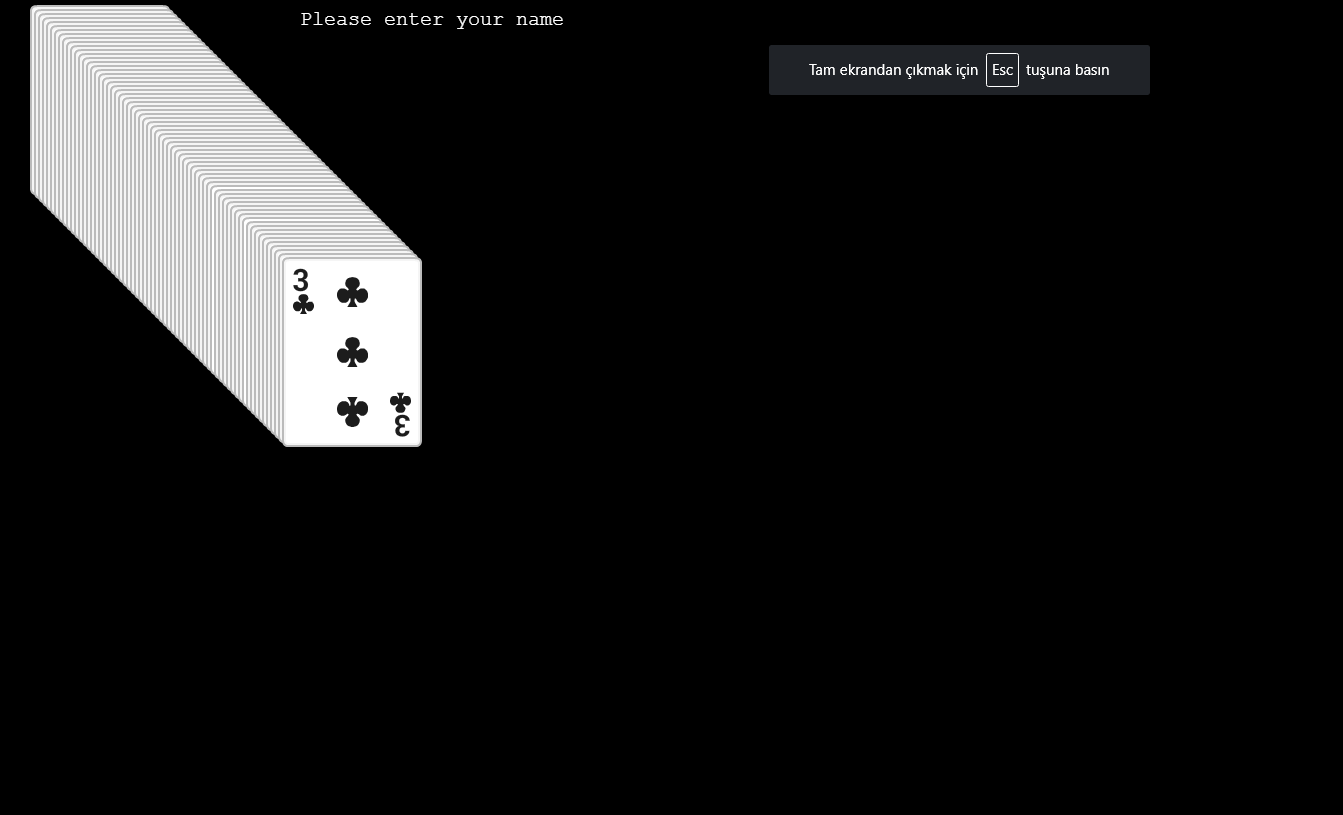
After ScaleManager added, i tryed it with dom elements and there is the same problem that we have in phaser-2. It's starting full screen but the html doesn't shown.
The code below is inside "phaser examples- dom elements - input test.js"
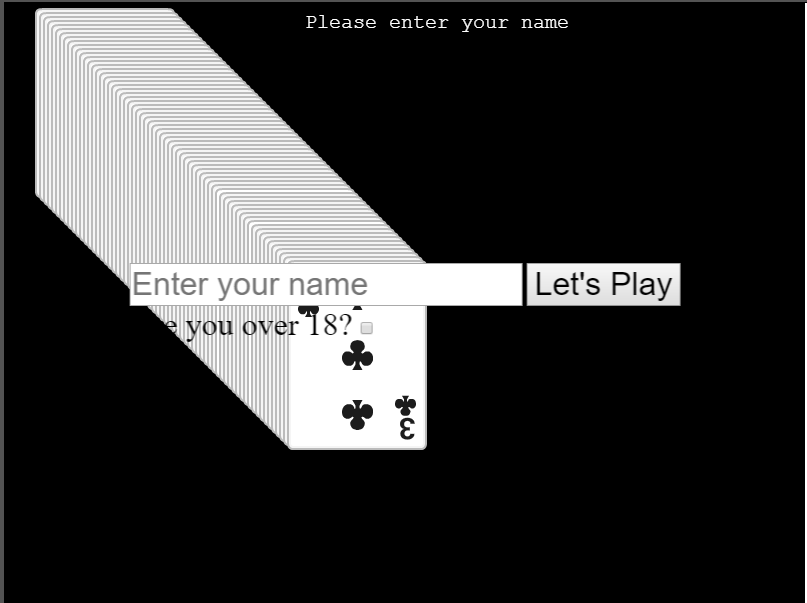
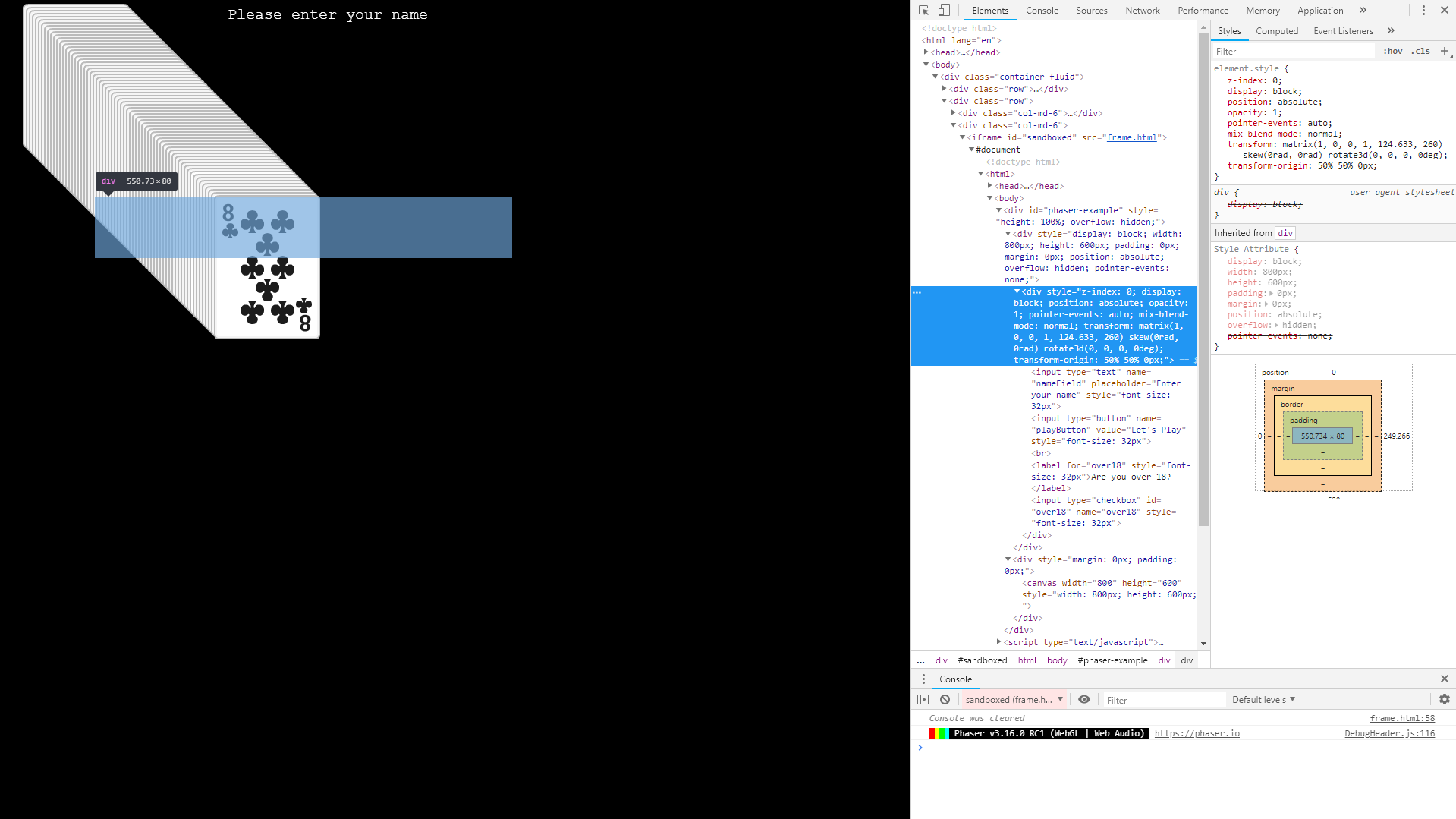
it's already not working on labs.phaser.io cause it's still using v3.15.1 but i have a local version and on that it's working. When i add the code for fullscreen this.input.keyboard.on('keydown', ({ key }) => key === '*' ? this.scale.toggleFullscreen() : undefined); it's starting and closing fullscreen but without html inside which we loaded before. Please see the pictures below:
Edit 1:
After changing version to 3.16.0-rc2 if i use the same function to toggle fullscreen i have a black screen and i check on dev tools that canvas has a property says 'height: 0px'
Example Test Code
var config = {
    type: Phaser.AUTO,
    parent: 'phaser-example',
    width: 800,
    height: 600,
    dom: {
        createContainer: true
    },
    scene: {
        preload: preload,
        create: create
    }
};

var game = new Phaser.Game(config);

function preload ()
{
    this.load.html('nameform', 'assets/text/nameform.html');
    this.load.atlas('cards', 'assets/atlas/cards.png', 'assets/atlas/cards.json');
}

function create ()
{
    //  Create a stack of random cards

    var frames = this.textures.get('cards').getFrameNames();

    var x = 100;
    var y = 100;

    for (var i = 0; i < 64; i++)
    {
        var image = this.add.image(x, y, 'cards', Phaser.Math.RND.pick(frames)).setInteractive({ draggable: true });

        x += 4;
        y += 4;
    }

    this.input.on('dragstart', function (pointer, gameObject) {

        this.children.bringToTop(gameObject);

    }, this);

    this.input.on('drag', function (pointer, gameObject, dragX, dragY) {

        gameObject.x = dragX;
        gameObject.y = dragY;

    });

    this.input.keyboard.on('keydown', ({ key }) => key === '*' ? this.scale.toggleFullscreen() : undefined);

    var text = this.add.text(300, 10, 'Please enter your name', { color: 'white', fontSize: '20px '});

    var element = this.add.dom(400, 0).createFromCache('nameform');

    element.addListener('click');

    element.on('click', function (event) {

        if (event.target.name === 'playButton')
        {
            var inputText = this.getChildByName('nameField');

            //  Have they entered anything?
            if (inputText.value !== '')
            {
                //  Turn off the click events
                this.removeListener('click');

                //  Hide the login element
                this.setVisible(false);

                //  Populate the text with whatever they typed in
                text.setText('Welcome ' + inputText.value);
            }
            else
            {
                //  Flash the prompt
                this.scene.tweens.add({
                    targets: text,
                    alpha: 0.2,
                    duration: 250,
                    ease: 'Power3',
                    yoyo: true
                });
            }
        }

    });

    this.tweens.add({
        targets: element,
        y: 300,
        duration: 3000,
        ease: 'Power3'
    });

}
Additional Information
This image shows the example have dom content.
After requesting full screen it's not showing
Also if we check on developer tools we can see that it's in place but not showing.
 halilcakar
All 4 comments
The Fullscreen API can only send one dom element (and its children) into fullscreen mode. To do what you need to do, you'll have to make sure that you have one single dom element, inside which you have the Phaser canvas and all of your form elements, and then set that parent as being the fullscreenTarget (this setting is available in both v3 and v2), so it knows to make that element fullscreen and not Phaser itself.
 photonstorm
on 30 Jan 2019
photonstorm
on 30 Jan 2019
Thanks for answer @photonstorm,
I'll give it a try and see! 👍
halilcakar
on 31 Jan 2019
Hey @photonstorm, after some search on phaser src, i found that when we pass fullscreenTarget from config it's not applying to ScaleManager. So i had to use this way:
var config = {
    type: Phaser.AUTO,
    parent: 'phaser-example',
    width: 800,
    height: 600,
    dom: {
        createContainer: true,
    },
    scene: {
        init: init,
        preload: preload,
        create: create
    }
};

var game = new Phaser.Game(config);

function init ()
{
    this.scale.fullscreenTarget = document.getElementById(config.parent);
}

function preload ()
{
    this.load.html('nameform', 'assets/text/nameform.html');
    this.load.atlas('cards', 'assets/atlas/cards.png', 'assets/atlas/cards.json');
}

function create ()
{
    //  Create a stack of random cards
    this.input.keyboard.on('keydown', ({ key }) => key === '*' ? this.scale.toggleFullscreen() : undefined)

    var frames = this.textures.get('cards').getFrameNames();

    var x = 100;
    var y = 100;

    for (var i = 0; i < 64; i++)
    {
        var image = this.add.image(x, y, 'cards', Phaser.Math.RND.pick(frames)).setInteractive({ draggable: true });

        x += 4;
        y += 4;
    }

    this.input.on('dragstart', function (pointer, gameObject) {

        this.children.bringToTop(gameObject);

    }, this);

    this.input.on('drag', function (pointer, gameObject, dragX, dragY) {

        gameObject.x = dragX;
        gameObject.y = dragY;

    });

    var text = this.add.text(300, 10, 'Please enter your name', { color: 'white', fontSize: '20px '});

    var element = this.add.dom(400, 0).createFromCache('nameform');

    element.addListener('click');

    element.on('click', function (event) {

        if (event.target.name === 'playButton')
        {
            var inputText = this.getChildByName('nameField');

            //  Have they entered anything?
            if (inputText.value !== '')
            {
                //  Turn off the click events
                this.removeListener('click');

                //  Hide the login element
                this.setVisible(false);

                //  Populate the text with whatever they typed in
                text.setText('Welcome ' + inputText.value);
            }
            else
            {
                //  Flash the prompt
                this.scene.tweens.add({
                    targets: text,
                    alpha: 0.2,
                    duration: 250,
                    ease: 'Power3',
                    yoyo: true
                });
                        }
        }

    });

    this.tweens.add({
        targets: element,
        y: 300,
        duration: 3000,
        ease: 'Power3'
    });

}
Or is there any way to pass it from config object ? :)
halilcakar
on 31 Jan 2019
It's now picked-up from the game config and passed to the Scale Manager, so you don't have to set it manually anymore. This is now in the master branch, please test if you get a chance!
photonstorm
on 31 Jan 2019
Related issues
 rootasjey
·
3Comments
rootasjey
·
3Comments
 rexrainbow
·
4Comments
rexrainbow
·
4Comments
 SKEPDIMI
·
4Comments
SKEPDIMI
·
4Comments
 sercand
·
3Comments
sercand
·
3Comments
 Colbydude
·
4Comments
Colbydude
·
4Comments
Most helpful comment
It's now picked-up from the game config and passed to the Scale Manager, so you don't have to set it manually anymore. This is now in the master branch, please test if you get a chance!