Pengwin: WLinux taskbar icon is blank and cannot be removed
WLinux somehow automatically rebranded to Pengwin on my machine today, which is fine, but there are a few issues with this:
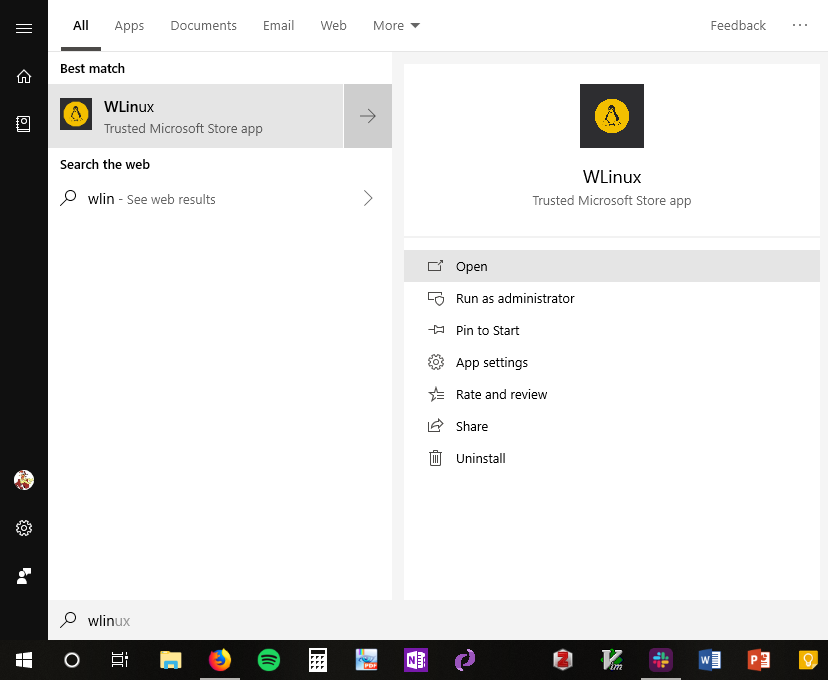
1) There was no notification of this, and the WLinux app seemingly stopped working – I can find it in the Start Menu, but nothing happens if I try to run it. The Pengwin app appeared as new.
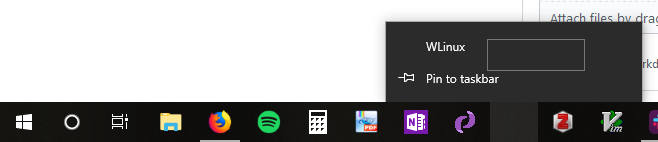
2) The pinned WLinux icon on the taskbar disappeared, but still keeps using up space, and there's no obvious way to remove it (the screenshot shows an attempt at right-clicking the "WLinux" entry, after right-clicking the icon). The Pengwin icon seems to be distinct from the WLinux one – I had to pin it again.
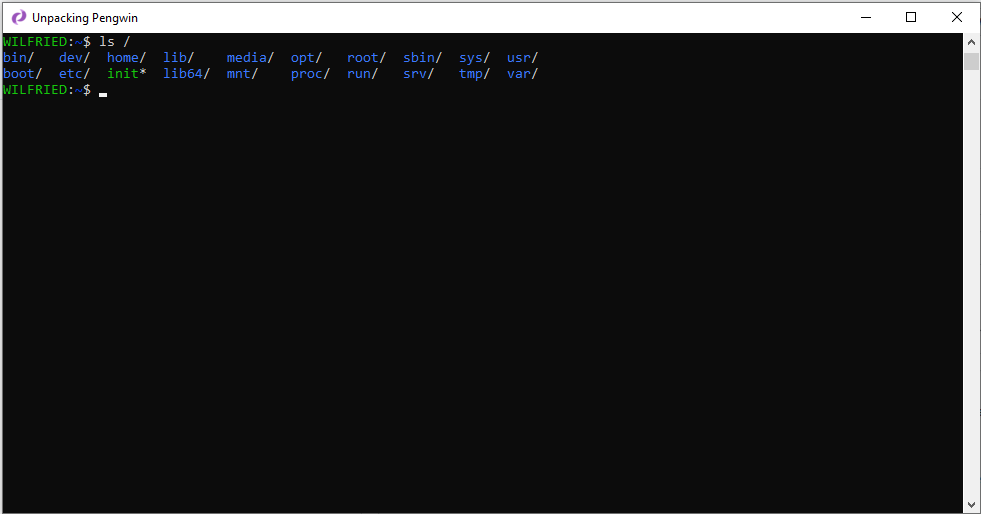
2) The window title now says "Unpacking Pengwin", even though there's no "unpacking" going on -- the app seems to work normaly, and my settings and files are preserved. This is not a big problem, but it looks weird.
My Pengwin version info says 1.2.0.0, my Windows 10 Home is version 1809, build 17763.437.
 tuetschek
All 15 comments
Hello,
Open the task manager and finish all processes without extension like "init", "dbus", etc. Or restart your PC
Hope it helps
Regards
 crramirez
on 9 Apr 2019
crramirez
on 9 Apr 2019
Thanks for your reply! Unfortunately restarting didn't change anything :-(.
tuetschek
on 9 Apr 2019
Ok I am out of ideas. Because any other solution will wipe your pengwin installation. But if you decide to do it, remember to use the home backup feature of pengwin-setup.
You can try clicking the "Repair" button in app settings of pengwin
crramirez
on 10 Apr 2019
Wow, this sucks. This has gone very wrong for you and I am really sorry.
We have been trying to get the word out about the pending changes via media, our blog, and social media (Twitter, Reddit, etc.) for a couple months. We clearly need to identify more ways to reach our users. Do you have any suggestions?
Second, I want you to know we did everything we could to upgrade everyone in place with backward compatibility so it would be seamless, WLinux would literally become Pengwin overnight. Something has happened with the UWP wrapper on your system, I think the best course of action is to backup your home folder and remove/reinstall Pengwin. I am really sorry to say that because it means we let you down but I think it's the best course of action to get you up and running at this time.
 sirredbeard
on 10 Apr 2019
sirredbeard
on 10 Apr 2019
I had this issue on my laptop today. I ended up using the DOS batch file linked on the following site to blow away all of the pins in my taskbar and then repin everything:
https://www.tenforums.com/tutorials/3151-reset-clear-taskbar-pinned-apps-windows-10-a.html
 bushidocodes
on 10 Apr 2019
bushidocodes
on 10 Apr 2019
I'd like to chime in, if possible: I was running WLinux on cmder, using wlinux -new_console:p, which is essentially how you would open the console in the command prompt or powershell, and then the cmder command; unfortunately, now it opens up the terminal in a separate mintty instance. Is there any way I can open it up in the cmder console again?
 shadowrylander
on 10 Apr 2019
shadowrylander
on 10 Apr 2019
Hello,
I don't think we made such change to have now this behavior. To verify, now the command that you are running is: pengwin -new_console:p ?
I will try to reproduce it today.
Regards
crramirez
on 10 Apr 2019
@sirredbeard : Thanks for your reply! It's alright – it didn't break anything besides some cosmetic changes, so I'll probably reinstall or just go with @bushidocodes's solution. I was actually aware that the distribution is changing its name (not sure where I read it, I guess some blogs), but I thought I'd have to upgrade manually at some point.
tuetschek
on 10 Apr 2019
@crramirez Thanks! I didn't know how to call it, as sometimes the executable has a different name from the program!
shadowrylander
on 10 Apr 2019
@crramirez Thanks! I didn't know how to call it, as sometimes the executable has a different name from the program!
You're welcome. Probably you have installed wsltty, and this is the reason why wlinux still worked but in a mintty window.
crramirez
on 10 Apr 2019
You can also use:
Remove-Item "$env:USERPROFILE\AppData\Roaming\Microsoft\Internet Explorer\Quick Launch\User Pinned\TaskBar\*" -recurse
Remove-Item -Path "HKCU:\Software\Microsoft\Windows\CurrentVersion\Explorer\Taskband" -recurse
Get-Process explorer | Stop-Process
Wow, this sucks. This has gone very wrong for you and I am really sorry.
I was apparently lucky, that things didn't go as bad for me. I had been working last night, and at one point I noticed that WLinux icon on taskbar turned black, but things worked OK. While I was sleeping, computer had decided to make reboot. Starting work today, WLinux icons are disappeared, it is found in Start menu search, but button does nothing. Pengwin works, though doesn't have right icon when trying to search.
We have been trying to get the word out about the pending changes via media, our blog, and social media (Twitter, Reddit, etc.) for a couple months. We clearly need to identify more ways to reach our users. Do you have any suggestions?
This is indeed million dollar question. I can chime in with these.. Like I didn't know you had a blog. I just took good look at repo's README.md, and didn't find blog mentioned there at all... but it appears to be on your startup website, which is linked there. It just doesn't invite me going there, as there isn't mention that part of information is shared there.
I'm not active Reddit reader (no account, not following any subreddit regularly, diving in there if some Google results take me there). Twitter I occasionally use, but I haven't realised that you are using it. And there it is pretty easy to be lost in sea of tweets.
When I made my first bug report here few weeks back, I noticed re-branding on readme, but there was no further info, anywhere in repo.. made me think that it is something happening in the future, and MS Store would take care of things smoothly.
I started watching releases on repo, hoping to see when things move forward, but I have feeling that currently releases/tags in repo is used a bit unconventional way. Like I don't see anywhere that this 1.2.3.0 is released that I am using, and no idea what state of repo that represents.
How to make it better? Few things I would like to see are roadmap with release schedule. A bit restructuring README.md to make it clear that there is blog and other actively used places where information is shared.
I wouldn't mind if Pengwin had some sort of MOTD when it is opened, something that would pull for example info when new blog post is made. You could then easily snooze it, until next one comes up. A bit similar as Gentoo's eselect news are.
I at least use WSL because I want to have similar feel as with Linux and to use similar tools. I'm not accustomed with real Linux environments to follow outside sources for changes... all information is within Linux and I encounter it on daily usage.
Apologies, as this became quite massive. This just is topic I might be a bit passionate.
 kerbe
on 12 Apr 2019
kerbe
on 12 Apr 2019
I just had this same problem, and got quite annoyed because I hadn't realised WLinux was being renamed either. A quick bit of Googling helped me to realise that the issue is that a pin that points to something that gets renamed becomes blank and basically unresponsive.
There is an easy fix though, as I found from another page: hold shift as you right click on the blank pin and you'll get a context menu which allows you to unpin.
 ste616
on 12 Apr 2019
ste616
on 12 Apr 2019
@kerbe Thanks for that feedback. In response I have opened https://github.com/WhitewaterFoundry/Pengwin/issues/404.
@ste616 Sorry for the hassle. Hopefully this is the last time we will be renaming! Thank you for your links. I hope you don't mind I fixed the links in markdown.
sirredbeard
on 12 Apr 2019
I just had this same problem, and got quite annoyed because I hadn't realised WLinux was being renamed either. A quick bit of Googling helped me to realise that the issue is that a pin that points to something that gets renamed becomes blank and basically unresponsive.
There is an easy fix though, as I found from another page: hold shift as you right click on the blank pin and you'll get a context menu which allows you to unpin.
Thank you so much!! I tried so many things and nothing worked who would have known it was that simple.... Typical windows having features that are left unannounced / explained in an easily visible place / manner - ____ -
 hltdev8642
on 24 Apr 2019
hltdev8642
on 24 Apr 2019
Related issues
 alanfluff
·
3Comments
alanfluff
·
3Comments
 WSLUser
·
4Comments
WSLUser
·
4Comments
 juliosegarra
·
3Comments
juliosegarra
·
3Comments
 LucasYihsuehTsai
·
3Comments
LucasYihsuehTsai
·
3Comments
 rdmueller
·
3Comments
rdmueller
·
3Comments
Most helpful comment
I just had this same problem, and got quite annoyed because I hadn't realised WLinux was being renamed either. A quick bit of Googling helped me to realise that the issue is that a pin that points to something that gets renamed becomes blank and basically unresponsive.
reference URL
There is an easy fix though, as I found from another page: hold shift as you right click on the blank pin and you'll get a context menu which allows you to unpin.