Pengwin: pengwin-setup not installing powershell
When using the pengwin-setup tool and trying to install PowerShell, I get this error:
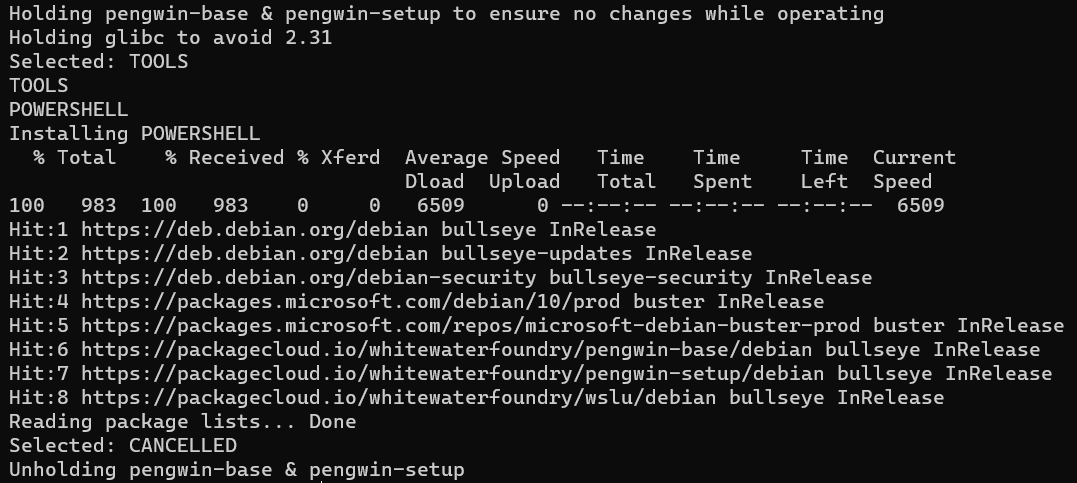
I also tried installing through apt and I got this:
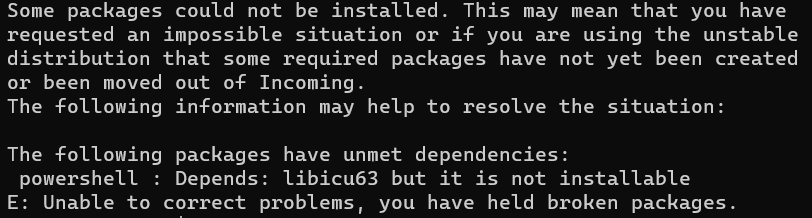
To Reproduce
- Go to 'pengwin-setup'
- Click on 'tools'
- Scroll down and select 'powershell'
- Enter and yes to install
- See error when it cancels and loops back to menu
Expected behavior
Install powershell.
Basic Troubleshooting Checklist
[ ] I have searched Google for the error message.
[ ] I have checked official WSL troubleshooting documentation: https://docs.microsoft.com/en-us/windows/wsl/troubleshooting#confirm-wsl-is-enabled.
[ ] I have searched the official Microsoft WSL issues page: https://github.com/Microsoft/WSL/issues.
[ ] I have searched the Pengwin issues page: https://github.com/WhitewaterFoundry/Pengwin/issues.
[ ] I have reset Pengwin: Settings->Apps->Apps & features->Pengwin->Advanced Options->Reset.
[ ] I have disabled and re-enabled WSL in Windows Features.
[ ] I have run Windows 10 updates and restarted.
I've taken these basic troubleshooting steps along with trying to go through apt and searching for the problems there but to no avail.
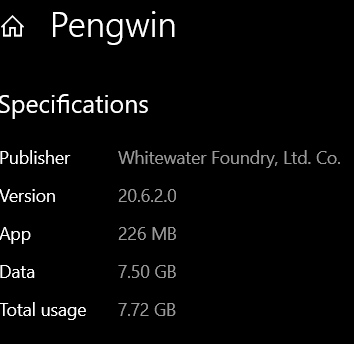
Pengwin Version
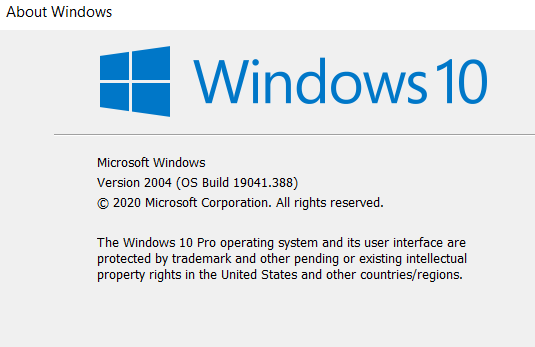
Windows Build
 juliosegarra
All 3 comments
Hello,
We will check. Thank you for reporting
 crramirez
on 23 Jul 2020
crramirez
on 23 Jul 2020
Hello,
The patch is coming. Meanwhile, execute the following and install powershell again from pengwin-setup:
echo 'deb https://deb.debian.org/debian stable main' | sudo tee /etc/apt/sources.list.d/stable.list
Regards,
Carlos
crramirez
on 7 Aug 2020
@crramirez worked great, thank you very much.
juliosegarra
on 9 Aug 2020
Related issues
 BhavyaJain7
·
3Comments
BhavyaJain7
·
3Comments
 camilorojasguzman
·
4Comments
camilorojasguzman
·
4Comments
 Photonico
·
5Comments
Photonico
·
5Comments
 ket000
·
5Comments
ket000
·
5Comments
 rdmueller
·
3Comments
rdmueller
·
3Comments