Pcsx2: OpenGL regression in Burnout 3 (draw distance is black)
PCSX2 version:
v1.5.0-dev-2714
PCSX2 options:
All defaults.
Plugins used:
All defaults.
Description of the issue:
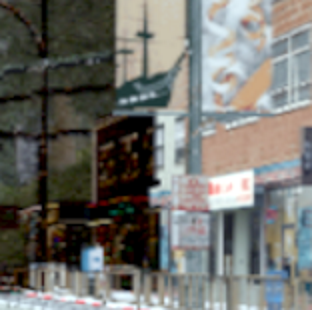
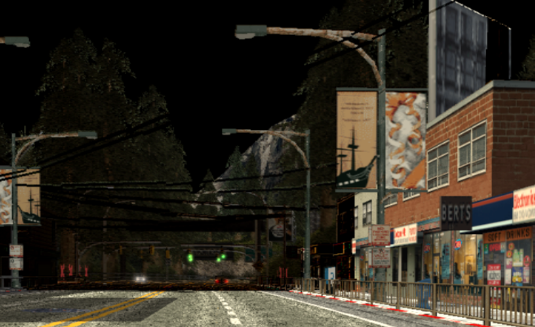
In the OpenGL Hardware plugin, there is a new issue where geometry in the distance is completely black.
Here is a screenshot (contrast adjusted):
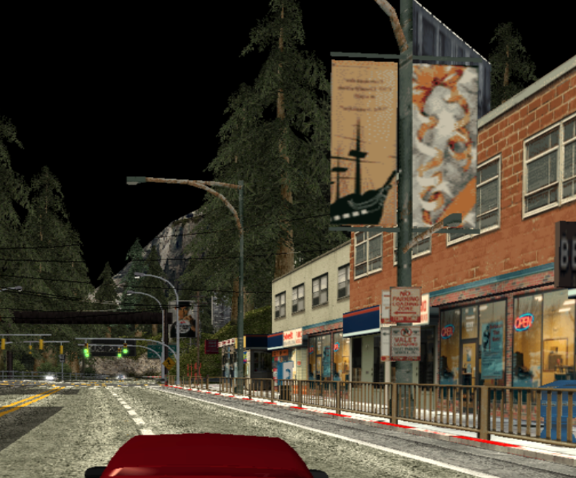
Here is what it looked like before (from dev-2484):
How to reproduce the issue:
It is pretty evident in any race. That race in the screenshot is Silver Lake.
Last known version to work:
Seems to work fine in dev-2484.
PC specifications:
Tested on Windows 7/i7-3770/GTX 1050Ti and Windows 10/i5-7200U/GT 960M, both affected
 bryc
bryc
All 5 comments
Did you try anything else between 2484 and 2714, or is 2484 the first build that works? Also, make sure you're switching your GSdx plugins properly when you upgrade builds.
 MrCK1
on 6 Dec 2018
MrCK1
on 6 Dec 2018
2484 is just the latest I have on hand - these are pretty much stock builds in separate folders from the buildbot so i don't mess with the plugins.
bryc
on 6 Dec 2018
OK then can you try to narrow down further what build caused the issue?
MrCK1
on 6 Dec 2018
I tried the earliest build on the buildbot - v1.5.0-dev-2695-g193bda164 (NOV 23), and it happens there too. So that would be a commit between August 12 - November 23.
Also the issue appears to be fixed when changing CRC mode to Full or Aggressive.
bryc
on 6 Dec 2018
Regression was introduced in 2670.
It will be fixed once https://github.com/PCSX2/pcsx2/pull/2731 is merged.
 lightningterror
on 6 Dec 2018
lightningterror
on 6 Dec 2018
Related issues
 backgamon
·
5Comments
backgamon
·
5Comments
 leyo96
·
5Comments
leyo96
·
5Comments
 mcabel
·
4Comments
mcabel
·
4Comments
 GeekyGami
·
3Comments
GeekyGami
·
3Comments
 Fireboyd78
·
6Comments
Fireboyd78
·
6Comments
Most helpful comment
Regression was introduced in 2670.
It will be fixed once https://github.com/PCSX2/pcsx2/pull/2731 is merged.