Gran Turismo 4 resolution glitch happens when i choose 1080i in game


v1.5.0-dev-2672-g51ceec74a and all older version
My specs:
CPU intel core i5 4440
GPU RX570 4Gb
 Clarke2131
All 3 comments
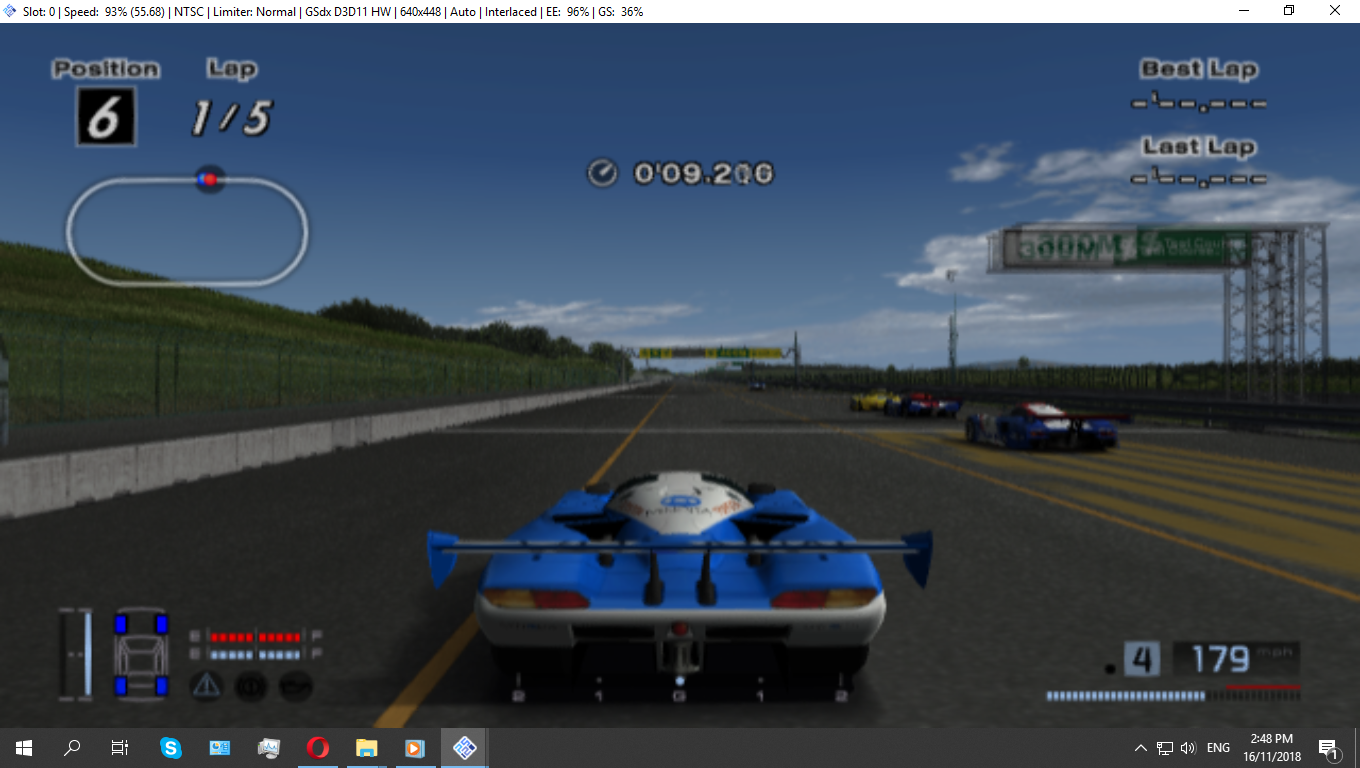
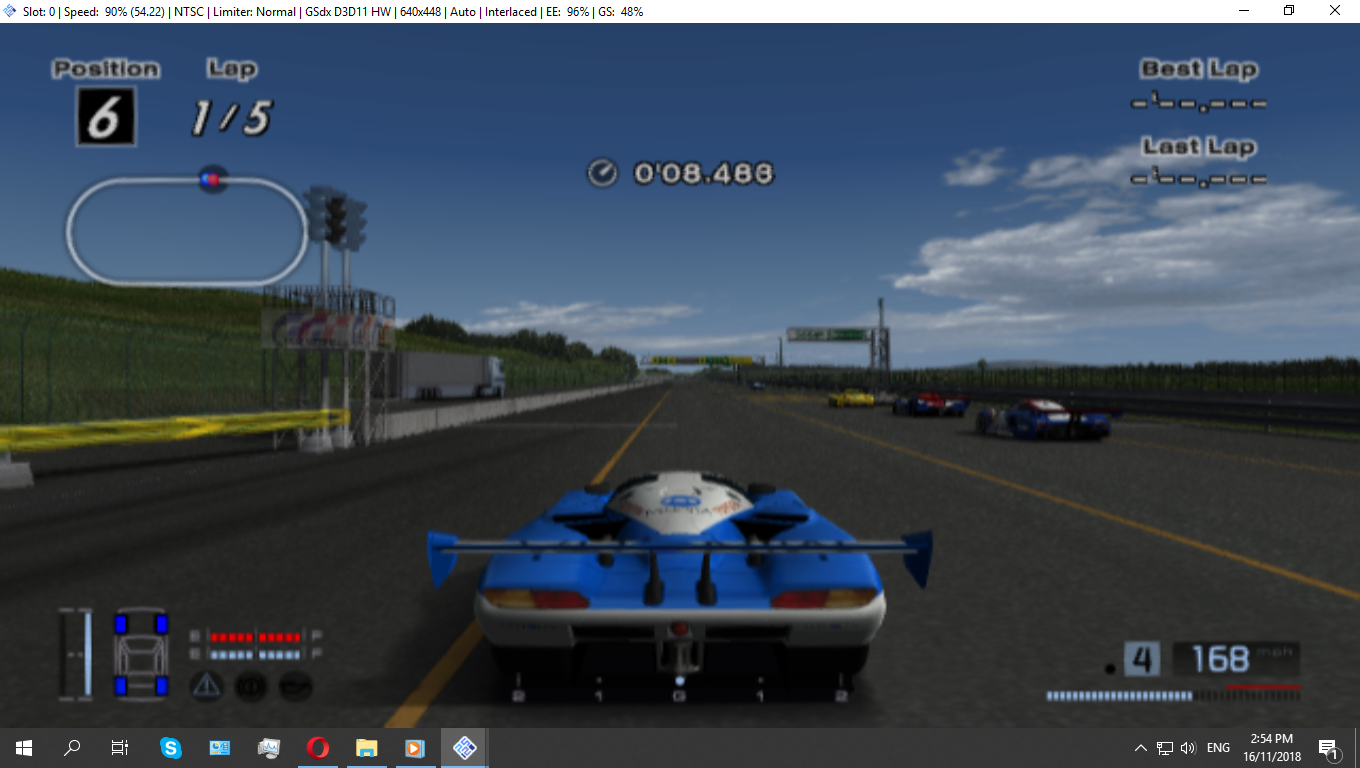
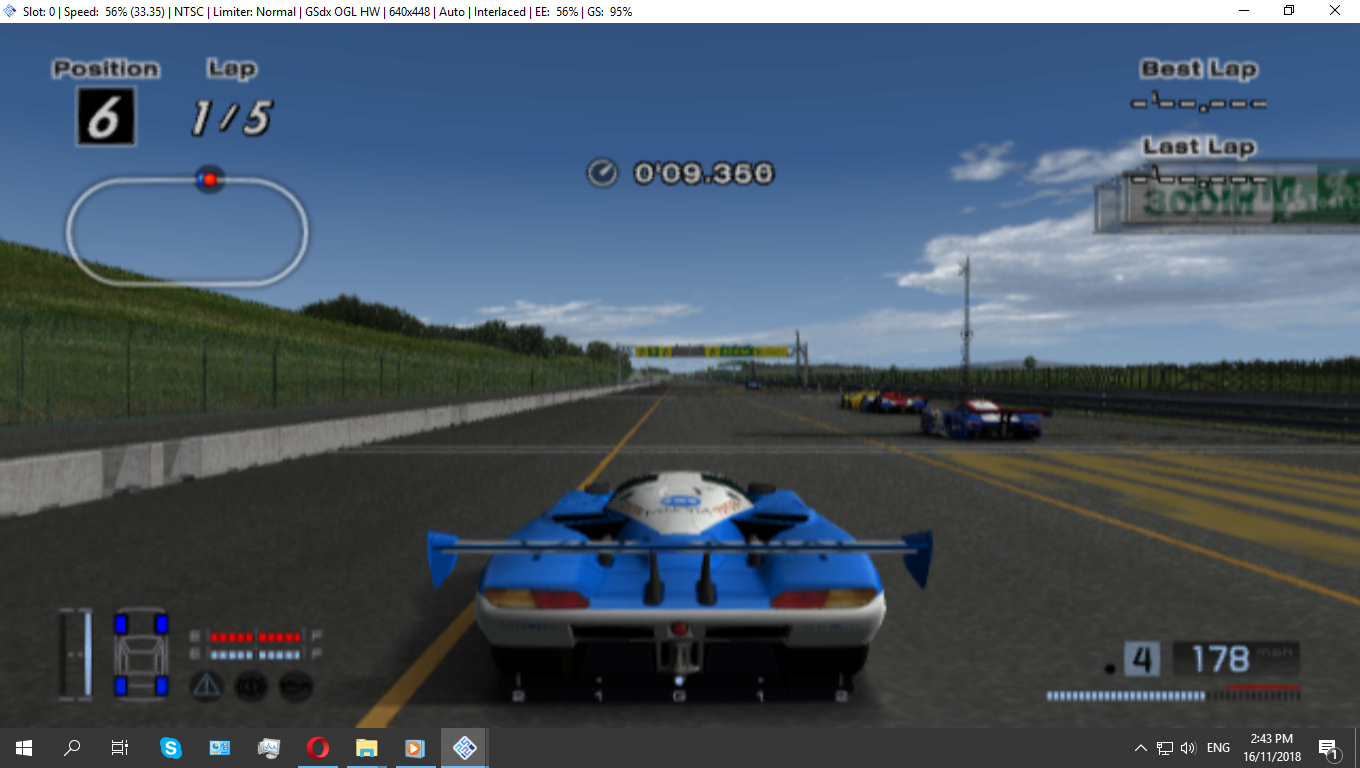
I see several different things going on here and I am unable to reproduce any of them with the ingame 1080i setting.
1) It looks like split times are not displaying correctly. This is fixable by setting EE clamping to Full and VU clamping to Extra + Preserve Sign
2) The lower screenshot is substantially darker. This is because you either:
a) are on OpenGL but set Blending Unit Accuracy to None
b) are on Direct3D, which does not support this function at all
Can you confirm that:
1) Your EE and VU clamping settings are both as I mentioned above
2) Both these screenshots are on the same renderer with the same settings. Ideally, bring everything back to defaults, since Gran Turismo 4 works perfectly with out of the box settings.
 RedPanda4552
on 16 Nov 2018
RedPanda4552
on 16 Nov 2018
1.I used the default settings and still the same.
- I've tried EE and VU both in full clamping and Extra + Preserve Sign, but unfortunately nothing changed.
- Yes those are in D3D, but now I have tested in OGL plugin and it runs nice but the fps goes to 30~60.





Clarke2131
on 16 Nov 2018
This isn't actually an issue. At least Basic blending is required to get the proper display (which d3d doesn't support right now).
High would be ideal with Accurate Date to get proper reflections tho.
As for opengl and poor performance, you can complain to amd for the issue.
https://community.amd.com/thread/206176
 lightningterror
on 6 Dec 2018
lightningterror
on 6 Dec 2018
Related issues
 vgturtle127
·
4Comments
vgturtle127
·
4Comments
 GeekyGami
·
3Comments
GeekyGami
·
3Comments
 Fireboyd78
·
6Comments
Fireboyd78
·
6Comments
 bryc
·
5Comments
bryc
·
5Comments
 mirh
·
6Comments
mirh
·
6Comments
Most helpful comment
I see several different things going on here and I am unable to reproduce any of them with the ingame 1080i setting.
1) It looks like split times are not displaying correctly. This is fixable by setting EE clamping to Full and VU clamping to Extra + Preserve Sign
2) The lower screenshot is substantially darker. This is because you either:
a) are on OpenGL but set Blending Unit Accuracy to None
b) are on Direct3D, which does not support this function at all
Can you confirm that:
1) Your EE and VU clamping settings are both as I mentioned above
2) Both these screenshots are on the same renderer with the same settings. Ideally, bring everything back to defaults, since Gran Turismo 4 works perfectly with out of the box settings.