Pcsx2: Crash Bandicoot The Wrath of Cortex "Under water levels"
PCSX2 version:
1.5.0-dev-2194
PCSX2 options:
Default
Plugins used:

Description of the issue:
Underwater texture is broken in all the underwater levels, first one to see this issue is level 7
Software mode (how it should look)
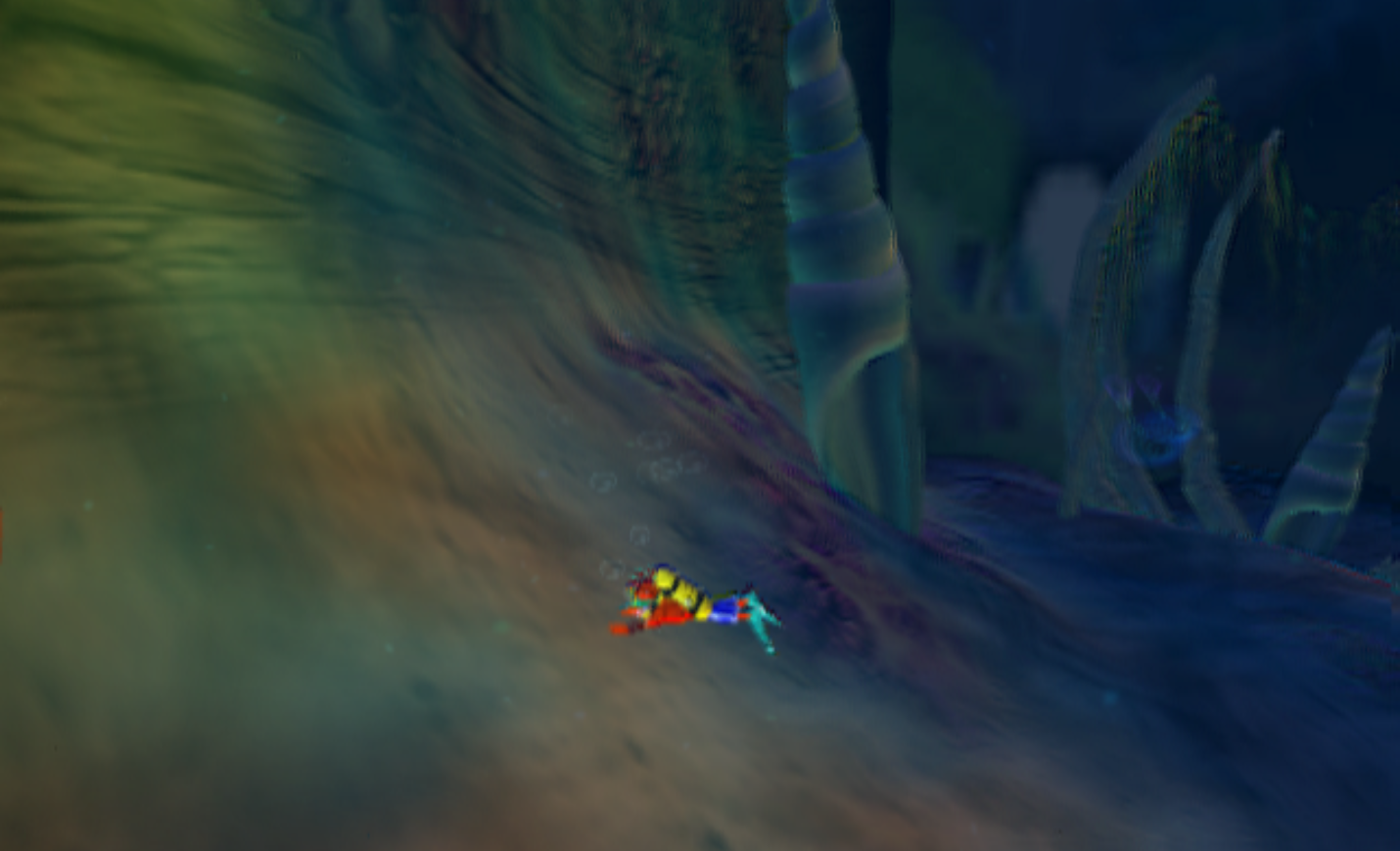
opengl hardware mode with native resolution
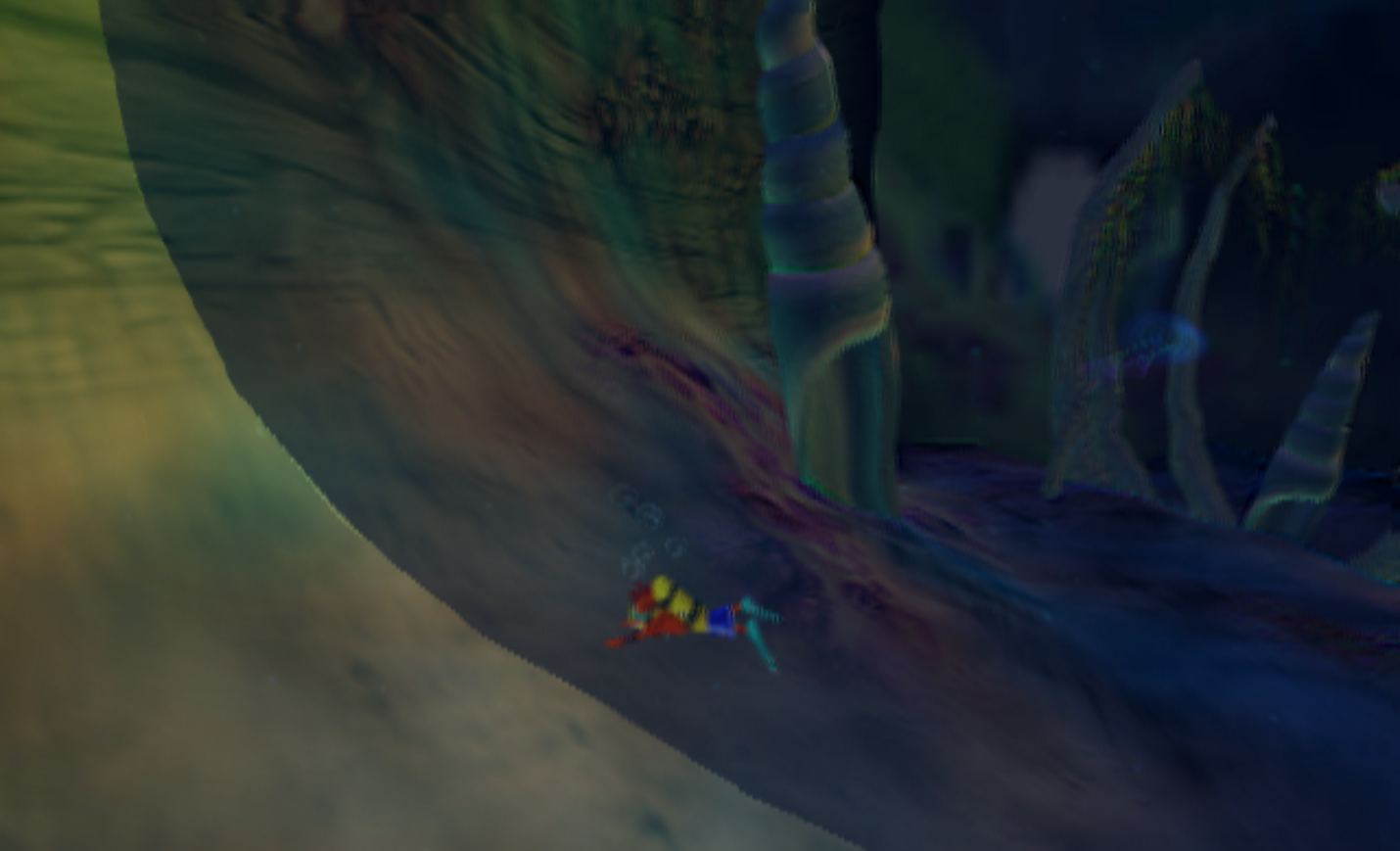
opengl hardware with any higher resolution
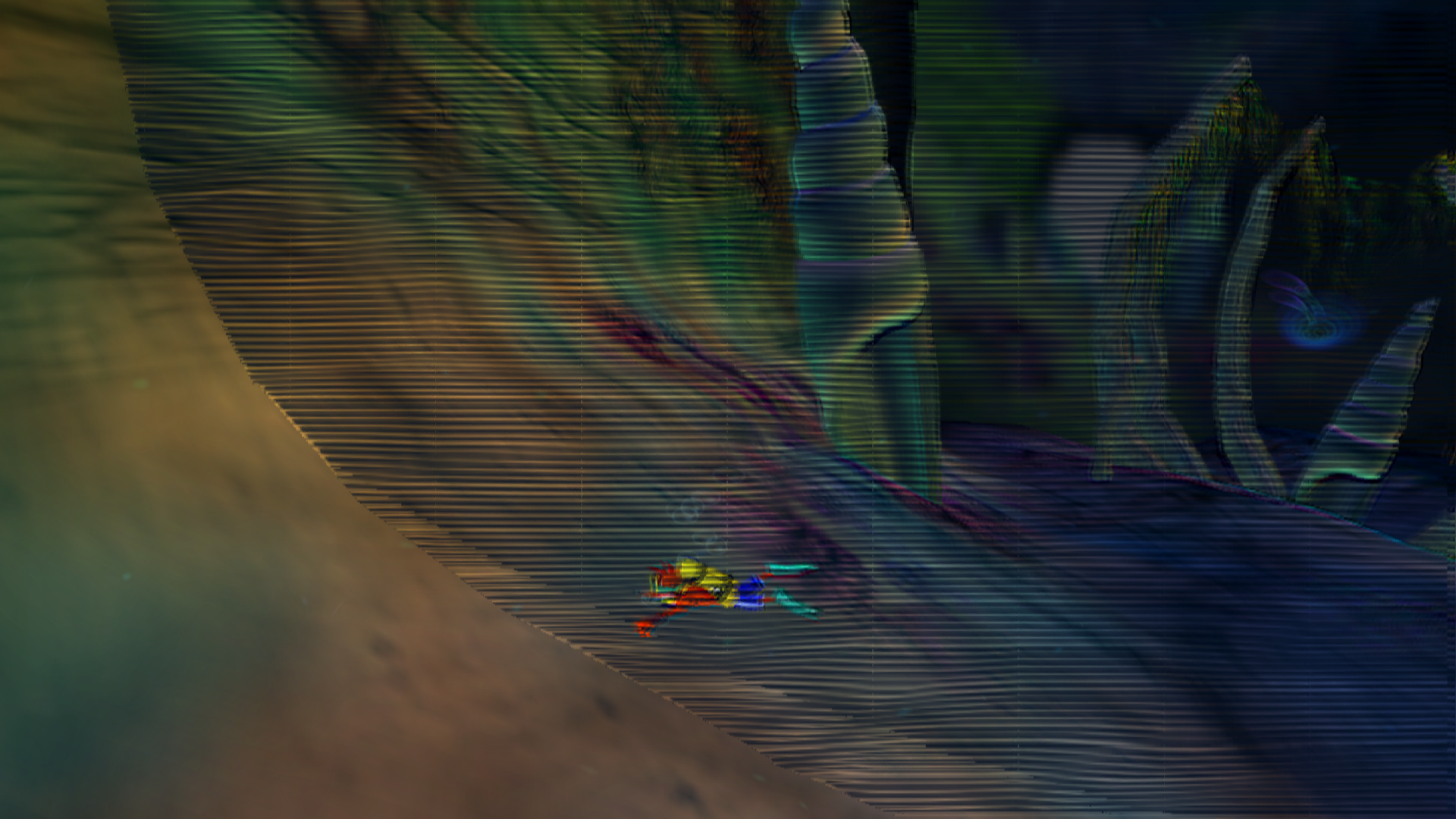
How to reproduce the issue:
Happens with all hardware options, software it will show correct but obv very low resolution
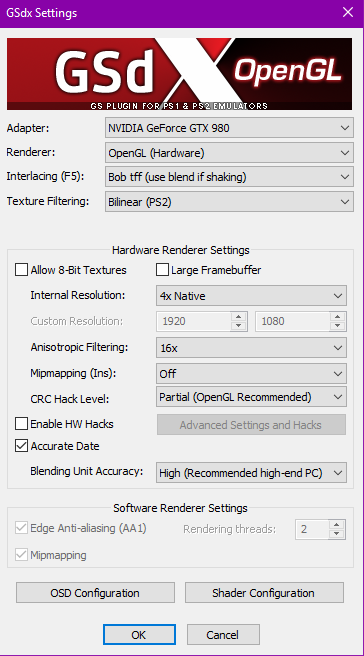
Here is my settings i use for this game
Last known version to work:
There is none
However the water can be turned off using HW Hacks then select "Disable Depth Emulation"
The option "Disable Depth Emulation" also fixed the top left texture flicker
PC specifications:
windows 10 64bit
i7 4790k
gtx 980
16gb ram
 JOHN30011887
All 20 comments
Don't use custom resolution or large framebuffer and enable Accurate Date. Use a resolution multiplier instead and see if that fixes it first.
If that doesn't work, turn up the blending accuracy(I don't know if this game has a half-bottom issue)
 MrCK1
on 12 Apr 2018
MrCK1
on 12 Apr 2018
You're also using old plugins,.make sure you upgrade your dev build if necessary and choose the plugins that have 2018 in the string.
MrCK1
on 12 Apr 2018
yeah iv already tried the resolution multipliers, makes no difference but thanks about mentioning the others, il now just keep large framebuffer off and keep enabled Accurate Date for this game,
iv often messed with the settings to see for fixes and atm turning off the water effect seems the only solution for now
i have often thought this game for atleast the water levels suffers from the half bottom issue
And omfg you are right, for past year iv always just copied over the new dev files and when i open pcsx2 it would ask to import or overwrite and i always said import
It has made no difference to this game, with the proper 2018 plugins, still looks like the images i posted but thanks again for help :)
JOHN30011887
on 12 Apr 2018
Seems this game does have that half bottom issue, this is level 1, has same fog wall issue as Crash Twinsanity
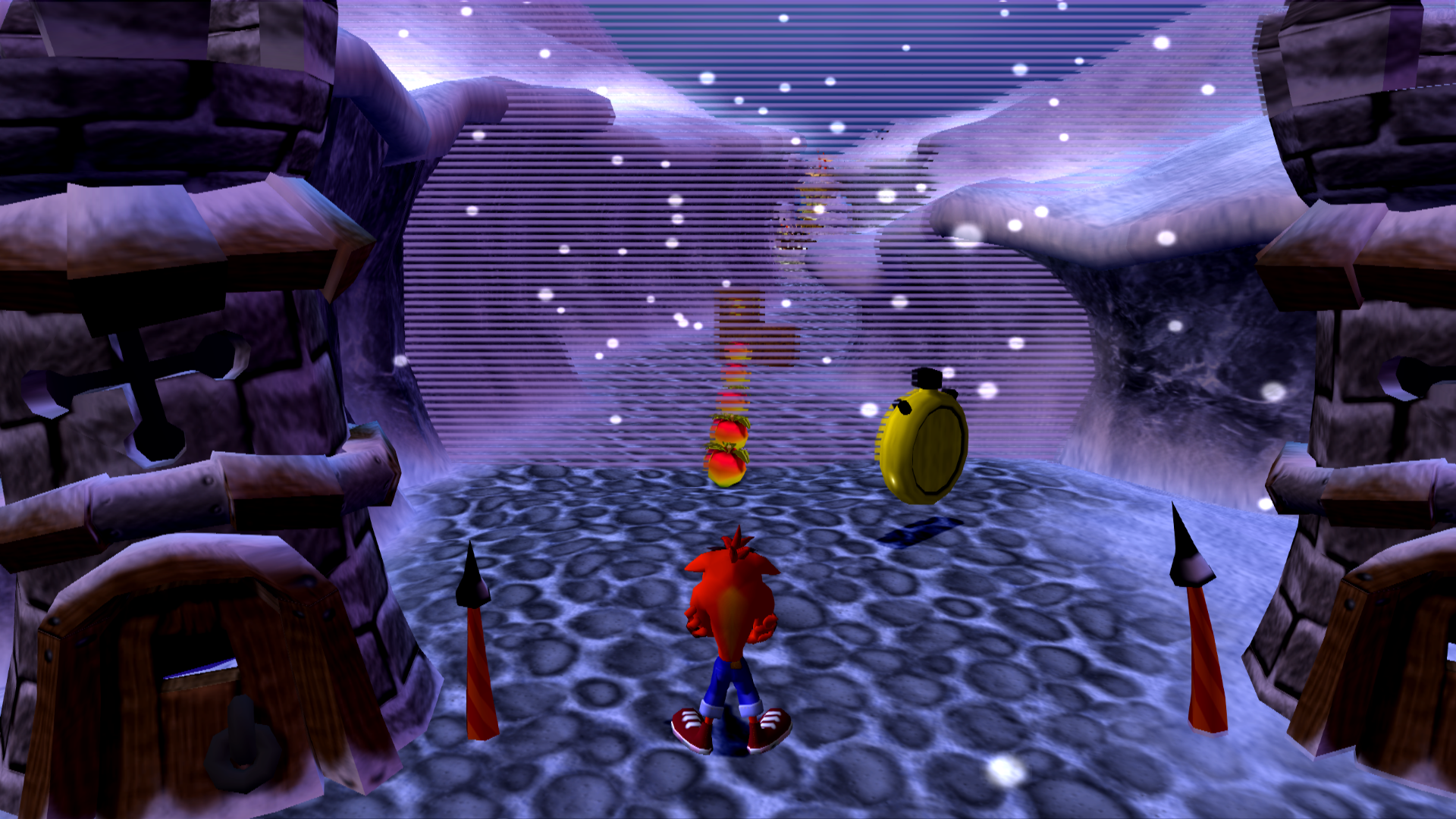
JOHN30011887
on 19 Apr 2018
Yeah, try skipdraw hack until it fixes it. In Matrix - Path of Neo it was 4. Even if you use the new skipdraw offset, it still caused other side effects that barely made it worth it. Really can't wait for a fix for that.
 legend800
on 19 Apr 2018
legend800
on 19 Apr 2018
Nvm, after a bit futher more testing, still same results. What would be the suggest number for these levels to skip?
 Macley-Kun
on 11 Oct 2018
Macley-Kun
on 11 Oct 2018
skipdraw left box put a 1 and right box put a 3
JOHN30011887
on 15 Oct 2018
Some depth work has been done on DX. You could try latest git but I wouldn't expect any positive change.
MrCK1
on 10 Dec 2018
Yeah i was proper messing/testing with dx11 on latest version, since i can now disable depth setting but no luck, still the same issues as above unfortunately
JOHN30011887
on 10 Dec 2018
@JOHN30011887 What region of the game do you have? Can you give use the CRC please.
The CRC hack should normally take care of the issue unless your game ID doesn't exist there.
MrCK1
on 21 Jan 2019
Disk region type = NTSC
Game CRC = 0x103B5706
JOHN30011887
on 21 Jan 2019
Can you upload a gs dump, same spot as the issue in the last pic ?
https://forums.pcsx2.net/Thread-How-to-create-a-proper-GS-dump
 lightningterror
on 21 Jan 2019
lightningterror
on 21 Jan 2019
So i re tested with the latest version v1.5.0-dev-2899-g548d6b31b
same settings and crc hack is on partial, tried dx11 and opengl hardware,
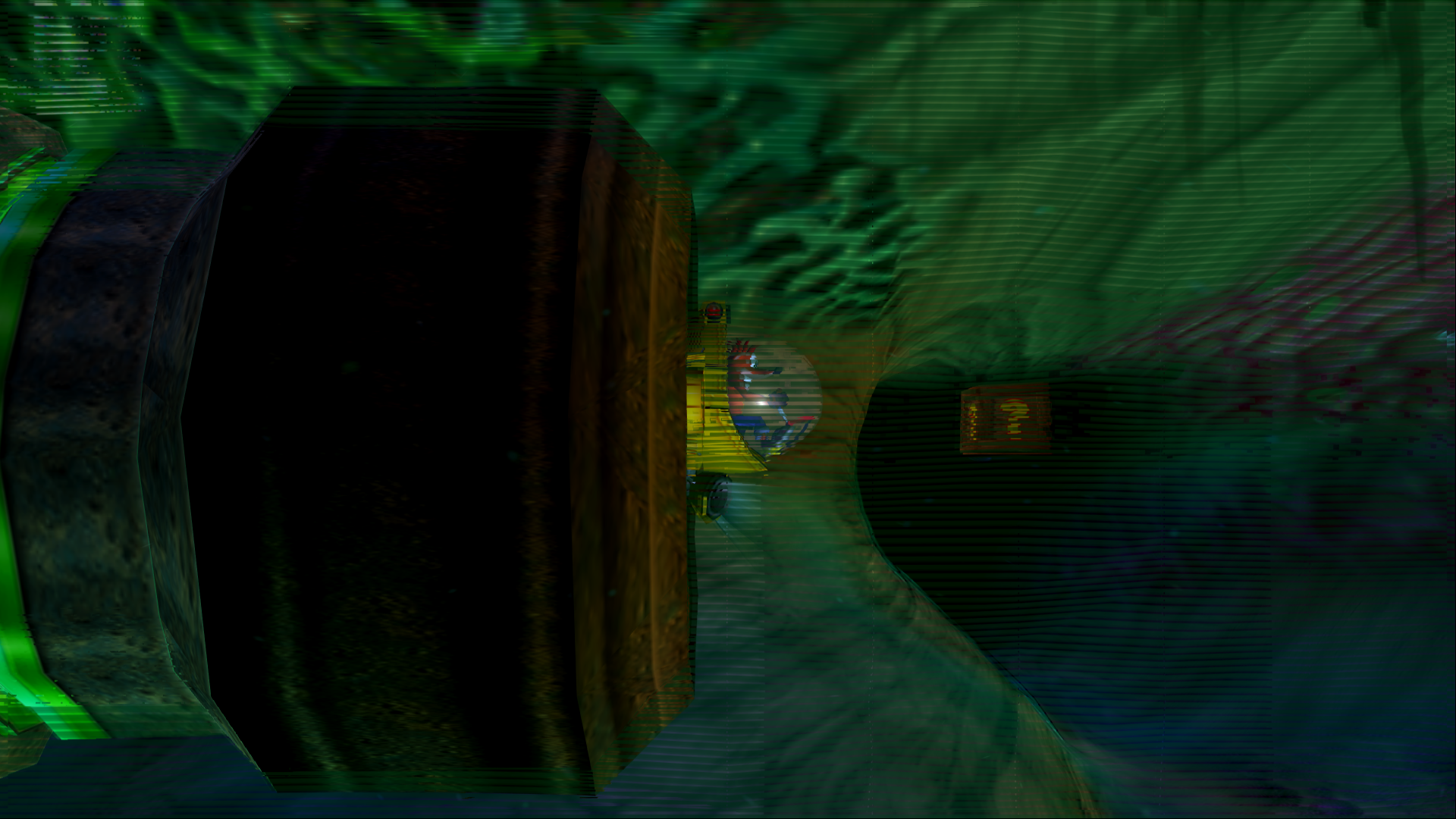
now all the water is gone completely in the water levels even the bubbles until i reached the sub then the screen went to sh*t, heres pic to show what i mean
As for level 1 that fog wall is completely gone now so fog is disabled which is better than the half screen issue as before
@lightningterror i can try make one but since the fog wall (my last pic) is now gone it might be waste of your time?
seems for now only issue is when entering the yellow sub machine that happens later in level 7
JOHN30011887
on 21 Jan 2019
https://mega.nz/#!mlYgkS5a!5zwHm7IwxcSS9VAz5aJK2LZdhPg2kbqY_ZT-MhWyln0
Here are 4 GS Dumps
1 - broken water (yellow sub)
2 - Broken water (water should fill whole screen)
3 - broken water (top left textures flickering)
4 - fog wall
Only one that now shows up even when crc hack is on partial is 1 - broken water (yellow sub)
the rest dont show, i put my crc hack to debug when i made the 4 of these
As i said above with latest pcsx2 issues 2,3 and 4 are removed when on crc hack partial but i thought id add them just incase for more help
JOHN30011887
on 21 Jan 2019
Was the files of any use? :)
JOHN30011887
on 10 Apr 2019
Ah right, I forgot to add the extra info here, unsupported channel shuffle.
T:Oth   ID:75   S:Cache => TC: Lookup Target(Color) 3072x3072, miss (0x3600, C_32)
T:Oth   ID:75   S:Cache => TC: dst Color hit (full): 62 (0x2200, P_8)
T:Error ID:75   S:Mid   => Reading RT as a packed-indexed 8 bits format
T:Oth   ID:75   S:Cache => TC, 1024-bit PaletteMap (Size 49): Added new palette.
T:Error ID:75   S:Mid   => Channel shuffle effect detected (2nd shot)
T:Error ID:75   S:Mid   => Channel not supported
Debug build also seems to hit this assert as well
https://github.com/PCSX2/pcsx2/blob/e73607395b12da518390a58105500dc636f8d973/plugins/GSdx/Renderers/HW/GSTextureCache.cpp#L140
lightningterror
on 10 Apr 2019
@JOHN30011887 why was the issue closed?
lightningterror
on 19 Sep 2019
I can reopen it if you want?
Personally i closed it as i got rid of my ps2 disk and iso, so i cant further test this issue, and since i was the one to report it and pretty much the only person in here complaining about it i thought i should close it so the issues page hasn't got reports open that cant be looked at by the person that created it
JOHN30011887
on 19 Sep 2019
Still a valid issue though so I'll reopen it.
 tadanokojin
on 19 Sep 2019
tadanokojin
on 19 Sep 2019
Ah ok sorry :)
JOHN30011887
on 19 Sep 2019
Related issues
 Javed-Iqbal-1
·
5Comments
Javed-Iqbal-1
·
5Comments
 Levan7
·
3Comments
Levan7
·
3Comments
 IceString3
·
3Comments
IceString3
·
3Comments
 Clarke2131
·
3Comments
Clarke2131
·
3Comments
 vgturtle127
·
4Comments
vgturtle127
·
4Comments
Most helpful comment
You're also using old plugins,.make sure you upgrade your dev build if necessary and choose the plugins that have 2018 in the string.