Paypal-checkout-components: [Question] How to integrate JS SDK with Rails and Turbolinks
Describe the Issue
I'm using Rails and Turbolinks to provide SPA-like functionality - ie, no page reloads.
When entering a page with a button we attempt to render the button, but I'm getting the following error:
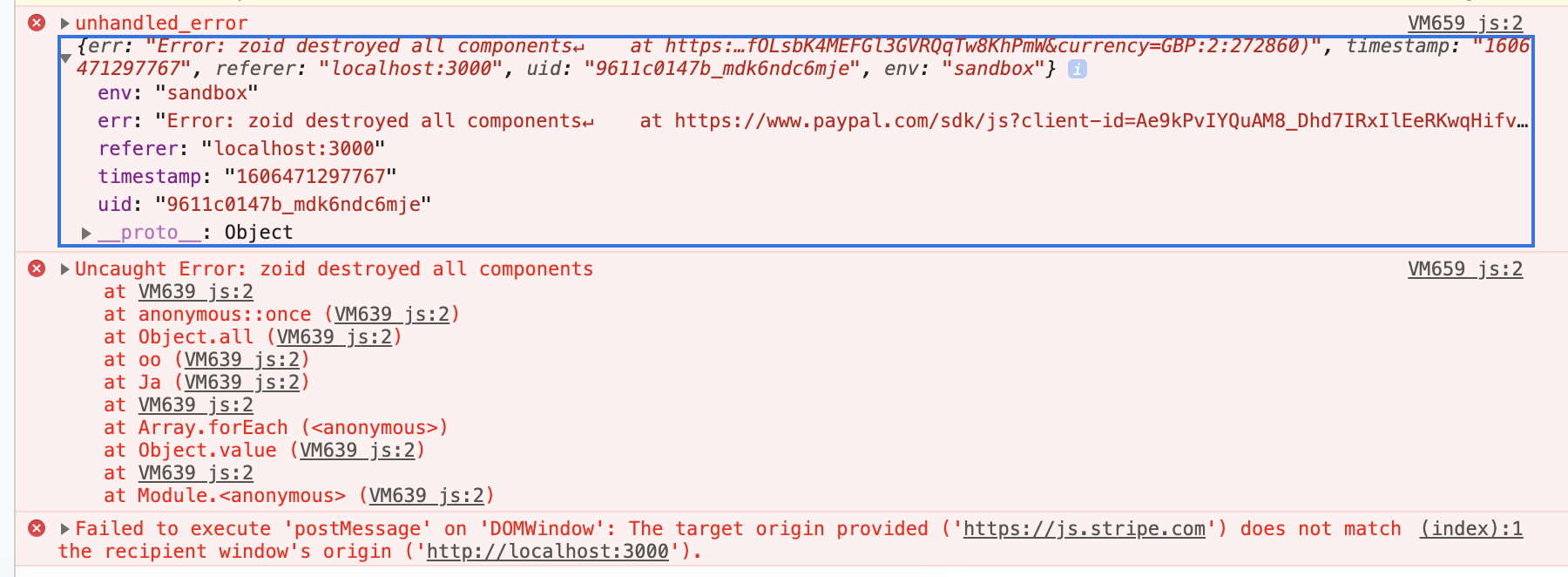
🤔 Expected Behavior
I expect the render() function to render without erroring out.
🌍 Environment
- Browser version: Chrome 87.0.4280.67
- OS version: MacOS 10.15.7
- SDK version (
window.paypal.version): 5.0.186
 simmerz
All 8 comments
Issue-Label Bot is automatically applying the label 🐞 bug to this issue, with a confidence of 0.97. Please mark this comment with :thumbsup: or :thumbsdown: to give our bot feedback!
Links: app homepage, dashboard and code for this bot.
![issue-label-bot[bot] picture](https://avatars.githubusercontent.com/in/27079?v=4&s=40) issue-label-bot[bot]
on 27 Nov 2020
issue-label-bot[bot]
on 27 Nov 2020
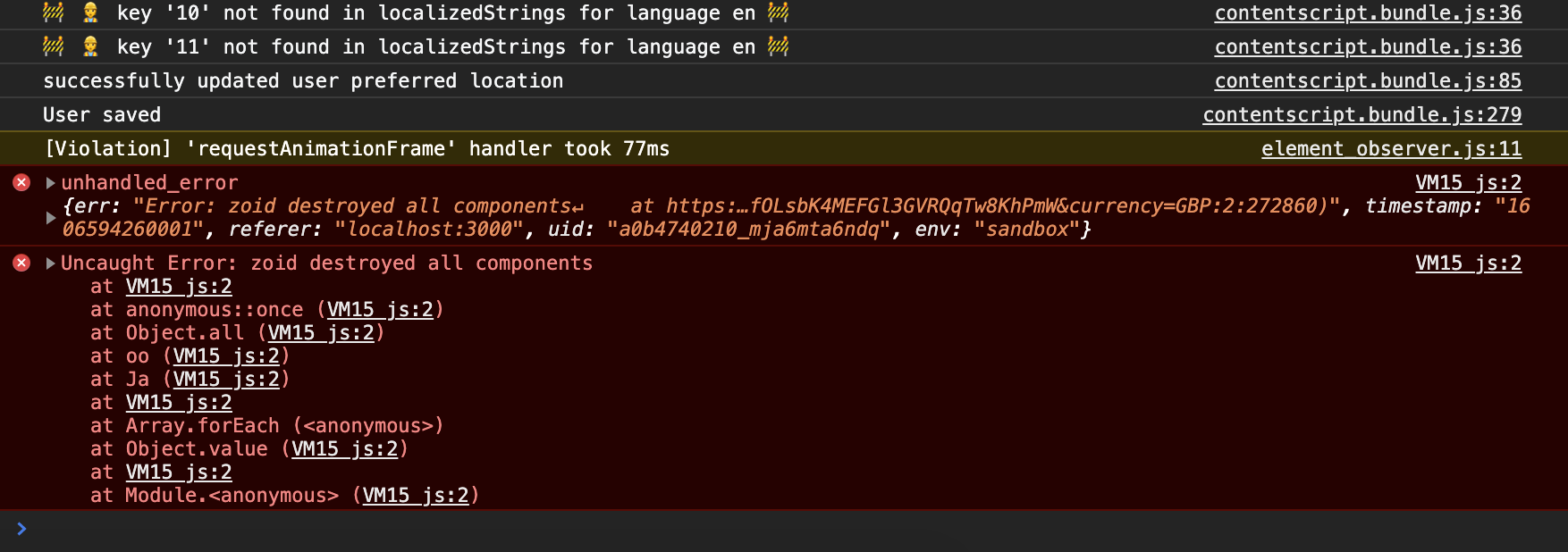
Paypal support seem to have the bizarre opinion that because Stripe is in use, Paypal won't work. They're wrong (here is the output having disabled Stripe):
simmerz
on 28 Nov 2020
Hi @simmerz, the PayPal JS SDK should work fine with Rails and Turbolinks. Turbolinks is similar to a SPA integration which we do support.
Does the PayPal button still successfully render in the UI? I'm assuming so and this error is more of an annoyance. This "zoid destroyed all components" error can happen when the button render call errors out due to something changing with the child iframe element before it's finished initializing. In SPAs this error will happen when quickly re-rendering the button when navigating to different client-side routes that all show the paypal button. If this is the case, I would consider this more of an informational message. You can catch these errors and change the logging strategy like so:
buttons = paypal.Buttons(options);
  buttons
    .render("#paypal-button-container")
    .catch((err) => {
      console.warn(
        "Warning - Caught an error when attempting to render component", err
      );
    });
Here's a similar issue that we had recently https://github.com/paypal/paypal-checkout-components/issues/1463#issuecomment-729836744
Paypal support seem to have the bizarre opinion that because Stripe is in use, Paypal won't work. They're wrong (here is the output having disabled Stripe)
Sorry this is terrible advice. We have many merchants using both Stripe and PayPal on the same checkout page. Both SDKs can live together on the same page in harmony 😄
Hopefully this helps. Let me know if you have any questions.
 gregjopa
on 30 Nov 2020
gregjopa
on 30 Nov 2020
Hi @gregjopa , no the button doesn't render in the UI when I visit the page via Turbolinks. I wonder if it's anything to do with how Turbolinks caches the content before render and if there's anything I can do to properly destroy the button prior to TL caching the page in a turbolinks:before-cache event handler. I tried to button.instances.forEach((instance) => instance.destroy()) but that doesn't appear to have solved the issue either.
simmerz
on 30 Nov 2020
@simmerz thanks for clarifying that the buttons don't render in the UI. A couple things to note here:
- Reloading the JS SDK script destroys all the components on the page. Ideally you would only load the JS SDK once while the user navigates around via turbolinks.
- The Buttons will need to be rerendered after Turbolinks updates the DOM. I haven't used Turbolinks personally, but my best guess is to use the turbo-links load event for this.
We have a paypal-js client-side loader to make it easier to know when the paypal js script is fully loaded and ready to use. I'd recommend using that along with the turbolinks load event. The paypal-js script also optimizes reloads so it will only load the JS SDK again if the params change.
Can you try out this approach?
Add paypal-js to your project:
npm install --save @paypal/paypal-js
document.addEventListener("turbolinks:load", function() {
    loadScript({ 'client-id': 'sb' }).then(() => {
        const buttons = paypal.Buttons(options);
        buttons.render("#paypal-button-container")
            .catch((err) => {
                console.warn(
                    "Warning - Caught an error when attempting to render component", err
                );
            });
        });
});
@simmerz thanks for clarifying that the buttons don't render in the UI. A couple things to note here:
Reloading the JS SDK script destroys all the components on the page. Ideally you would only load the JS SDK once while the user navigates around via turbolinks.
The Buttons will need to be rerendered after Turbolinks updates the DOM. I haven't used Turbolinks personally, but my best guess is to use the turbo-links load event for this.
...
Thank you @gregjopa! I was in the same boat as @simmerz and was about to call it quits. I added the paypal-js package, and used loadScript. There are still warnings thrown when render fails, but the element actually gets rendered in the DOM, so I'm happy.
Best of luck @simmerz !
 Matt-Lepley
on 1 Dec 2020
Matt-Lepley
on 1 Dec 2020
@Matt-Lepley that's great feedback! Thanks for sharing that this approach worked for your implementation 😄
gregjopa
on 1 Dec 2020
Hi @simmerz I'm going to close this issue. Feel free to reopen if you are still experiencing problems.
gregjopa
on 8 Dec 2020
Related issues
 rfdc
·
6Comments
rfdc
·
6Comments
 i7eo
·
3Comments
i7eo
·
3Comments
 JeromeDeLeon
·
4Comments
JeromeDeLeon
·
4Comments
 MrMooky
·
3Comments
MrMooky
·
3Comments
 VivekVikranth
·
6Comments
VivekVikranth
·
6Comments
Most helpful comment
Thank you @gregjopa! I was in the same boat as @simmerz and was about to call it quits. I added the
paypal-jspackage, and usedloadScript. There are still warnings thrown whenrenderfails, but the element actually gets rendered in the DOM, so I'm happy.Best of luck @simmerz !