Paypal-checkout-components: payment endpoint: http 200 {"ack":"permission_denied","message":"Insufficient privileges"}
Description
paypal.version "4.0.211"
Using https://www.paypalobjects.com/api/checkout.js and following the code at https://developer.paypal.com/demo/checkout/#/pattern/client causes the following request:
https://www.sandbox.paypal.com/webapps/hermes/api/payment/PAY-95J24203S8167001TLNNFQVA? to return a http 200 {"ack":"permission_denied","message":"Insufficient privileges"} when checking out using a freshly cleared cache. Subsequent attempts to checkout complete successfully. This is reproduce-able at https://developer.paypal.com/demo/checkout/#/pattern/client. See this video: https://www.youtube.com/watch?v=Oug4SxZtR9c&feature=youtu.be
This occurs in in Chrome 67.0.3396.99, Firefox 61.0.1 (64-bit) and Microsoft Edge 42.17134.1.0 all on windows 10 home version 1803.
The attached zip file is a har file containing all of the requests shown in the above video.
### INITIAL ATTEMPT - failure
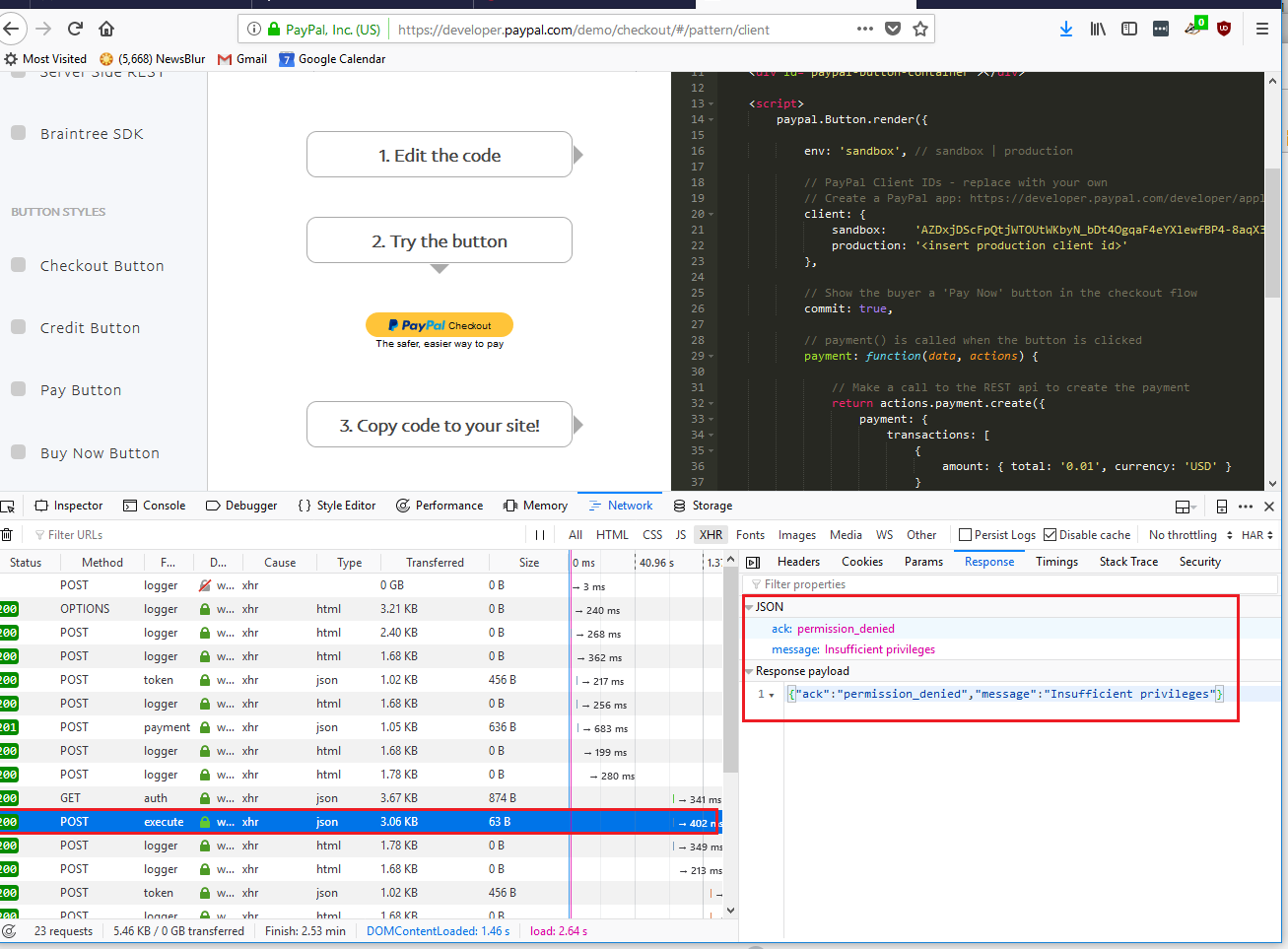
### SECOND ATTEMPT - success

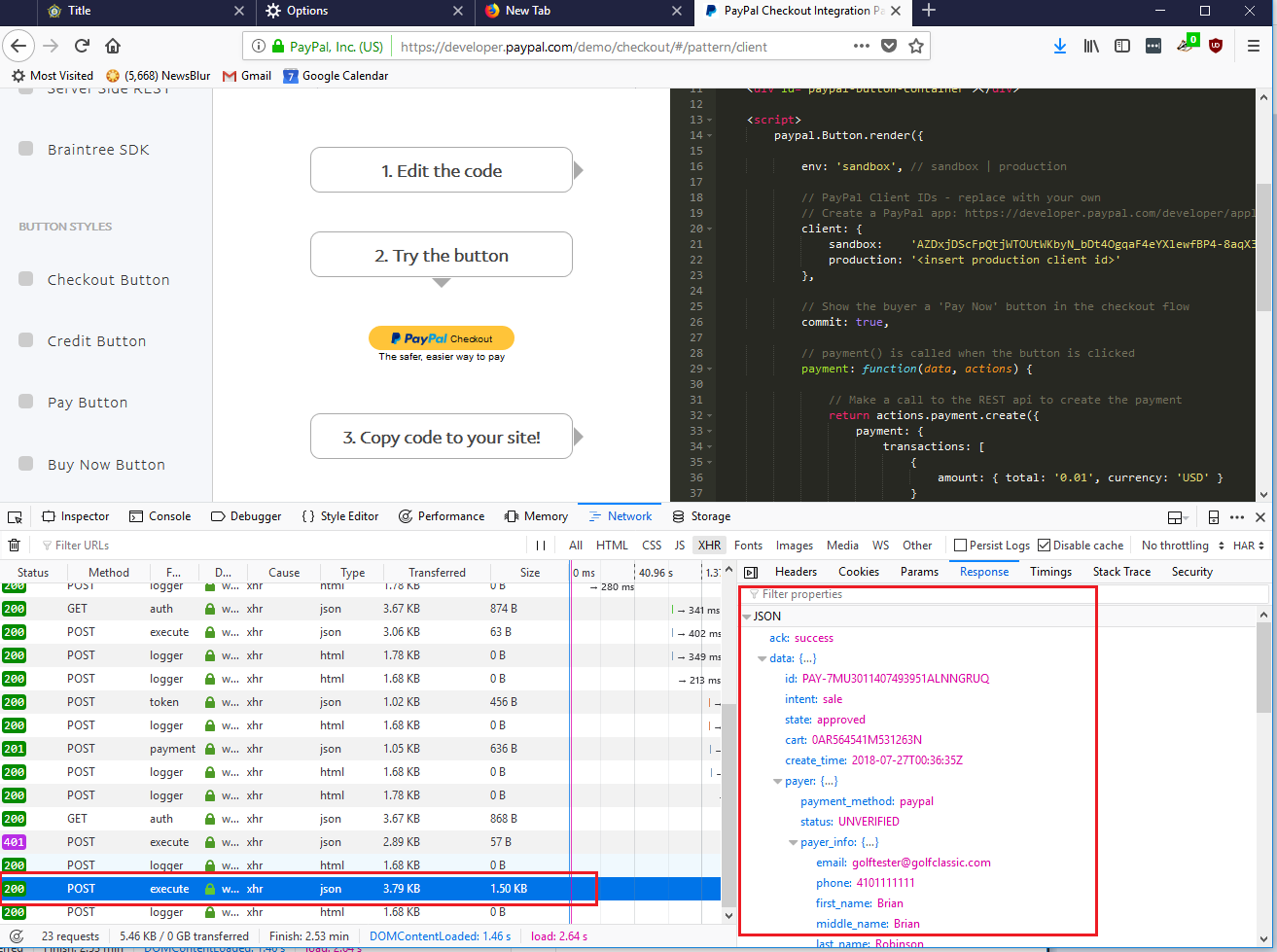
 vault21inc
All 7 comments
Thanks for the report! Do you see the api retry successfully, or does this block the transaction entirely?
 bluepnume
on 27 Jul 2018
bluepnume
on 27 Jul 2018
On the first click/launch attempt, the call to the execute API returns a 200 with the 'permission denied' response and will not retry on it's own so the first transaction fails entirely.
Upon re-clicking/launching the paypal component, you can see the first call out to the execute endpoint returns with a 401 (with a similar body as the previous call), and then the script appears to retry with another call that succeeds. The second and third attached images should show that behavior.
vault21inc
on 27 Jul 2018
The same issue in production environment. Many customers who use Guest checkout meet this error. Here is a code example based on yours https://developer.paypal.com/demo/checkout/#/pattern/client:
<!DOCTYPE html>

<head>
    <meta http-equiv="X-UA-Compatible" content="IE=edge" />
    <meta name="viewport" content="width=device-width, initial-scale=1">
    <script src="https://www.paypalobjects.com/api/checkout.js"></script>
</head>

<body>
    <div id="paypal-button-container"></div>

    <script>
        paypal.Button.render({

            env: 'production', // sandbox | production

            // PayPal Client IDs - replace with your own
            // Create a PayPal app: https://developer.paypal.com/developer/applications/create
            client: {
                sandbox:    'AZDxjDScFpQtjWTOUtWKbyN_bDt4OgqaF4eYXlewfBP4-8aqX3PiV8e1GWU6liB2CUXlkA59kJXE7M6R',
                production: 'AVrYNSEWkHloe1DES1CU_U6gPbu_8XMTYev2g8iPeITNDavdHGwJ7xtO49hB5VCufXpG7Q70ovcBvoLr'
            },

            // Show the buyer a 'Pay Now' button in the checkout flow
            commit: false,
            locale:"en_US",
            style: {
                color:"gold",
                fundingicons:false,
                label:"checkout",
                shape:"rect",
                size:"responsive"
            },

            // payment() is called when the button is clicked
            payment: function(data, actions) {

                // Make a call to the REST api to create the payment
                return actions.payment.create({
                    payment: {
                        transactions: [
                            {
                                amount: { total: '0.01', currency: 'USD' }
                            }
                        ]
                    }
                });
            },

            // onAuthorize() is called when the buyer approves the payment
            onAuthorize: function(data, actions) {

                // Make a call to the REST api to execute the payment
                return actions.payment.execute().then(function() {
                    window.alert('Payment Complete!');
                });
            }

        }, '#paypal-button-container');

    </script>
</body>
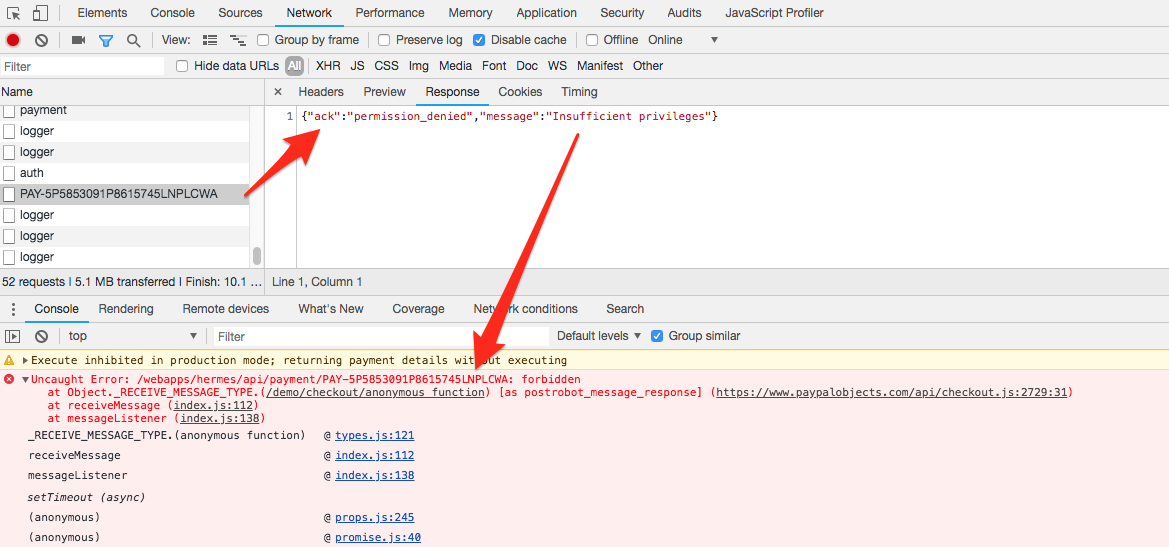
If customer is logged in in Paypal it works correctly.
 majorvms
on 30 Jul 2018
majorvms
on 30 Jul 2018
Can you please confirm if you still see this issue?
bluepnume
on 30 Aug 2018
For me it works well now. Did you fix something?
majorvms
on 31 Aug 2018
Yep, we made a fix. Thanks for confirming on your side!
bluepnume
on 31 Aug 2018
This issue has been automatically locked since there has not been any recent activity after it was closed. Please open a new issue for related bugs.
![github-actions[bot] picture](https://avatars.githubusercontent.com/in/15368?v=4&s=40) github-actions[bot]
on 14 Dec 2020
github-actions[bot]
on 14 Dec 2020
Related issues
 Warix3
·
4Comments
Warix3
·
4Comments
 i7eo
·
3Comments
i7eo
·
3Comments
 stephen-last
·
6Comments
stephen-last
·
6Comments
 JDevjs
·
6Comments
JDevjs
·
6Comments
 deejbee
·
5Comments
deejbee
·
5Comments
Most helpful comment
The same issue in production environment. Many customers who use Guest checkout meet this error. Here is a code example based on yours https://developer.paypal.com/demo/checkout/#/pattern/client:
If customer is logged in in Paypal it works correctly.