Paypal-checkout-components: Express checkout payment not working in iPhones
I am using Express checkout js SDK client-side REST integration in my hybrid application and Express checkout functionality is not working properly in iPhones. I am using the same code in the below documentation: https://developer.paypal.com/demo/checkout/#/pattern/client
The issues facing in iPhones while doing payment with credit/debit cards are:
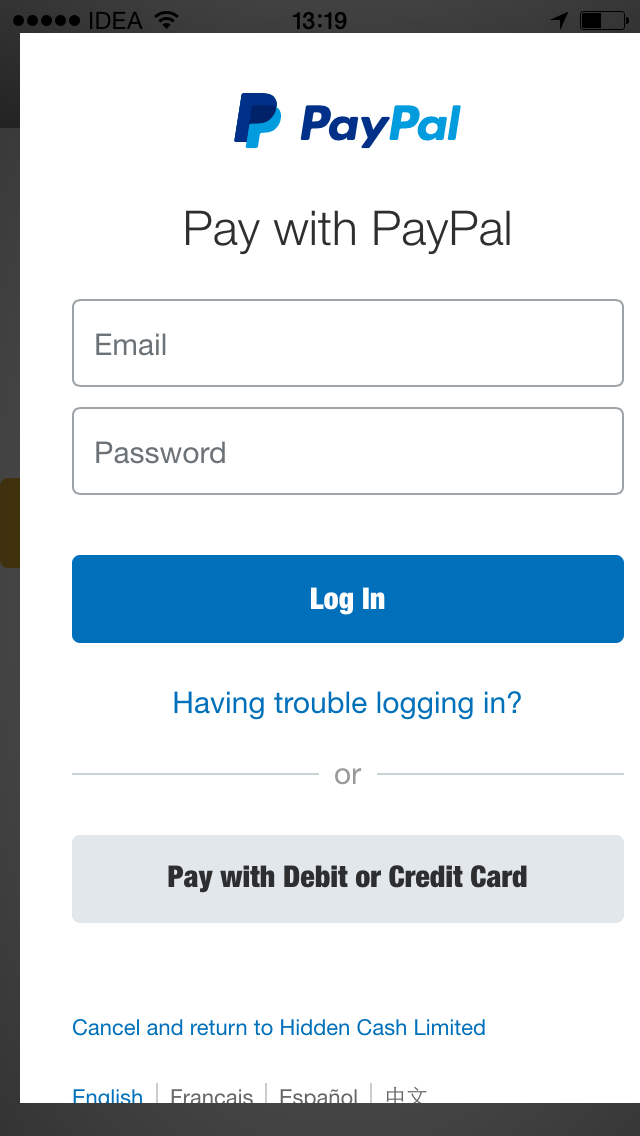
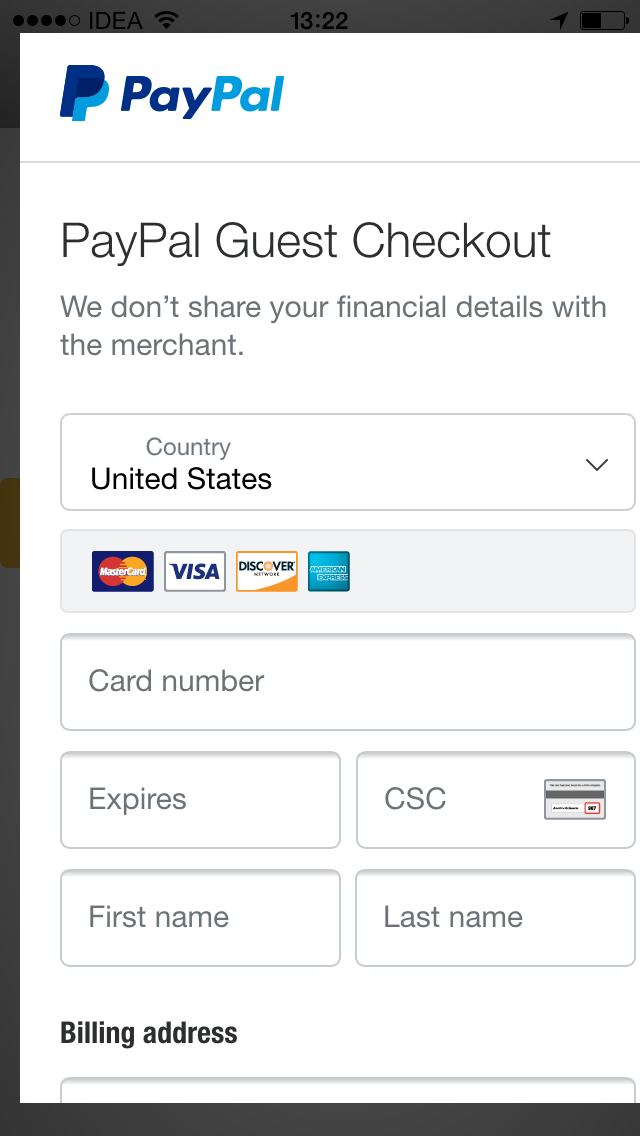
- Payment popup is not responsive in iPhones, especially in iPhone5 the popup is not completely visible to the user.
- Payment popup close button is not visible in iPhone 5. The button is visible in iPhone6 but sometimes the close function is not properly working.
- Not able to do payment. While clicking 'continue' button after entering all details(card information and billing info), the user again redirected to the top of the page.
- Not able to close the payment popup by clicking outside the popup.
- Payment popup scroll is not properly working. Sometimes the scroll working with a delay. Always the page will be scrolled to the top of the page if the user tries to navigate back or proceed payment.
The screenshots of payment popup are given below.
 etakh
etakh
All 15 comments
@khanghoang - can you take a look?
 bluepnume
on 19 Apr 2018
bluepnume
on 19 Apr 2018
@bluepnume sure, I will
 khanghoang
on 19 Apr 2018
khanghoang
on 19 Apr 2018
@etakh sorry I couldn't reproduce this bug. Would you mind to give us more information?
- Is it on the real device or simulator?
- What is your iOS version?
- WebView type: UIWebView | WKWebView | SafariViewController
- What is kind of hybrid application? Cordova?
@khanghoang Please find the details below.
- Real device
- Version 11.2.6
- Webview type: UIWebView
- Hybrid application: Ionic v1
 akhilaet
on 24 Apr 2018
akhilaet
on 24 Apr 2018
Same problem here!
I'm using UIWebView for our React Native app
Tested on iOS 10 and 11
 kdenz
on 24 Apr 2018
kdenz
on 24 Apr 2018
@khanghoang Please find the details below.
Real device
Version 11.2.6
Webview type: UIWebView
Hybrid application: Ionic v1
etakh
on 24 Apr 2018
@etakh @kdenz @akhilaet I want to update you guys that we're actively working on this. Some of the issues you reported are fixed, please help us verify them on your side.
khanghoang
on 9 May 2018
@khanghoang Thank you very much for the attention!
There're still several issues on our side:
Our env:
- iOS 10/11
- React Native
- UI WebView
Express checkout button needs two or more clicks to open the checkout popup
http://youtu.be/Q-6U4165fpY?hd=1
At the login page, after choosing the "pay by card" option
The buttons at the bottom of the page, which is "Yes, I'd like to create a Paypal account", "I agree to ..." and "No, I don't want an account now" are extremely problematic:
- Clicking on it will always make the screen scroll to top, which is highly annoying
- Worst part - A lot of times it just doesn't work, no matter how many times I try to click on one of the buttons, it just doesn't have any effect, yet it'll still make the screen scroll to top.
http://youtu.be/WYMXpw7OImY?hd=1 - Clicking on the shadow part of the modal pops up "please switch tabs to reactivate the paypal window" which can be annoying
I hope these issues can be addressed, thank you!
kdenz
on 9 May 2018
Just to note, we have also experienced the issue described by @kdenz with their second point. It's why I filed the other issue around the checkout demo having issues with iOS on iPhone so as to see if happening there as well (but the demo has separate issues)
 coderintherye
on 9 May 2018
coderintherye
on 9 May 2018
@kdenz @coderintherye thanks for your patience. I wanna let you guys know that AFAIK, we do not "officially" support React Native. But since the issues seem likely to happen on the web as well and I have a little bit experience with RN, I'd to give it a try.
In the meantime, I think you would consider testing the page using WKWebView or SFSafariViewController instead of UIWebView (https://github.com/facebook/react-native/issues/321).
@coderintherye can you help me to link your issue here so we can also keep track of it?
khanghoang
on 9 May 2018
@khanghoang https://github.com/paypal/paypal-checkout/issues/672 though really I'm just trying to solve for this issue, just wanted to be able to reproduce this issue on the demo site to make it easier for you'll to investigate
coderintherye
on 9 May 2018
@khanghoang
Hi, on WKWebView it's also problematic, as button clicks will lead to scrolling to top behaviors, thanks!
https://youtu.be/5mcLtIGlQLU
kdenz
on 11 May 2018
@khanghoang
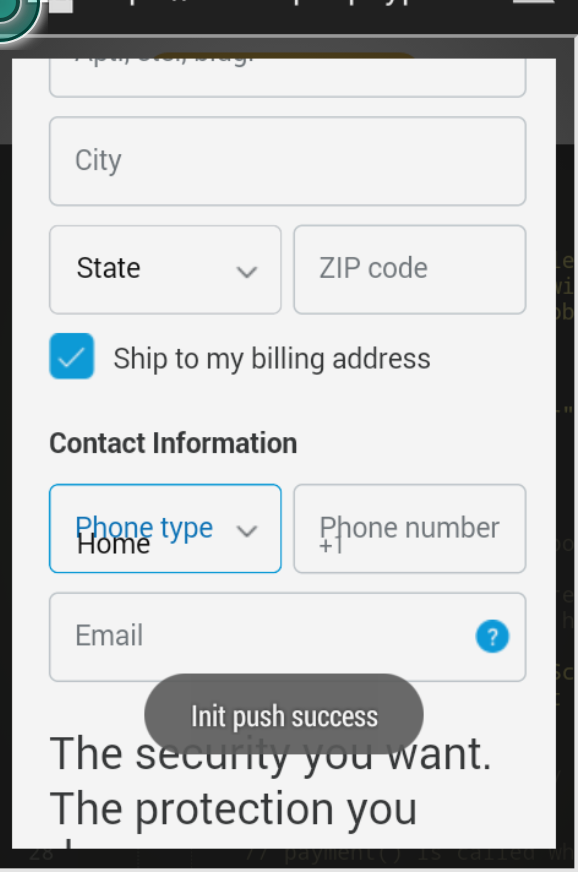
On Android 4.4 it's surprisingly fine
But some text displays are compressed together on smaller screen, making it difficult to read
kdenz
on 11 May 2018
Closing this as it's our strong recommendation to launch the checkout in a full browser rather than a web-view.
bluepnume
on 4 Jul 2018
This issue has been automatically locked since there has not been any recent activity after it was closed. Please open a new issue for related bugs.
![github-actions[bot] picture](https://avatars.githubusercontent.com/in/15368?v=4&s=40) github-actions[bot]
on 15 Dec 2020
github-actions[bot]
on 15 Dec 2020
Related issues
 deejbee
·
5Comments
deejbee
·
5Comments
 MrMooky
·
3Comments
MrMooky
·
3Comments
 i7eo
·
3Comments
i7eo
·
3Comments
 Wr4i7h
·
4Comments
Wr4i7h
·
4Comments
 webdeb
·
3Comments
webdeb
·
3Comments