Patternfly-react: Enhancement - Pagination previous/next paging
Create support for Paging component:
PatternFly design documentation: https://www.patternfly.org/pattern-library/navigation/pagination/
Follow up enhancement from #123
Include story examples demonstrating paging into a mock application scenario
Add pagination row component (for use in list view, table view, card view)(finished in #143)- Add simple previous/next pagers here and pagination default/mini size.
 priley86
All 17 comments
adding #162 as a record of another place where pagination was done to this issue
 AllenBW
on 20 Feb 2018
AllenBW
on 20 Feb 2018
@priley86 @sharvit @jeff-phillips-18 Ok so been chewing on this one for a bit... leaning towards making the following approach:
make a
<Pager>component, for the simple previous/next buttons that encompasses the two sizes seen below
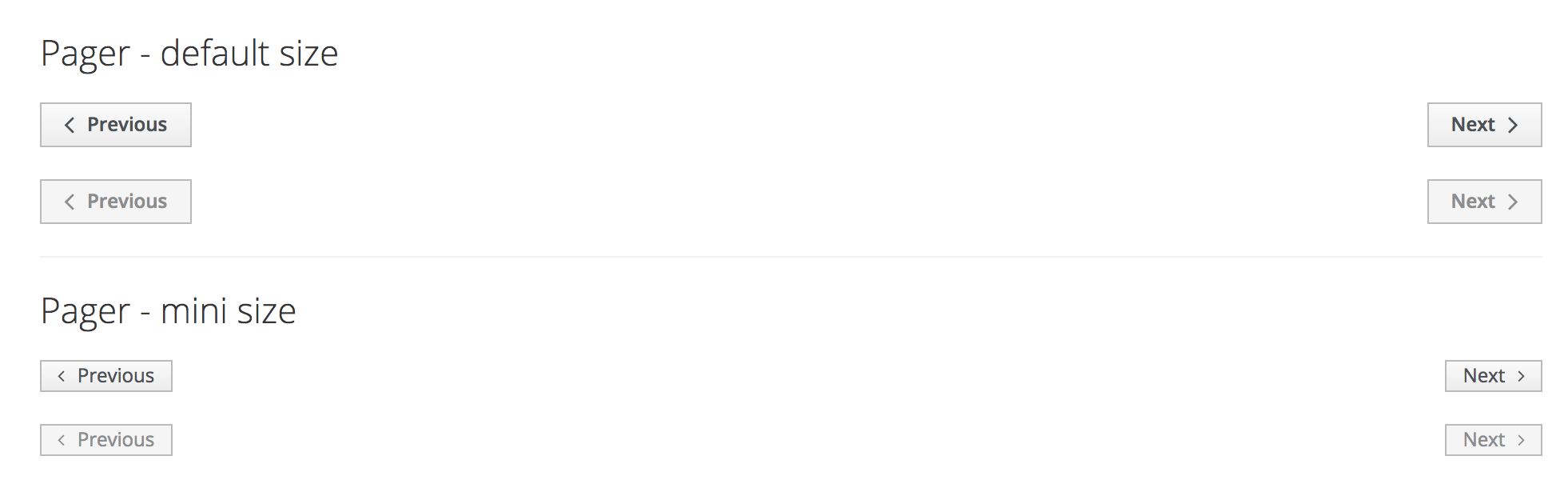
make a
<Pagination>component that encompasses the sizes seen below
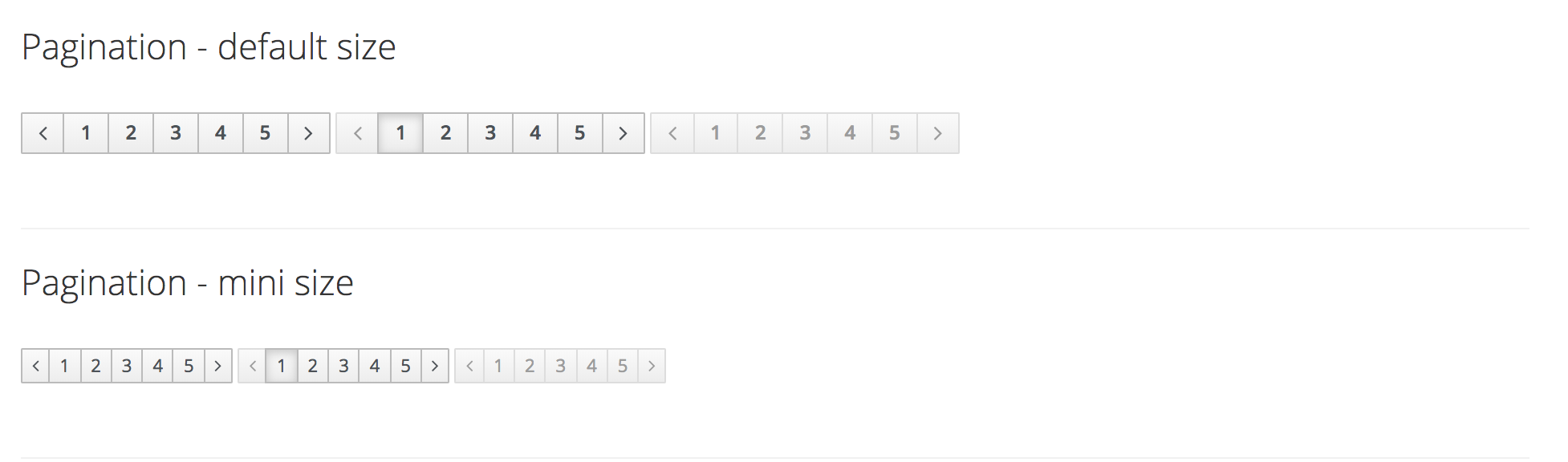
Ok now we're at step three, does the existence of
<Pagination>make the<Paginator>a lil odd?
or slightly misnamed? Step three is possibly renaming the component to<PaginationRow>or something like that (I realize this would be a breaking change so we'll have to talk about this one)
you might be wondering, well why not just overload <Paginator> to do ALL TEH THINGS 🤔
It already has viewType a prop to select which type of pagination row to render... overloading it with the type of pagination is too much.
Thoughts?
AllenBW
on 22 Feb 2018
The 3 steps make tons of sense to me.
About step 3,
I am not sure I understand,
what is <Paginator>? don't we currently have a proper <PaginationRow> component?
It already has viewType a prop to select which type of pagination row to render... overloading it with the type of pagination is too much.
Could be nice to recompose them under Card.PaginationRow, Table.PaginationRow List.PaginationRow
 sharvit
on 22 Feb 2018
sharvit
on 22 Feb 2018
Oh yeah, woops, its called <PaginationRow>
scrap step three, will make
AllenBW
on 22 Feb 2018
I think it makes sense to demonstrate the <PaginationRow> naked under the Pagination storybook.
For cards/tables/lists can do a full story with pagination (or add to an existing story if it makes sense).
sharvit
on 23 Feb 2018
hmm by naked... do you mean.... in a story without pager and pagination components?
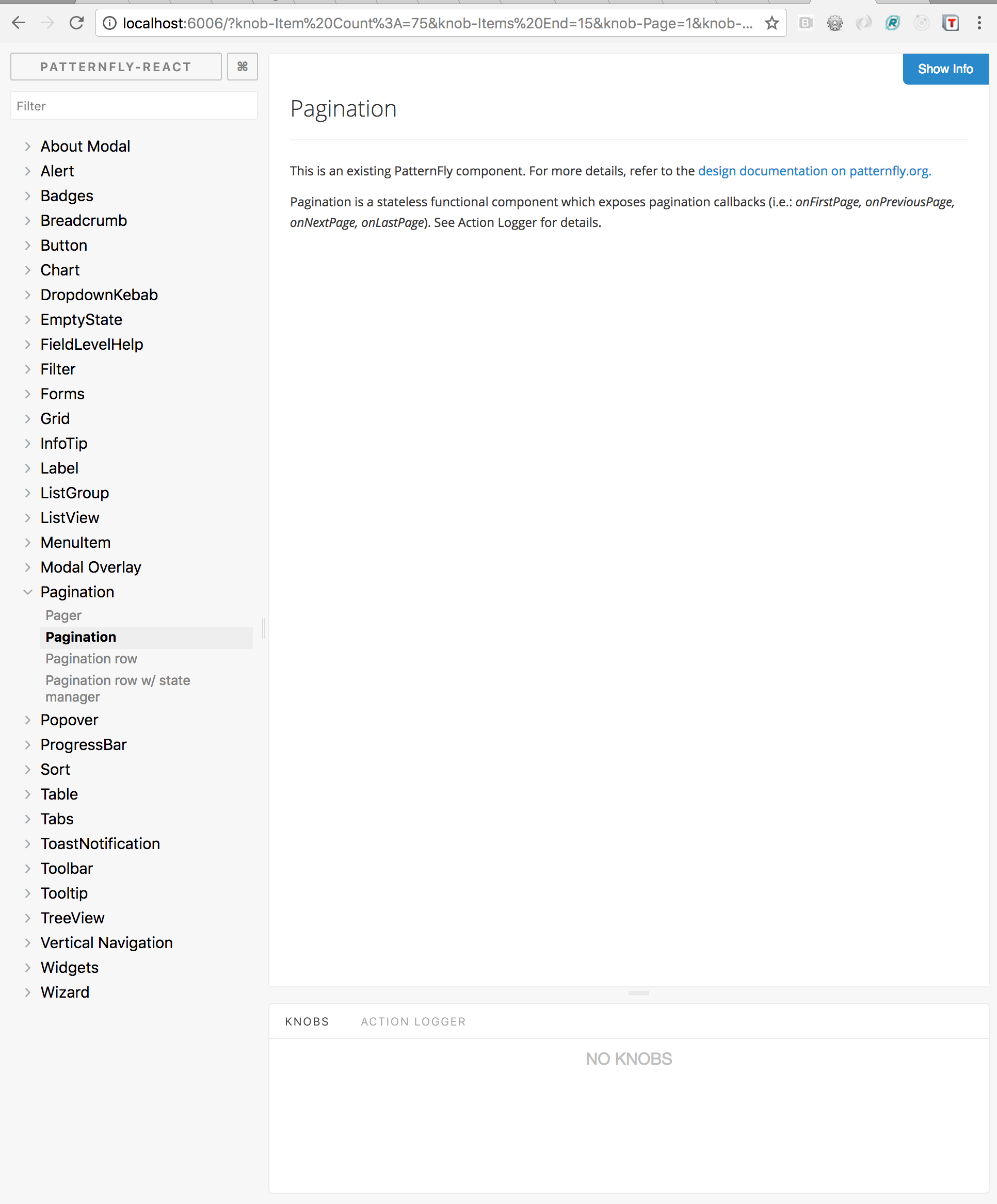
Below is what I am presently working towards:
AllenBW
on 23 Feb 2018
@AllenBW sorry for the confusion.
By naked I meant just render the component without the context (Card, Tables, etc...) like it does now.
- Storybook
- Pagination
- Pager
- Pagination
- PaginationRow /* naked /
- Card
- Some card story
- Some card story
- Card with PaginationRow / in the cards context /
- Table
- Some table story
- Some table story
- Table with PaginationRow / in the tables context /
- List
- Some list story
- Some list story
- List with PaginationRow / in the lists context */
sharvit
on 27 Feb 2018
gotcha! yeah without context, that makes sense, no confusion @sharvit , its the direction I was heading 👍
AllenBW
on 27 Feb 2018
@serenamarie125 quick question about https://www.patternfly.org/pattern-library/widgets/#pagination
The default pagination widget, does clicking a right or left arrow change all numbers in the range? (eg if 1, 2, 3, 4, 5 are show, clicking the right arrow would result in 6, 7, 8, 9, 10 being shown) Or increment by one (1, 2, 3, 4 becomes 2, 3, 4, 5)
@patrick OR do we want this component to be unopinionated, it to render a list given, execute a function when left or right are clicked?
AllenBW
on 27 Feb 2018
@AllenBW let me see if I can dig up some mocks which are reflective of the thoughts on PF documentation. Currently it's not in a great state, and there is an associated Issue with it https://github.com/patternfly/patternfly-design/issues/559
 serenamarie125
on 27 Feb 2018
serenamarie125
on 27 Feb 2018
IMO we want this pagination row

serenamarie125
on 27 Feb 2018
yeah! has been implemented, wondering if the rest of the pagination widgets should be implemented? if yes, pager is done... just unsure of behavior of the default pagination widget
AllenBW
on 27 Feb 2018
@priley86 @AllenBW IMO we need the pagination row to be utilized in card, list & table views. I'm not sure what the other paging use cases would cover. Thoughts ?
serenamarie125
on 27 Feb 2018
@serenamarie125 I could see the next previous button having a generic use... possibly a building block for other components, but can't say I see much use for the default pagination widget (given that pagination row exits)
AllenBW
on 27 Feb 2018
@serenamarie125 @priley86 I'd like to propose this work be rescoped to only include the pager, in which case the outstanding pr will be recalibrated and unwipped
AllenBW
on 27 Feb 2018
Unless there is a specific product need to include the bootstrap Pager example, can we close this issue? The pagination row that is implemented in #143 is the supported PatternFly pagination pattern, and the one we want to encourage people to use.
 jgiardino
on 27 Feb 2018
jgiardino
on 27 Feb 2018
Ooooo I guess we could do that... this issue took a turn from "good first issue" to "bad first issue" 😭
AllenBW
on 27 Feb 2018
Related issues
 andrewballantyne
·
4Comments
andrewballantyne
·
4Comments
 eyevana
·
7Comments
eyevana
·
7Comments
 dlabaj
·
4Comments
dlabaj
·
4Comments
 dlabrecq
·
5Comments
dlabrecq
·
5Comments
 laviro
·
7Comments
laviro
·
7Comments
Most helpful comment
The 3 steps make tons of sense to me.
About step 3,
I am not sure I understand,
what is
<Paginator>? don't we currently have a proper<PaginationRow>component?Could be nice to recompose them under
Card.PaginationRow,Table.PaginationRowList.PaginationRow