Parity-ethereum: Docker. Unable to make a connection to the Parity Secure API
I'm running:
- Parity version: v1.7.2
- Operating system: Linux/Docker
- And installed: official docker image
Can't connect form Chrome on one PC(Windows 10) to docker container on another PC(Ununtu server 16.04) in the same LAN started by command:
docker run -d -p 8180:8180 -p 8545:8545 -p 8546:8546 -p 30303:30303 -p 30303:30303/udp --restart=always parity/parity:beta --ui-interface all --jsonrpc-interface all
I tried also:
--nat extip:192.168.... NOT WORK
token from "parity signer new-token" NOT WORK
token from "cat /root/.local/share/io.parity.ethereum/signer/authcodes" NOT WORK
Chrome always shows me "Unable to make a connection to the Parity Secure API"
 AlexVN74
All 19 comments
@AlexVN74 Can you start the node with -lsigner=trace and post the logs here?
Could you also make sure that the time is synchronized on both machines?
 tomusdrw
on 13 Sep 2017
tomusdrw
on 13 Sep 2017
Time is synchronized, but timezone was different - fixed in docker container
Restarted with -lsigner=trace
docker run -d -p 8180:8180 -p 8545:8545 -p 8546:8546 -p 30303:30303 -p 30303:30303/udp --restart=always parity/parity:beta --ui-interface all --jsonrpc-interface all -lsigner=trace
Where I can get logs? Command "docker logs ..." shows no new information
AlexVN74
on 13 Sep 2017
Try docker attach ...
 5chdn
on 14 Sep 2017
5chdn
on 14 Sep 2017
I think the issue might be invalid host headers being sent or disallowed origing. Can you try with --unsafe-expose instead of --ui-interface all --jsonrpc-interface all and see if it works?
tomusdrw
on 14 Sep 2017
--unsafe-expose WORKS!
Is it correct to use parity with this option?
AlexVN74
on 15 Sep 2017
The same problem here! I'm unable to get through Parity Secure API.
docker run -ti -v ~/.local/share/io.parity.ethereum/docker/:/root/.local/share/io.parity.ethereum/ -p 8180:8180 -p 8545:8545 -p 8546:8546 -p 30303:30303 -p 30303:30303/udp parity/parity:v1.7.2 --base-path /root/.local/share/io.parity.ethereum/ --ui-interface all --jsonrpc-interface all
@tomusdrw Your hint does work! However, I'm also interested in @AlexVN74 question.
 Diones
on 15 Sep 2017
Diones
on 15 Sep 2017
This option is UNSAFE and should be used with great care!
Now that you know this works for you, you should disable it again and play around with all interfaces and allow your host.
--ui-hosts $HOSTS \
--jsonrpc-hosts $HOSTS \
--ws-hosts $HOSTS \
--ui-interface $IP \
--jsonrpc-interface $IP \
--ws-interface $IP
Where $IP is your docker interface IP(s) and $HOSTS is your local interface IP(s). This can be tricky to figure out the exact working configuration. If unsure set everything to all and limit the settings step by step to your exact interfaces/hosts until everything works.
It's not recommended to run a node with all or --unsafe-expose.
5chdn
on 15 Sep 2017
Great!
Now that we know that --unsafe-expose works (unsecurely) around the problem, do we know why there is a difference between expectation and reality in the headers? This problem seems to be specific to Parity running inside Docker. (I'm having exactly the same issue.)
 davux
on 19 Sep 2017
davux
on 19 Sep 2017
It's fine to run with --jsonrpc-interface all --ui-interface all --ws-interface all inside docker container. For additional security you can limit what external address can be used to access the node using --*-hosts options.
So for instance if you use http://localhost:8180 to open Parity Wallet on the host machine you should set:
--ui-hosts localhost:8180 --jsonrpc-hosts localhost:8545 --ws-hosts localhost:8546
tomusdrw
on 19 Sep 2017
in Docker there are still problems for the new-token signer
synchronize the clock and timezone
I execute
```
docker run -itd --restart on-failure:5 --name paritydev \
-p 8545:8545 -p 30303:30303 -p 8180:8180 parity/parity:beta\
--chain dev --jsonrpc-interface all --ui-interface all \
--force-ui --ui-port 8180 --rpcaddr 0.0.0.0 \
--rpcapi web3,eth,net,personal,parity,parity_set,traces,rpc,parity_accounts,signer \
--geth --rpccorsdomain="*" --jsonrpc-port 8545 \
--min-peers 10 --max-peers 25 --keys-path /build/keys \
--identity devid -lsync,signer=trace,discovery=warn --log-file /var/log/devid.log
```
to have a code I do
/parity/parity --chain dev --ui-interface 0.0.0.0 signer new-token
And with all that not open to me the message continues to appear
Unable to make a connection to the Parity Secure API. To update your secure token or to generate a new one, run parity signer new-token and paste the generated token into the space below.
you could reopen the issue @5chdn
 daverod24
on 19 Sep 2017
daverod24
on 19 Sep 2017
You are missing the websocket ports. -p 8546:8546
5chdn
on 20 Sep 2017
For me it does not work even have -p 8546:8546, I still stuck with this page
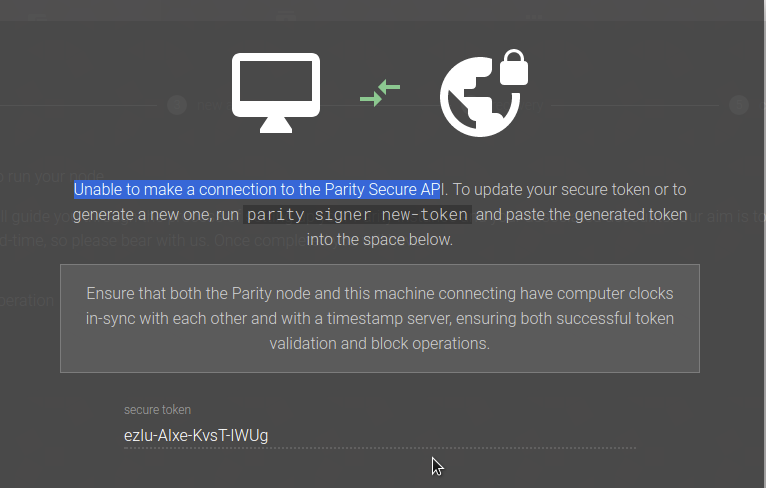
command is
docker run -ti -p 8180:8180 -p 8545:8545 -p 8546:8546 -p 30303:30303 -p 30303:30303/udp parity/parity:v1.7.0 --ui-interface all --jsonrpc-interface all
 boshido
on 3 Oct 2017
boshido
on 3 Oct 2017
@boshido try with --ws-interface all
5chdn
on 4 Oct 2017
I am getting the same error. Can you please help me out how to solve this issue?
 mehemmedv
on 23 Nov 2017
mehemmedv
on 23 Nov 2017
What have you tried so far?
5chdn
on 23 Nov 2017
--jsonrpc-apis all --jsonrpc-hosts all --ui-hosts=all --jsonrpc-interface all --ui-interface all --ws-interface all --ui-no-validation
I used all the options above. Still getting the same issue.
mehemmedv
on 23 Nov 2017
Resolved. Thanks.
mehemmedv
on 8 Dec 2017
@mehemmedv how?
 onemanstartup
on 8 Dec 2017
onemanstartup
on 8 Dec 2017
I followed this: http://balticdatascience.com/2017/11/16/how-to-create-your-own-blockchain/
and used all of the following options: --jsonrpc-apis all --jsonrpc-hosts all --ui-hosts=all --jsonrpc-interface all --ui-interface all --ws-interface all --ui-no-validation
mehemmedv
on 10 Dec 2017
Related issues
 area
·
3Comments
area
·
3Comments
 vmenond
·
3Comments
vmenond
·
3Comments
 famfamfam
·
3Comments
famfamfam
·
3Comments
 tzapu
·
3Comments
tzapu
·
3Comments
 jurijbajzelj
·
3Comments
jurijbajzelj
·
3Comments
Most helpful comment
I think the issue might be invalid host headers being sent or disallowed origing. Can you try with
--unsafe-exposeinstead of--ui-interface all --jsonrpc-interface alland see if it works?