Panel: Querying mouse position for pixel coordinates within panel
Problem: Overlaying segmentation masks on image with a tab showing the labels of the pixel value when hovered on with the mouse/clicked.
Solution: Ability to use mouse position to determine pixel hovered over (and ability to then color it, etc)
 JeffreyWardman
All 7 comments
Hi @JeffreyWardman
Can you be a little bit more specific on your use case? For example I would think you could use HoloViews for this.
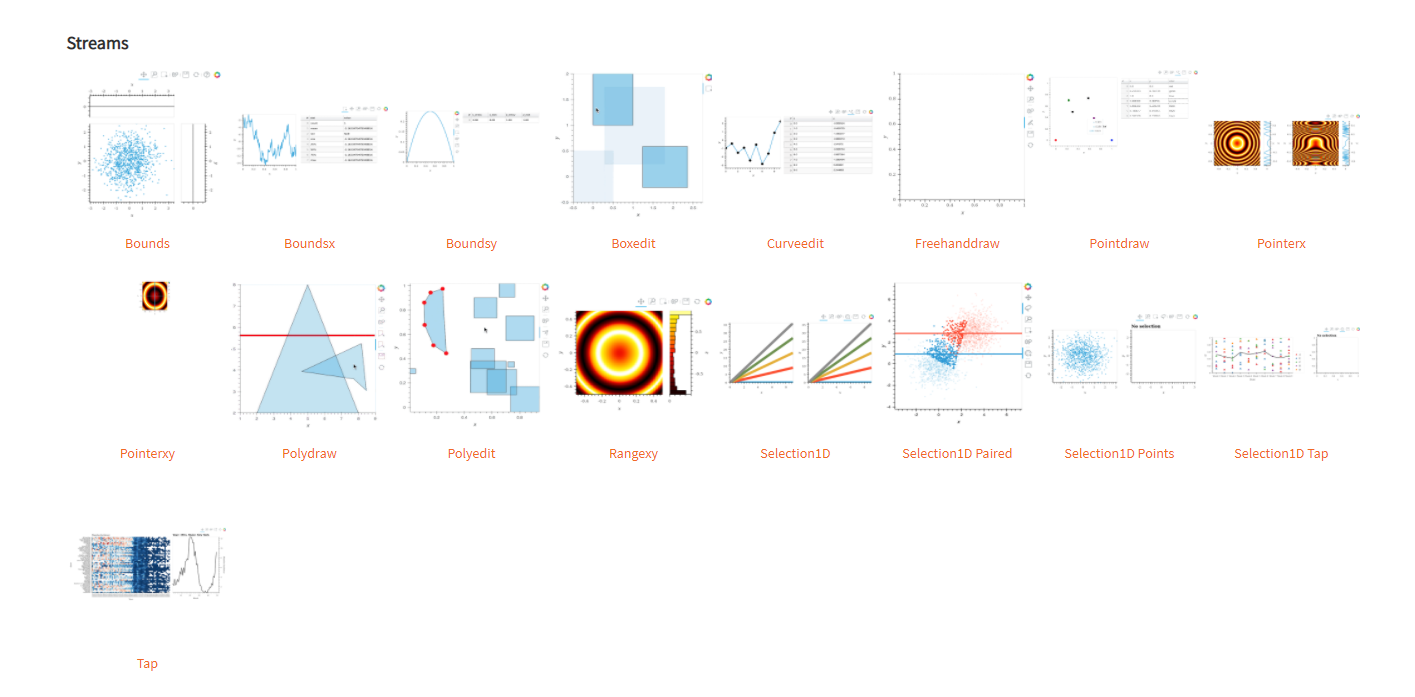
For example annotations https://holoviews.org/user_guide/Annotators.html or streams http://holoviews.org/reference/index.html
 MarcSkovMadsen
on 19 Oct 2020
MarcSkovMadsen
on 19 Oct 2020
Apologies. One particularly important piece of information I should have originally included is that I'm trying to do this with a VTKVolume object.
I'm interested in hovering the mouse on a pixel and being able to identify which pixel that is in the image so it can be used in functions that depend on that information (e.g. overlayed masks). A particular example would be to have an image of a person walking a dog. I'd like to overlay a mask where the pixels of the person have an intensity of 1 and that for the dog an intensity of 2. My goal is to hover over the person and have this information linked and displayed in a tab.
Does HoloViews allow for this?
JeffreyWardman
on 20 Oct 2020
You can certainly do a task like that in HoloViews, but for images or image stacks displayed with Bokeh, not VTKVolume.
VTKVolume may also provide that ability, separately, but if so maybe @xavArtley could give details about that. If it's indeed images (even an image stack) and not a volume, then I'm not sure VTKVolume would offer any special features you'd need here; the existing Bokeh support _should_ be entirely sufficient. Cases I can imagine where you'd want to do this with VTKVolume are if you needed to rotate the image stack to look at it from a different angle (e.g. to see the same object in different locations in different images at the same time)...
 jbednar
on 20 Oct 2020
jbednar
on 20 Oct 2020
I probably can return the position of mouse in vtk world coordinates.
I need to make some investigations to propse a PoC.
 xavArtley
on 20 Oct 2020
xavArtley
on 20 Oct 2020
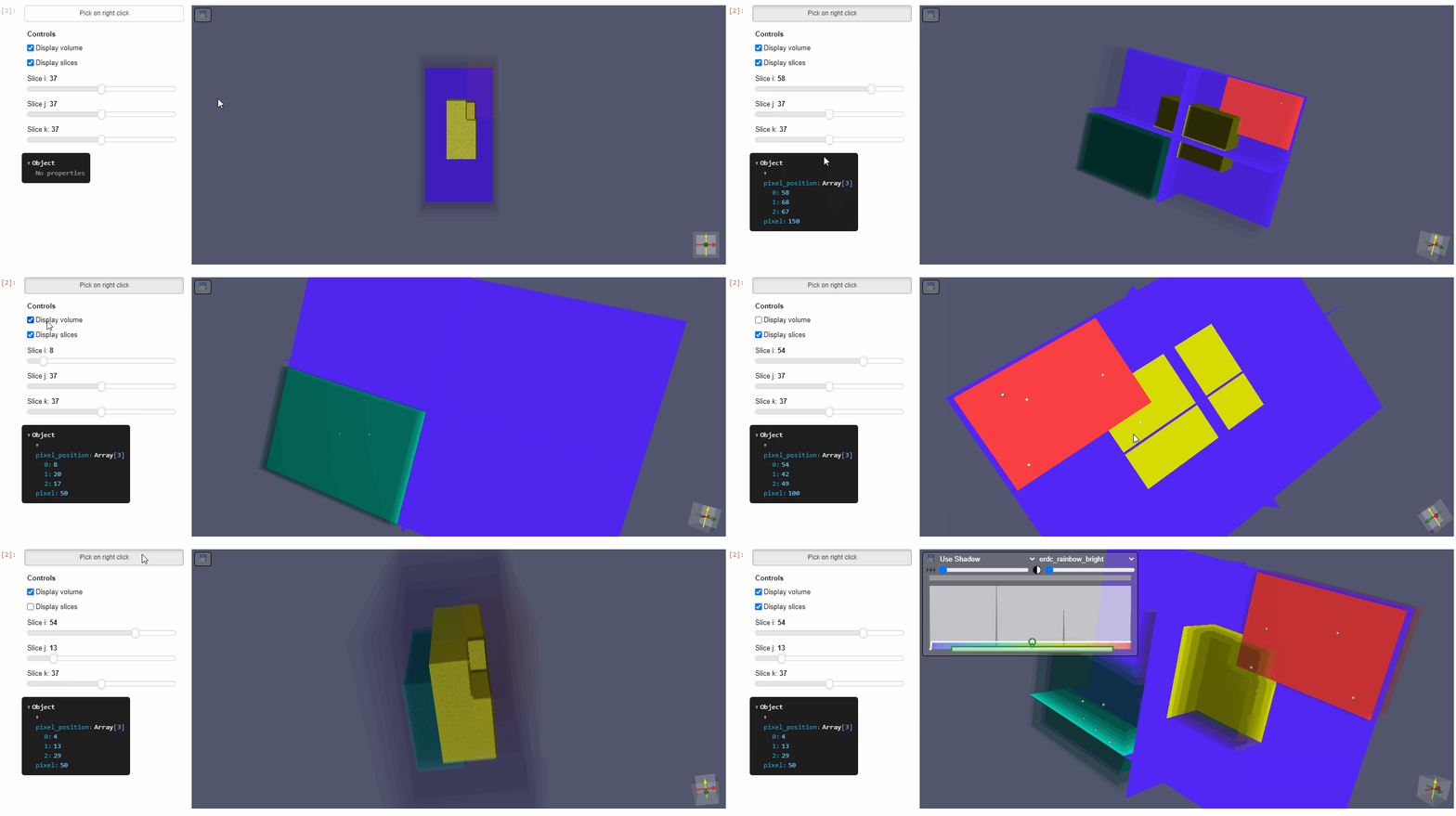
Here is a small PoC to link right click to point selection.
It works only if slices are visible because selecting a 3d point with just a 2d mouse position is not possible
and the code :
import numpy as np

data_matrix = np.zeros([75, 75, 75], dtype=np.uint8)
data_matrix[0:35, 0:35, 0:35] = 50
data_matrix[25:55, 25:55, 25:55] = 100
data_matrix[45:74, 45:74, 45:74] = 150

volpan = pn.pane.VTKVolume(data_matrix, sizing_mode='stretch_both', height=400,
                           spacing=(3,2,1), origin=(0,0,0), interpolation='nearest',
                           edge_gradient=0, sampling=0, orientation_widget=True,
                           controller_expanded=False, display_slices=True)
btn_link = pn.widgets.Toggle(name='Pick on right click')
json_pan = pn.pane.JSON(depth=2)
btn_link.jscallback(args={'vtkpan':volpan, "json_pan":json_pan}, value="""
debugger
if(vtkpan.right_click_cb)
    vtkpan.right_click_cb.unsubscribe()
if(cb_obj.active) {
    const {vtkPointPicker, vtkActor, vtkMapper, vtkCellPicker} = vtk.Rendering.Core
    const {vtkSphereSource} = vtk.Filters.Sources

    const renderWindow = vtkpan.renderer_el.getRenderWindow()
    const renderer = vtkpan.renderer_el.getRenderer()

    const picker = vtkPointPicker.newInstance();
    picker.setPickFromList(false);
    picker.setTolerance(0)
    // Pick on mouse right click
    vtkpan.right_click_cb = renderWindow.getInteractor().onRightButtonPress((event) => {
          if (renderer !== event.pokedRenderer) {
            return;
          }
          const pos = event.position;
          const point = [pos.x, pos.y, 0.0];
          console.log(`Pick at: ${point}`);
          picker.pick(point, renderer);
          if(picker.getActors().length!=0){
              const volume = renderer.getVolumes()[0];
              const volume_data = volume.getMapper().getInputData();
              const size = volume_data.getDimensions(); //number of points in each dimension
              const scalar_data = volume_data.getPointData().getScalars();
              const slice_mapper = picker.getActors()[0].getMapper()
              const bounds = slice_mapper.getBounds()
              const ijk = picker.getPointIJK();
              const pickedPoint = ijk.map((el, it) =>  ijk[it]*(bounds[2*it+1]-bounds[2*it])/size[it])
              const slice_mode = slice_mapper.getSlicingMode()
              pickedPoint[slice_mode] = slice_mapper.getBoundsForSlice()[2*slice_mode]
              //const pickedPoint = picker.getPickPosition();
              //pickedPoint[slicing_mode] = slice_bounds[2*slicing_mode]
              const sphere = vtkSphereSource.newInstance();

              const scalar_tuple = scalar_data.getTuple(size[0] * size[1] * ijk[2] + size[0] * ijk[1] + ijk[0])
              json_pan.text = JSON.stringify({
                  pixel_position: ijk,
                  pixel: scalar_tuple[0],
              })
              sphere.setCenter(pickedPoint);
              sphere.setRadius(1);
              const sphereMapper = vtkMapper.newInstance();
              sphereMapper.setInputData(sphere.getOutputData());
              const sphereActor = vtkActor.newInstance();
              sphereActor.setMapper(sphereMapper);
              renderer.addActor(sphereActor);
              renderWindow.render();
          }else{
              console.log("Picking outside volume or without slices")
          }
    });
}
""")
controls = volpan.controls(parameters = ['slice_i', 'slice_j', 'slice_k', 'display_slices', 'display_volume'], jslink=True)
pn.Row(pn.Column(btn_link, controls, json_pan), volpan, height=500)
Very cool, thanks!
jbednar
on 20 Oct 2020
Great, thanks. Closing issue now. Cheers!
JeffreyWardman
on 22 Oct 2020
Related issues
 joelostblom
·
3Comments
MarcSkovMadsen
·
3Comments
joelostblom
·
3Comments
MarcSkovMadsen
·
3Comments
 philippjfr
·
3Comments
philippjfr
·
3Comments
 pybokeh
·
3Comments
MarcSkovMadsen
·
4Comments
pybokeh
·
3Comments
MarcSkovMadsen
·
4Comments
Most helpful comment
Here is a small PoC to link right click to point selection.

It works only if slices are visible because selecting a 3d point with just a 2d mouse position is not possible
and the code :