Outlookgooglecalendarsync: High CPU usage and excessive comparison elapsed time
OGCS Version: v2.7.6
Installed or Portable: Installed
Problem Description
Since a couple of alphas (I think), OGCS has very high CPU usage (runs 100% on one core for at least a minute). I never noticed OGCS syncing before, but now I notice the system getting taxed and loud. I'm on Windows 7 and Outlook 2010. There are just 99 entries being synced 2-way in a 2x360 day window.
Steps to Reproduce the Issue
Any other information
 salzrat
All 93 comments
I don't seem to be able to replicate this particularly. Is the high CPU for the entire duration of OGCS syncing, or just for a certain stage?
If the latter, would be good if you can narrow down at what point the high CPU starts and stops (turn on Verbose output if it's not already).
 phw198
on 26 Sep 2018
phw198
on 26 Sep 2018
Hi,
it's very quick to do this with no noticeable CPU usage:
2018-09-26 17:51:00,588 INFO  1 OutlookGoogleCalendarSync.Sync.Engine [0] -  Manual sync requested.
2018-09-26 17:51:00,968 DEBUG  1 OutlookGoogleCalendarSync.Console [0] -  Sync version: 2.7.6.0
2018-09-26 17:51:00,968 DEBUG  1 OutlookGoogleCalendarSync.Console [0] -  Sync started at 26.09.2018 17:51:00
2018-09-26 17:51:00,968 DEBUG  1 OutlookGoogleCalendarSync.Console [0] -  Syncing from 01.10.2017 to 22.09.2019
2018-09-26 17:51:00,968 DEBUG  1 OutlookGoogleCalendarSync.Console [0] -  Outlook ↔ Google
2018-09-26 17:51:01,258 INFO  1 OutlookGoogleCalendarSync.OutlookOgcs.Calendar [0] -  Stop monitoring for Outlook appointment changes...
2018-09-26 17:51:01,258 INFO  1 OutlookGoogleCalendarSync.Sync.SyncTimer [0] -  Next sync scheduled for Mittwoch, 26. September 2018 @ 18:47:26 + Push
2018-09-26 17:51:01,258 INFO  19 OutlookGoogleCalendarSync.Console [0] -  Finding Calendar Entries
2018-09-26 17:51:01,608 INFO  19 OutlookGoogleCalendarSync.Console [0] -  Scanning Outlook calendar...
2018-09-26 17:51:02,219 INFO  19 OutlookGoogleCalendarSync.Console [0] -  98 Outlook calendar entries found.
2018-09-26 17:51:02,569 INFO  19 OutlookGoogleCalendarSync.Console [0] -  Scanning Google calendar...
2018-09-26 17:51:02,899 DEBUG  19 OutlookGoogleCalendarSync.GoogleOgcs.Calendar [0] -  Retrieving all events from Google: 01.10.2017 -> 22.09.2019
2018-09-26 17:51:03,929 DEBUG  19 OutlookGoogleCalendarSync.GoogleOgcs.Calendar [0] -  Page 1 received.
2018-09-26 17:51:03,929 DEBUG  19 OutlookGoogleCalendarSync.Recurrence [0] -  Identifying exceptions in recurring Google events.
2018-09-26 17:51:03,929 DEBUG  19 OutlookGoogleCalendarSync.Recurrence [0] -  Found 43 exceptions.
2018-09-26 17:51:03,929 INFO  19 OutlookGoogleCalendarSync.Console [0] -  98 Google calendar entries found.
2018-09-26 17:51:04,209 INFO  19 OutlookGoogleCalendarSync.Console [0] -  43 are exceptions to recurring events.
2018-09-26 17:51:04,526 INFO  19 OutlookGoogleCalendarSync.Console [0] -  Total inc. recurring items spanning sync date range...
2018-09-26 17:51:05,986 INFO  19 OutlookGoogleCalendarSync.Console [0] -  Outlook 98, Google 98
2018-09-26 17:51:06,256 DEBUG  19 OutlookGoogleCalendarSync.Sync.Engine [0] -  Synchronising from Outlook to Google.
2018-09-26 17:51:06,256 DEBUG  19 OutlookGoogleCalendarSync.GoogleOgcs.Calendar [0] -  Scanning 98 Google events for orphans to reclaim...
2018-09-26 17:51:06,566 DEBUG  19 OutlookGoogleCalendarSync.GoogleOgcs.Calendar [0] -  0 unclaimed.
2018-09-26 17:51:06,566 DEBUG  19 OutlookGoogleCalendarSync.GoogleOgcs.Calendar [0] -  Comparing Outlook items to Google events...
Then CPU goes up to 8.3% plus about 2.4% for Outlook (which is a lot as this is on an 4-core machine with 8 hyperthreads). This goes on for about 4 minutes, also showing about 60KB/s IO activity (although I don't know where).
Then the rest goes relatively quickly (although still takes 1.5 minutes at relatively high CPU):
2018-09-26 17:55:19,049 WARN  19 OutlookGoogleCalendarSync.GoogleOgcs.Calendar [0] -  Organiser changed time of appointment...but the organiser is you! (Shouldn't have ended up here)
2018-09-26 17:55:37,339 INFO  19 OutlookGoogleCalendarSync.Console [0] -  0 Google calendar entries to be deleted.
2018-09-26 17:55:37,339 INFO  19 OutlookGoogleCalendarSync.Console [0] -  0 Google calendar entries to be created.
2018-09-26 17:55:37,339 INFO  19 OutlookGoogleCalendarSync.Console [0] -  98 calendar entries to be compared.
2018-09-26 17:55:37,799 INFO  19 OutlookGoogleCalendarSync.Console [0] -  Comparing 98 existing Google calendar entries
2018-09-26 17:55:38,769 DEBUG  19 OutlookGoogleCalendarSync.Recurrence [0] -  05.10.2018 10:30 (R) => "KV"
2018-09-26 17:55:38,769 DEBUG  19 OutlookGoogleCalendarSync.Recurrence [0] -  This is a recurring appointment with 7 exceptions that will now be iteratively compared.
2018-09-26 17:55:38,859 DEBUG  19 OutlookGoogleCalendarSync.Recurrence [0] -  Finding Google instance for Outlook exception:-
2018-09-26 17:55:38,859 DEBUG  19 OutlookGoogleCalendarSync.Recurrence [0] -    Original date: 05.10.2018
2018-09-26 17:55:38,869 DEBUG  19 OutlookGoogleCalendarSync.Recurrence [0] -    Current  date: 05.10.2018
2018-09-26 17:55:38,879 DEBUG  19 OutlookGoogleCalendarSync.Recurrence [0] -  Matching Google Event recurrence found.
2018-09-26 17:55:38,899 DEBUG  19 OutlookGoogleCalendarSync.GoogleOgcs.Calendar [0] -  Processing >> 05.10.2018 10:30 (R) => "KV"
2018-09-26 17:55:38,919 DEBUG  19 OutlookGoogleCalendarSync.Recurrence [0] -  Finding Google instance for deleted Outlook exception:-
2018-09-26 17:55:38,919 DEBUG  19 OutlookGoogleCalendarSync.Recurrence [0] -    Original date: 26.10.2018
2018-09-26 17:55:38,929 DEBUG  19 OutlookGoogleCalendarSync.Recurrence [0] -  Matching Google Event recurrence found.
2018-09-26 17:55:38,929 DEBUG  19 OutlookGoogleCalendarSync.Recurrence [0] -  It is deleted in Google, so cannot compare items.
2018-09-26 17:55:38,939 DEBUG  19 OutlookGoogleCalendarSync.Recurrence [0] -  Finding Google instance for deleted Outlook exception:-
2018-09-26 17:55:38,939 DEBUG  19 OutlookGoogleCalendarSync.Recurrence [0] -    Original date: 02.11.2018
2018-09-26 17:55:38,939 DEBUG  19 OutlookGoogleCalendarSync.Recurrence [0] -  Matching Google Event recurrence found.
2018-09-26 17:55:38,939 DEBUG  19 OutlookGoogleCalendarSync.Recurrence [0] -  It is deleted in Google, so cannot compare items.
2018-09-26 17:55:38,959 DEBUG  19 OutlookGoogleCalendarSync.Recurrence [0] -  Finding Google instance for deleted Outlook exception:-
2018-09-26 17:55:38,959 DEBUG  19 OutlookGoogleCalendarSync.Recurrence [0] -    Original date: 16.11.2018
2018-09-26 17:55:38,959 DEBUG  19 OutlookGoogleCalendarSync.Recurrence [0] -  Matching Google Event recurrence found.
2018-09-26 17:55:38,959 DEBUG  19 OutlookGoogleCalendarSync.Recurrence [0] -  It is deleted in Google, so cannot compare items.
2018-09-26 17:55:38,969 DEBUG  19 OutlookGoogleCalendarSync.Recurrence [0] -  Finding Google instance for deleted Outlook exception:-
2018-09-26 17:55:38,969 DEBUG  19 OutlookGoogleCalendarSync.Recurrence [0] -    Original date: 28.12.2018
2018-09-26 17:55:38,969 DEBUG  19 OutlookGoogleCalendarSync.Recurrence [0] -  Matching Google Event recurrence found.
2018-09-26 17:55:38,969 DEBUG  19 OutlookGoogleCalendarSync.Recurrence [0] -  It is deleted in Google, so cannot compare items.
2018-09-26 17:55:38,989 DEBUG  19 OutlookGoogleCalendarSync.Recurrence [0] -  Finding Google instance for deleted Outlook exception:-
2018-09-26 17:55:38,989 DEBUG  19 OutlookGoogleCalendarSync.Recurrence [0] -    Original date: 04.01.2019
2018-09-26 17:55:38,989 DEBUG  19 OutlookGoogleCalendarSync.Recurrence [0] -  Matching Google Event recurrence found.
2018-09-26 17:55:38,989 DEBUG  19 OutlookGoogleCalendarSync.Recurrence [0] -  It is deleted in Google, so cannot compare items.
2018-09-26 17:55:38,999 DEBUG  19 OutlookGoogleCalendarSync.Recurrence [0] -  Finding Google instance for deleted Outlook exception:-
2018-09-26 17:55:38,999 DEBUG  19 OutlookGoogleCalendarSync.Recurrence [0] -    Original date: 11.01.2019
2018-09-26 17:55:38,999 DEBUG  19 OutlookGoogleCalendarSync.Recurrence [0] -  Matching Google Event recurrence found.
2018-09-26 17:55:38,999 DEBUG  19 OutlookGoogleCalendarSync.Recurrence [0] -  It is deleted in Google, so cannot compare items.
2018-09-26 17:55:41,259 DEBUG  19 OutlookGoogleCalendarSync.Recurrence [0] -  16.03.2018 10:30 (R) => "KV"
2018-09-26 17:55:41,259 DEBUG  19 OutlookGoogleCalendarSync.Recurrence [0] -  This is a recurring appointment with 11 exceptions that will now be iteratively compared.
2018-09-26 17:55:41,299 DEBUG  19 OutlookGoogleCalendarSync.Recurrence [0] -  Finding Google instance for Outlook exception:-
2018-09-26 17:55:41,299 DEBUG  19 OutlookGoogleCalendarSync.Recurrence [0] -    Original date: 23.03.2018
2018-09-26 17:55:41,299 DEBUG  19 OutlookGoogleCalendarSync.Recurrence [0] -    Current  date: 23.03.2018
2018-09-26 17:55:41,309 DEBUG  19 OutlookGoogleCalendarSync.Recurrence [0] -  Matching Google Event recurrence found.
2018-09-26 17:55:41,319 DEBUG  19 OutlookGoogleCalendarSync.GoogleOgcs.Calendar [0] -  Processing >> 23.03.2018 10:30 (R) => "KV"
2018-09-26 17:55:41,369 DEBUG  19 OutlookGoogleCalendarSync.Recurrence [0] -  Finding Google instance for Outlook exception:-
2018-09-26 17:55:41,369 DEBUG  19 OutlookGoogleCalendarSync.Recurrence [0] -    Original date: 20.04.2018
2018-09-26 17:55:41,369 DEBUG  19 OutlookGoogleCalendarSync.Recurrence [0] -    Current  date: 20.04.2018
2018-09-26 17:55:41,379 DEBUG  19 OutlookGoogleCalendarSync.Recurrence [0] -  Matching Google Event recurrence found.
2018-09-26 17:55:41,389 DEBUG  19 OutlookGoogleCalendarSync.GoogleOgcs.Calendar [0] -  Processing >> 20.04.2018 10:30 (R) => "KV"
2018-09-26 17:55:41,439 DEBUG  19 OutlookGoogleCalendarSync.Recurrence [0] -  Finding Google instance for Outlook exception:-
2018-09-26 17:55:41,439 DEBUG  19 OutlookGoogleCalendarSync.Recurrence [0] -    Original date: 27.04.2018
2018-09-26 17:55:41,449 DEBUG  19 OutlookGoogleCalendarSync.Recurrence [0] -    Current  date: 27.04.2018
2018-09-26 17:55:41,449 DEBUG  19 OutlookGoogleCalendarSync.Recurrence [0] -  Matching Google Event recurrence found.
2018-09-26 17:55:41,459 DEBUG  19 OutlookGoogleCalendarSync.GoogleOgcs.Calendar [0] -  Processing >> 27.04.2018 10:30 (R) => "KV"
2018-09-26 17:55:41,509 DEBUG  19 OutlookGoogleCalendarSync.Recurrence [0] -  Finding Google instance for Outlook exception:-
2018-09-26 17:55:41,509 DEBUG  19 OutlookGoogleCalendarSync.Recurrence [0] -    Original date: 04.05.2018
2018-09-26 17:55:41,519 DEBUG  19 OutlookGoogleCalendarSync.Recurrence [0] -    Current  date: 04.05.2018
2018-09-26 17:55:41,519 DEBUG  19 OutlookGoogleCalendarSync.Recurrence [0] -  Matching Google Event recurrence found.
2018-09-26 17:55:41,529 DEBUG  19 OutlookGoogleCalendarSync.GoogleOgcs.Calendar [0] -  Processing >> 04.05.2018 10:30 (R) => "KV"
2018-09-26 17:55:41,579 DEBUG  19 OutlookGoogleCalendarSync.Recurrence [0] -  Finding Google instance for Outlook exception:-
2018-09-26 17:55:41,579 DEBUG  19 OutlookGoogleCalendarSync.Recurrence [0] -    Original date: 11.05.2018
2018-09-26 17:55:41,589 DEBUG  19 OutlookGoogleCalendarSync.Recurrence [0] -    Current  date: 11.05.2018
2018-09-26 17:55:41,589 DEBUG  19 OutlookGoogleCalendarSync.Recurrence [0] -  Matching Google Event recurrence found.
2018-09-26 17:55:41,599 DEBUG  19 OutlookGoogleCalendarSync.GoogleOgcs.Calendar [0] -  Processing >> 11.05.2018 10:30 (R) => "KV"
2018-09-26 17:55:41,649 DEBUG  19 OutlookGoogleCalendarSync.Recurrence [0] -  Finding Google instance for Outlook exception:-
2018-09-26 17:55:41,649 DEBUG  19 OutlookGoogleCalendarSync.Recurrence [0] -    Original date: 18.05.2018
2018-09-26 17:55:41,659 DEBUG  19 OutlookGoogleCalendarSync.Recurrence [0] -    Current  date: 18.05.2018
2018-09-26 17:55:41,659 DEBUG  19 OutlookGoogleCalendarSync.Recurrence [0] -  Matching Google Event recurrence found.
2018-09-26 17:55:41,669 DEBUG  19 OutlookGoogleCalendarSync.GoogleOgcs.Calendar [0] -  Processing >> 18.05.2018 10:30 (R) => "KV"
2018-09-26 17:55:41,719 DEBUG  19 OutlookGoogleCalendarSync.Recurrence [0] -  Finding Google instance for Outlook exception:-
2018-09-26 17:55:41,719 DEBUG  19 OutlookGoogleCalendarSync.Recurrence [0] -    Original date: 25.05.2018
2018-09-26 17:55:41,739 DEBUG  19 OutlookGoogleCalendarSync.Recurrence [0] -    Current  date: 25.05.2018
2018-09-26 17:55:41,739 DEBUG  19 OutlookGoogleCalendarSync.Recurrence [0] -  Matching Google Event recurrence found.
2018-09-26 17:55:41,749 DEBUG  19 OutlookGoogleCalendarSync.GoogleOgcs.Calendar [0] -  Processing >> 25.05.2018 10:30 (R) => "KV"
2018-09-26 17:55:41,769 DEBUG  19 OutlookGoogleCalendarSync.Recurrence [0] -  Finding Google instance for deleted Outlook exception:-
2018-09-26 17:55:41,769 DEBUG  19 OutlookGoogleCalendarSync.Recurrence [0] -    Original date: 01.06.2018
2018-09-26 17:55:41,769 DEBUG  19 OutlookGoogleCalendarSync.Recurrence [0] -  Matching Google Event recurrence found.
2018-09-26 17:55:41,769 DEBUG  19 OutlookGoogleCalendarSync.Recurrence [0] -  It is deleted in Google, so cannot compare items.
2018-09-26 17:55:41,809 DEBUG  19 OutlookGoogleCalendarSync.Recurrence [0] -  Finding Google instance for Outlook exception:-
2018-09-26 17:55:41,809 DEBUG  19 OutlookGoogleCalendarSync.Recurrence [0] -    Original date: 08.06.2018
2018-09-26 17:55:41,819 DEBUG  19 OutlookGoogleCalendarSync.Recurrence [0] -    Current  date: 08.06.2018
2018-09-26 17:55:41,819 DEBUG  19 OutlookGoogleCalendarSync.Recurrence [0] -  Matching Google Event recurrence found.
2018-09-26 17:55:41,839 DEBUG  19 OutlookGoogleCalendarSync.GoogleOgcs.Calendar [0] -  Processing >> 08.06.2018 10:30 (R) => "KV"
2018-09-26 17:55:41,889 DEBUG  19 OutlookGoogleCalendarSync.Recurrence [0] -  Finding Google instance for Outlook exception:-
2018-09-26 17:55:41,889 DEBUG  19 OutlookGoogleCalendarSync.Recurrence [0] -    Original date: 22.06.2018
2018-09-26 17:55:41,899 DEBUG  19 OutlookGoogleCalendarSync.Recurrence [0] -    Current  date: 22.06.2018
2018-09-26 17:55:41,899 DEBUG  19 OutlookGoogleCalendarSync.Recurrence [0] -  Matching Google Event recurrence found.
2018-09-26 17:55:41,909 DEBUG  19 OutlookGoogleCalendarSync.GoogleOgcs.Calendar [0] -  Processing >> 22.06.2018 10:30 (R) => "KV"
2018-09-26 17:55:41,959 DEBUG  19 OutlookGoogleCalendarSync.Recurrence [0] -  Finding Google instance for Outlook exception:-
2018-09-26 17:55:41,959 DEBUG  19 OutlookGoogleCalendarSync.Recurrence [0] -    Original date: 29.06.2018
2018-09-26 17:55:41,969 DEBUG  19 OutlookGoogleCalendarSync.Recurrence [0] -    Current  date: 29.06.2018
2018-09-26 17:55:41,969 DEBUG  19 OutlookGoogleCalendarSync.Recurrence [0] -  Matching Google Event recurrence found.
2018-09-26 17:55:41,989 DEBUG  19 OutlookGoogleCalendarSync.GoogleOgcs.Calendar [0] -  Processing >> 29.06.2018 10:30 (R) => "KV"
2018-09-26 17:55:46,229 DEBUG  19 OutlookGoogleCalendarSync.Recurrence [0] -  06.10.2017 19:30 (R) => "KV"
2018-09-26 17:55:46,229 DEBUG  19 OutlookGoogleCalendarSync.Recurrence [0] -  This is a recurring appointment with 6 exceptions that will now be iteratively compared.
2018-09-26 17:55:46,229 DEBUG  19 OutlookGoogleCalendarSync.Recurrence [0] -  Finding Google instance for deleted Outlook exception:-
2018-09-26 17:55:46,229 DEBUG  19 OutlookGoogleCalendarSync.Recurrence [0] -    Original date: 27.10.2017
2018-09-26 17:55:46,229 DEBUG  19 OutlookGoogleCalendarSync.Recurrence [0] -  Matching Google Event recurrence found.
2018-09-26 17:55:46,229 DEBUG  19 OutlookGoogleCalendarSync.Recurrence [0] -  It is deleted in Google, so cannot compare items.
2018-09-26 17:55:46,239 DEBUG  19 OutlookGoogleCalendarSync.Recurrence [0] -  Finding Google instance for deleted Outlook exception:-
2018-09-26 17:55:46,239 DEBUG  19 OutlookGoogleCalendarSync.Recurrence [0] -    Original date: 03.11.2017
2018-09-26 17:55:46,239 DEBUG  19 OutlookGoogleCalendarSync.Recurrence [0] -  Matching Google Event recurrence found.
2018-09-26 17:55:46,239 DEBUG  19 OutlookGoogleCalendarSync.Recurrence [0] -  It is deleted in Google, so cannot compare items.
2018-09-26 17:55:46,249 DEBUG  19 OutlookGoogleCalendarSync.Recurrence [0] -  Finding Google instance for deleted Outlook exception:-
2018-09-26 17:55:46,249 DEBUG  19 OutlookGoogleCalendarSync.Recurrence [0] -    Original date: 08.12.2017
2018-09-26 17:55:46,249 DEBUG  19 OutlookGoogleCalendarSync.Recurrence [0] -  Matching Google Event recurrence found.
2018-09-26 17:55:46,249 DEBUG  19 OutlookGoogleCalendarSync.Recurrence [0] -  It is deleted in Google, so cannot compare items.
2018-09-26 17:55:46,259 DEBUG  19 OutlookGoogleCalendarSync.Recurrence [0] -  Finding Google instance for deleted Outlook exception:-
2018-09-26 17:55:46,259 DEBUG  19 OutlookGoogleCalendarSync.Recurrence [0] -    Original date: 29.12.2017
2018-09-26 17:55:46,259 DEBUG  19 OutlookGoogleCalendarSync.Recurrence [0] -  Matching Google Event recurrence found.
2018-09-26 17:55:46,259 DEBUG  19 OutlookGoogleCalendarSync.Recurrence [0] -  It is deleted in Google, so cannot compare items.
2018-09-26 17:55:46,269 DEBUG  19 OutlookGoogleCalendarSync.Recurrence [0] -  Finding Google instance for deleted Outlook exception:-
2018-09-26 17:55:46,269 DEBUG  19 OutlookGoogleCalendarSync.Recurrence [0] -    Original date: 05.01.2018
2018-09-26 17:55:46,269 DEBUG  19 OutlookGoogleCalendarSync.Recurrence [0] -  Matching Google Event recurrence found.
2018-09-26 17:55:46,269 DEBUG  19 OutlookGoogleCalendarSync.Recurrence [0] -  It is deleted in Google, so cannot compare items.
2018-09-26 17:55:46,279 DEBUG  19 OutlookGoogleCalendarSync.Recurrence [0] -  Finding Google instance for deleted Outlook exception:-
2018-09-26 17:55:46,279 DEBUG  19 OutlookGoogleCalendarSync.Recurrence [0] -    Original date: 26.01.2018
2018-09-26 17:55:46,279 DEBUG  19 OutlookGoogleCalendarSync.Recurrence [0] -  Matching Google Event recurrence found.
2018-09-26 17:55:46,279 DEBUG  19 OutlookGoogleCalendarSync.Recurrence [0] -  It is deleted in Google, so cannot compare items.
2018-09-26 17:55:46,369 DEBUG  19 OutlookGoogleCalendarSync.Recurrence [0] -  02.10.2017 22:00 (R) => "R-Lunch"
2018-09-26 17:55:46,369 DEBUG  19 OutlookGoogleCalendarSync.Recurrence [0] -  This is a recurring appointment with 18 exceptions that will now be iteratively compared.
2018-09-26 17:55:46,409 DEBUG  19 OutlookGoogleCalendarSync.Recurrence [0] -  Finding Google instance for Outlook exception:-
2018-09-26 17:55:46,409 DEBUG  19 OutlookGoogleCalendarSync.Recurrence [0] -    Original date: 02.10.2017
2018-09-26 17:55:46,409 DEBUG  19 OutlookGoogleCalendarSync.Recurrence [0] -    Current  date: 02.10.2017
2018-09-26 17:55:46,419 DEBUG  19 OutlookGoogleCalendarSync.Recurrence [0] -  Matching Google Event recurrence found.
2018-09-26 17:55:46,539 DEBUG  19 OutlookGoogleCalendarSync.Recurrence [0] -  Finding Google instance for Outlook exception:-
2018-09-26 17:55:46,539 DEBUG  19 OutlookGoogleCalendarSync.Recurrence [0] -    Original date: 09.10.2017
2018-09-26 17:55:46,549 DEBUG  19 OutlookGoogleCalendarSync.Recurrence [0] -    Current  date: 09.10.2017
2018-09-26 17:55:46,559 DEBUG  19 OutlookGoogleCalendarSync.Recurrence [0] -  Matching Google Event recurrence found.
2018-09-26 17:55:46,679 DEBUG  19 OutlookGoogleCalendarSync.Recurrence [0] -  Finding Google instance for Outlook exception:-
2018-09-26 17:55:46,679 DEBUG  19 OutlookGoogleCalendarSync.Recurrence [0] -    Original date: 16.10.2017
2018-09-26 17:55:46,689 DEBUG  19 OutlookGoogleCalendarSync.Recurrence [0] -    Current  date: 16.10.2017
2018-09-26 17:55:46,699 DEBUG  19 OutlookGoogleCalendarSync.Recurrence [0] -  Matching Google Event recurrence found.
2018-09-26 17:55:46,819 DEBUG  19 OutlookGoogleCalendarSync.Recurrence [0] -  Finding Google instance for Outlook exception:-
2018-09-26 17:55:46,819 DEBUG  19 OutlookGoogleCalendarSync.Recurrence [0] -    Original date: 23.10.2017
2018-09-26 17:55:46,839 DEBUG  19 OutlookGoogleCalendarSync.Recurrence [0] -    Current  date: 23.10.2017
2018-09-26 17:55:46,839 DEBUG  19 OutlookGoogleCalendarSync.Recurrence [0] -  Matching Google Event recurrence found.
2018-09-26 17:55:46,979 DEBUG  19 OutlookGoogleCalendarSync.Recurrence [0] -  Finding Google instance for Outlook exception:-
2018-09-26 17:55:46,979 DEBUG  19 OutlookGoogleCalendarSync.Recurrence [0] -    Original date: 30.10.2017
2018-09-26 17:55:46,989 DEBUG  19 OutlookGoogleCalendarSync.Recurrence [0] -    Current  date: 30.10.2017
2018-09-26 17:55:46,989 DEBUG  19 OutlookGoogleCalendarSync.Recurrence [0] -  Matching Google Event recurrence found.
2018-09-26 17:55:47,109 DEBUG  19 OutlookGoogleCalendarSync.Recurrence [0] -  Finding Google instance for Outlook exception:-
2018-09-26 17:55:47,109 DEBUG  19 OutlookGoogleCalendarSync.Recurrence [0] -    Original date: 06.11.2017
2018-09-26 17:55:47,119 DEBUG  19 OutlookGoogleCalendarSync.Recurrence [0] -    Current  date: 06.11.2017
2018-09-26 17:55:47,129 DEBUG  19 OutlookGoogleCalendarSync.Recurrence [0] -  Matching Google Event recurrence found.
2018-09-26 17:55:47,249 DEBUG  19 OutlookGoogleCalendarSync.Recurrence [0] -  Finding Google instance for Outlook exception:-
2018-09-26 17:55:47,249 DEBUG  19 OutlookGoogleCalendarSync.Recurrence [0] -    Original date: 13.11.2017
2018-09-26 17:55:47,259 DEBUG  19 OutlookGoogleCalendarSync.Recurrence [0] -    Current  date: 13.11.2017
2018-09-26 17:55:47,259 DEBUG  19 OutlookGoogleCalendarSync.Recurrence [0] -  Matching Google Event recurrence found.
2018-09-26 17:55:47,389 DEBUG  19 OutlookGoogleCalendarSync.Recurrence [0] -  Finding Google instance for Outlook exception:-
2018-09-26 17:55:47,389 DEBUG  19 OutlookGoogleCalendarSync.Recurrence [0] -    Original date: 20.11.2017
2018-09-26 17:55:47,389 DEBUG  19 OutlookGoogleCalendarSync.Recurrence [0] -    Current  date: 20.11.2017
2018-09-26 17:55:47,399 DEBUG  19 OutlookGoogleCalendarSync.Recurrence [0] -  Matching Google Event recurrence found.
2018-09-26 17:55:47,519 DEBUG  19 OutlookGoogleCalendarSync.Recurrence [0] -  Finding Google instance for Outlook exception:-
2018-09-26 17:55:47,519 DEBUG  19 OutlookGoogleCalendarSync.Recurrence [0] -    Original date: 27.11.2017
2018-09-26 17:55:47,529 DEBUG  19 OutlookGoogleCalendarSync.Recurrence [0] -    Current  date: 27.11.2017
2018-09-26 17:55:47,539 DEBUG  19 OutlookGoogleCalendarSync.Recurrence [0] -  Matching Google Event recurrence found.
2018-09-26 17:55:47,659 DEBUG  19 OutlookGoogleCalendarSync.Recurrence [0] -  Finding Google instance for Outlook exception:-
2018-09-26 17:55:47,659 DEBUG  19 OutlookGoogleCalendarSync.Recurrence [0] -    Original date: 04.12.2017
2018-09-26 17:55:47,669 DEBUG  19 OutlookGoogleCalendarSync.Recurrence [0] -    Current  date: 04.12.2017
2018-09-26 17:55:47,669 DEBUG  19 OutlookGoogleCalendarSync.Recurrence [0] -  Matching Google Event recurrence found.
2018-09-26 17:55:47,799 DEBUG  19 OutlookGoogleCalendarSync.Recurrence [0] -  Finding Google instance for Outlook exception:-
2018-09-26 17:55:47,799 DEBUG  19 OutlookGoogleCalendarSync.Recurrence [0] -    Original date: 11.12.2017
2018-09-26 17:55:47,809 DEBUG  19 OutlookGoogleCalendarSync.Recurrence [0] -    Current  date: 11.12.2017
2018-09-26 17:55:47,809 DEBUG  19 OutlookGoogleCalendarSync.Recurrence [0] -  Matching Google Event recurrence found.
2018-09-26 17:55:47,949 DEBUG  19 OutlookGoogleCalendarSync.Recurrence [0] -  Finding Google instance for Outlook exception:-
2018-09-26 17:55:47,949 DEBUG  19 OutlookGoogleCalendarSync.Recurrence [0] -    Original date: 18.12.2017
2018-09-26 17:55:47,959 DEBUG  19 OutlookGoogleCalendarSync.Recurrence [0] -    Current  date: 18.12.2017
2018-09-26 17:55:47,959 DEBUG  19 OutlookGoogleCalendarSync.Recurrence [0] -  Matching Google Event recurrence found.
2018-09-26 17:55:48,089 DEBUG  19 OutlookGoogleCalendarSync.Recurrence [0] -  Finding Google instance for Outlook exception:-
2018-09-26 17:55:48,089 DEBUG  19 OutlookGoogleCalendarSync.Recurrence [0] -    Original date: 25.12.2017
2018-09-26 17:55:48,089 DEBUG  19 OutlookGoogleCalendarSync.Recurrence [0] -    Current  date: 25.12.2017
2018-09-26 17:55:48,099 DEBUG  19 OutlookGoogleCalendarSync.Recurrence [0] -  Matching Google Event recurrence found.
2018-09-26 17:55:48,229 DEBUG  19 OutlookGoogleCalendarSync.Recurrence [0] -  Finding Google instance for Outlook exception:-
2018-09-26 17:55:48,229 DEBUG  19 OutlookGoogleCalendarSync.Recurrence [0] -    Original date: 01.01.2018
2018-09-26 17:55:48,239 DEBUG  19 OutlookGoogleCalendarSync.Recurrence [0] -    Current  date: 01.01.2018
2018-09-26 17:55:48,239 DEBUG  19 OutlookGoogleCalendarSync.Recurrence [0] -  Matching Google Event recurrence found.
2018-09-26 17:55:48,359 DEBUG  19 OutlookGoogleCalendarSync.Recurrence [0] -  Finding Google instance for Outlook exception:-
2018-09-26 17:55:48,359 DEBUG  19 OutlookGoogleCalendarSync.Recurrence [0] -    Original date: 08.01.2018
2018-09-26 17:55:48,369 DEBUG  19 OutlookGoogleCalendarSync.Recurrence [0] -    Current  date: 08.01.2018
2018-09-26 17:55:48,369 DEBUG  19 OutlookGoogleCalendarSync.Recurrence [0] -  Matching Google Event recurrence found.
2018-09-26 17:55:48,499 DEBUG  19 OutlookGoogleCalendarSync.Recurrence [0] -  Finding Google instance for Outlook exception:-
2018-09-26 17:55:48,499 DEBUG  19 OutlookGoogleCalendarSync.Recurrence [0] -    Original date: 15.01.2018
2018-09-26 17:55:48,509 DEBUG  19 OutlookGoogleCalendarSync.Recurrence [0] -    Current  date: 15.01.2018
2018-09-26 17:55:48,519 DEBUG  19 OutlookGoogleCalendarSync.Recurrence [0] -  Matching Google Event recurrence found.
2018-09-26 17:55:48,639 DEBUG  19 OutlookGoogleCalendarSync.Recurrence [0] -  Finding Google instance for Outlook exception:-
2018-09-26 17:55:48,649 DEBUG  19 OutlookGoogleCalendarSync.Recurrence [0] -    Original date: 22.01.2018
2018-09-26 17:55:48,649 DEBUG  19 OutlookGoogleCalendarSync.Recurrence [0] -    Current  date: 22.01.2018
2018-09-26 17:55:48,659 DEBUG  19 OutlookGoogleCalendarSync.Recurrence [0] -  Matching Google Event recurrence found.
2018-09-26 17:55:48,789 DEBUG  19 OutlookGoogleCalendarSync.Recurrence [0] -  Finding Google instance for Outlook exception:-
2018-09-26 17:55:48,789 DEBUG  19 OutlookGoogleCalendarSync.Recurrence [0] -    Original date: 29.01.2018
2018-09-26 17:55:48,789 DEBUG  19 OutlookGoogleCalendarSync.Recurrence [0] -    Current  date: 29.01.2018
2018-09-26 17:55:48,799 DEBUG  19 OutlookGoogleCalendarSync.Recurrence [0] -  Matching Google Event recurrence found.
2018-09-26 17:55:49,897 INFO  19 OutlookGoogleCalendarSync.Console [0] -  0 entries updated.
2018-09-26 17:55:50,237 DEBUG  19 OutlookGoogleCalendarSync.Sync.Engine [0] -  Synchronising from Google to Outlook.
2018-09-26 17:55:50,237 DEBUG  19 OutlookGoogleCalendarSync.OutlookOgcs.Calendar [0] -  Scanning 98 Outlook appointments for orphans to reclaim...
2018-09-26 17:55:57,354 DEBUG  19 OutlookGoogleCalendarSync.OutlookOgcs.Calendar [0] -  0 unclaimed.
2018-09-26 17:55:57,354 DEBUG  19 OutlookGoogleCalendarSync.OutlookOgcs.Calendar [0] -  Comparing Google events to Outlook items...
2018-09-26 17:56:31,762 INFO  19 OutlookGoogleCalendarSync.Console [0] -  0 Outlook calendar entries to be deleted.
2018-09-26 17:56:31,762 INFO  19 OutlookGoogleCalendarSync.Console [0] -  0 Outlook calendar entries to be created.
2018-09-26 17:56:31,762 INFO  19 OutlookGoogleCalendarSync.Console [0] -  98 calendar entries to be compared.
2018-09-26 17:56:32,312 INFO  19 OutlookGoogleCalendarSync.Console [0] -  Comparing 98 existing Outlook calendar entries
2018-09-26 17:56:33,212 DEBUG  19 OutlookGoogleCalendarSync.OutlookOgcs.Calendar [0] -  05.10.2018 10:30 (R) => "KV"
2018-09-26 17:56:33,212 DEBUG  19 OutlookGoogleCalendarSync.Recurrence [0] -  This is a recurring Google event with 7 exceptions in the sync date range.
2018-09-26 17:56:33,292 DEBUG  19 OutlookGoogleCalendarSync.Recurrence [0] -  Found Outlook exception for 11.01.2019 10:30:00
2018-09-26 17:56:33,292 DEBUG  19 OutlookGoogleCalendarSync.Recurrence [0] -  This exception is deleted.
2018-09-26 17:56:33,312 WARN  19 OutlookGoogleCalendarSync.Recurrence [0] -  Unable to find Outlook exception for 11.01.2019 10:30:00
2018-09-26 17:56:33,382 DEBUG  19 OutlookGoogleCalendarSync.Recurrence [0] -  Found Outlook exception for 04.01.2019 10:30:00
2018-09-26 17:56:33,382 DEBUG  19 OutlookGoogleCalendarSync.Recurrence [0] -  This exception is deleted.
2018-09-26 17:56:33,402 WARN  19 OutlookGoogleCalendarSync.Recurrence [0] -  Unable to find Outlook exception for 04.01.2019 10:30:00
2018-09-26 17:56:33,462 DEBUG  19 OutlookGoogleCalendarSync.Recurrence [0] -  Found Outlook exception for 28.12.2018 10:30:00
2018-09-26 17:56:33,462 DEBUG  19 OutlookGoogleCalendarSync.Recurrence [0] -  This exception is deleted.
2018-09-26 17:56:33,472 WARN  19 OutlookGoogleCalendarSync.Recurrence [0] -  Unable to find Outlook exception for 28.12.2018 10:30:00
2018-09-26 17:56:33,522 DEBUG  19 OutlookGoogleCalendarSync.Recurrence [0] -  Found Outlook exception for 16.11.2018 10:30:00
2018-09-26 17:56:33,522 DEBUG  19 OutlookGoogleCalendarSync.Recurrence [0] -  This exception is deleted.
2018-09-26 17:56:33,542 WARN  19 OutlookGoogleCalendarSync.Recurrence [0] -  Unable to find Outlook exception for 16.11.2018 10:30:00
2018-09-26 17:56:33,582 DEBUG  19 OutlookGoogleCalendarSync.Recurrence [0] -  Found Outlook exception for 02.11.2018 10:30:00
2018-09-26 17:56:33,582 DEBUG  19 OutlookGoogleCalendarSync.Recurrence [0] -  This exception is deleted.
2018-09-26 17:56:33,602 WARN  19 OutlookGoogleCalendarSync.Recurrence [0] -  Unable to find Outlook exception for 02.11.2018 10:30:00
2018-09-26 17:56:33,632 DEBUG  19 OutlookGoogleCalendarSync.Recurrence [0] -  Found Outlook exception for 26.10.2018 10:30:00
2018-09-26 17:56:33,632 DEBUG  19 OutlookGoogleCalendarSync.Recurrence [0] -  This exception is deleted.
2018-09-26 17:56:33,642 WARN  19 OutlookGoogleCalendarSync.Recurrence [0] -  Unable to find Outlook exception for 26.10.2018 10:30:00
2018-09-26 17:56:35,689 DEBUG  19 OutlookGoogleCalendarSync.OutlookOgcs.Calendar [0] -  16.03.2018 10:30 (R) => "KV"
2018-09-26 17:56:35,689 DEBUG  19 OutlookGoogleCalendarSync.Recurrence [0] -  This is a recurring Google event with 12 exceptions in the sync date range.
2018-09-26 17:56:35,949 DEBUG  19 OutlookGoogleCalendarSync.Recurrence [0] -  Found Outlook exception for 01.06.2018 10:30:00
2018-09-26 17:56:35,949 DEBUG  19 OutlookGoogleCalendarSync.Recurrence [0] -  This exception is deleted.
2018-09-26 17:56:35,949 WARN  19 OutlookGoogleCalendarSync.Recurrence [0] -  Unable to find Outlook exception for 01.06.2018 10:30:00
2018-09-26 17:56:37,379 DEBUG  19 OutlookGoogleCalendarSync.OutlookOgcs.Calendar [0] -  06.10.2017 19:30 (R) => "KV"
2018-09-26 17:56:37,379 DEBUG  19 OutlookGoogleCalendarSync.Recurrence [0] -  This is a recurring Google event with 6 exceptions in the sync date range.
2018-09-26 17:56:37,409 DEBUG  19 OutlookGoogleCalendarSync.Recurrence [0] -  Found Outlook exception for 26.01.2018 19:30:00
2018-09-26 17:56:37,409 DEBUG  19 OutlookGoogleCalendarSync.Recurrence [0] -  This exception is deleted.
2018-09-26 17:56:37,419 WARN  19 OutlookGoogleCalendarSync.Recurrence [0] -  Unable to find Outlook exception for 26.01.2018 19:30:00
2018-09-26 17:56:37,439 DEBUG  19 OutlookGoogleCalendarSync.Recurrence [0] -  Found Outlook exception for 05.01.2018 19:30:00
2018-09-26 17:56:37,439 DEBUG  19 OutlookGoogleCalendarSync.Recurrence [0] -  This exception is deleted.
2018-09-26 17:56:37,449 WARN  19 OutlookGoogleCalendarSync.Recurrence [0] -  Unable to find Outlook exception for 05.01.2018 19:30:00
2018-09-26 17:56:37,469 DEBUG  19 OutlookGoogleCalendarSync.Recurrence [0] -  Found Outlook exception for 29.12.2017 19:30:00
2018-09-26 17:56:37,469 DEBUG  19 OutlookGoogleCalendarSync.Recurrence [0] -  This exception is deleted.
2018-09-26 17:56:37,479 WARN  19 OutlookGoogleCalendarSync.Recurrence [0] -  Unable to find Outlook exception for 29.12.2017 19:30:00
2018-09-26 17:56:37,499 DEBUG  19 OutlookGoogleCalendarSync.Recurrence [0] -  Found Outlook exception for 08.12.2017 19:30:00
2018-09-26 17:56:37,499 DEBUG  19 OutlookGoogleCalendarSync.Recurrence [0] -  This exception is deleted.
2018-09-26 17:56:37,509 WARN  19 OutlookGoogleCalendarSync.Recurrence [0] -  Unable to find Outlook exception for 08.12.2017 19:30:00
2018-09-26 17:56:37,519 DEBUG  19 OutlookGoogleCalendarSync.Recurrence [0] -  Found Outlook exception for 03.11.2017 19:30:00
2018-09-26 17:56:37,519 DEBUG  19 OutlookGoogleCalendarSync.Recurrence [0] -  This exception is deleted.
2018-09-26 17:56:37,529 WARN  19 OutlookGoogleCalendarSync.Recurrence [0] -  Unable to find Outlook exception for 03.11.2017 19:30:00
2018-09-26 17:56:37,539 DEBUG  19 OutlookGoogleCalendarSync.Recurrence [0] -  Found Outlook exception for 27.10.2017 19:30:00
2018-09-26 17:56:37,539 DEBUG  19 OutlookGoogleCalendarSync.Recurrence [0] -  This exception is deleted.
2018-09-26 17:56:37,549 WARN  19 OutlookGoogleCalendarSync.Recurrence [0] -  Unable to find Outlook exception for 27.10.2017 19:30:00
2018-09-26 17:56:37,559 DEBUG  19 OutlookGoogleCalendarSync.OutlookOgcs.Calendar [0] -  Processing recurring master appointment.
2018-09-26 17:56:37,559 DEBUG  19 OutlookGoogleCalendarSync.OutlookOgcs.Calendar [0] -  Processing >> 02.10.2017 22:00 (R) => "R-Lunch"
2018-09-26 17:56:37,599 DEBUG  19 OutlookGoogleCalendarSync.Recurrence [0] -  Converting RRULE:FREQ=WEEKLY;UNTIL=20180129T210000Z
2018-09-26 17:56:37,639 DEBUG  19 OutlookGoogleCalendarSync.OutlookOgcs.Calendar [0] -  02.10.2017 22:00 (R) => "R-Lunch"
2018-09-26 17:56:37,639 DEBUG  19 OutlookGoogleCalendarSync.Recurrence [0] -  This is a recurring Google event with 18 exceptions in the sync date range.
2018-09-26 17:56:37,659 DEBUG  19 OutlookGoogleCalendarSync.OutlookOgcs.Calendar [0] -  Processing >> 29.01.2018 22:00 (R) => "R-Lunch"
2018-09-26 17:56:37,719 DEBUG  19 OutlookGoogleCalendarSync.OutlookOgcs.Calendar [0] -  Processing >> 22.01.2018 22:00 (R) => "R-Lunch"
2018-09-26 17:56:37,779 DEBUG  19 OutlookGoogleCalendarSync.OutlookOgcs.Calendar [0] -  Processing >> 15.01.2018 22:00 (R) => "R-Lunch"
2018-09-26 17:56:37,839 DEBUG  19 OutlookGoogleCalendarSync.OutlookOgcs.Calendar [0] -  Processing >> 08.01.2018 22:00 (R) => "R-Lunch"
2018-09-26 17:56:37,909 DEBUG  19 OutlookGoogleCalendarSync.OutlookOgcs.Calendar [0] -  Processing >> 01.01.2018 22:00 (R) => "R-Lunch"
2018-09-26 17:56:37,969 DEBUG  19 OutlookGoogleCalendarSync.OutlookOgcs.Calendar [0] -  Processing >> 25.12.2017 22:00 (R) => "R-Lunch"
2018-09-26 17:56:38,029 DEBUG  19 OutlookGoogleCalendarSync.OutlookOgcs.Calendar [0] -  Processing >> 18.12.2017 22:00 (R) => "R-Lunch"
2018-09-26 17:56:38,089 DEBUG  19 OutlookGoogleCalendarSync.OutlookOgcs.Calendar [0] -  Processing >> 11.12.2017 22:00 (R) => "R-Lunch"
2018-09-26 17:56:38,149 DEBUG  19 OutlookGoogleCalendarSync.OutlookOgcs.Calendar [0] -  Processing >> 04.12.2017 22:00 (R) => "R-Lunch"
2018-09-26 17:56:38,199 DEBUG  19 OutlookGoogleCalendarSync.OutlookOgcs.Calendar [0] -  Processing >> 27.11.2017 22:00 (R) => "R-Lunch"
2018-09-26 17:56:38,259 DEBUG  19 OutlookGoogleCalendarSync.OutlookOgcs.Calendar [0] -  Processing >> 20.11.2017 22:00 (R) => "R-Lunch"
2018-09-26 17:56:38,319 DEBUG  19 OutlookGoogleCalendarSync.OutlookOgcs.Calendar [0] -  Processing >> 13.11.2017 22:00 (R) => "R-Lunch"
2018-09-26 17:56:38,379 DEBUG  19 OutlookGoogleCalendarSync.OutlookOgcs.Calendar [0] -  Processing >> 06.11.2017 22:00 (R) => "R-Lunch"
2018-09-26 17:56:38,439 DEBUG  19 OutlookGoogleCalendarSync.OutlookOgcs.Calendar [0] -  Processing >> 30.10.2017 22:00 (R) => "R-Lunch"
2018-09-26 17:56:38,489 DEBUG  19 OutlookGoogleCalendarSync.OutlookOgcs.Calendar [0] -  Processing >> 23.10.2017 22:00 (R) => "R-Lunch"
2018-09-26 17:56:38,549 DEBUG  19 OutlookGoogleCalendarSync.OutlookOgcs.Calendar [0] -  Processing >> 16.10.2017 22:00 (R) => "R-Lunch"
2018-09-26 17:56:38,609 DEBUG  19 OutlookGoogleCalendarSync.OutlookOgcs.Calendar [0] -  Processing >> 09.10.2017 22:00 (R) => "R-Lunch"
2018-09-26 17:56:38,669 DEBUG  19 OutlookGoogleCalendarSync.OutlookOgcs.Calendar [0] -  Processing >> 02.10.2017 22:00 (R) => "R-Lunch"
2018-09-26 17:56:38,919 INFO  19 OutlookGoogleCalendarSync.Console [0] -  0 entries updated.
2018-09-26 17:56:39,977 DEBUG  1 OutlookGoogleCalendarSync.XMLManager [0] -  Setting 'CompletedSyncs' updated to '5503'
2018-09-26 17:56:39,977 INFO  1 OutlookGoogleCalendarSync.Console [0] -  Sync finished with success!
2018-09-26 17:56:40,007 DEBUG  1 OutlookGoogleCalendarSync.XMLManager [0] -  Setting 'LastSyncDate' updated to '26.09.2018 17:51:00'
2018-09-26 17:56:40,457 DEBUG  1 OutlookGoogleCalendarSync.OutlookOgcs.Calendar [0] -  Create the timer for the push synchronisation
Are you running in Exchange cached mode? If not, I suspect this may resolve your issue...
phw198
on 27 Sep 2018
I'm not using Exchange... This is a local pst file.
salzrat
on 27 Sep 2018
You'll have to forgive me for having to guess when you haven't provided your full log file.
Given the step you're saying takes 4 minutes of CPU thrashing only takes me 1 second for around 50 calendar items, maybe your OST/PST file is corrupted. You could check which file is getting the 60 kb/sec IO with the Windows Resource Monitor tool and ordering disk activity by "Total B/sec"?
Here's a guide for repairing a PST file too.
phw198
on 2 Oct 2018
The IO activity is shown on Process Hacker 2 - but it doesn't seem to be disk activity. I have no idea where the number is coming from.
I can provide the full log file, but feel a bit uncomfortable doing that in a publicly readable board. Can I mail it to you somewhere?
I ran scanpst, it found some errors and fixed them, but that didn't change anything, sync still takes as long.
I should add that I also have an icloud calendar running, but the synced calendar is from my regular pst file.
salzrat
on 2 Oct 2018
There's an email address on my profile page.
Would be good if you could increase the logging level to Ultra Fine too and run a sync - it might show if everything is slow, or perhaps one or two problematic items in the calendar.
phw198
on 4 Oct 2018
Been struggling with an issue too with it taking 30 or more minutes to Sync. I also upgraded RAM this week which may have may a difference. Log file attached.
Stuart
 Stuwilli1
on 14 Oct 2018
Stuwilli1
on 14 Oct 2018
@Stuwilli1 Ultra-fine logging is producing so much, the log file you uploaded only caught the end of the sync and not the bit I need to see near the beginning.
Can you either zip up all the log files in the same directory as OGcalsync.log, or check through the previous ones for the text Comparing Outlook items to Google events... - I need to see what's happening after that.
phw198
on 15 Oct 2018
Will do, back home in a bit
Stuart
Stuwilli1
on 15 Oct 2018
Paul,
Here you go with events yesterday. still taking a long time to process.
Best regards,
Stuart A. Williams, CFE
(904) 615-7004
On Sun, Oct 14, 2018 at 7:06 PM Stuart Williams stuwilli@gmail.com wrote:
Will do, back home in a bit
Stuart
C: (904) 615-7004On Oct 14, 2018, at 6:54 PM, Paul Woolcock notifications@github.com
wrote:@Stuwilli1 https://github.com/Stuwilli1 Ultra-fine logging is producing
so much, the log file you uploaded only caught the end of the sync and not
the bit I need to see near the beginning.Can you either zip up all the log files in the same directory as
OGcalsync.log, or check through the previous ones for the text Comparing
Outlook items to Google events... - I need to see what's happening after
that.—
You are receiving this because you were mentioned.
Reply to this email directly, view it on GitHub
https://github.com/phw198/OutlookGoogleCalendarSync/issues/599#issuecomment-429670357,
or mute the thread
https://github.com/notifications/unsubscribe-auth/AlrEtI4PWxJf2IjYEFMSnsDmIPvsfwfCks5uk8CagaJpZM4WvWlS
.
Stuwilli1
on 15 Oct 2018
:paperclips: Hi Stuart, unfortunately, files can't be attached to the ticket when replying by email - please log in to GitHub to upload files.
phw198
on 19 Oct 2018
I will try again
Stuart
Stuwilli1
on 19 Oct 2018
Here you go Paul, zipped file.
Stuart
OGcalsync.log.zip
Stuwilli1
on 19 Oct 2018
let me know if more is required
Stuwilli1
on 19 Oct 2018
Thanks @Stuwilli1 - that's just what I needed. Unfortunately for me it's not showing a problem with a specific calendar item, I think it's just the number of items you have in your calendar.
Can you confirm that this issue started in v2.7.6, and was not present in v2.7.5?
phw198
on 20 Oct 2018
Yes started in this latest version. Otherwise it was rather speedy
Stuart
Stuwilli1
on 20 Oct 2018
OK, that make sense....I just need to figure out how to improve on this! :thinking:
phw198
on 20 Oct 2018
It’s odd, runs such a long time and almost same amount of calendar entries in old version but was very fast. Something is hanging it up while it sits and spins. Could even be one of the calendar events.
Stuart
Stuwilli1
on 20 Oct 2018
Paul, did you receive my log and and were able to see something in it?
Von meinem iPhone gesendet
Am 20.10.2018 um 19:15 schrieb Stuwilli1 notifications@github.com:
It’s odd, runs such a long time and almost same amount of calendar entries in old version but was very fast. Something is hanging it up while it sits and spins. Could even be one of the calendar events.
Stuart
C: (904) 615-7004On Oct 20, 2018, at 1:02 PM, Paul Woolcock notifications@github.com wrote:
OK, that make sense....I just need to figure out how to improve on this! 🤔
—
You are receiving this because you were mentioned.
Reply to this email directly, view it on GitHub, or mute the thread.
—
You are receiving this because you authored the thread.
Reply to this email directly, view it on GitHub, or mute the thread.
salzrat
on 20 Oct 2018
@salzrat No, I don't think I received your logs - but not to worry, I think I have enough info now.
phw198
on 21 Oct 2018
:package: Would appreciate it if you could try development build v2.7.6.9.zip (see instructions for applying) and see if I'm headed in the right direction for a fix... :crossed_fingers:
Note, this will only help syncing from Outlook -> Google and I'd recommend only doing that one way sync for this build (at least at first).
phw198
on 21 Oct 2018
Uploaded a zipped file when sent on site. Ok
Stuart
C: (904) 615-7004
On Oct 21, 2018, at 3:45 PM, Paul Woolcock notifications@github.com wrote:
@salzrat No, I don't think I received your logs - but not to worry, I think I have enough info now.
—
You are receiving this because you were mentioned.
Reply to this email directly, view it on GitHub, or mute the thread.
Stuwilli1
on 21 Oct 2018
Will attempt today
Stuart
C: (904) 615-7004
On Oct 21, 2018, at 3:54 PM, Paul Woolcock notifications@github.com wrote:
📦 Would appreciate it if you could try development build v2.7.6.9.zip (see instructions for applying) and see if I'm headed in the right direction for a fix... 🤞
Note, this will only help syncing from Outlook -> Google and I'd recommend only doing that one way sync for this build (at least at first).
—
You are receiving this because you were mentioned.
Reply to this email directly, view it on GitHub, or mute the thread.
Stuwilli1
on 21 Oct 2018
can't get to go!
[image: image.png]
Best regards,
Stuart A. Williams
(904) 615-7004
On Sun, Oct 21, 2018 at 3:54 PM Paul Woolcock notifications@github.com
wrote:
📦 Would appreciate it if you could try development build v2.7.6.9.zip
https://github.com/phw198/OutlookGoogleCalendarSync/files/2499560/v2.7.6.9.zip
(see instructions for applying
https://github.com/phw198/OutlookGoogleCalendarSync/wiki/Reporting-Problems#applying-a-hotfix)
and see if I'm headed in the right direction for a fix... 🤞Note, this will only help syncing from Outlook -> Google and I'd recommend
only doing that one way sync for this build (at least at first).—
You are receiving this because you were mentioned.
Reply to this email directly, view it on GitHub
https://github.com/phw198/OutlookGoogleCalendarSync/issues/599#issuecomment-431698727,
or mute the thread
https://github.com/notifications/unsubscribe-auth/AlrEtGb8vO9gZnn2urVah918Hhd83eXFks5unNEMgaJpZM4WvWlS
.
Stuwilli1
on 21 Oct 2018
@Stuwilli1 Same as before, attachments to emails don't work on GitHub...
You followed the instructions for patching OGCS?
phw198
on 22 Oct 2018
Yep
Stuart
C: (904) 615-7004
On Oct 21, 2018, at 6:47 PM, Paul Woolcock notifications@github.com wrote:
@Stuwilli1 Same as before, attachments to emails don't work on GitHub...
You followed the instructions for patching OGCS?
—
You are receiving this because you were mentioned.
Reply to this email directly, view it on GitHub, or mute the thread.
Stuwilli1
on 22 Oct 2018
Bugfixed repeated "reclaims" when 2-way syncing between common Google calendar.
:package: Please try v2.7.6.10.zip (see instructions for applying).
If this speeds up Outlook -> Google, I will need to apply the equivalent changes for the other direction.
phw198
on 22 Oct 2018
The link leads to a "not found" page...
salzrat
on 22 Oct 2018
Looks like GitHub were having some problems - the link's working now.
phw198
on 22 Oct 2018
Hi, I tried this patch but it didn't change anything in the runtime.
I now compared to one-way syncs, and what's interesting is that both one-way directions are relatively fast (around 1min), whereas 2-way sync is 5-6min, both before and after the patch.
I sent my logfile to your email address, this time as a gist link, can you confirm whether you received it?
salzrat
on 22 Oct 2018
Ok Paul not at home currently, will try later or in the morning. Thanks!
Stuart
Stuwilli1
on 22 Oct 2018
@salzrat Strange...and I'm still not getting any emails from you. I've knocked up this Google Form for you to upload your files to my Drive, if you can try that?
phw198
on 22 Oct 2018
Having issues, disconnected the GMAIL account authorization and can't get
it back even after hitting retrieve calendars and allowing to access. Does
not show the Gmail calendar as an option to sync with from drop down in
settings. Ugh
Best regards,
Stuart A. Williams
On Sun, Oct 21, 2018 at 8:14 PM Paul Woolcock notifications@github.com
wrote:
Bugfixed repeated "reclaims" when 2-way syncing between common Google
calendar.📦 Please try v2.7.6.10.zip
https://github.com/phw198/OutlookGoogleCalendarSync/files/2499782/v2.7.6.10.zip
(see instructions for applying
https://github.com/phw198/OutlookGoogleCalendarSync/wiki/Reporting-Problems#applying-a-hotfix
).If this speeds up Outlook -> Google, I will need to apply the equivalent
changes for the other direction.—
You are receiving this because you were mentioned.
Reply to this email directly, view it on GitHub
https://github.com/phw198/OutlookGoogleCalendarSync/issues/599#issuecomment-431716364,
or mute the thread
https://github.com/notifications/unsubscribe-auth/AlrEtLQNuHxUoNUI7kbqwsaR1KMy56ynks5unQ3kgaJpZM4WvWlS
.
Stuwilli1
on 22 Oct 2018
Paul,
Not sure why I can't get my Gmail account to show up now. Hit retrieve
calendar and authorized program access and Google stated authorized but yet
not able to connect. Just been overwhelmed on so many other things have
not been able t0 look at in detail. Any ideas?
Stuart
[image: image.png]
On Mon, Oct 22, 2018 at 10:19 AM Stuart stuwilli@gmail.com wrote:
Having issues, disconnected the GMAIL account authorization and can't get
it back even after hitting retrieve calendars and allowing to access. Does
not show the Gmail calendar as an option to sync with from drop down in
settings. UghBest regards,
Stuart A. Williams
On Sun, Oct 21, 2018 at 8:14 PM Paul Woolcock notifications@github.com
wrote:Bugfixed repeated "reclaims" when 2-way syncing between common Google
calendar.📦 Please try v2.7.6.10.zip
https://github.com/phw198/OutlookGoogleCalendarSync/files/2499782/v2.7.6.10.zip
(see instructions for applying
https://github.com/phw198/OutlookGoogleCalendarSync/wiki/Reporting-Problems#applying-a-hotfix
).If this speeds up Outlook -> Google, I will need to apply the equivalent
changes for the other direction.—
You are receiving this because you were mentioned.
Reply to this email directly, view it on GitHub
https://github.com/phw198/OutlookGoogleCalendarSync/issues/599#issuecomment-431716364,
or mute the thread
https://github.com/notifications/unsubscribe-auth/AlrEtLQNuHxUoNUI7kbqwsaR1KMy56ynks5unQ3kgaJpZM4WvWlS
.
Stuwilli1
on 22 Oct 2018
Paul,
Uploaded.
On Sun, Oct 14, 2018 at 9:51 PM Stuart stuwilli@gmail.com wrote:
Paul,
Here you go with events yesterday. still taking a long time to process.
Best regards,
Stuart A. Williams, CFE
(904) 615-7004On Sun, Oct 14, 2018 at 7:06 PM Stuart Williams stuwilli@gmail.com
wrote:Will do, back home in a bit
Stuart
C: (904) 615-7004On Oct 14, 2018, at 6:54 PM, Paul Woolcock notifications@github.com
wrote:@Stuwilli1 https://github.com/Stuwilli1 Ultra-fine logging is
producing so much, the log file you uploaded only caught the end of the
sync and not the bit I need to see near the beginning.Can you either zip up all the log files in the same directory as
OGcalsync.log, or check through the previous ones for the text Comparing
Outlook items to Google events... - I need to see what's happening after
that.—
You are receiving this because you were mentioned.
Reply to this email directly, view it on GitHub
https://github.com/phw198/OutlookGoogleCalendarSync/issues/599#issuecomment-429670357,
or mute the thread
https://github.com/notifications/unsubscribe-auth/AlrEtI4PWxJf2IjYEFMSnsDmIPvsfwfCks5uk8CagaJpZM4WvWlS
.
Stuwilli1
on 22 Oct 2018
I am going to completely remove the program and start over
Best regards,
Stuart
On Mon, Oct 22, 2018 at 12:53 PM Paul Woolcock notifications@github.com
wrote:
@salzrat https://github.com/salzrat Strange...and I'm still not getting
any emails from you. I've knocked up this Google Form
https://docs.google.com/forms/d/e/1FAIpQLSfj5RICB-L6jNyZ0EpvkRthN8n8VIlSMQqftS7lnIGmztBxnA/viewform
for you to upload your files to my Drive, if you can try that?—
You are receiving this because you were mentioned.
Reply to this email directly, view it on GitHub
https://github.com/phw198/OutlookGoogleCalendarSync/issues/599#issuecomment-431894329,
or mute the thread
https://github.com/notifications/unsubscribe-auth/AlrEtJCZ85HVmBK3m2KAdJVzIK4xFAV5ks5unff7gaJpZM4WvWlS
.
Stuwilli1
on 22 Oct 2018
@Stuwilli1 Mainly that you need to stop updating the GitHub issue via email 😉 I've said before that attachments don't work from emails, and I really need (in order of preference) your logfile, a screenshot or even just the error message if there is one...
OK, I see you've now uploaded a zip file to the new Google Form (though my comment about this was aimed at @salzrat not you) - and the most recent log file from what you've provided is from 14 Oct (ie not relevant).
phw198
on 22 Oct 2018
Ok, I just reinstalled 2.7.6 and will upload the file to GitHub again when
completed
Stuart
On Mon, Oct 22, 2018 at 1:43 PM Paul Woolcock notifications@github.com
wrote:
@Stuwilli1 https://github.com/Stuwilli1 Mainly that you need to stop
updating the GitHub issue via email 😉 I've said before that attachments
don't work from emails, and I really need (in order of preference) your
logfile, a screenshot or even just the error message if there is one...OK, I see you've now uploaded a zip file to the new Google Form (though my
comment about this was aimed at @salzrat https://github.com/salzrat not
you) - and the most recent log file from what you've provided is from 14
Oct (ie not relevant).—
You are receiving this because you were mentioned.
Reply to this email directly, view it on GitHub
https://github.com/phw198/OutlookGoogleCalendarSync/issues/599#issuecomment-431910937,
or mute the thread
https://github.com/notifications/unsubscribe-auth/AlrEtGFFJzJPQB3U8sNCWkeS1yAQIJYxks5ungPIgaJpZM4WvWlS
.
Stuwilli1
on 22 Oct 2018
Today from yesterday logs.
OGcalsync.log.2018-10-21.zip
Duplicate of #
Stuwilli1
on 22 Oct 2018
Sent on GitHub
Stuart
On Mon, Oct 22, 2018 at 1:49 PM Stuart stuwilli@gmail.com wrote:
Ok, I just reinstalled 2.7.6 and will upload the file to GitHub again when
completedStuart
On Mon, Oct 22, 2018 at 1:43 PM Paul Woolcock notifications@github.com
wrote:@Stuwilli1 https://github.com/Stuwilli1 Mainly that you need to stop
updating the GitHub issue via email 😉 I've said before that attachments
don't work from emails, and I really need (in order of preference) your
logfile, a screenshot or even just the error message if there is one...OK, I see you've now uploaded a zip file to the new Google Form (though
my comment about this was aimed at @salzrat https://github.com/salzrat
not you) - and the most recent log file from what you've provided is from
14 Oct (ie not relevant).—
You are receiving this because you were mentioned.
Reply to this email directly, view it on GitHub
https://github.com/phw198/OutlookGoogleCalendarSync/issues/599#issuecomment-431910937,
or mute the thread
https://github.com/notifications/unsubscribe-auth/AlrEtGFFJzJPQB3U8sNCWkeS1yAQIJYxks5ungPIgaJpZM4WvWlS
.
Stuwilli1
on 22 Oct 2018
2.7.6 took 30 minutes after the re-load which is still more than twice as long versus the previous, but not as long as it ha been. I am reluctant to try the newer version yet.
Stuwilli1
on 23 Oct 2018
So I created 184 test calendar items, and below are results for the "Comparing Outlook items to Google events" step:
|Version|Log Level|Time|
|---|---|---|
|v2.7.6.10|DEBUG|3.5secs|
|v2.7.6.10|ULTRA-FINE|27secs|
|v2.7.6.0|DEBUG|6secs|
|v2.7.6.0|ULTRA-FINE|28secs|
|v2.7.5.0|DEBUG|1.5secs|
|v2.7.5.0|ULTRA-FINE|24secs|
So from this I deduce:
- v2.7.6 has introduced a performance hit (expected)
- 2.7.6.10 has optimised that performance hit
- That I can't replicate the time this step is taking for you (eg 4 minutes)
I'm not sure what else to suggest...
- Have you tried downgrading to v2.7.5 to check the sync speeds up again?
- Do you have anti-virus running you could turn off to see if that's interfering?
phw198
on 29 Oct 2018
Thanks Paul I’ll try and see what will work!
Stuwilli1
on 29 Oct 2018
Hi,
I have no antivirus running. I installed a couple of previous releases, and the performance drop happened from 2.7.5.0 to 2.7.6.0. But it is really huge. Comparing the log:
In 2.7.5.0:
2018-10-29 07:20:23,165 DEBUG  9 OutlookGoogleCalendarSync.GoogleOgcs.Calendar [0] -  Comparing Outlook items to Google events...
2018-10-29 07:20:36,303 INFO  9 OutlookGoogleCalendarSync.Console [0] -  0 Google calendar entries to be deleted.
In 2.7.6.0:
2018-10-29 07:15:14,463 DEBUG  22 OutlookGoogleCalendarSync.GoogleOgcs.Calendar [0] -  Comparing Outlook items to Google events...
2018-10-29 07:17:01,479 INFO  22 OutlookGoogleCalendarSync.Console [0] -  0 Google calendar entries to be deleted.
So something that took 13 seconds before is now taking 2 minutes, at full CPU utilization.
I'm willing to test further alphas, debug levels or whatever. Maybe you want to include some more debug output so we can determine exactly what calls are the problem.
salzrat
on 29 Oct 2018
Interestingly, after having performed a full sync, 2.7.5.0 is now at 1min total sync time vs. 30seconds before. Strange...
salzrat
on 29 Oct 2018
Must have deleted 2.7.5, can’t find on site. Can you ping me to it? Thanks!
Stuwilli1
on 29 Oct 2018
salzrat
on 29 Oct 2018
Thanks!
Stuwilli1
on 29 Oct 2018
@salzrat OK that is strange - a full sync on v2.7.5.0 has caused the total sync time to increase from 30 to 60secs, and that increase remains for all subsequent delta syncs? Which step has increased in time - is it the same Comparing Outlook items to Google events step?
I think we need to start from the beginning. With v2.7.6.0:
- Create a new empty Outlook calendar and a new Google calendar
- In Outlook create loads of appointments (easiest to create a few, then select them and copy, paste), eg:
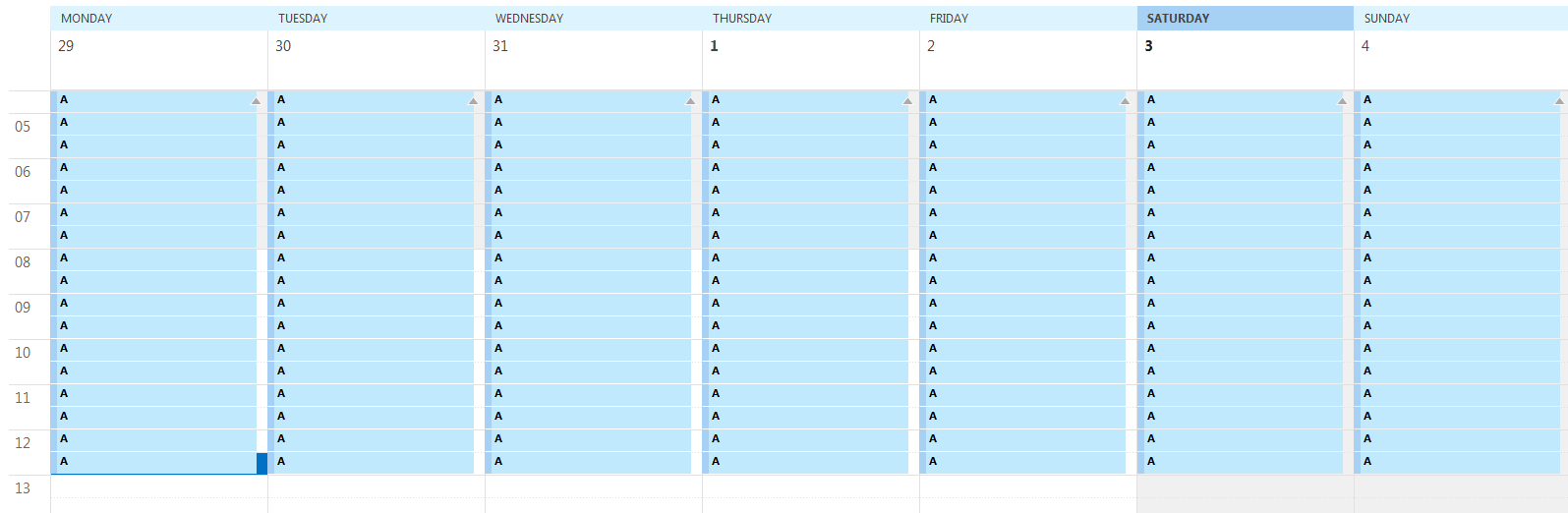
- One-way sync the new Outlook calendar to Google
- Sync again for delta and time the
Comparing Outlook items to Google eventsstep - is it excessive?
phw198
on 4 Nov 2018
Ok. I created an outlook calendar and created 120 simple items. I then synced from outlook to google twice. The first time was long because it had to create each entry. Second time was fast.
Then I switched to two-way sync. The first time it spent quite a while "reclaiming entries". The second time it showed several updating timestamp entries in the logfile. The third time it complained about organiser changed time of appointment but it's not me. But the timing was quite excessive (almost 10 minutes).
Please have a look at the logfile for details. I submitted it via the google forms above.
salzrat
on 4 Nov 2018
Any news on this? Can't really use ocgs 2.7.6 or above...
salzrat
on 21 Nov 2018
Still using 2.7.6 and taking 40 minutes or more
Stuart
On Nov 21, 2018, at 4:10 AM, salzrat notifications@github.com wrote:
Any news on this? Can't really use ocgs 2.7.6 or above...
—
You are receiving this because you were mentioned.
Reply to this email directly, view it on GitHub, or mute the thread.
Stuwilli1
on 21 Nov 2018
@salzrat I've been really busy lately, but just been taking a look at this again now. Thanks for your logs - the last run where it took 10 minutes and lots of "Organiser changed time of appointment"...I think this is just a feature of copy and pasting loads of appointments in order to produce this test. It's not reproducing the original issue, rather just creating a new abnormal one.
However, if you run a two-way sync for those test calendars again now, does it run faster again - roughly 4 seconds between the Comparing Outlook items to Google events... and x Google calendar entries to be deleted. log entries?
phw198
on 24 Nov 2018
I tried two more times, but it's exactly the same. It shows the same messages in the logfile, and takes the same amount of time. This is on 2.7.6.0. Anything else I can try?
salzrat
on 25 Nov 2018
@salzrat Strange that the "organizer changed" lines are still getting logged. Are you running a full (shift+click) sync or delta sync?
Doesn't seem now that test case is particularly helping though. I'll try and get out another debug build for you to see what else I can find...
phw198
on 25 Nov 2018
Only delta sync. A new debug build would be great! And maybe we can share a calendar to synchronize so we have the same dataset?
salzrat
on 25 Nov 2018
I can confirm I too also continue to have the long update cycle time with new version 2.7.7.0 that was introduced sometime after 2.7.0.0.
 kwagner115
on 27 Nov 2018
kwagner115
on 27 Nov 2018
I did a couple of syncs with 2.7.7 on ultra-fine. One I did this morning, and zipped and uploaded to your gdrive form. Please have a look! there is one sync that's finished from the previous day (I closed the laptop in between), you can ignore that, and one sync I started manually in the morning around 7:00.
salzrat
on 2 Dec 2018
Just to update, whilst I was putting in extra logging some weeks back I seemed to replicate the problem. On further testing, this issue appears to be induced by performing a Full Sync which then produces "dummy" updates, which then causes subsequent Delta Syncs to fall down an odd logic path with Organiser changed time of appointment...but the organiser is you! (Shouldn't have ended up here).
This caused a 5 second phase to become 113 seconds.
To do:
- [x] Stop the dummy updates for Full Syncs if the destination event is already updated more recently than source
👍 This prevents the issue from occurring in the first place
- [x] Work out why it thinks organiser has changed appointment time
- Turns out by default, Google and Outlook items are retrieved and sorted by last modified date and created date respectively. Initially this means the collection of items can rapidly be matched as they are in the same order. However the Full Sync combined with the above "dummy" update causes the Google items to later be retrieved in the reverse order and so finding the matching Outlook item requires _every_ item to be iterated through. I believe the fix is to explicitly order Google's item by created date instead, to match the ordering of Outlook again.
:package: Please try out hotfix v2.7.7.3.zip (see instructions for applying) and let me know how it goes...
phw198
on 28 Dec 2018
Thank you Paul and happy holidays to you and all the best in the new year!
Best regards,
Stuart Williams
On Thu, Dec 27, 2018 at 11:12 PM Paul Woolcock notifications@github.com
wrote:
Just to update, whilst I was putting in extra logging some weeks back I
seemed to replicate the problem. On further testing, this issue appears to
be induced by performing a Full Sync which then produces "dummy" updates,
which then causes subsequent Delta Syncs to fall down an odd logic path
with Organiser changed time of appointment...but the organiser is you!
(Shouldn't have ended up here).This caused a 5 second phase to become 113 seconds.
To do:
- Stop the dummy updates for Full Syncs if the destination event is
already updated more recently than source- Work out why it thinks organiser has changed appointment time
—
You are receiving this because you were mentioned.
Reply to this email directly, view it on GitHub
https://github.com/phw198/OutlookGoogleCalendarSync/issues/599#issuecomment-450286272,
or mute the thread
https://github.com/notifications/unsubscribe-auth/AlrEtOueeRvp2zWoRneW_ilwYPDkMFIAks5u9Zo2gaJpZM4WvWlS
.
Stuwilli1
on 28 Dec 2018
😊
Kevin
kwagner115@gmail.com [email protected]
319-382-4461 (mobile)
From: Stuwilli1 notifications@github.com
Sent: December 27, 2018 10:31 PM
To: phw198/OutlookGoogleCalendarSync OutlookGoogleCalendarSync@noreply.github.com
Cc: kwagner115 kwagner115@gmail.com; Comment comment@noreply.github.com
Subject: Re: [phw198/OutlookGoogleCalendarSync] High CPU usage and excessive comparison elapsed time (#599)
Thank you Paul and happy holidays to you and all the best in the new year!
Best regards,
Stuart Williams
On Thu, Dec 27, 2018 at 11:12 PM Paul Woolcock <[email protected] notifications@github.com >
wrote:
Just to update, whilst I was putting in extra logging some weeks back I
seemed to replicate the problem. On further testing, this issue appears to
be induced by performing a Full Sync which then produces "dummy" updates,
which then causes subsequent Delta Syncs to fall down an odd logic path
with Organiser changed time of appointment...but the organiser is you!
(Shouldn't have ended up here).This caused a 5 second phase to become 113 seconds.
To do:
- Stop the dummy updates for Full Syncs if the destination event is
already updated more recently than source- Work out why it thinks organiser has changed appointment time
—
You are receiving this because you were mentioned.
Reply to this email directly, view it on GitHub
https://github.com/phw198/OutlookGoogleCalendarSync/issues/599#issuecomment-450286272,
or mute the thread
https://github.com/notifications/unsubscribe-auth/AlrEtOueeRvp2zWoRneW_ilwYPDkMFIAks5u9Zo2gaJpZM4WvWlS
.
—
You are receiving this because you commented.
Reply to this email directly, view it on GitHub https://github.com/phw198/OutlookGoogleCalendarSync/issues/599#issuecomment-450287900 , or mute the thread https://github.com/notifications/unsubscribe-auth/AgVYsnAlw0oaK0CS7SpgUTGwaPgOTcK_ks5u9Z6agaJpZM4WvWlS . https://github.com/notifications/beacon/AgVYsgiT_NQbRfG89lhr1mv_v44Bc5mUks5u9Z6agaJpZM4WvWlS.gif
kwagner115
on 28 Dec 2018
Any update on this? Did the hotfix work??
phw198
on 10 Jan 2019
Sorry, this must have slipped through. I now tried the new version. The first run seemed promising on the test calendar (only one minute), but all successive runs were really slow again. Please see the logfile I uploaded via the google form. You will see the first run on ultra-fine. Then I switched to fine, but cancelled after some time because I thought I had selected the wrong executable (but it was the correct one) as it was so slow. Then I switched to debug for a full run (>6 minutes I think), and a final run on ultra-fine.
I'm really wondering how it can take so long to compare 120 calendar items. I see from the new logging output that each individual item takes more than 5 seconds! This is really insane, something very strange must be goin on here... Hope you can find some hints through the logfile. If you want me to run something else, let me know! I didn't do a full sync, btw, just continued from the state of the previous attempst.
salzrat
on 10 Jan 2019
Feels like we're close. The below hotfix now sorts both Google and Outlook by start date instead of either Creation or Modified date.
:package: Hotfix v2.7.7.5.zip (see instructions for applying).
Please let me know how it goes.
phw198
on 11 Jan 2019
That's much better. See the log I uploaded. I did one pass on ultra-fine and one pass on debug.
The step that was taking ages before is now just 3 seconds. However, there's still a very high CPU phase that comes afterwards. I'm sure that can be brought down as well. I think "Comparing Google events to Outlook items" takes longest. This still seems to have quadratic complexity from the ultra-fine logs (but even at quadratic complexity, comparing 120 items are 14400 comparisons, so even if each one of them takes 1ms, it would be max 15s).
salzrat
on 12 Jan 2019
:package: Ah, was missing a sort again when syncing from Google to Outlook - this should now be fully resolved with v2.7.7.6.zip (see instructions for applying).
Hopefully this will close out this issue!
phw198
on 12 Jan 2019
It's slightly faster (only 1min on debug), but the step "Comparing Google events to Outlook items" still takes almost all of the time. I've uploaded another logfile, once with ultra-fine and once with debug.
salzrat
on 13 Jan 2019
I have been traveling quite a bit and have not been able to test, my
apologies.
Stuart
On Sun, Jan 13, 2019 at 12:36 AM salzrat notifications@github.com wrote:
It's slightly faster (only 1min on debug), but the step "Comparing Google
events to Outlook items" still takes almost all of the time. I've uploaded
another logfile, once with ultra-fine and once with debug.—
You are receiving this because you were mentioned.
Reply to this email directly, view it on GitHub
https://github.com/phw198/OutlookGoogleCalendarSync/issues/599#issuecomment-453803735,
or mute the thread
https://github.com/notifications/unsubscribe-auth/AlrEtFy5U8scpYNY3LFwrOy9U1O-5V_tks5vCsXdgaJpZM4WvWlS
.
Stuwilli1
on 13 Jan 2019
@salzrat So I think we're back to what I thought was the original issue, whichI started work on in v2.7.6 for syncing O->G. I've therefore added in the equivalent enhancement for G->O, plus the sorting fixes.
:package: This is a build back on v2.7.6 - I don't think it should make any difference in how to apply it -
v2.7.6.12.zip
Please let me know how it goes.
phw198
on 15 Jan 2019
Ok, that's a significant improvement. You can see in the logfile (one ultra-fine, one debug). The ultra-fine takes 1min, the debug is now only 32s, which is the lowest I saw in a long time!
"Comparing Google events to Outlook items..." still takes 14s (compared to only 7.5s for "Comparing 120 existing Google calendar entries"). Maybe there is some final tweak you can do here based on the logs... If not, I'm waiting till you port this to 2.7.7 and then try it in production!
Thanks!
salzrat
on 15 Jan 2019
I am away from home with very limited access for next 4 weeks. I did try to use the 2 hot fix versions from yesterday. No luck. Got errors not matter what I tried.
Sorry if this is a bit of a mess.
Kevin
2019-01-14 21:11:50,417 DEBUG 27 OutlookGoogleCalendarSync.GoogleOgcs.Calendar [0] - Comparing Outlook items to Google events...
2019-01-14 21:11:50,421 ERROR 27 OutlookGoogleCalendarSync.Console [0] - Unable to identify differences in Google calendar.
2019-01-14 21:11:50,581 DEBUG 27 OutlookGoogleCalendarSync.Console [0] - The following error was encountered during sync:-
2019-01-14 21:11:50,581 ERROR 27 OutlookGoogleCalendarSync.OGCSexception [0] - System.InvalidOperationException: Failed to compare two elements in the array.
2019-01-14 21:11:50,581 ERROR 27 OutlookGoogleCalendarSync.OGCSexception [0] - Code: 0x80131509;-2146233079
2019-01-14 21:11:50,581 ERROR 27 OutlookGoogleCalendarSync.OGCSexception [0] - InnerException:-
2019-01-14 21:11:50,581 ERROR 27 OutlookGoogleCalendarSync.OGCSexception [0] - System.NullReferenceException: Object reference not set to an instance of an object.
2019-01-14 21:11:50,581 ERROR 27 OutlookGoogleCalendarSync.OGCSexception [0] - Code: 0x80004003;-2147467261
2019-01-14 21:11:50,581 ERROR 27 OutlookGoogleCalendarSync.OGCSexception [0] - at OutlookGoogleCalendarSync.Sync.Engine.outlookToGoogle(List1 outlookEntries, List1 googleEntries, String& bubbleText)
at OutlookGoogleCalendarSync.Sync.Engine.synchronize()
at OutlookGoogleCalendarSync.Sync.Engine.<>c__DisplayClass19_0.b__0(Object o, DoWorkEventArgs args)
2019-01-14 21:11:50,581 ERROR 27 OutlookGoogleCalendarSync.Console [0] - Failed to compare two elements in the array.
2019-01-14 21:11:50,581 ERROR 27 OutlookGoogleCalendarSync.Console [0] - Object reference not set to an instance of an object.
2019-01-14 21:11:55,368 INFO 1 OutlookGoogleCalendarSync.Sync.Engine [0] - User opted to retry sync straight away.
kwagner115
on 15 Jan 2019
Paul,
I tried finally to run and get the following error.
[image: image.png]
Best regards,
Stuart
On Mon, Jan 14, 2019 at 7:11 PM Paul Woolcock notifications@github.com
wrote:
@salzrat https://github.com/salzrat So I think we're back to what I
thought was the original issue, whichI started work on in v2.7.6 for
syncing O->G. I've therefore added in the equivalent enhancement for G->O,
plus the sorting fixes.📦 This is a build back on v2.7.6 - I don't think it should make any
difference in how to apply it -
v2.7.6.12.zip
https://github.com/phw198/OutlookGoogleCalendarSync/files/2757554/v2.7.6.12.zipPlease let me know how it goes.
—
You are receiving this because you were mentioned.
Reply to this email directly, view it on GitHub
https://github.com/phw198/OutlookGoogleCalendarSync/issues/599#issuecomment-454212708,
or mute the thread
https://github.com/notifications/unsubscribe-auth/AlrEtKJxamETJyGWJVy8hV5kOMldqfGKks5vDRy6gaJpZM4WvWlS
.
Stuwilli1
on 15 Jan 2019
@kwagner115 Thanks - looks like the patch wasn't working well with all-day calendar items. Should be fixed now.
@salzrat The longer runtime for G->O is related to the items in Outlook having been synced to/from two different Google calendars. v2.7.6 brought in support for this, but also the poor runtime which we're now fixing - this patch is optimising it as far as I can.
:package: Changes now pulled into v2.7.7 release - hotfix v2.7.7.8.zip (see instructions for applying).
Please let me know how it goes :crossed_fingers:
phw198
on 16 Jan 2019
works fine on the test calendar - 28s on debug (see uploaded log).
Do you mean you are still fixing something (for a later patch), or is 2.7.7.8 as fast as it will go?
The items in my outlook calendar are only synced from one google calendar, so it wouldn't need to be slower for that reason...
salzrat
on 16 Jan 2019
Seemed to work fine. Did seem faster. I only had 30 records in my test system. Will apply patch version to my other system which has over 130 records and let you know how it goes. May take me a days or so.
Thanks for all the help and support!!!!!
Kevin
kwagner115
on 16 Jan 2019
@salzrat
The items in my outlook calendar are only synced from one google calendar, so it wouldn't need to be slower for that reason...
Your logs show otherwise - every Outlook calendar item has two different Google calendar IDs against them:
And this is what would be seen if the same Outlook calendar has been synced to more than one Google calendar. This is also why it's taking longer as the logic is more convoluted to work out which ID to be using for a given sync - v2.7.7.8 is as fast as it's going to get.
phw198
on 16 Jan 2019
Paul,
Any ideas on this? New 2.7.7.8. . Attached debug file
[image: image.png]
Best regards,
Stuart
On Wed, Jan 16, 2019 at 12:01 AM Paul Woolcock notifications@github.com
wrote:
@kwagner115 https://github.com/kwagner115 Thanks - looks like the patch
wasn't working well with all-day calendar items. Should be fixed now.@salzrat https://github.com/salzrat The longer runtime for G->O is
related to the items in Outlook having been synced to/from two different
Google calendars. v2.7.6 brought in support for this, but also the poor
runtime which we're now fixing - this patch is optimising it as far as I
can.📦 Changes now pulled into v2.7.7 release - hotfix v2.7.7.8.zip
https://github.com/phw198/OutlookGoogleCalendarSync/files/2762692/v2.7.7.8.zip
(see instructions for applying
https://github.com/phw198/OutlookGoogleCalendarSync/wiki/Reporting-Problems#applying-a-hotfix
).Please let me know how it goes 🤞
—
You are receiving this because you were mentioned.
Reply to this email directly, view it on GitHub
https://github.com/phw198/OutlookGoogleCalendarSync/issues/599#issuecomment-454652661,
or mute the thread
https://github.com/notifications/unsubscribe-auth/AlrEtNyxp5Z5LtOqH7zPDVQBz3ziEJ7Hks5vDrIigaJpZM4WvWlS
.
Stuwilli1
on 17 Jan 2019
@Stuwilli1 No, because it's not possible to upload files to GitHub via email attachments...
phw198
on 17 Jan 2019
But this is strange - I've never synced this to more than one Google calendar. I don't even know how to do that! Can I check what calendars are supposedly being synced? How could I turn that off? How does ogcalsync determine which calendars to sync to - the GUI only shows one calendar...
I've uploaded a log doing a fullsync (outlook to gcal) and then again ultra-fine and debug two-way sync. maybe you can find out what's going on...
salzrat
on 17 Jan 2019
@salzrat So it looks like you copied/cut and pasted the Outlook items from one calendar to another - probably to a test calendar in order to test the various hotfixes. So I think you:
- Synced between Google A and Outlook A
- Copied items in Outlook A to B
- Synced between Google B and Outlook B
- Outlook B items now has metadata about both Google A and B
Now, I _could_ try and determine if the copy and paste event is within the same Outlook calendar or not, and if not, delete any pre-existing metadata - but I'm not sure it particularly makes much difference. Very few people are going to have done what you've done for testing, and even if they do, it just means sync from Google to Outlook is slightly less efficient.
I'll remind myself how the code around this works and work/risk involved in removing metadata...
phw198
on 18 Jan 2019
But this can't be true! I have only ONE test calendar on google, and ONE test calendar on Outlook. I never synced any of these calendars to any other calendar. Is it possible that different OGCS versions used different calendar ids?
How can I find out which calendars are actually meant? Is this calendar id something that actually appears somewhere in outlook or gcal?
And how would one remove this double association? I did a full sync from outlook to google, but this remained. I think it's not necessary do any detection, but show users to what calendars events are synching, and allow them to remove these associations...
salzrat
on 18 Jan 2019
Is it possible that different OGCS versions used different calendar ids?
No, the IDs are immutable - that's how the calendars in both Outlook and Google identify themselves.
How can I find out which calendars are actually meant?
I already provided the Google IDs and a link to the webview of each so you can check what calendars they are and what items are in them. FYI, you can see any Google calendar ID when you go to their settings and then the ID under "Integrate Calendar".
And how would one remove this double association?
There is no mechanism to and no intention to provide this. It's needed to support eg Google A <--> Outlook A <--> Google B and the vast majority of users would not know how this is technically achieved or side effects of deleting metadata.
phw198
on 18 Jan 2019
Ok, thanks. I checked my calendars and I don't have a calendar with the first id. I then searched my files and this id was used in a test with 2.7.5 to connect to the test calendar, when I first tried this on 4.11. All subsequent settings.xml-files show the other id, and I remember having reported on 21.11. that there were lots of "reclaiming entry" lines in the log. Maybe it has something to do with that. I will now try to do a one-way sync from google to outlook on the test calendar and hope the double association is removed...
salzrat
on 18 Jan 2019
Yep, that adds up. "Reclaiming entries" is basically populating the ID metadata where it has detected it is missing. If you delete the Outlook items and then do a one way sync from Google, that'll reset things in Outlook.
This is partly why getting to the bottom of this issue(s) took so long, as the various test scenarios were causing different side effects 😌
phw198
on 18 Jan 2019
Ah, but we are not done yet. I have tried that, and the same issue reappeared, and finally ogcalsync even crashed. Please see the log I just uploaded, all from a new try today.
- I deleted all entries in outlook.
- Then I did two one-way syncs from google to outlook (it was two by accident).
- Then I did a two-way sync -> this again lead to the same problem, ogcalsync reporting "reclaiming entry"
- Then I did another two-way sync, and this one (or another one, I don't remember, you'll see in the log) finally crashed.
Please have a look at the log what's going on here...
salzrat
on 18 Jan 2019
Paul
Could u pls send the latest zip hot fix to my other email account. I am getting an error ... Virus.... Message when I try to forward there and open.
The email address is [email protected]
Thx!!
Kevin
319-382-4461
From: Paul Woolcock notifications@github.com
Sent: Tuesday, January 15, 2019 11:01:22 PM
To: phw198/OutlookGoogleCalendarSync
Cc: kwagner115; Mention
Subject: Re: [phw198/OutlookGoogleCalendarSync] High CPU usage and excessive comparison elapsed time (#599)
@kwagner115https://github.com/kwagner115 Thanks - looks like the patch wasn't working well with all-day calendar items. Should be fixed now.
@salzrathttps://github.com/salzrat The longer runtime for G->O is related to the items in Outlook having been synced to/from two different Google calendars. v2.7.6 brought in support for this, but also the poor runtime which we're now fixing - this patch is optimising it as far as I can.
📦 Changes now pulled into v2.7.7 release - hotfix v2.7.7.8.ziphttps://github.com/phw198/OutlookGoogleCalendarSync/files/2762692/v2.7.7.8.zip (see instructions for applyinghttps://github.com/phw198/OutlookGoogleCalendarSync/wiki/Reporting-Problems#applying-a-hotfix).
Please let me know how it goes 🤞
—
You are receiving this because you were mentioned.
Reply to this email directly, view it on GitHubhttps://github.com/phw198/OutlookGoogleCalendarSync/issues/599#issuecomment-454652661, or mute the threadhttps://github.com/notifications/unsubscribe-auth/AgVYsoj8MSWnxLrU9Elv_lunRsoXgagYks5vDrIigaJpZM4WvWlS.
kwagner115
on 18 Jan 2019
- G->O sync creates new Outlook items and populates with a single calendar metadata as expected.
- G<->O sync reclaims Google entries (expected), but it's created a second piece of meta data in _Google,_ different Outlook event ID as it's just been created, but the same calendar. It should have just updated the existing metadata entry in Google for the same calendar.
- Not too sure why it's crashed - is that happening every time now?
@salzrat This is now a separate issue - please continue over on #656.
phw198
on 18 Jan 2019
Paul,
Test on larger calendar .. approx. 130 records, was successful. Materially faster.
Kevin
kwagner115
on 19 Jan 2019
problem with 2. 7.7.8
cant reclaim outlook record.
OGcalsync.log
kwagner115
on 22 Jan 2019
Told Paul the same and he said not related to 2-.7.7.8 but bug fixes in the works. Hmm
Stuart
Stuwilli1
on 22 Jan 2019
k
Kevin
kwagner115@gmail.com [email protected]
319-382-4461 (mobile)
From: Stuwilli1 notifications@github.com
Sent: January 21, 2019 8:44 PM
To: phw198/OutlookGoogleCalendarSync OutlookGoogleCalendarSync@noreply.github.com
Cc: kwagner115 kwagner115@gmail.com; Mention mention@noreply.github.com
Subject: Re: [phw198/OutlookGoogleCalendarSync] High CPU usage and excessive comparison elapsed time (#599)
Told Paul the same and he said not related to 2-.7.7.8 but bug fixes in the works. Hmm
Stuart
On Jan 21, 2019, at 9:38 PM, kwagner115 <[email protected] notifications@github.com > wrote:
problem with 2. 7.7.8
cant reclaim outlook record.
OGcalsync.log
—
You are receiving this because you were mentioned.
Reply to this email directly, view it on GitHub, or mute the thread.
—
You are receiving this because you were mentioned.
Reply to this email directly, view it on GitHub https://github.com/phw198/OutlookGoogleCalendarSync/issues/599#issuecomment-456252158 , or mute the thread https://github.com/notifications/unsubscribe-auth/AgVYsrR-zF6yDf707tT79vODwsKF0B2aks5vFnr5gaJpZM4WvWlS . https://github.com/notifications/beacon/AgVYslwOUobndvgjwSNn5FGPPxWBgJLZks5vFnr5gaJpZM4WvWlS.gif
kwagner115
on 22 Jan 2019
@Stuwilli1 You seem to be confused - I absolutely did not say that. You posted to some 2 year old issue that has been long closed, to which I responded
This issue (266) is unrelated to the recent builds you are testing. v2.7.7.8 introduced some new bugs which are being worked through on #656.
Which means, head over to #656 and see what's happening there. I'm now locking issue #599.
phw198
on 22 Jan 2019
Related issues
 jesseelliott
·
4Comments
jesseelliott
·
4Comments
 LHuisingh
·
6Comments
phw198
·
3Comments
LHuisingh
·
6Comments
phw198
·
3Comments
 fyates
·
4Comments
fyates
·
4Comments
 mat1234
·
6Comments
mat1234
·
6Comments