Outline-client: Can not connect the server with Outline client v1.3.1 windows edition
In win10 64 bit environment, it will fail to connect the server installed in Digital Ocean.
And, it is the same when I install without anti-virus and firewall as well.
To Reproduce
- Download an Outline Windows Installer from the official outline website.
- Run with the administrator's permission to install.
Expected behavior
Clicking "Connect" button after 10 sec. will get the message says, "It seems like your access key is not valid. If this happens again, please contact your server admin."
Screenshots
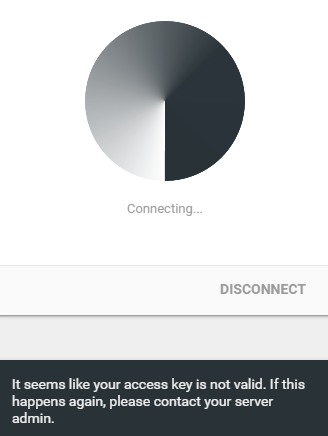
Desktop:
- OS: windows 10 home 1909
- Browser Chrome
- Version Version 79 (Official Build) (64-bit)
Additional context
However, this issue is only met in windows, I use MAC and smartphone installed outline client are Okay.
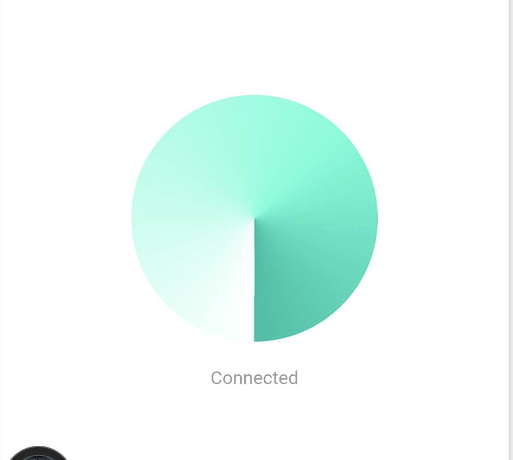
Smartphone:
- Device: HTC U11
- OS: Android 9
- Browser chrome
- Version 79.0.3945.93
MAC book
- Device: MacBook Pro (13-inch, 2019, Two Thunderbolt 3 ports)
- OS: macOS Catalina version 10.15.2
- Browser chrome
- Version 79.0.3945.88 (Official Build) (64-bit)
 AiprNick
All 8 comments
Same issue here. Then I download the v1.3 version, it works well in my Win 10 until it auto update to v1.3.1 and fail to connect again.
 FEMC
on 9 Jan 2020
FEMC
on 9 Jan 2020
Is there any update?
AiprNick
on 13 Jan 2020
Same issue here
 horyu1234
on 14 Jan 2020
horyu1234
on 14 Jan 2020
Is there any update?
I downloaded the latest beta release, it seems the issue was fixed.
Now they have released Windows v1.3.2.
FEMC
on 1 Feb 2020
@FEMC Thanks! But, the v1.3.2 still does not work ...
I met the new error message like below:
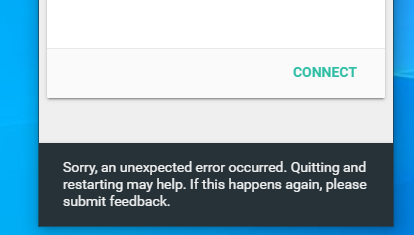
The test environment is the same as before, and I purge old client including the tap device when re-installing. Of course, I also turned off the firewall and antivirus software during the installation.
AiprNick
on 3 Feb 2020
It is similar to #724 issue two.
AiprNick
on 3 Feb 2020
I'd like to confirm this issue. My i-pad, my android phone, both work fine with the access keys. But the windows pc shows the above error "an unexpected error occurred". I've tried resetting my network, restarting it, removing TAP adapter, removing openvpn connect, everything. Nothing seems to be working.
Also I'd like to mention the PC is same where Outline manager is installed.
 salarx
on 9 Feb 2020
salarx
on 9 Feb 2020
one of the following could be a potential solution..
- disable and enabled hyper-v
- add a fake vm in hyper-v and remove it then restart
- disable any existing bridge adapter from your network connections and try
 DevHossamAli
on 4 Mar 2020
DevHossamAli
on 4 Mar 2020
Related issues
 prashant-shahi
·
5Comments
prashant-shahi
·
5Comments
 d1eselboy
·
4Comments
d1eselboy
·
4Comments
 HippoBaro
·
6Comments
HippoBaro
·
6Comments
 shanghaix
·
5Comments
shanghaix
·
5Comments
 tanchengqiu
·
6Comments
tanchengqiu
·
6Comments