Organizr: Cannot activate or deactivate Tab Icon apps
Organizr Version: V 2.1.83
Branch: Master (develop branch also tested)
WebServer: Nginx
Operating System: Docker organizr image
Problem Description:
I'm no longer able (dunno since when..) to enable or disable apps. Even though i click the correct buttons, a sucessful done message appears, but neither the enabled apps get disabled, nor get the disabled apps enabled.
Nothing special in the logs about this. Also not in the Developer tools of the client browsers. tested with firefox/chrome
Reproduction Steps:
click on active column icons. nothing changes except the sucess message appear
 mamema
All 22 comments
Are you refreshing after enabling/disabling? It requires a page refresh to show up.
 HalianElf
on 10 Dec 2020
HalianElf
on 10 Dec 2020
please let us know if what elf said helped you. thanks
 causefx
on 10 Dec 2020
causefx
on 10 Dec 2020
no, refresh doesn't help. Cache cleaning, 3 browser brands tested
mamema
on 11 Dec 2020
can you take a video of this happening?
causefx
on 11 Dec 2020
sure, can i send you a onedrive link privately?
mamema
on 12 Dec 2020
causefx at me dot com
Sent from my iPhone
On Dec 12, 2020, at 6:57 AM, mamema notifications@github.com wrote:
sure, can i send you a onedrive link privately?—
You are receiving this because you commented.
Reply to this email directly, view it on GitHub, or unsubscribe.
causefx
on 12 Dec 2020
latest docker image from yesterday.... nothing change. I can still not enable or disable icons
mamema
on 26 Dec 2020
Was this installed from swizzin?
Edit: nvm - i see this docker.
causefx
on 5 Jan 2021
Hello ! I have the same problem here. Running on Docker, master branch, V. 2.1.120. I recorded an animated Screenshot and dropped it here in my self-hosted CryptPad.
https://notes.dunst.be/file/#/2/file/9OUGz2yV5gU5jbstnHkrE9hs/
 Procuria
on 10 Jan 2021
Procuria
on 10 Jan 2021
do either of you have opcache installed?
causefx
on 10 Jan 2021
Thank you for your rocket-fast reply. The host hasn't even PHP installed, so there is no opcache (I guess). The docker container is invoked with:
docker run -d --restart always --name=organizr -v /home/dockervolumes/organizr:/config -p 8090:80 -e fpm=true organizr/organizr
Procuria
on 10 Jan 2021
lemme test on the container further.
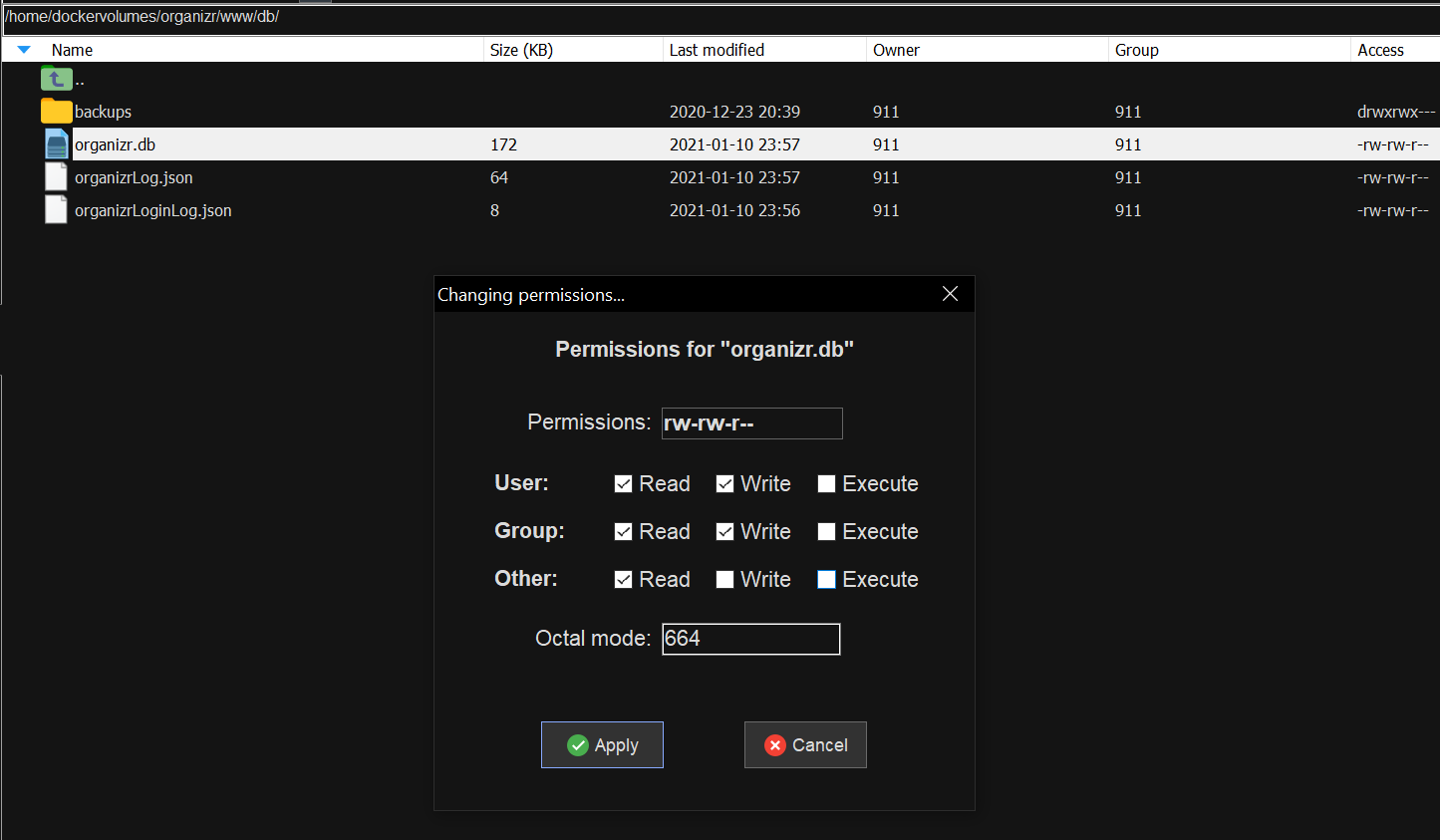
Can you also check the permission of database?
causefx
on 11 Jan 2021
Check - there you go :)
Procuria
on 11 Jan 2021
I have also no opcache installed
Here's my compose file
version: "3"
services:
organizr:
container_name: organizr
cpu_shares: 50
entrypoint:
- /init
environment:
- PATH=/usr/local/sbin:/usr/local/bin:/usr/sbin:/usr/bin:/sbin:/bin
- S6_REL=2.1.0.2
- S6_ARCH=amd64
- S6_BEHAVIOUR_IF_STAGE2_FAILS=2
- TZ=Etc/UTC
- 'PS1=$(whoami)@$(hostname):$(pwd)$ '
- HOME=/root
- TERM=xterm
- fpm=true
- branch=v2-master
- PUID=1024
- PGID=100
hostname: organizr
image: organizr/organizr:latest
ipc: shareable
labels:
base.maintainer: christronyxyocum,Roxedus
base.s6.arch: amd64
base.s6.rel: 2.1.0.2
maintainer: christronyxyocum,Roxedus
org.label-schema.description: 'Baseimage for Organizr'
org.label-schema.name: organizr/base
org.label-schema.schema-version: 1.0
org.label-schema.url: https://organizr.app/
org.label-schema.vcs-url: https://github.com/organizr/docker-base
org.opencontainers.image.created: 2020-12-24_23
org.opencontainers.image.source: https://github.com/Organizr/docker-organizr/tree/master
org.opencontainers.image.title: organizr/base
org.opencontainers.image.url: https://github.com/Organizr/docker-organizr/blob/master/README.md
logging:
driver: db
options: {}
mac_address: 02:42:ac:11:00:13
networks:
bridge:
aliases:
ports:
- 0.0.0.0:3000:80/tcp
stdin_open: true
tty: true
volumes:
- /volume1/docker/organizr/config:/config:rw
networks:
bridge:
external: true
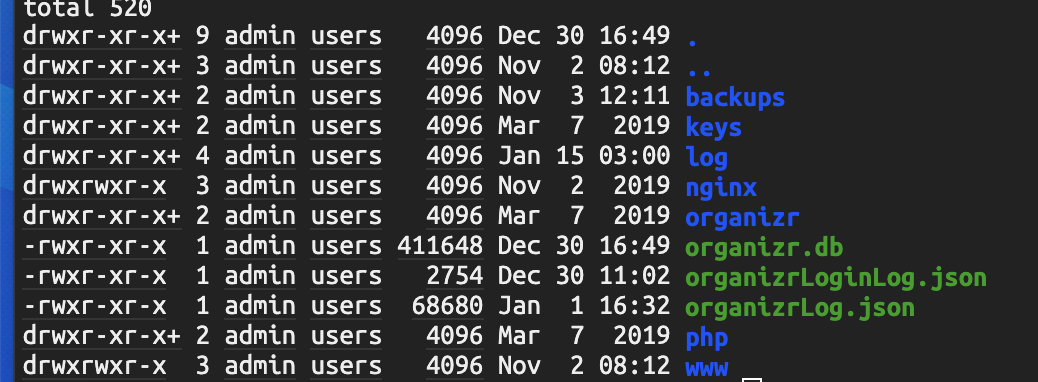
My permissions are as you can see like the coresponding user on the host. this user has rw rights (PGID,PUID)
mamema
on 15 Jan 2021
So it allows you to add tabs - just not update them?
causefx
on 21 Jan 2021
partly it's just not possible to enable/disable. Other changes are possible.
Perhaps important: Clicking on Enable/Disable sets the entry as homepage default entry instead of enable/disable
mamema
on 23 Jan 2021
what the hell? can you setup another instance of organizr and give me access?
causefx
on 23 Jan 2021
Same like @mamema here ! Will (hopefully) set up an instance for you in the next hour. Thank you for your efforts !
Procuria
on 23 Jan 2021
you've got mail @causefx
mamema
on 23 Jan 2021
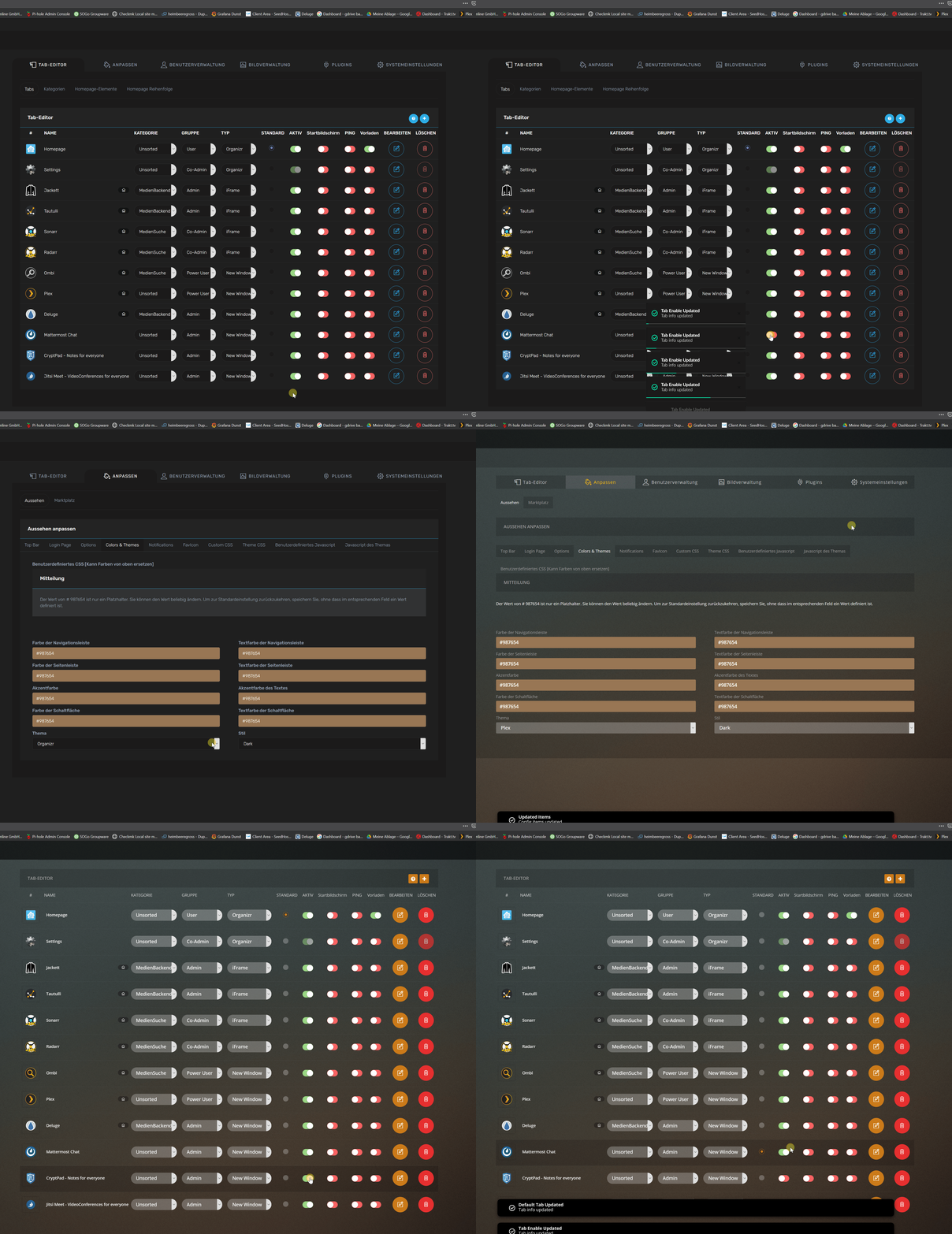
I think I have a clue - I could reproduce the error in the test instance with the plex-theme. When I switch back to organizr-theme all runs smooth. Will test it now in my prod-instance.
@causefx you've got mail
@mamema are you using the plex theme too ?
Procuria
on 23 Jan 2021
I can confirm - the issue is caused by the theme. See attached screenshot gif of my prod-instance.
Procuria
on 23 Jan 2021
Thanks guys, you all were correct, it was the Plex theme...
For a temp fix: goto Settings > Appearance > Theme Css and paste this:
input[type="radio"] {
    min-width: 20px !important;
}
Related issues
 CBers
·
4Comments
CBers
·
4Comments
 Cookie-Monster-Coder
·
5Comments
Cookie-Monster-Coder
·
5Comments
 Ryonez
·
6Comments
Ryonez
·
6Comments
 JimboJamez
·
6Comments
JimboJamez
·
6Comments
 jaydee99
·
6Comments
jaydee99
·
6Comments
Most helpful comment
Thanks guys, you all were correct, it was the Plex theme...
For a temp fix: goto Settings > Appearance > Theme Css and paste this: