Organizr: Req: Allow Middle-click to open in new tab
Small request, would it be possible to add in middle mouse clicking to open a service in a new tab?
That's the normal link behavior in my browsers; currently for example, when ctrl+clicking say, NZBHydra in the services menu will do so, but middle click does nothing at all. Out of habit I always find myself first middle clicking a service, then thinking "oh yea, organizr doesn't do that", and then ctrl-clicking it.
Personally speaking, A lot of times I keep my right hand on the mouse, and rest my chin upon my left palm as I am looking over things, so it takes a ton of energy for my lazy arse to have to always lower my left hand back to the keyboard, and support the weight of my own head all by itself. Especially in the morning before I'm done with my coffee. :P
TIA!
 STaRDoGG
All 18 comments
does middle button do anything at all at the moment?
I dont have a middle button mouse to test
 causefx
on 28 Sep 2020
causefx
on 28 Sep 2020
does middle button do anything at all at the moment?
I dont have a middle button mouse to test
Newp, nothing at all.
STaRDoGG
on 29 Sep 2020

It does show an animation but it does not do anything other than that.
 Jerrk
on 6 Oct 2020
Jerrk
on 6 Oct 2020
It does show an animation but it does not do anything other than that.
Other than the hover-highlighting I don't even get that click animation on mine.
Maybe it has to do with our theme choices? Looks like you're using a diff theme than mine. I'm using the Organizr Dark theme.
STaRDoGG
on 6 Oct 2020
i have had a quick look into this and it would be quit straight forward. there are 2 main things that would need changing.
the first thing is that each tab icon has an onclick action. this needs to be changed to an onauxclick action so that it catches middle clicks. i have not found where this needs to be changed but i doubt it will be hard for someone familiar with the project.
the other is a change to the tab loading JS. the tab icon onclick action calls the tabActions function. this needs to be changed to handle the middle click. the simplest way to do that is to add a condition to the ctrl+click if statement for the middle moues button. this would mean changing this line from if(event.ctrlKey && !event.shiftKey && !event.altKey){ to if((event.ctrlKey && !event.shiftKey && !event.altKey) || event.which==2){ (there might be a neater way to do this).
it will also now need to handle for right mouse click so that accessing a context menus does not trigger a tab change. this could be a simple as adding this if(event.which!=1 && event.which!=2){ empty if statement before the open in new window one and changing that to an else if.
i have tested this by substituting the functions on an already loaded page and it works however i have not tested the changes in the backend.
let me know if you need more information or if i am way off on my idea.
 TomW1605
on 31 Oct 2020
TomW1605
on 31 Oct 2020
I was just googling for how to do this too. It is the only thing keeping me from using Organizr 100% .. so, +1 if it can be implemented
 joshhazel
on 23 Nov 2020
joshhazel
on 23 Nov 2020
@causefx any chance on getting a response to this?
TomW1605
on 18 Jan 2021
please try the latest commit on dev to see if this worked, I don't have a mouse with middle button to test.
EDIT: Actually it does work - i mapped middle button to an alt button on my mouse. It seems Edge doesn't recognize middle button for me, but I tried in Firefox and it worked.
causefx
on 21 Jan 2021
that works great thanks for adding it.
TomW1605
on 22 Jan 2021
Working great, thanks!
STaRDoGG
on 30 Jan 2021
Dumb question, how can i update my organizr to pick up the change? I tried the built in Check for Updates > Install Update 2.1.183 but the middle click doesnt open a new tab >_< thanks
joshhazel
on 30 Jan 2021
does it show that you are on 2.1.183 now tho?
clear cache?
Sent from my iPhone
On Jan 29, 2021, at 5:57 PM, joshhazel notifications@github.com wrote:
Dumb question, how can i update my organizr to pick up the change? I tried the built in Check for Updates > Install Update 2.1.183 but the middle click doesnt open a new tab >_< thanks—
You are receiving this because you modified the open/close state.
Reply to this email directly, view it on GitHub, or unsubscribe.
causefx
on 30 Jan 2021
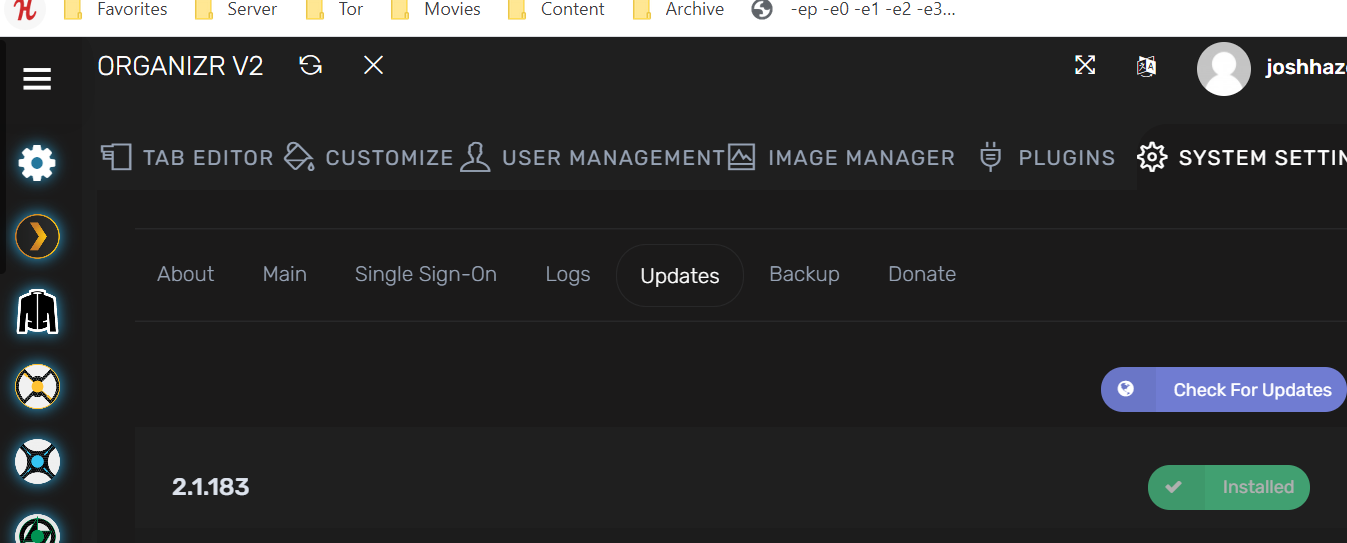
Yeah, it shows 2.1.183, Cleared cache,
but when middle clicking the middle mouse button on any of the tabs (sonarr, radarr) on the left side its not doing anything for me
joshhazel
on 30 Jan 2021
what browser?
causefx
on 30 Jan 2021
what browser?
Chrome 88.0.4324.104, I also tried Edge 88.0.705.56
joshhazel
on 30 Jan 2021
@TomW1605 @STaRDoGG what browsers are you guys using...?
I think it doesn't work for chromium based browsers... I'll try to find a work around.
causefx
on 30 Jan 2021
@TomW1605 @STaRDoGG what browsers are you guys using...?
I think it doesn't work for chromium based browsers... I'll try to find a work around.
i am using chrome v86.0.4240.198
TomW1605
on 31 Jan 2021
I just tested on 2.1.183 v2-Master (Docker):
- Chrome Version 88.0.4324.104 (Official Build) (64-bit)
- Edge Version 88.0.705.56 (Official build) (64-bit)
- Firefox 85.0 (64-bit)
All work fine
- Opera Version:73.0.3856.344
Gives me the "Quick Scroll" icon. I'm not sure if that's due to a setting in Opera or something though (I didn't look; I don't use Opera very often.)
STaRDoGG
on 31 Jan 2021
Related issues
 Ryonez
·
6Comments
Ryonez
·
6Comments
 roblandry
·
5Comments
roblandry
·
5Comments
 CBers
·
4Comments
CBers
·
4Comments
 mpalermo73
·
3Comments
mpalermo73
·
3Comments
 JimboJamez
·
6Comments
JimboJamez
·
6Comments
Most helpful comment
please try the latest commit on dev to see if this worked, I don't have a mouse with middle button to test.
EDIT: Actually it does work - i mapped middle button to an alt button on my mouse. It seems Edge doesn't recognize middle button for me, but I tried in Firefox and it worked.