Orchardcore: Feature Proposal: Add Layout Part
Adding a Layout part where it will be defined which layout should be used: could be a liquid file or liquid template.
 urbanit
All 15 comments
Yes we can define a Layout in a Content-ContentTypeName.liquid or .cshtml template directly. So having a LayoutPart could allow to define the Layout file that we want to use. Though these layouts files can be defined also in the admin UI too with Templates.
Since layouts could vary from one theme to an other, this LayoutPart needs to be smart enough to fallback to a default Layout if the Layout stored in it's setting is not present for the current theme.
Also, not sure 100%, but this could be a ContentDefinition setting instead of a loosely coupled Part?
 Skrypt
on 14 Dec 2019
Skrypt
on 14 Dec 2019
In Razor, you could use,
@{
    ViewLayout = "CustomLayout";
}
or In liquid, you could use
{% layout "CustomLayout" %}
to define Layout alternate. and use <zone> to place your content.
You can also use Template feature to define your CustomLayout.
 ns8482e
on 16 Dec 2019
ns8482e
on 16 Dec 2019
@ns8482e the functionality is there, the proposal is to expose it to AdminUI
urbanit
on 16 Dec 2019
@urbanit Yes, you can create CustomLayout using Template feature via Admin UI
ns8482e
on 16 Dec 2019
@urbanit If you are looking Orchard1 LayoutPart equivalent then Probably you should try WidgetListPart.
Just like in Layout/LayoutPart Orchard1, WidgetListPart in Orchard Core allows you to define zones that you need for the content type and use Template feature to define Custom Layout and Shape for your content type.
Here's an example
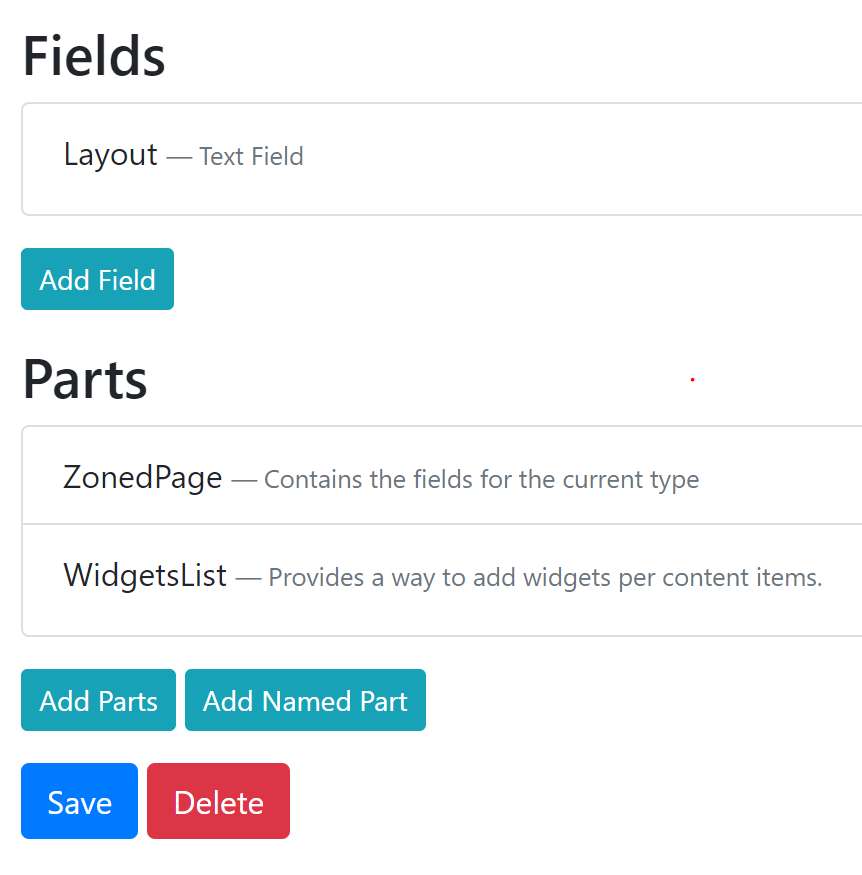
- Create Content Type
ZonedPagewithWidgetListPartand aTextFieldto save layout name.
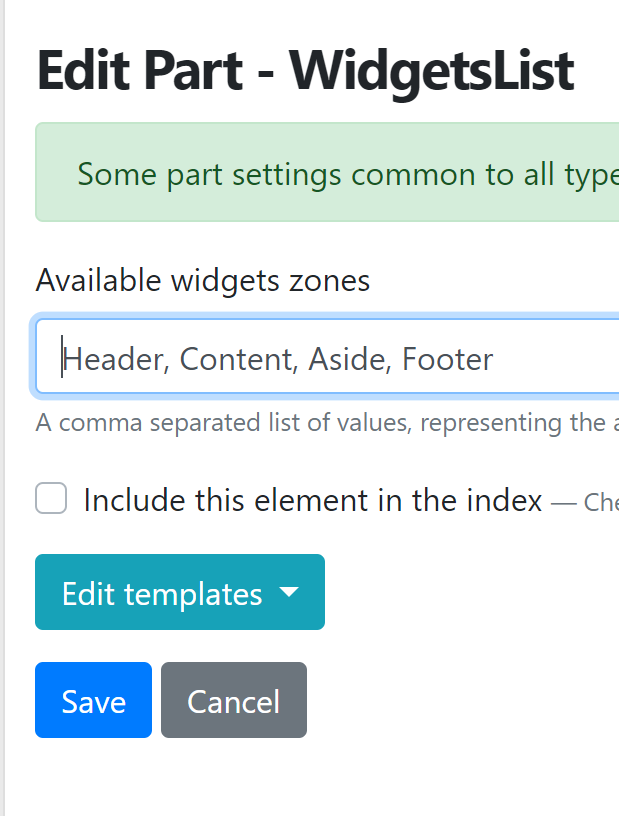
Define zones in WidgetList Part Setting
Using Template feature create
CustomLayoutshape, that defines zones as per your WidgetList Part setting above.- Using Template feature create
Content__ZonedPageshape with following code
{% layout Model.ContentItem.Content.ZonedPage.Layout.Text %} - Create Content Item for
ZonedPage
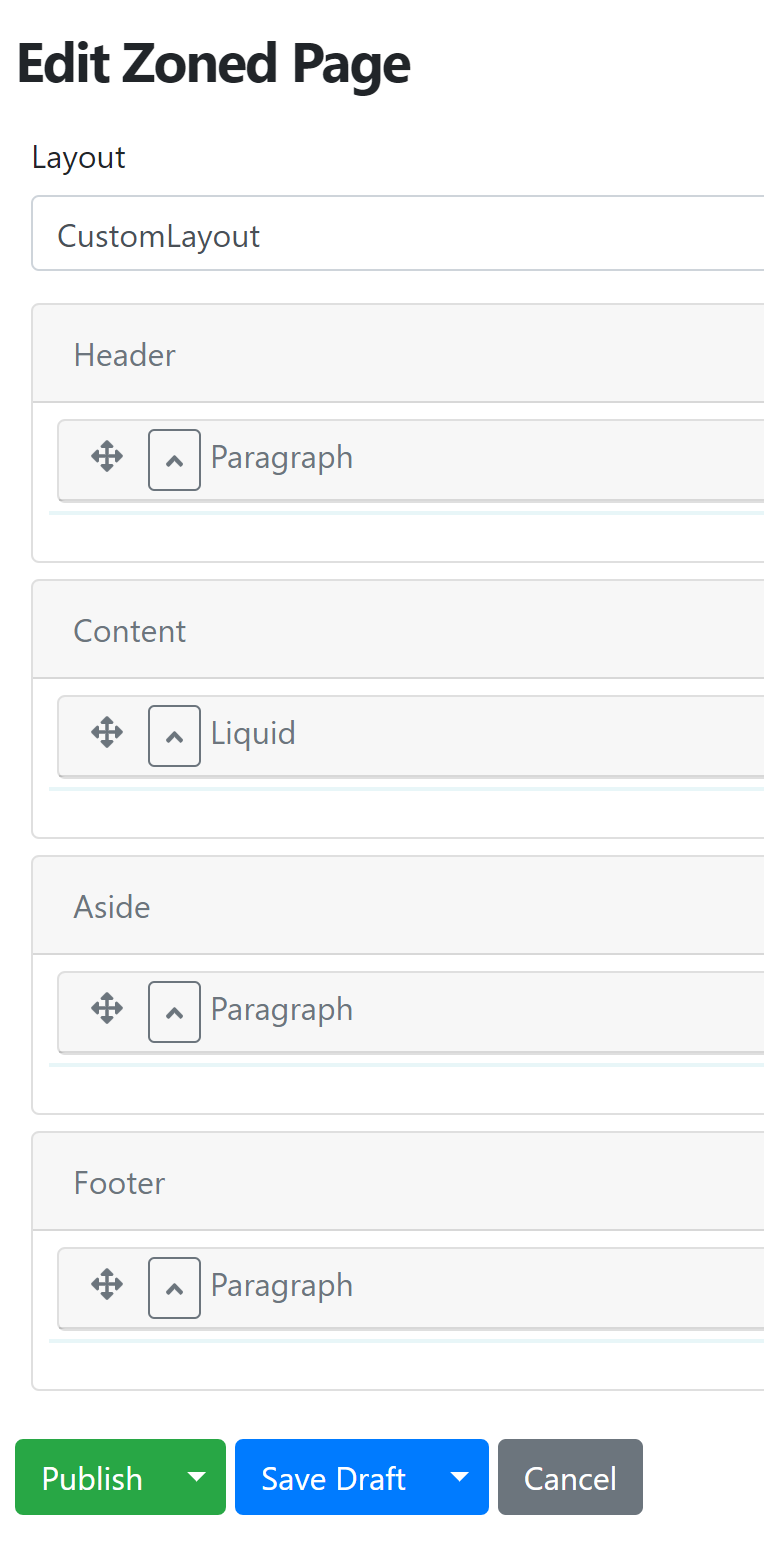
If you do not want text box for Layout text filed and/or need to show list of more than one Custom Layouts, You may want to change the editor to Predefined List for Layout text field in ZonedPage content type
I hope this will work for your needs.
ns8482e
on 18 Dec 2019
Does the WidgetsListPart fit your needs @urbanit ?
 agriffard
on 12 Feb 2020
agriffard
on 12 Feb 2020
@agriffard I do not think that covers the issue... I mean I have items of same content type and need different layout... So, the need is having {% layout "CustomLayout" %} exposed in UI...
urbanit
on 18 Feb 2020
Right now a mitigation would be to call this liquid code in an {% if %} based on some custom field defined on the content type. But a part could be nice. Also nice feature when used with Previews (even without a custom part)
 sebastienros
on 27 Feb 2020
sebastienros
on 27 Feb 2020
. . .
Using Template feature create Content__ZonedPage shape with following code
{% layout Model.ContentItem.Content.ZonedPage.Layout.Text %}Create Content Item for ZonedPage
If you do not want text box for Layout text filed and/or need to show list of more than one Custom Layouts, You may want to change the editor to Predefined List for Layout text field in ZonedPage content type
I hope this will work for your needs.
@ns8482e, this solution is working for me except when using {% layout Model.ContentItem.Content.ZonedPage.Layout.Text %}. I think Liquid expecting the layout name to be surrounded by double-quotes ("[Text]") and I can't figure out how to do that. I tried surrounding it with single-quotes, double-quotes and double-double-quotes but none of these are working. Maybe I am doing something wrong? Thanks in advance for any insight.
Edit: I initially tried this using a Predefined List for the Layout Text field. I then switched it to Standard. Still cannot get it to work.
 remesq
on 13 Jun 2020
remesq
on 13 Jun 2020
Update: Reading the above comments, especially the {% if %} block suggestion by S. Ros I realized this was the answer I was looking for. Thank you.
{% assign layoutPath = Model.ContentItem.Content.ZonedPage.Layout.Text %}
{% if layoutPath == "LayoutAside" %}
    {% layout "LayoutAside" %}
{% endif %}
@remesq It's working for me with predefined list as I mentioned above. I have one shape defined for Content Type I called it ZonedPage i.e. Content__ZonedPage with following line
{% layout Model.ContentItem.Content.ZonedPage.Layout.Text %}
and created three different layouts Layout__A , Layout__B, Layout__C ( with different h1 tags) and result look like below in preview.
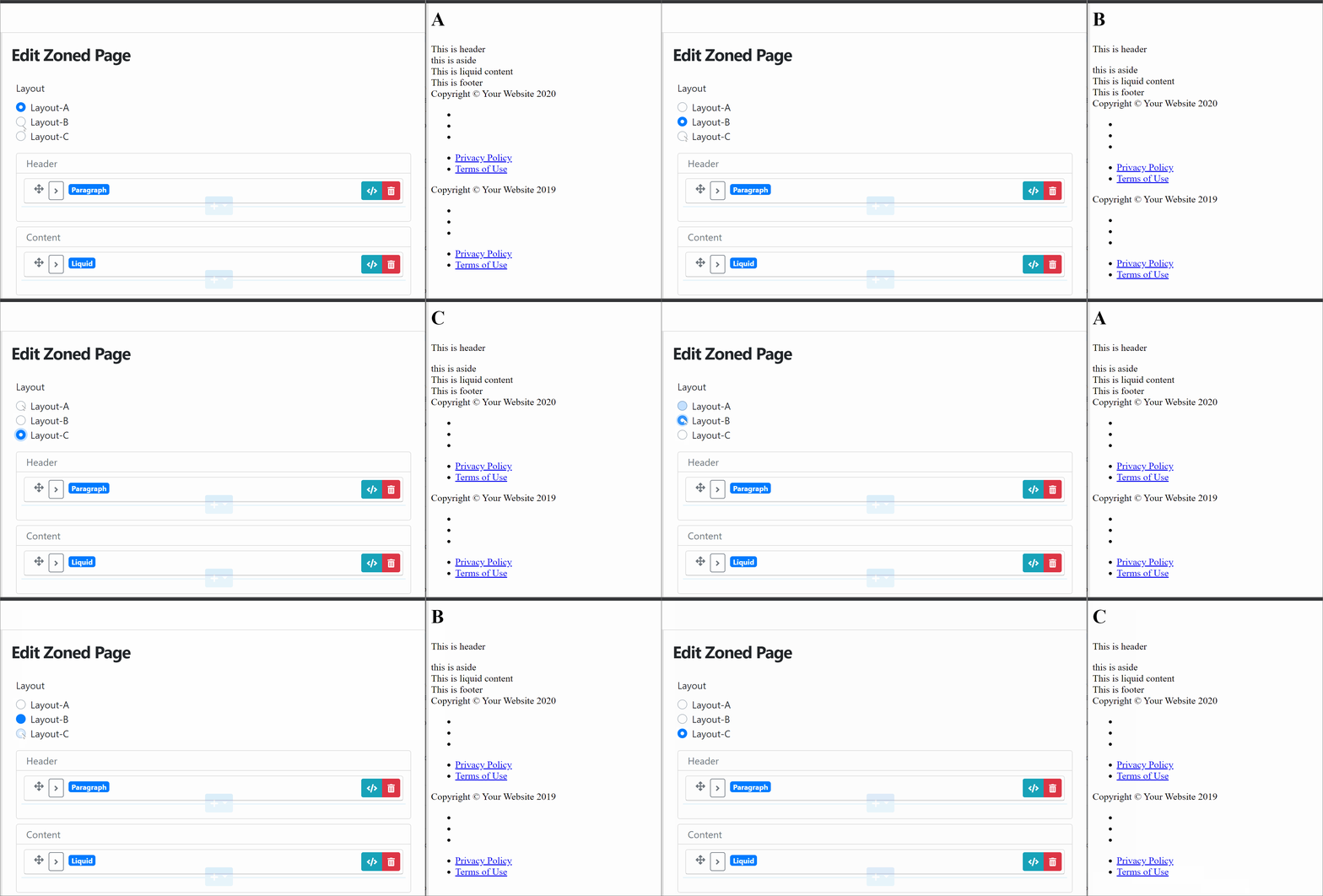
ns8482e
on 14 Jun 2020
@ns8482e That looks awesome. I was wrong in thinking that it was not picking up the layouts because the text was not in double-quotes, i.e. `{% layout "Layout-A" }. I also set the value incorrectly in the Predefined List (Value of "Layout-A" was wrong, but Value of "Layout__A" was the way to go).
Something like this would be nice to have in the Documentation. I only found this solution after hours of searching for something different regarding Layouts.
Another question: How do you handle not displaying different Zones in the different Layouts? Assume Layout-A has Zone1, Zone2 and Zone3; and then Layout-B has Zone1, Zone3 and a new Zone4. I assume that other than modifying the code there is no way to hide that "Zone4" when you select Layout-A? Right now you just have all Zones listed and would have to know which ones to use, which isn't a problem if its my own solution, but for users this could get confusing.
remesq
on 14 Jun 2020
Predefined List (Value of "Layout-A" was wrong, but Value of "Layout__A" was the way to go).
@remesq Yes Shape name is Layout__A in Predefined List and in Templates but if you are using liquid/cshtml file then create file with Layout-A.liquid or Layout-A.cshtml
Another question: How do you handle not displaying different Zones in the different Layouts? Assume Layout-A has Zone1, Zone2 and Zone3; and then Layout-B has Zone1, Zone3 and a new Zone4
You can define Zone1, Zone2, Zone3, Zone4 in your WidgetsListPart. However render only specific zone that you want to target in your layout.
i.e. render Zone1, Zone2, Zone3 in Layout__A and render Zone1, Zone3, Zone4 in Layout__B
ns8482e
on 14 Jun 2020
You can define Zone1, Zone2, Zone3, Zone4 in your WidgetsListPart. However render only specific zone that you want to target in your layout.
Yes, but what I meant was in the Admin UI you would have extraneous Zones that won't render when you choose one layout over the others. It's not a huge problem other than to know what zones you are using with a particular layout and just leave the unused zones empty (or even if you accidently put something there it won't render in the selected layout).
Thanks for your insights, this is very useful.
remesq
on 14 Jun 2020
Yes, but what I meant was in the Admin UI you would have extraneous Zones that won't render when you choose one layout over the others.
Right, I would see it as advantage of orchard core - separation of data and design,
Where zones defined in widgetlistpart is just a content type definition (data)- which is independent of zones defined in layout (design) In themes
ns8482e
on 14 Jun 2020
Related issues
 aghili371
·
3Comments
aghili371
·
3Comments
 mobinzk
·
4Comments
mobinzk
·
4Comments
 jardg
·
3Comments
jardg
·
3Comments
 khoshroomahdi
·
4Comments
khoshroomahdi
·
4Comments
 szilardcsere89
·
3Comments
szilardcsere89
·
3Comments