Openstreetmap-carto: OSM doesnt show me characters on the first level
Expected behavior
My OSM is using Chinese characters, i have uploaded Taiwan map . After configure OSM to use Chinese characters i see themin correct way so, it is not my issue but .....
Actual behavior
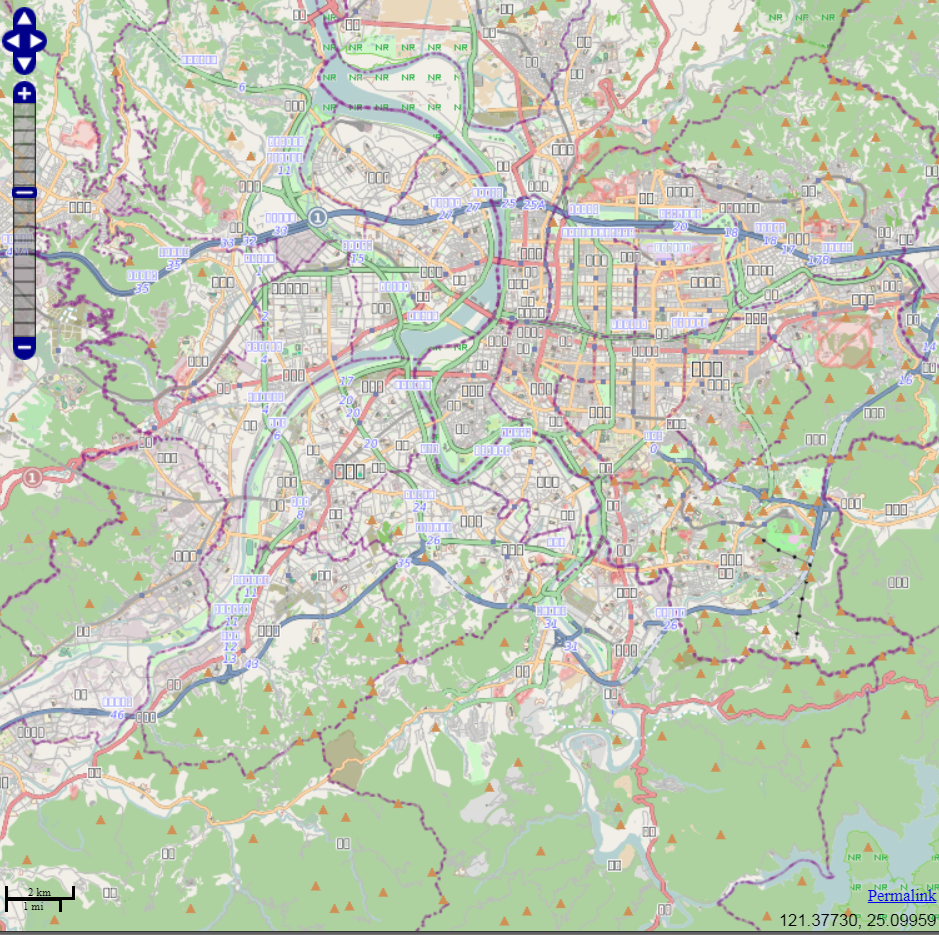
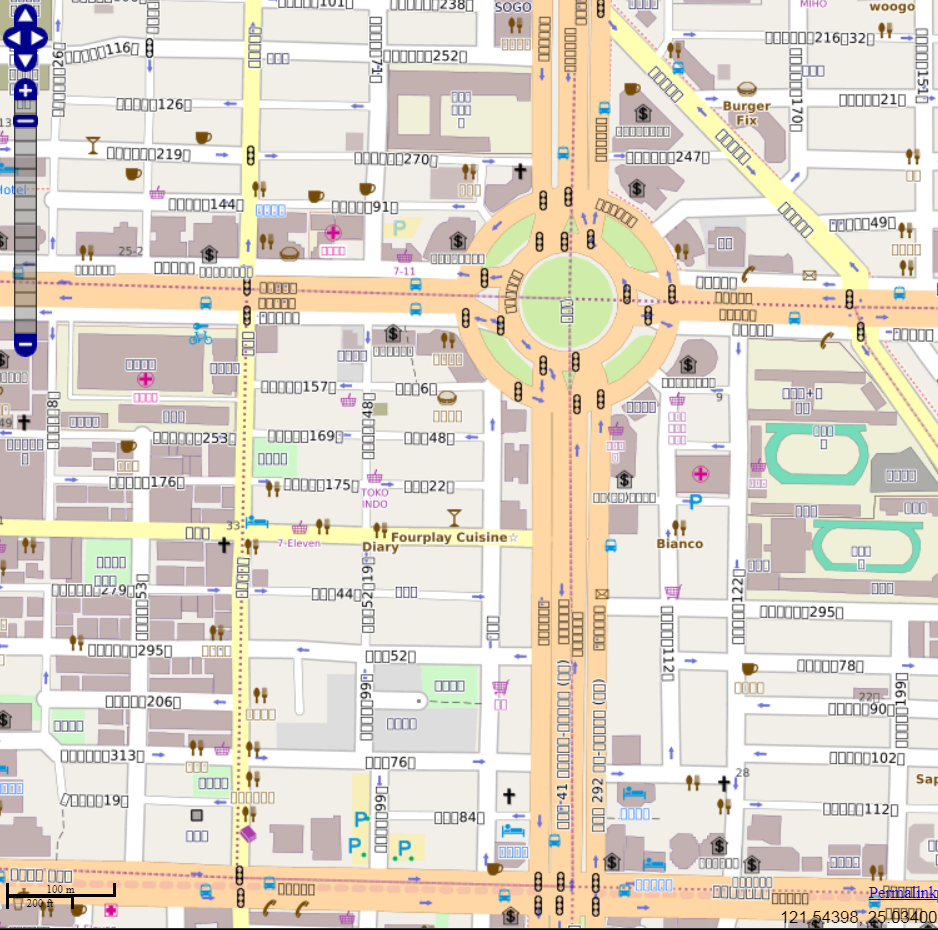
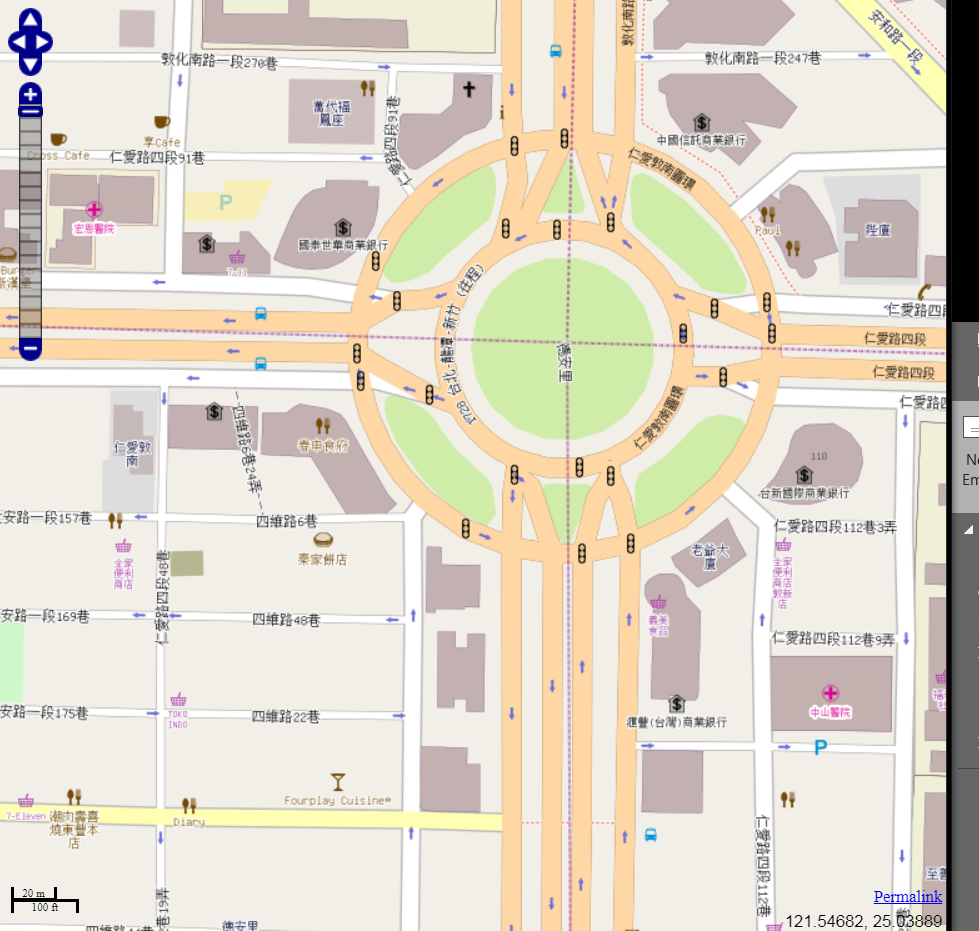
Characters are being used and load ok, but when i see the map in the first zoom, i don't see the name of country or regions ( I see the typical square as when you don't use correct characters ). If i zoom until street level i'm able to see street name in Chinese without problem.
Possible Solution
I think the problem is coming form render configuration , something about zoom or load but i have just started to work with render and I'm a little bit lose :) .
 esamrui
All 7 comments
Could you post a screenshot?
Are you using the website at openstreetmap.org or a an app on your smartphone that is based on OSM?
 sommerluk
on 4 Sep 2018
sommerluk
on 4 Sep 2018
Probably http://help.openstreetmap.org is the better place.
 HolgerJeromin
on 4 Sep 2018
HolgerJeromin
on 4 Sep 2018
sent from a phone
On 4. Sep 2018, at 17:07, esamrui notifications@github.com wrote:
i don't see the name of country or regions ( I see the typical square as when you don't use correct characters ). If i zoom until street level i'm able to see street name in Chinese without problem.
I guess you are missing a font, country names is a different font than street names.
 dieterdreist
on 4 Sep 2018
dieterdreist
on 4 Sep 2018
I installed OSM in linux server. It will be used for other application, really it doesn't matter since when i open OSM in my browser i got same proble, i attached the picture.
esamrui
on 5 Sep 2018
Does https://switch2osm.org/manually-building-a-tile-server-18-04-lts/ help? There's a section in there about which fonts you might want to install. The actual fonts may vary depending on the OS you're using.
 SomeoneElseOSM
on 5 Sep 2018
SomeoneElseOSM
on 5 Sep 2018
Did you look at this section of our installation guide?
https://github.com/gravitystorm/openstreetmap-carto/blob/master/INSTALL.md#fonts
 kocio-pl
on 5 Sep 2018
kocio-pl
on 5 Sep 2018
Okay. Just to clarify some terms:
“OSM” means “OpenStreetMap” and is the name of the geo database itself, which is available at an open license – and is also the name of the hole project creating this database.
To actually render the data from the OSM database, you need a map style, which is a set of rules that describe which road type has which colour, which is the color of building, amenity points and so on. This Github repository is for the development of the map style that is called “openstreetmap-carto”. You can see this map style in live action when you go to http://openstreetmap.org – it is the default layer there.
Now we return to your problem: It looks like you are indeed using locally on your computer our map style “openstreetmap-carto” (or a fork of it?). However, you seem to use a very old version of “openstreetmap-carto”. Since than we have completely reworked the typography. We are now using the Noto font family to get a really wide coverage of many scripts in a visually pleasant and reliable way. For the non-latin scripts, especially in Asia, this gives much improved rendering. I would really recommend therefore that you switch to the most current version of “openstreetmap-carto”. To get a “preview”, visit https://www.openstreetmap.org/#map=18/25.03753/121.54923 and you will see that the font rendering is much more pleasant and sharp!
sommerluk
on 5 Sep 2018
Related issues
 wielandb
·
3Comments
wielandb
·
3Comments
 Phyks
·
3Comments
Phyks
·
3Comments
 polarbearing
·
5Comments
polarbearing
·
5Comments
 dktue
·
3Comments
dktue
·
3Comments
 matkoniecz
·
5Comments
matkoniecz
·
5Comments
Most helpful comment
Okay. Just to clarify some terms:
“OSM” means “OpenStreetMap” and is the name of the geo database itself, which is available at an open license – and is also the name of the hole project creating this database.
To actually render the data from the OSM database, you need a map style, which is a set of rules that describe which road type has which colour, which is the color of building, amenity points and so on. This Github repository is for the development of the map style that is called “openstreetmap-carto”. You can see this map style in live action when you go to http://openstreetmap.org – it is the default layer there.
Now we return to your problem: It looks like you are indeed using locally on your computer our map style “openstreetmap-carto” (or a fork of it?). However, you seem to use a very old version of “openstreetmap-carto”. Since than we have completely reworked the typography. We are now using the Noto font family to get a really wide coverage of many scripts in a visually pleasant and reliable way. For the non-latin scripts, especially in Asia, this gives much improved rendering. I would really recommend therefore that you switch to the most current version of “openstreetmap-carto”. To get a “preview”, visit https://www.openstreetmap.org/#map=18/25.03753/121.54923 and you will see that the font rendering is much more pleasant and sharp!