Openshot-qt: Images, Transitions, Hiccups.
Could not find open report of this issue.
Describe the bug:
Back to back fade down and then back up (any transition I've tried, not just "fade"). Between the first and second transitions butted together, there's a hiccup where you can see the first untransitioned image at full brightness.
Steps to reproduce the behavior:
- Take any video, and create say... half a dozen screen shots within OS. DONT forget to rename them so they don't have numbers at the end so you can re-import them into OS. EVERY SINGLE ONE.
-- separate feature request / bug request -- can we fix it so either screen shot images exported from OS don't end in a number ( #-image instead of image-# ) or so that OS can import images with titles ending in a number pls. thx.
Import these screenshots. If you left a number on the end of the names, go rename them. :P And don't say I didn't warn you.
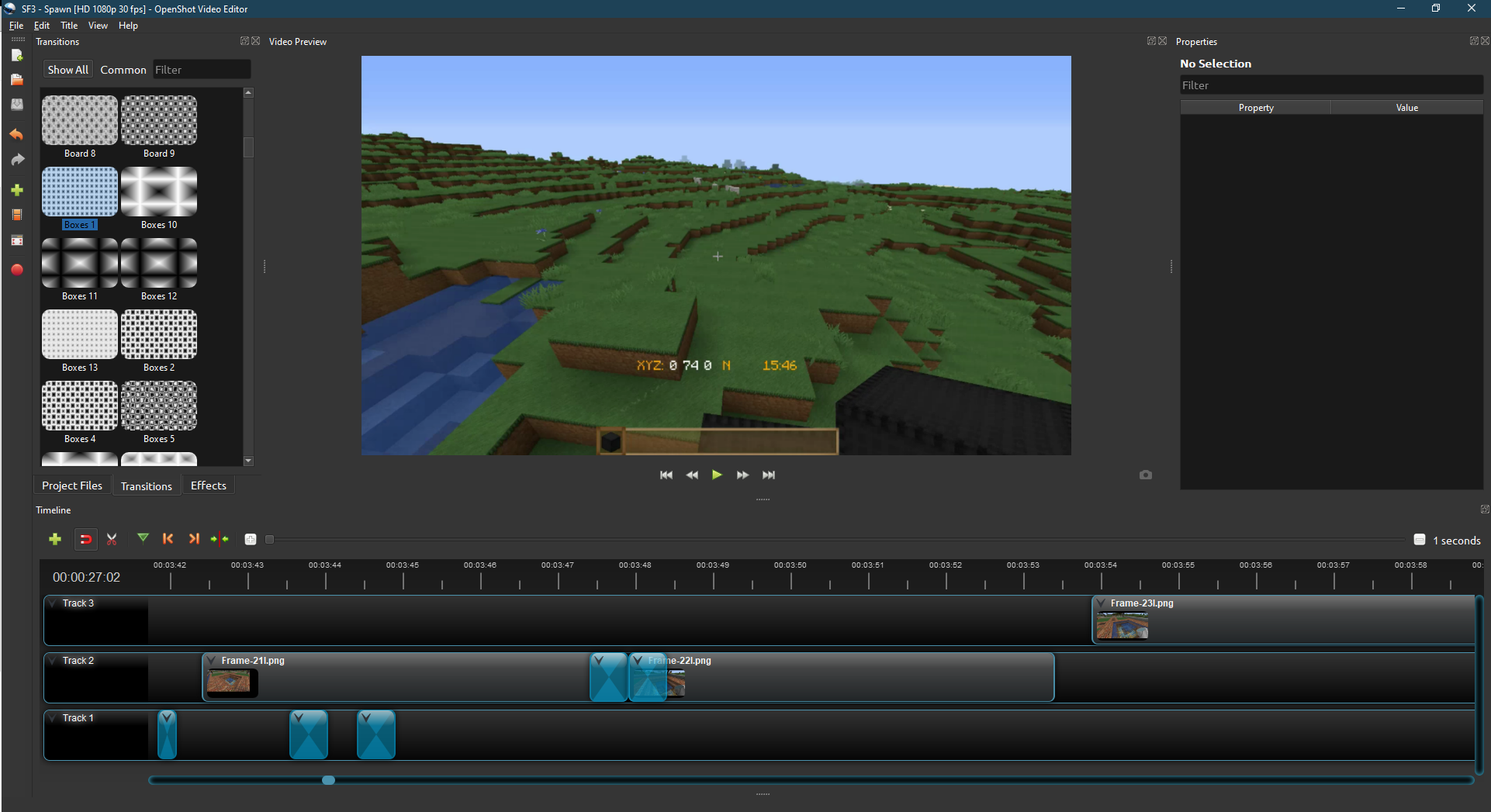
Drag all of the images onto the SAME track, putting 1 or 2 second transitions on the START AND END of each image, and making sure each image is end to end with each other. I recommend doing this at 1sec setting so you can see that the transitions are attaching to the proper point. I've noticed that ending transitions in particular don't stay attached to the end of clips properly, usually falling off the end very slightly. This creates multiple points for the next image to attach to... and attaching properly seems to be a challenge at this point -- note this does not change the overall display behaviour as far as I can tell, bug still occurs if "attached properly".
Playback video. At the end of the first transitions, it will frequently hiccup and play a clip at full brightness when the screen should be fully faded to black between the clips.
WORKAROUND:
Staggering the clips so they alternate tracks does not show the same issue. Only when the transitions are on the same track back to back does the issue appear.
Expected behavior:
There should be no differrence between clips on 2 different tracks and on the same track for playback "glitchyness" And ideally a fade to black actually stays faded to black.
System Details:
- OpenShot Version 2.5.0 dev 1
- Operating System / Distro: Windows 10
Log Files:
No crash, so no log
Exception / Stacktrace:
No command line.
Screenshots: (Optional)
Example of "back to back" transition in the timeline. Hard to show failure in an image. :/
Thanks y'all!
 TharenaMelishka
All 6 comments
As was said, you need to stack the clips in "stairs":
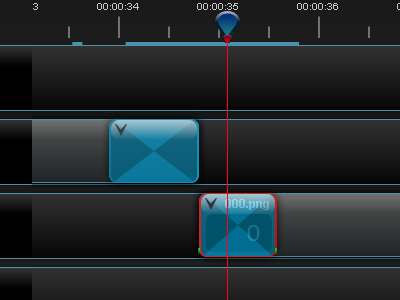
When clips are placed in a one row - the result of adding the clips is unpredictable.
I don't see this as an issue. OpenShot works this way - the bottom clip preserved and next one is goes in. This designed for auto-transition insertion (fade) when user places two clips - the start of the second one lies over the end of the first one.
 SuslikV
on 25 Jan 2020
SuslikV
on 25 Jan 2020
I'm not sure I'm following here — whether they're on the same track or separate tracks, clips placed end-to-end aren't really how transitions are meant to be used. They're meant to be used to bridge between two clips playing _at the same time_ — again, whether that's on the same track (where an auto-transition will be created where you overlap two clips) or on separate tracks (where you have to add the transition yourself). If you're "transitioning" from only a single clip, then one side of your transition is going to be black, and the introduction of the next clip will be very abrupt. That's why "At the end of the first transitions, it will frequently hiccup and play a clip at full brightness" — when the transition _ends_, whatever's on the Timeline next is fully faded into view.
There is no "fade to black" _transition_ — all transitions fade from clip A to clip B, exclusively. A fade-to-black can be done by setting Brightness _keyframes_ on a clip, or using the clip's context menu to apply pre-set keyframes. But a fade to black does not require a transition, and transitions can't really be used to execute a fade-to-black (as you've found).
My much more detailed explanation of transitions, complete with animated gif examples of the interface, may be of some help. It's in https://github.com/OpenShot/openshot-qt/issues/3177#issuecomment-574772132.
 ferdnyc
on 6 Feb 2020
ferdnyc
on 6 Feb 2020
I did it by staggering, and really really paying attention to making sure the clip ended at the same time as the transition (they hate hugging the back end of clips properly)
https://youtu.be/rVTl25veeJ8?t=156 @ 2:42 you can see the video go through 2 very fast transitions, one of which is accomplished by using "reverse transition" to get it to go to black instead of up from black. I use them to overlap all the time, but I wanted a particular effect that included a "slide show" sort of look. So the swipe ... upwards, I think.. is what I used.
Hell, I use a reversed transition to end the episodes. :P
They can be used that way as currently coded. They're just messy and fussy when you do it. :)
I attached the osp and associated directory in a zip... obviously you're missing all the meat and potatoes, but if you ignore all the errors you could see how I did it.
TharenaMelishka
on 7 Feb 2020
@ferdnyc the bottom (let's say "track") is black by default.
For example, I used white picture as long as whole track at the first (bottom) track and two _Fade_ transitions (reverse + straight) to make "Fade to Color" transitions between the clips (this name from the OBS Studio configurable transitions). It looks like short flash of purely white color and next clip goes in. And this is what really works in OpenShot as substitute for this well known type of the transition that is used a lot on TV. @TharenaMelishka just used default black background but same method. Nothing wrong here. Or we both used the program in the wrong way... ^_^
SuslikV
on 7 Feb 2020
@SuslikV Thank you so much! I was looking how to do a "white flash" fast transition but couldn't find a way to do it.
Creating a white picture with Paint, adding it as a 2nd track for the entire video and inserting a "Fade" transition at the beginning of each clip did the trick for me!
 PrSunflower
on 2 Apr 2020
PrSunflower
on 2 Apr 2020
Thank you so much for submitting an issue to help improve OpenShot Video Editor. We are sorry about this, but this particular issue has gone unnoticed for quite some time. To help keep the OpenShot GitHub Issue Tracker organized and focused, we must ensure that every issue is correctly labelled and triaged, to get the proper attention.
This issue will be closed, as it meets the following criteria: - No activity in the past 180 days - No one is assigned to this issue
We'd like to ask you to help us out and determine whether this issue should be reopened. - If this issue is reporting a bug, please can you attempt to reproduce on the latest daily build to help us to understand whether the bug still needs our attention. - If this issue is proposing a new feature, please can you verify whether the feature proposal is still relevant.
Thanks again for your help!
![stale[bot] picture](https://avatars3.githubusercontent.com/in/1724?v=4&s=40) stale[bot]
on 26 Oct 2020
stale[bot]
on 26 Oct 2020
Related issues
 Yesideez
·
3Comments
Yesideez
·
3Comments
 TavernSenses
·
3Comments
TavernSenses
·
3Comments
 ppkakkar
·
3Comments
ppkakkar
·
3Comments
 ghost
·
3Comments
ghost
·
3Comments
 mnally8
·
3Comments
mnally8
·
3Comments
Most helpful comment
@ferdnyc the bottom (let's say "track") is black by default.
For example, I used white picture as long as whole track at the first (bottom) track and two _Fade_ transitions (reverse + straight) to make "Fade to Color" transitions between the clips (this name from the OBS Studio configurable transitions). It looks like short flash of purely white color and next clip goes in. And this is what really works in OpenShot as substitute for this well known type of the transition that is used a lot on TV. @TharenaMelishka just used default black background but same method. Nothing wrong here. Or we both used the program in the wrong way... ^_^