Openshot-qt: How to delete audio from video file
System Details:
- Operating System / Distro: ?
- OpenShot Version: ?
- _Please attach log files if crash_
Issue Description and steps to reproduce:
 MuCe60
All 4 comments
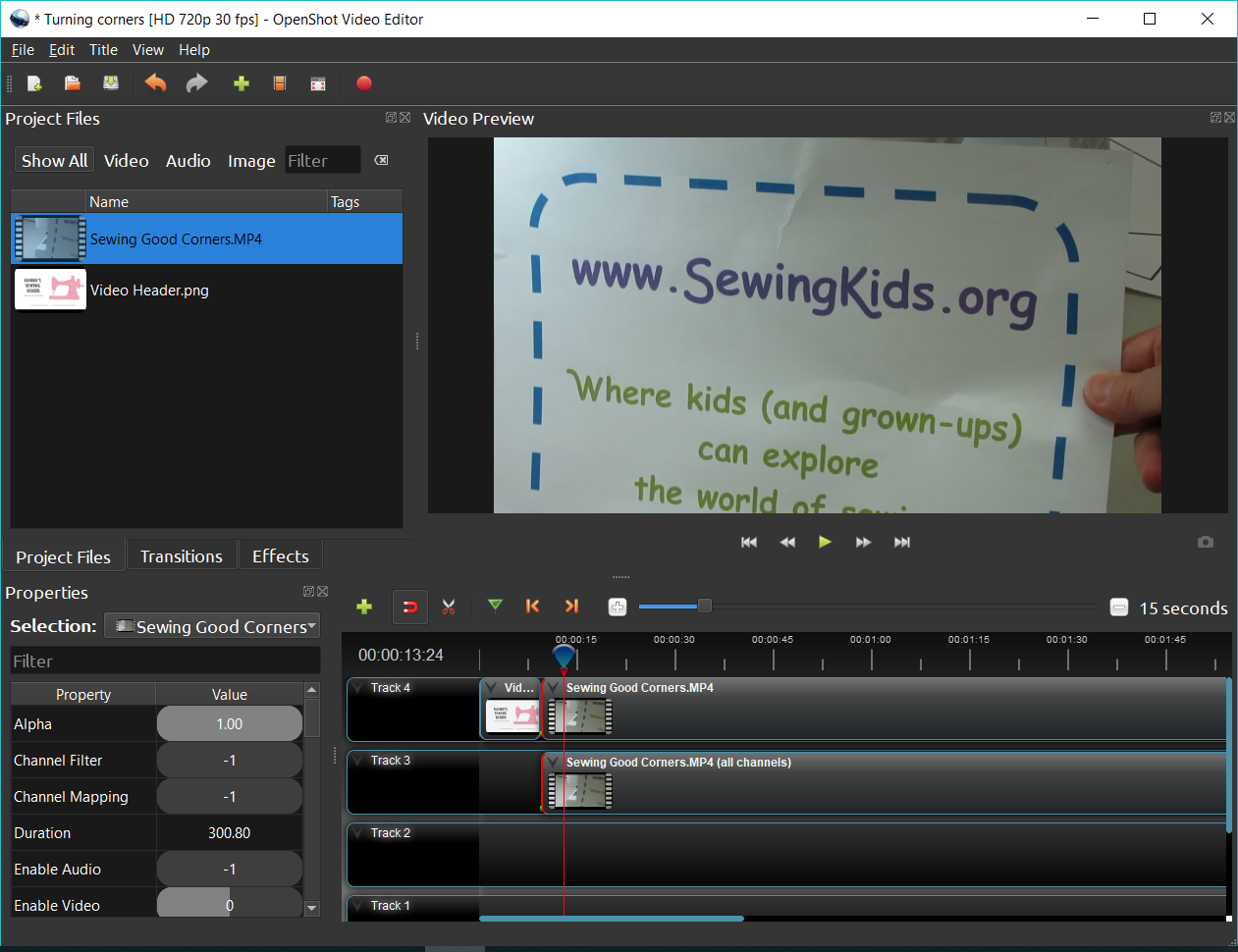
After adding a file the timeline, right click on the file added and select seperate audio > Single Clip
It will separate it into 2 tracks one will have audio one will have video. Delete the one you don't want
 gary9872
on 19 Apr 2018
gary9872
on 19 Apr 2018
Thank you very much Gary…:)
Kind regards.
MuCe
Il giorno 19/apr/2018, alle ore 01:35, gary9872 notifications@github.com ha scritto:
After adding a file the timeline, right click on the file added and select seperate audio > Single Clip
It will separate it into 2 tracks one will have audio one will have video. Delete the one you don't want—
You are receiving this because you authored the thread.
Reply to this email directly, view it on GitHub https://github.com/OpenShot/openshot-qt/issues/1515#issuecomment-382561928, or mute the thread https://github.com/notifications/unsubscribe-auth/Akujv1A1asJazor8COsNC5LtR-Q1NW-jks5tp82rgaJpZM4Ta3vY.
MuCe60
on 20 Apr 2018
This doesn't work for me, if I click on Remove Clip on the bottom one, they both go away; if I click on Remove Clip on the top one, the video goes away and leaves the sound.
Dylan, I am afraid we are destined to become friends while I try to learn this program. At 72 it takes me a long time to catch on to these things--tho I was pretty good with DOS when I was young. ;-)
 Geshelin
on 9 Nov 2018
Geshelin
on 9 Nov 2018
@Geshelin - Hey there, I think you should go through this guide to help you understand OpenShot fully.
Hope that helps!
 peanutbutterandcrackers
on 27 Nov 2018
peanutbutterandcrackers
on 27 Nov 2018
Related issues
 GrandpaBill3006
·
3Comments
GrandpaBill3006
·
3Comments
 malinga91
·
3Comments
malinga91
·
3Comments
 Geoff0627
·
3Comments
Geoff0627
·
3Comments
 TavernSenses
·
3Comments
TavernSenses
·
3Comments
 LadyReader
·
3Comments
LadyReader
·
3Comments
Most helpful comment
After adding a file the timeline, right click on the file added and select seperate audio > Single Clip
It will separate it into 2 tracks one will have audio one will have video. Delete the one you don't want