Openrct2: Add option to choose between RCT1 and 2 ride art
OS: Windows 10
Version: 0.2.1
Commit/Build: 0cd7f1e
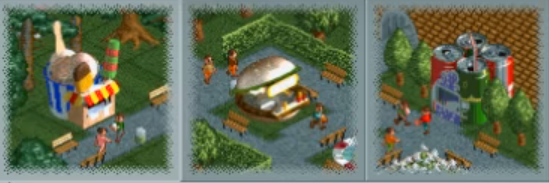
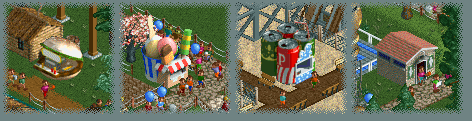
The ride art between RCT1 and RCT2 differs. It would be nice to have to option to choose between the two.
Screenshots / Video:
RCT1:
RCT2:
 Assassin877
All 12 comments
Not sure if this is really necessary. Options like these will likely not be used by the average user, maybe not even 1% of the players, and will just cluster the options window.
If you want to see those previews, most of them already exist as custom objects.
 Broxzier
on 7 Nov 2018
Broxzier
on 7 Nov 2018
I'm afraid I'll have to agree with Broxzier here, even though I usually prefer the RCT1 previews - I think they're usually more pleasing to look at - they seem to feature more vegetation, for example.
Since the objects have been moved to JSON objects, we could change the previews, but that would then be visible to everyone.
 Gymnasiast
on 7 Nov 2018
Gymnasiast
on 7 Nov 2018
There is no need for us to officially support this, anyone can modify their own json files to add the original images.
 IntelOrca
on 8 Nov 2018
IntelOrca
on 8 Nov 2018
Perhaps a plugin could do this.
 Ryder17z
on 8 Nov 2018
Ryder17z
on 8 Nov 2018
@Patrik356b This is not stuff that can be easily put into a plug-in.
As IntelOrca mentions, people can edit their own JSON files, though that isn't _that_ easy - especially since they get overwritten with each OpenRCT2 update, and putting the old files back means you miss any updates to them.
It would be possible to add another parameter to the JSON files with this image, along with GUI options for this feature. But as much as I like the RCT1 artwork, I don't think I can justify the amount of infrastructure for a feature with limited appeal.
What we could do is look at ride pictures individually: if people have a strong preference for the RCT1 variant of a particular ride, we could change it. Though if the RCT1 variant gets picked, I would be in favour of recreating that picture, as RCT1 pictures have a built-in border effect and RCT2 ones don't, which makes them look off in the Object Selection and Inventions List.
Gymnasiast
on 8 Nov 2018
@Gymnasiast Thanks for the explanation and I do agree on the last sentence.
Ryder17z
on 9 Nov 2018
I would also like to see this as a option.
@Gymnasiast To remove the border problem I would suggest that the border effect should be also added to the invention list and object selection.
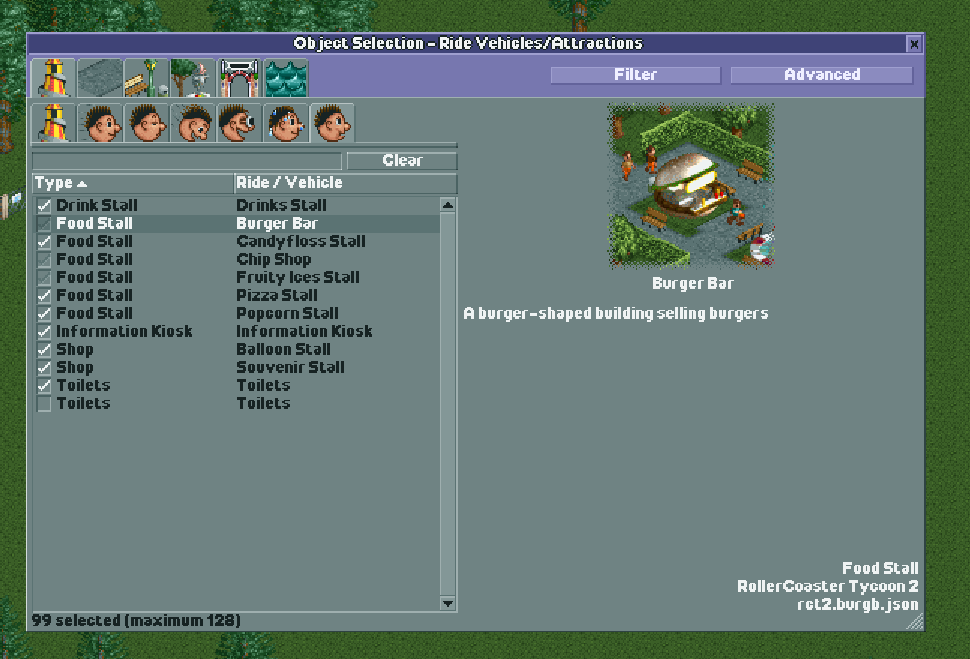
I already updated my own json files.
RCT1
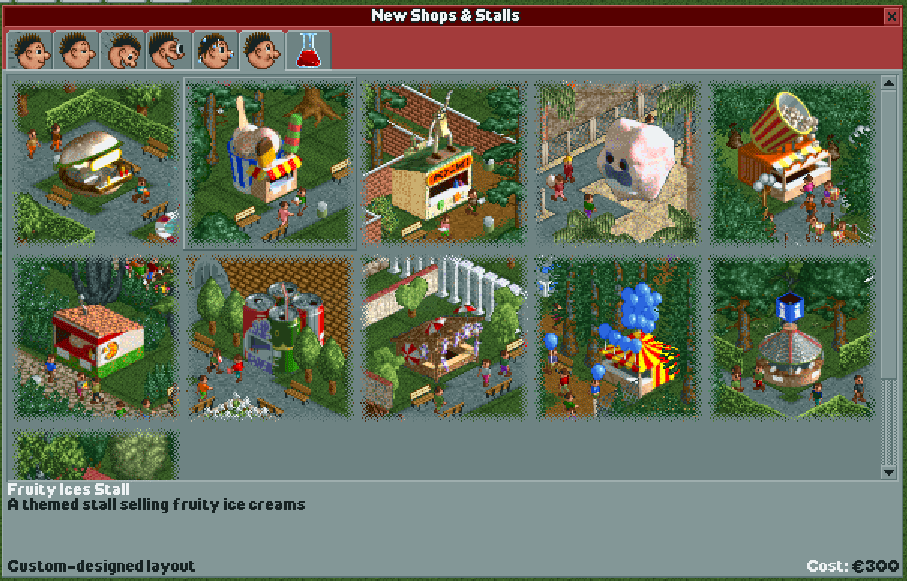
RCT2
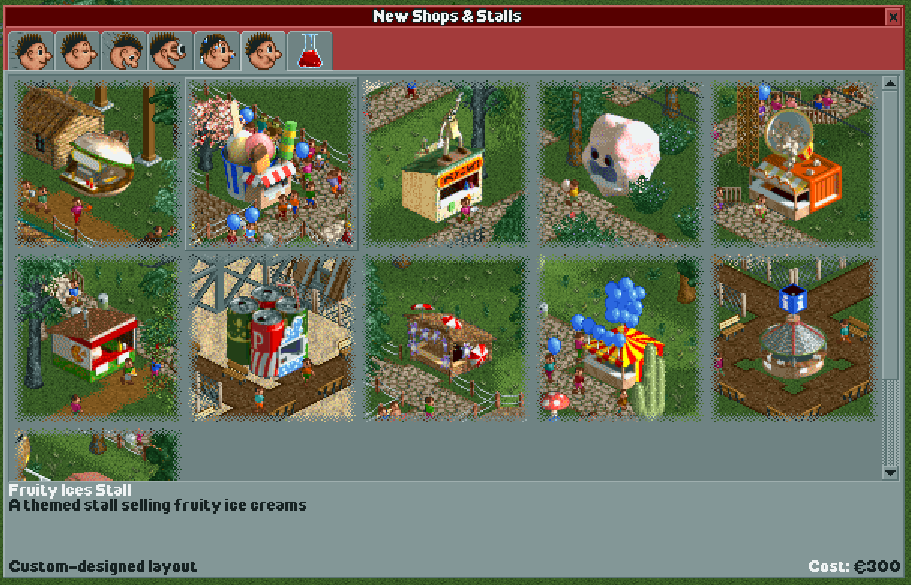
If somebody would implement it, I would help with the json files.
 TheLarry98
on 16 Dec 2018
TheLarry98
on 16 Dec 2018
I’d love to have the RCT1 icons, that’s how I remember the game from the earlier days!
What has to be exactly changed in the JSON files? Idid find for example in the Bobsleigh coaster JSON file the line that has to do with the image:
"images": ["$RCT2:OBJDATA/BOB1.DAT[0..2706]"],
What do I need to modify in order to get the RCT1 icon? (I have both the installations oft RCT1 and 2).
 archifont
on 2 Aug 2019
archifont
on 2 Aug 2019
The first three images are the icons (there are three of them because RCT2 allows a vehicle to work on up to three ride types, but no official vehicle uses this). You can leave the second and third image blank.
"images": ["$CSG[offset]", "", "", "$RCT2:OBJDATA/BOB1.DAT[3..2706]"]
You will need to look up at which offset CSG1.DAT saves the image you want and modify the first entry accordingly. Do note that you will need to have RCT1 linked to OpenRCT2, and that updating OpenRCT2 typically also overwrites the JSON objects.
Gymnasiast
on 2 Aug 2019
The first three images are the icons (there are three of them because RCT2 allows a vehicle to work on up to three ride types, but no official vehicle uses this). You can leave the second and third image blank.
"images": ["$CSG[offset]", "", "", "$RCT2:OBJDATA/BOB1.DAT[3..2706]"]You will need to look up at which offset CSG1.DAT saves the image you want and modify the first entry accordingly. Do note that you will need to have RCT1 linked to OpenRCT2, and that updating OpenRCT2 typically also overwrites the JSON objects.
Great, thanks for the swift reply!
archifont
on 2 Aug 2019
More specifically: the offsets start at 64195. You then need to add the RCT1 ride type id, as listed here: https://github.com/OpenRCT2/OpenRCT2/blob/develop/src/openrct2/rct1/RCT1.h#L775-L859
Gymnasiast
on 2 Aug 2019
Since this is not going to be implemented in the game itself, I'm closing this.
Gymnasiast
on 28 Mar 2020
Related issues
 Nubbie
·
3Comments
Nubbie
·
3Comments
 deurklink
·
3Comments
deurklink
·
3Comments
 qwertychouskie
·
3Comments
qwertychouskie
·
3Comments
 wildgoosespeeder
·
3Comments
wildgoosespeeder
·
3Comments
 Superjustinbros
·
3Comments
Superjustinbros
·
3Comments
Most helpful comment
I'm afraid I'll have to agree with Broxzier here, even though I usually prefer the RCT1 previews - I think they're usually more pleasing to look at - they seem to feature more vegetation, for example.
Since the objects have been moved to JSON objects, we could change the previews, but that would then be visible to everyone.