Openrct2: OpenGL: colors distorted when using Intel drivers
OS: Windows 10 1607
Version: 0.1.2
Commit/Build: 8da1cad
When using the OpenGL renderer colors are somehow distorted. Changing to Software (Hardware accelerated) fixes it.
- [ ] Reproducible in RCT2 (vanilla)?
- [ ] Multiplayer?
Steps to reproduce:
- Use OpenGL renderer
- See the colors getting distorted
Screenshots / Video:

 carlu93
All 7 comments
Just for our reference, what kind of video card are you using?
 AaronVanGeffen
on 3 Nov 2017
AaronVanGeffen
on 3 Nov 2017
@carlu93 can you:
- Specify you GPU
- Provide GPU driver version information
- Post a screenshot of the same scene with software renderer?
 janisozaur
on 3 Nov 2017
janisozaur
on 3 Nov 2017
Damn, that orange coaster looks so nice though, I'm envious xD
 Ryder17z
on 3 Nov 2017
Ryder17z
on 3 Nov 2017
Sure guys. Sorry for the delay.
- Intel HD 630 (Kaby Lake)
- Driver Version: 22.20.16.4771
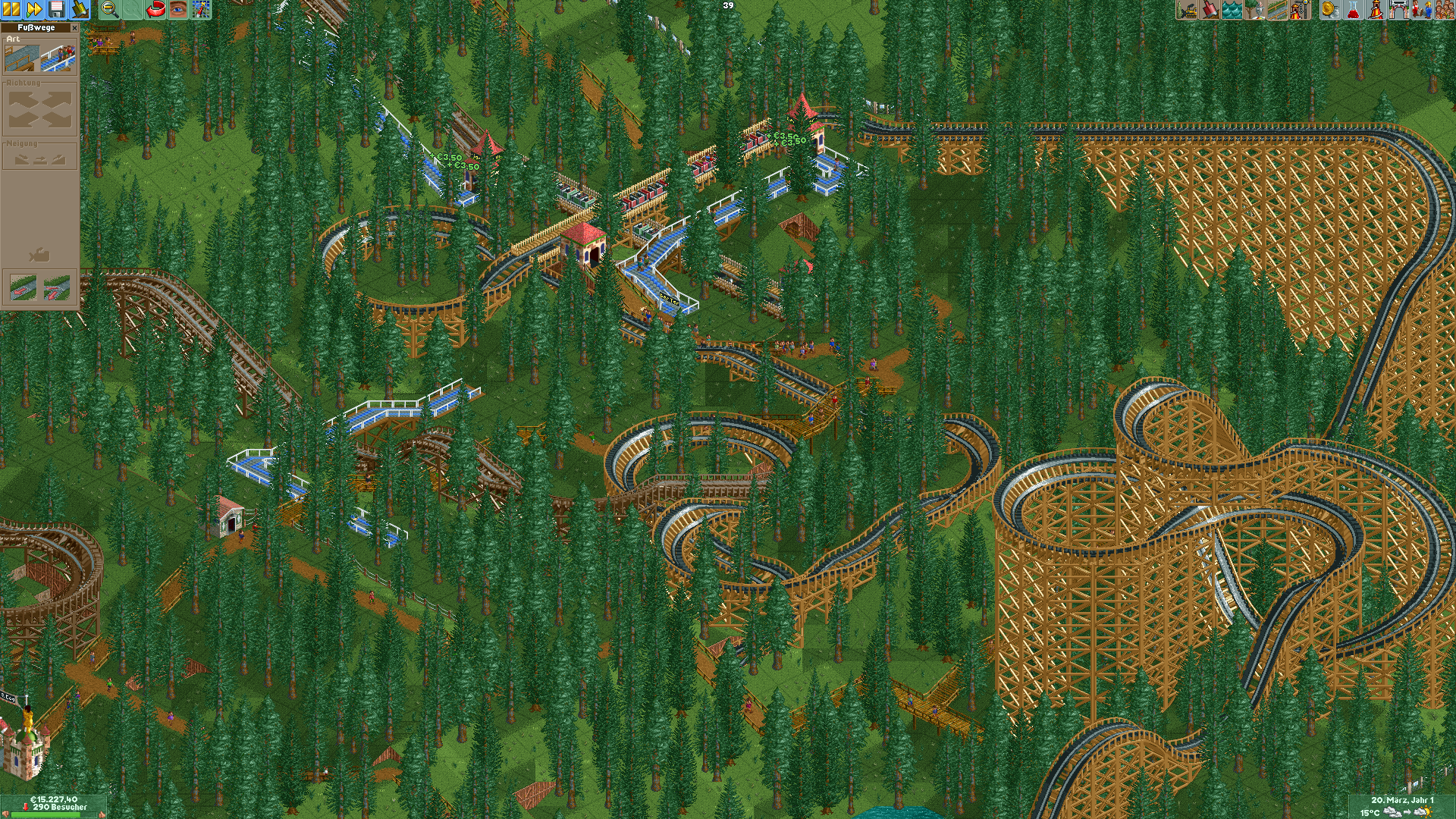
Ahh using it with my NVIDIA 1060 (mobile) works actually. (Driver Version: 388.13)
carlu93
on 4 Nov 2017
I am also seeing this issue with my video card being nvidia 940MX. Below is a comparison image taken with opengl on the right
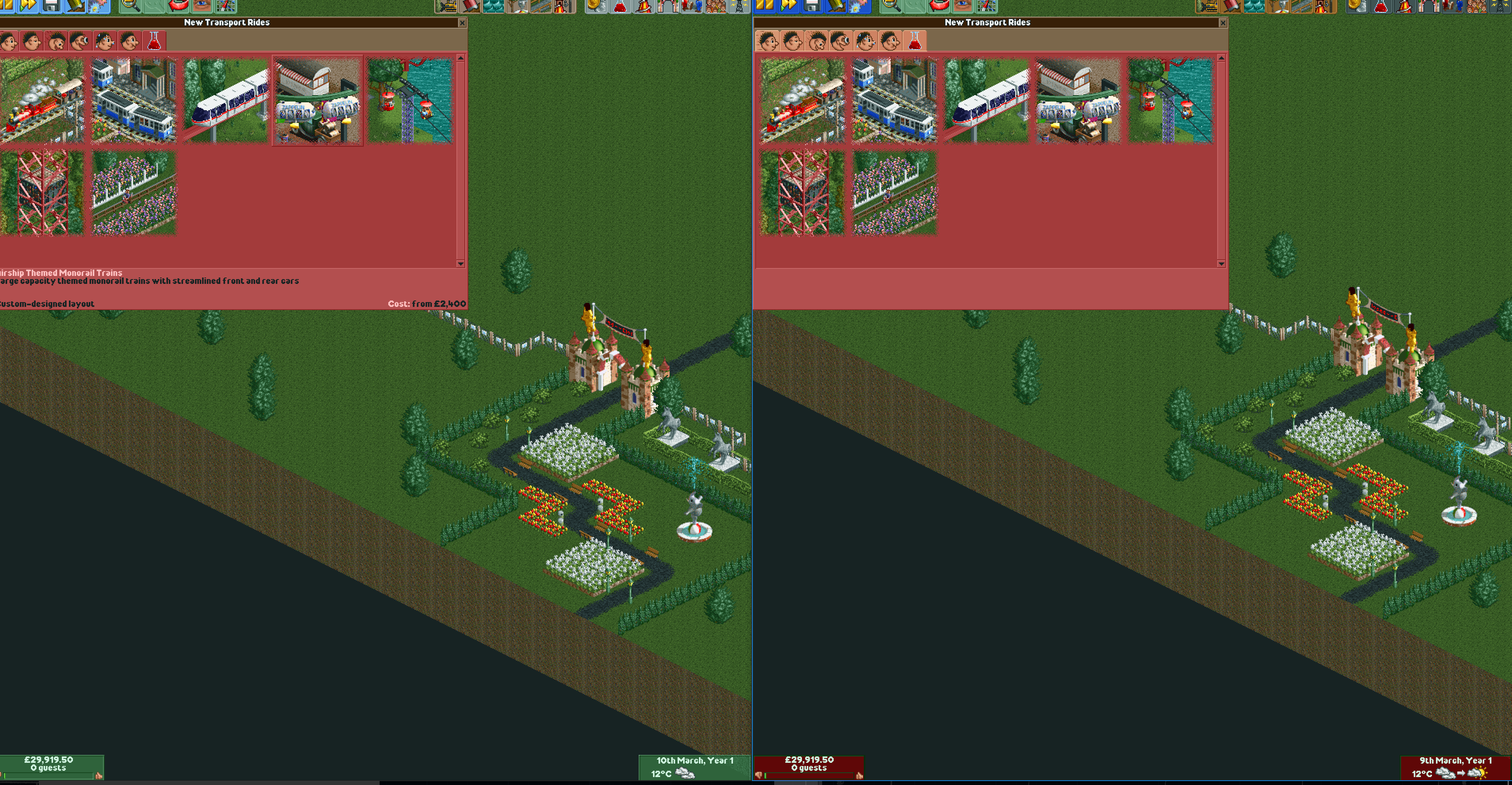
Note the colours of the UI buttons and especially the money counter at the bottom left
 RugnirViking
on 5 Nov 2017
RugnirViking
on 5 Nov 2017
Also have the same issue using Intel HD 630 integrated graphics but changing to MX150 dedicated GPU on my laptop with a restart fixes it. Am on the latest dev branch (thur 24th)
 tabytac
on 26 Sep 2020
tabytac
on 26 Sep 2020
Intel HD 5500 has the same or worse issues
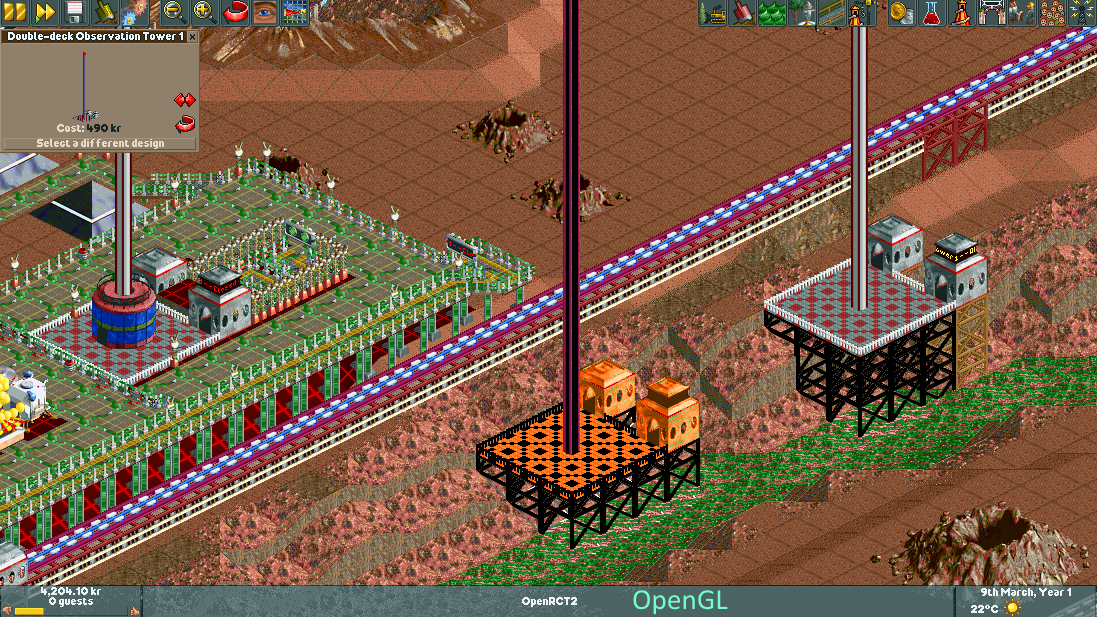
Edit: 940M has exactly the same issue
Ryder17z
on 28 Sep 2020
Related issues
 Margen67
·
3Comments
Margen67
·
3Comments
 Xaroth
·
3Comments
Xaroth
·
3Comments
 Superjustinbros
·
3Comments
Superjustinbros
·
3Comments
 Wirlie
·
3Comments
Wirlie
·
3Comments
 telk5093
·
3Comments
telk5093
·
3Comments
Most helpful comment
Damn, that orange coaster looks so nice though, I'm envious xD