Openfoodnetwork: Show unit price in admin/product edit form
Description
- As an: enterprise user
- On page: /admin/products
- I want to be able to do: See the price of a single unit when creating a new product from the product edit page.
Acceptance Criteria & Tests
The new form field needs to accurately reflect the unit price when the value or price is updated. The field should also conform to the design spec specified in https://github.com/openfoodfoundation/openfoodnetwork/issues/6449#issue-756226197, including the tooltip.
Note also that the unit price should include or exclude VAT depending on the instance configuration. This should be investigated in detail.
- Go to /admin/products
- Click on "new product"
- Type value and price in the form
The unit price should show the appropriate amount.
Tech considerations
Feature toggle
This needs to be behind a feature toggle so that only allowed people can see it (product, dev and testing teams). This should enable us to iteratively develop this without leaking the feature half done in production but also not having to maintain a long-lived branch in sync with master. aka. decoupling deployment from feature release.
I suggest we start with a PR that introduces the feature toggle and follow it with one or multiple small PRs that implement these acceptance criteria.
See https://github.com/openfoodfoundation/openfoodnetwork/pull/6536 and https://github.com/openfoodfoundation/openfoodnetwork/pull/6366 for reference.
Potential design
The unit price can be implemented as a calculated attribute of the variant model. This means no DB migrations are involved and the price is calculated when serializing/presenting the variant.
The calculation will need to be duplicated in JS so that changes in value or price are immediately reflected in the UI.
 sauloperez
All 17 comments
Regarding
Note also that the unit price should include or exclude VAT depending on the instance configuration.
and the related discussion with @sauloperez & @RachL about the difference between
- unit price that the Admin user sees when creating the product (price, incl. VAT or not, but no fees) vs.
- the unit price that´s displayed for the shopper (price incl. fees, taxes, potential markup etc.)
-> tool tip might need to be adjusted for admin user to better understand. Adding something like here in bold
The unit price increases transparency by allowing your customers to easily compare prices between different products and different packaging sizes.
It indicates the price per unit (e.g. per kg or litre). Note, that the shopper will see the price in the shopfront incl. taxes & fees, so it might differ from the unit price displayed here.
Pinging @Erioldoesdesign, since updated version should be in the final designs.
-> unit price should always be calculated based on the price in the respective step (unit price can be different in admin/product edit from unit price displayed in inventory, see Acceptance Criteria in #6449 )
 jaycmb
on 15 Dec 2020
jaycmb
on 15 Dec 2020
After discussiing with @jibees , tooltip text shortened to:
"The unit price increases transparency by allowing your customers to easily compare prices between different products and packaging sizes.
Note, that the final unit price displayed in the shopfront might differ as it is includes taxes & fees."
jaycmb
on 17 Feb 2021
See the price of a single unit when creating a new product from the product edit page.
@sauloperez : Should this issue also display the field into the 'edit' a variant form? I can't see any design, and the page is slightly different.
 jibees
on 2 Mar 2021
jibees
on 2 Mar 2021
@openfoodfoundation/train-drivers-product-owners
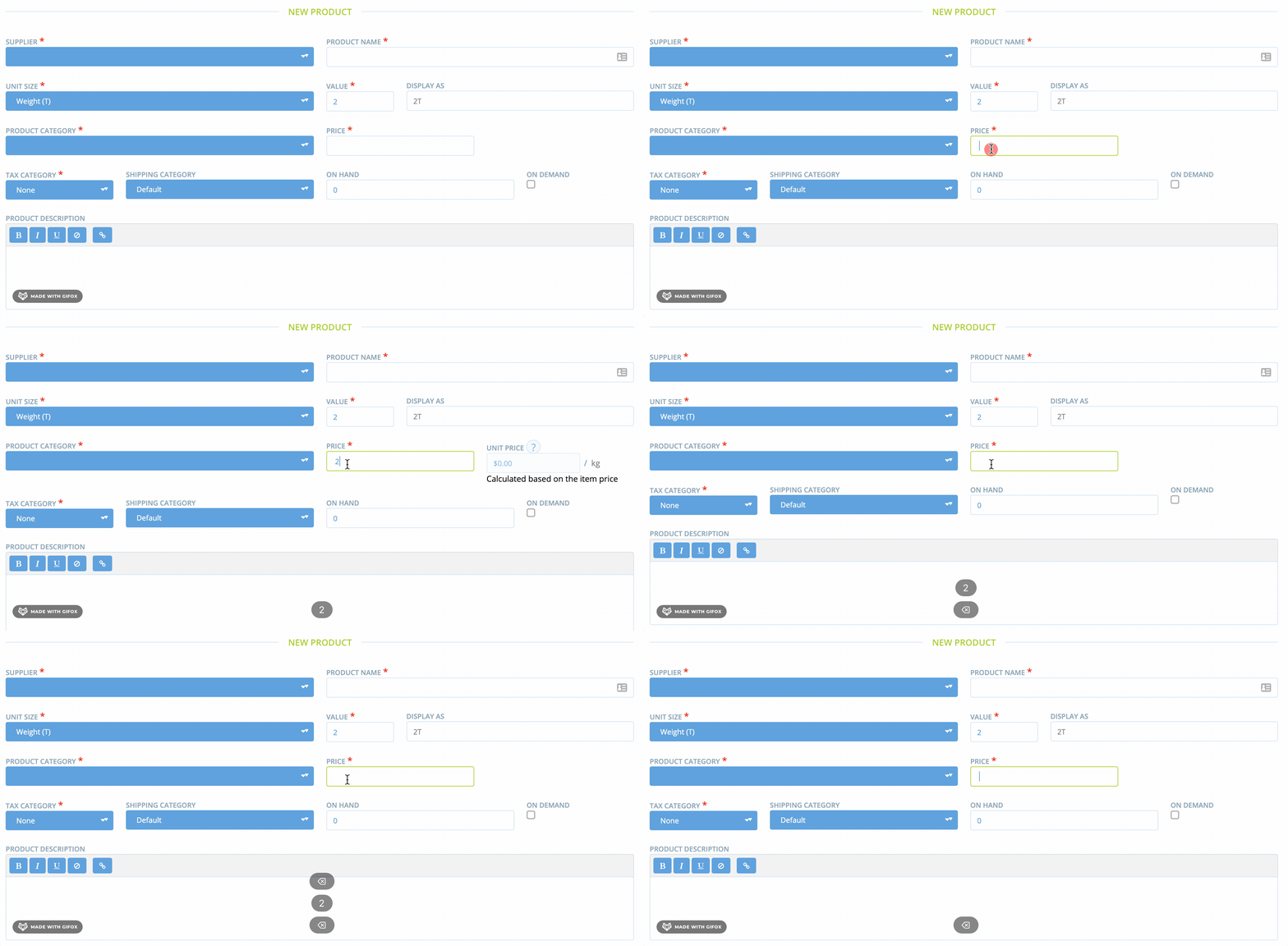
I can imagine this case is not really relevant, but i just wanted to inform you that sometimes, rounding can display a strange result:

@Erioldoesdesign
Shouldn't the unit price field not be displayed when not all the necessary information is filled in? (here the price)

Just askin.
Another question: adding the label Calculated based on the item price makes the height of the row bigger than the other. It can be a little weird (specially if we show/hide) this field. What do you think?
jibees
on 8 Mar 2021
@jibees I think the unit price should always display. It's a bit of a shock when a new field suddenly appears after filling another and I think the presence of the unit price field helps our users better understand 'unit prices' as a concept which was a good benefit of this work.
 Erioldoesdesign
on 8 Mar 2021
Erioldoesdesign
on 8 Mar 2021
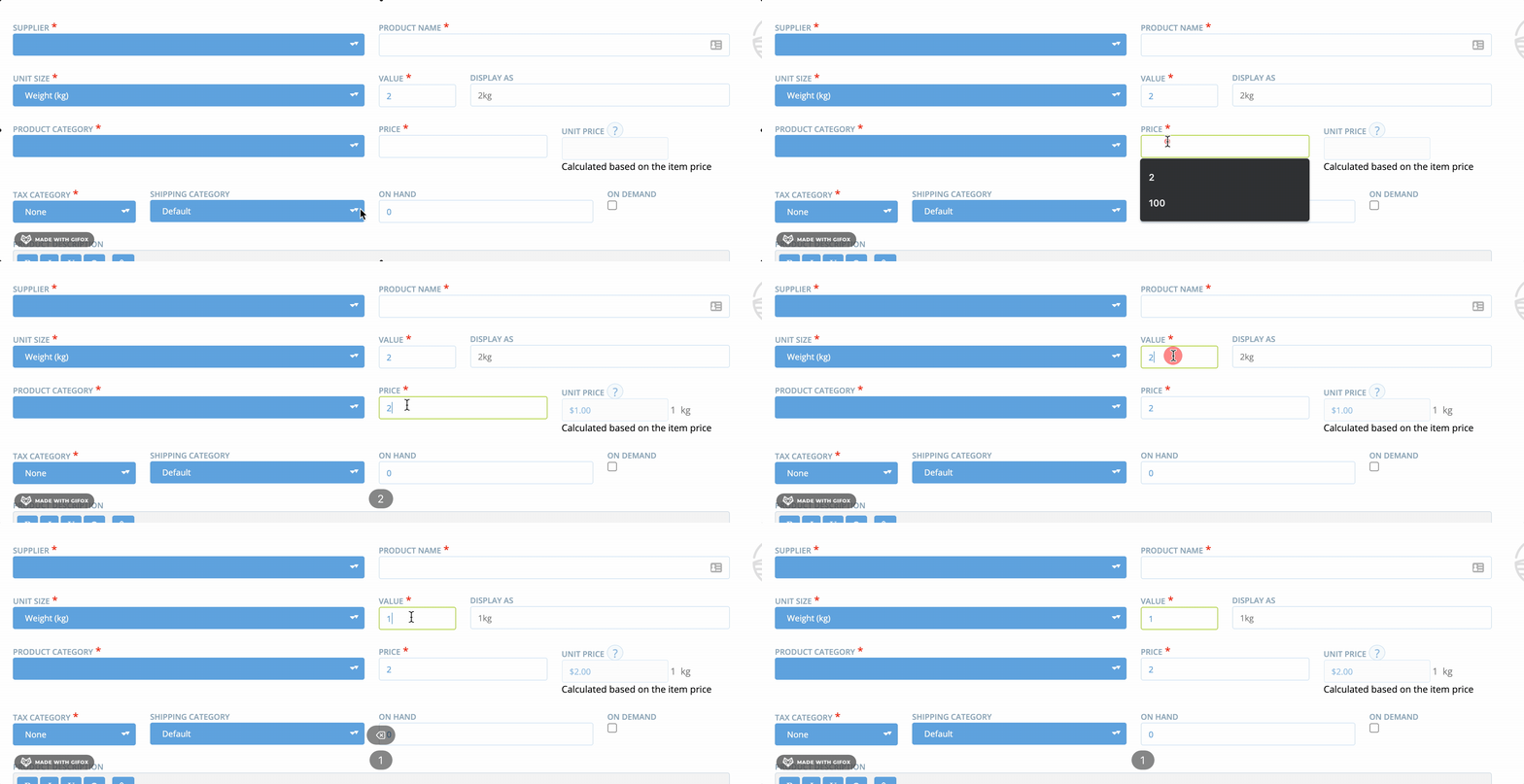
Ok, I understand. So I just hide the values (value and unit of the unit price) when not enough information is filled to compute the unit price :
jibees
on 8 Mar 2021
@jibees perfect! 😄
Erioldoesdesign
on 8 Mar 2021
@jibees, could you show an example of what you mean by
rounding can display a strange result:
The Screenshot shows 0.00$ which does not look too strange in terms of display - unless you mean rounding leads to 0.00$ no matter what the actual unit price would be
Also just seeing in the screenshot in your last comment that it says
$1.00 1 kg where is should be $ 1.00 / kg
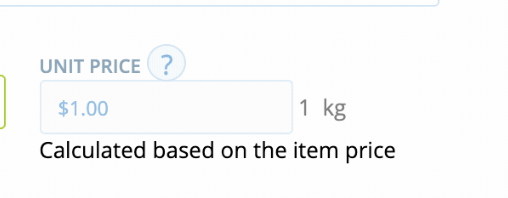
Since it´s correct in the former screenshots, I assume that´s was not on purpose but to be sure :)
And, just looking at the _"Calculated based on the item price"_ I also wonder if we need this, or the feature itself (completing after price is filled in) + the tooltip should not be enough? @Erioldoesdesign
jaycmb
on 8 Mar 2021
Sorry, it was not that obvious, I should have been more explicit.
If I have 2 tons (T) which cost (only) $2 dollar, then the price is $0.001 per kg. This result is rounded to $0.00 to be displayed which is strictly logical, but maybe strange from a user point of view because the product is not necessary free ;) To be honest, again, I don't think this is a relevant case, forgot about it if this is the case... And sorry! ;)Actually I changed this because I realized that it was specified like this in the figma files (https://www.figma.com/file/EPKyXwl5VDQaw8IBHalCEZ/Unit-Prices?node-id=201%3A0)
-->
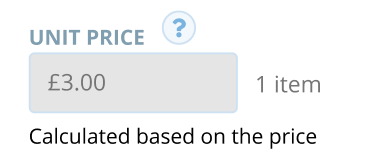
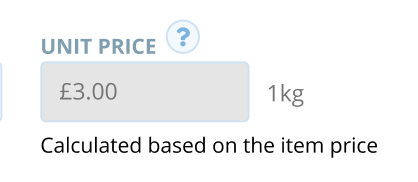
I can revert, and put/ kgand/ item(with or without space ? ;)).I agree, I think the label _"Calculated based on the item price"_ is a bit too much, as far as I think it's really comprehensible without it.
jibees
on 8 Mar 2021
1)Okay, now I see :) Yes, I think this is a very rare edge case, that the price would go that low.
Also, have in mind: the unit price is always per the chosen unit.
So in the case of Unit Size = Weight (T) -> Unit Price: 2€ / ton, not 0.002 € / kg
2)That is a mistake in the designs then. Maybe this is an old version?
It definitely needs to be / kg, with space.
(It means per kg, but we decided early on the process with Rachel to go for '/' in the shopfront to save space.
(Actually, looking at the design, I find it would be more coherent to have the $2.00 / kg all together in the field, instead of having the unit "hanging" outside. Because by definition, the unit price is a price per unit so the price always goes together with "its" unit. But this could also be done in a later iteration or we leave it since it is Admin Interface "only"). Thoughts?
jaycmb
on 9 Mar 2021
@jaycmb
Also, have in mind: the unit price is always per the chosen unit.
I haven't any strong opinion on it, but this is not what we've already done in the backend. We need to keep in mind to open an issue to @andrewpbrett (or me, but Andy has started working on it) if we decide to change that.
It definitely needs to be / kg, with space.
I changed this, thanks.
I find it would be more coherent to have the $2.00 / kg all together in the field
I agree with you, i think it's more coherent too.
jibees
on 9 Mar 2021
Logic
Also, have in mind: the unit price is always per the chosen unit.
I haven't any strong opinion on it, but this is not what we've already done in the backend. We need to keep in mind to open an issue to @andrewpbrett (or me, but Andy has started working on it) if we decide to change that.
Ah you are right, we decided for simplicity for weights to always display price per kg (following EU law, whereas in AUS it was per 100g). See comment.
To be clear: for all weight type unit, price is displayed per kg
Unit Size=g -> Unit Price 2€ / kg
Unit Size=kg -> Unit Price 2€ / kg
And for volume types, it is per litre
Unit Size=L -> Unit Price 2€ / L
Is this the way how it was implemented?
(Wondering, how we go for imperial then?)
Unit Price display
I find it would be more coherent to have the $2.00 / kg all together in the field
I agree with you, i think it's more coherent too.
Yes, that´s also the same logic that should apply to the Unit Price field on the Bulk Editing Page (=Product List Page / UI Uplift)
jaycmb
on 9 Mar 2021
For the imperial, it use the imperial lb unit (whenever we use lb or oz) :


jibees
on 9 Mar 2021
As discussed with @jibees @Erioldoesdesign, the unit price field should include the unit ( '/ kg' or '/ l' or 'item') instead of having the unit separate outside.
Designs will be updated also for the Bulk Editing (=Product List Page )
jaycmb
on 9 Mar 2021
I updated these designs to reflect some of the conversations but do we need a new screen mockup? I'm not sure what 'also for the Bulk Editing (=Product List Page )' means.
https://www.figma.com/file/JipdbYxaWxDN5i7L1coniF/Unit-Prices-Cleaned-for-dev-pipe?node-id=0%3A1
Erioldoesdesign
on 10 Mar 2021
As discussed in Slack: you said you are going to update in the same way the designs for the new product list page (also called Bulk Editing Page) that´s soon getting a UI Uplift ;)
-> the unit price field should include the unit ( '/ kg' or '/ l' or 'item').
Since we agreed with JB that it does not make too much sense to add a unit prices column to the old page, when it´s going to be completely redesigned soon anyways.
jaycmb
on 10 Mar 2021
Oh ok, I'll add teh unit price designs that are UI uplift designs into the figma file for the Unit prices work :)
Erioldoesdesign
on 10 Mar 2021
Related issues
sauloperez
·
3Comments
 lin-d-hop
·
3Comments
lin-d-hop
·
3Comments
 filipefurtad0
·
3Comments
filipefurtad0
·
3Comments
 sstead
·
4Comments
sstead
·
4Comments
 Matt-Yorkley
·
3Comments
Matt-Yorkley
·
3Comments
Most helpful comment
Ok, I understand. So I just hide the values (value and unit of the unit price) when not enough information is filled to compute the unit price :