Openfoodnetwork: "Order Adjustments" and "Order Total" not centered in Order/Edit (Firefox only)
Description
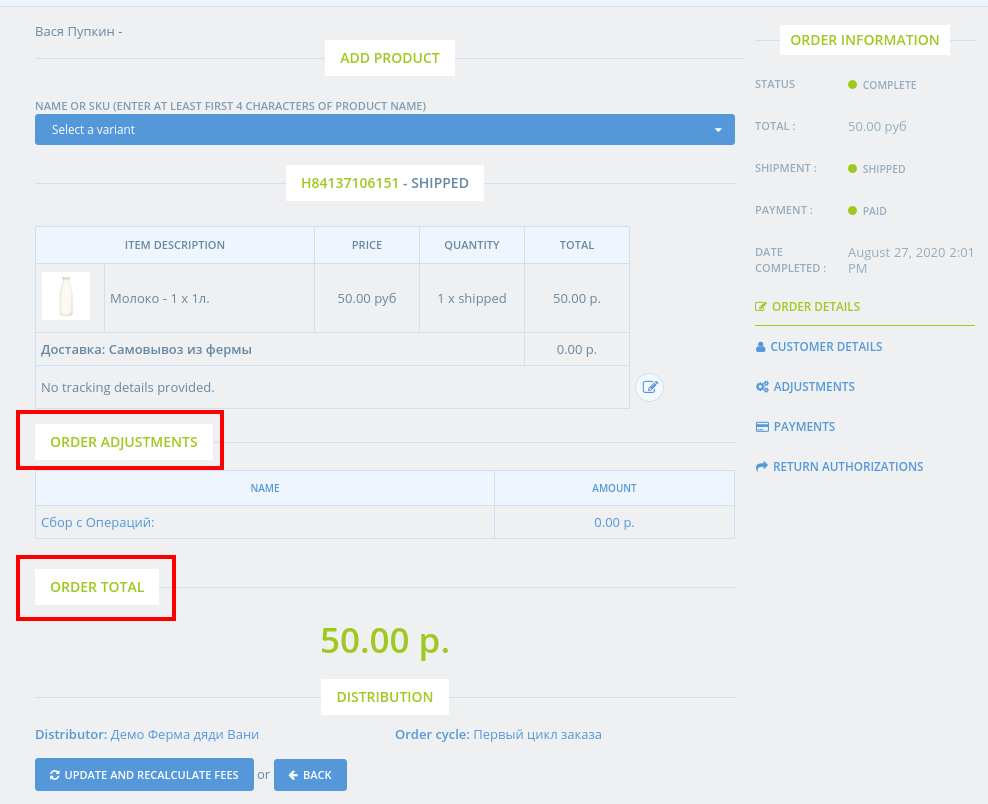
On Edit Order page, some elements are not centered.
This happens on Firefox, but is working on Chrome.
Expected Behavior
"Order Adjustments" and "Order Total" should be centered?
Actual Behaviour
They are not
Steps to Reproduce
Animated Gif/Screenshot
Workaround
Severity
Your Environment
- Version used: 3.2.4
- Browser name and version: Firefox 78.1.0esr (linux)
- Operating System and version (desktop or mobile): Desktop
Possible Fix
 romale
All 13 comments
I want to work on this issue. How can I get started?
 kirtirajsinh
on 27 Aug 2020
kirtirajsinh
on 27 Aug 2020
Welcome @kirtirajsinh 🎉 Please go ahead 😊
You can submit a PR with your suggested solution and it will be reviewed.
Have a look at Getting started if you haven't setup your environment yet.
 sigmundpetersen
on 27 Aug 2020
sigmundpetersen
on 27 Aug 2020
Hey @kirtirajsinh how are you doing with this issue?
Please don't hesitate to ask if you have any questions and you can connect with us on slack if you want to chat directly 👍
sigmundpetersen
on 23 Sep 2020
Hello @sigmundpetersen
I am sure that I can help working on this issue. Can you please assign me this issue if no one take this issue?
Thanks!
 tsara27
on 6 Oct 2020
tsara27
on 6 Oct 2020
Yes @tsara27 thank you.
Assigning you and moving to In Dev 👍
sigmundpetersen
on 6 Oct 2020
Hello @tsara27 I'm just checking: are you still planning to work on a PR for this issue? Thanks :)
 RachL
on 28 Oct 2020
RachL
on 28 Oct 2020
Hello @tsara27 I'm just checking: are you still planning to work on a PR for this issue? Thanks :)
Hello!
Yes, I will work on this tomorrow. Still working on other issues related with unit price error, because there are few broken specs that should be fixed.
I am sorry for the delay. My husband is sick and it spreads almost to the whole family members. :cry:
tsara27
on 28 Oct 2020
don't feel any pressure @tsara27 I was just checkin. Take all the time you need! Good luck to your husband.
RachL
on 28 Oct 2020
One advice @tsara27 would be to pick up one issue at a time from the backlog. This way they won't get "stuck" in the In Dev column for too long. (We are using the Zenhub browser extension to manage our pipe if you haven't installed it already).
Anyway, thank you for all your contributions so far 🎉
sigmundpetersen
on 28 Oct 2020
don't feel any pressure @tsara27 I was just checkin. Take all the time you need! Good luck to your husband.
Thank you @RachL!
One advice @tsara27 would be to pick up one issue at a time from the backlog. This way they won't get "stuck" in the In Dev column for too long. (We are using the Zenhub browser extension to manage our pipe if you haven't installed it already).
Anyway, thank you for all your contributions so far
Great advice! Thank you, @sigmundpetersen, for that. I will do that next time.
tsara27
on 28 Oct 2020
Hello @RachL and @romale
I could not reproduce this issue. Here's the screen on my local development environment.
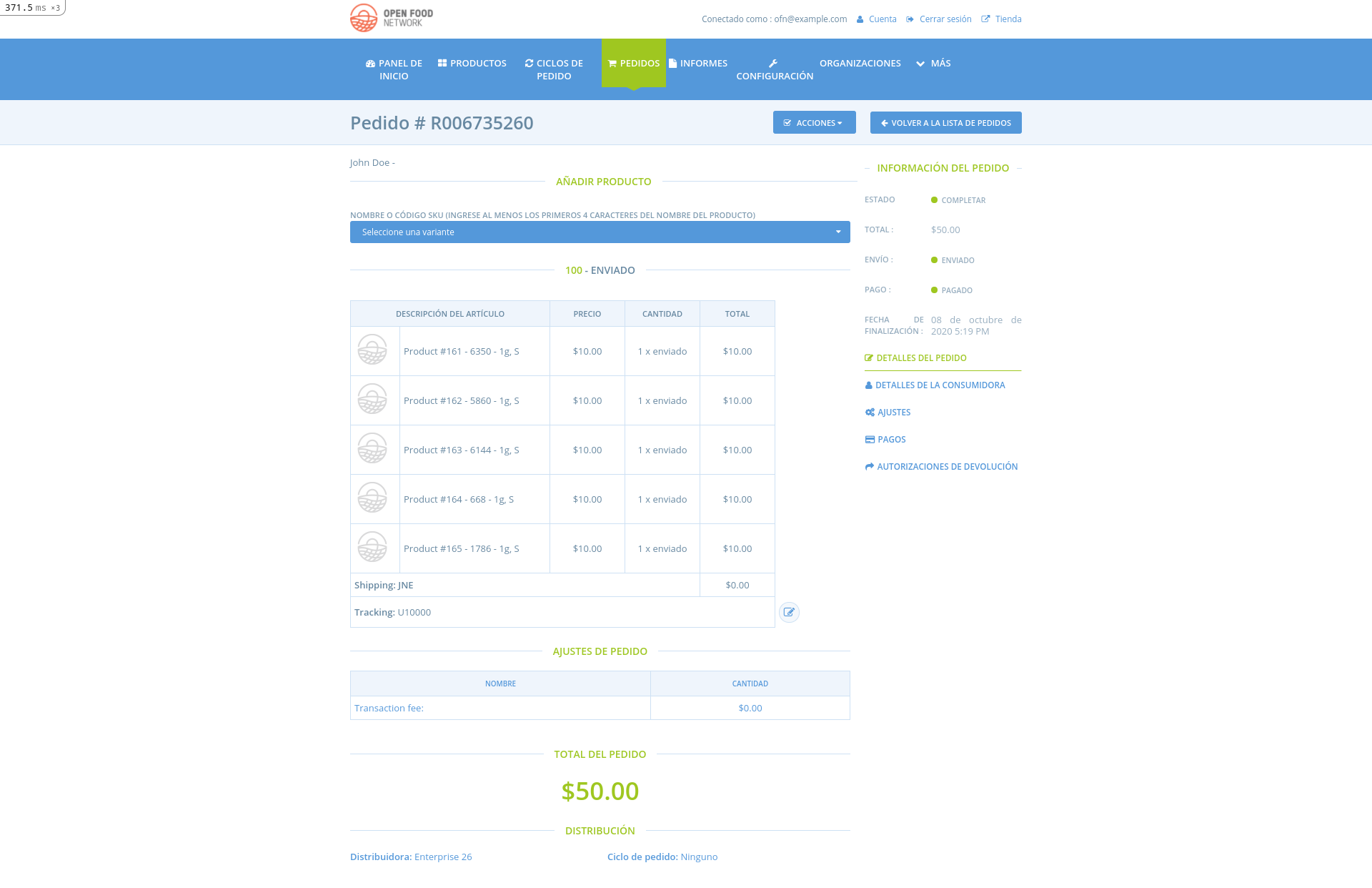
Probably it's solved already.
tsara27
on 30 Oct 2020
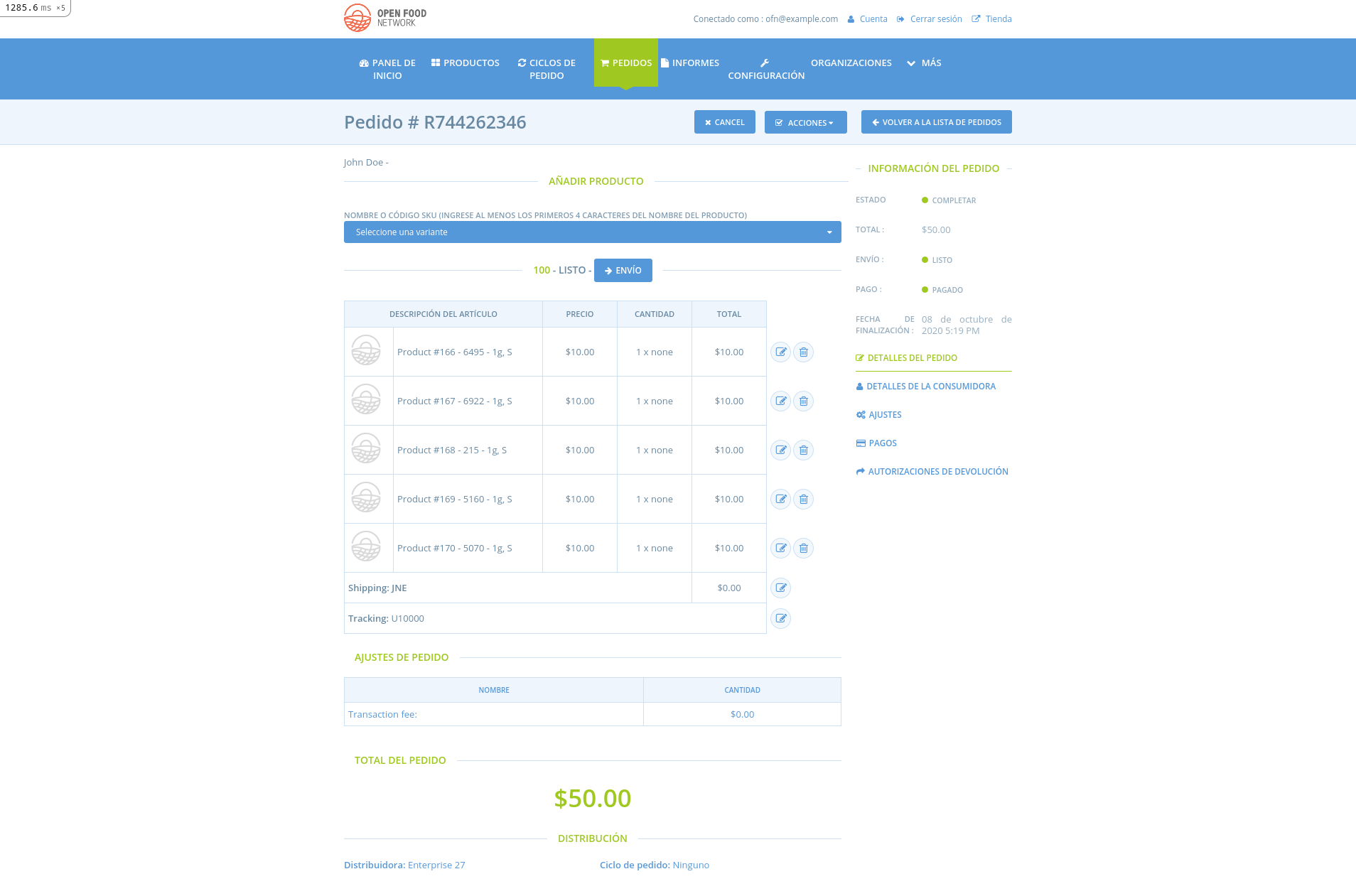
I am sorry. The problem is only of firefox. I changed my browser and the alignment was broken.
tsara27
on 30 Oct 2020
Hi @tsara27 , thank you for your work!
Yes, the Chromium has no such problem
romale
on 30 Oct 2020
Related issues
 shen-sat
·
3Comments
shen-sat
·
3Comments
 filipefurtad0
·
3Comments
RachL
·
3Comments
filipefurtad0
·
3Comments
RachL
·
3Comments
 luisramos0
·
3Comments
luisramos0
·
3Comments
 lin-d-hop
·
3Comments
lin-d-hop
·
3Comments