Openfoodnetwork: Katuma Server Upgrade
Issue for tracking Katuma Server Upgrade.
Currently scheduled for Saturday night.
Pre-Migration
- [x] Buy a new server
- [x] Create a temporary subdomain and point it at the server
- [x] Set up some temporary configs for the new server (
hostsentry,host_vars, etc). See notes here - [x] Run the
setupplaybook on the new server - [x] Use the new
letsencrypt_proxyplaybook on the current server, specifying the new server's IP - [x] Run the
provisionplaybook on the new server - [x] Deploy the current release to the new server
- [x] Optionally run use the
transfer_assetsplaybook in advance. It should be idempotent and will need to be run again, but this step could reduce the total downtime during the switchover. - [x] Run the
db_integrationsplaybook on the new server, if it uses integrations like Zapier.
Migration
- [x] Set the current server in maintenance mode, with a nice custom message
- [x] Stop
unicornanddelayed_jobon the current server - [x] Transfer the assets to the new server (includes all images in this case, which are not hosted with S3 on Katuma)
- [x] Migrate the database to the new server with
db_transferplaybook - [x] Restart
delayed_jobandunicornon the new server to ensure changes are picked up - [x] Check everything is okay on the site
- [x] Run
transparent_proxyplaybook on the current server, pointing to the new one
Post-Migration
- [x] Switch the domain name to point to the new server's IP
- [x] Leave some time for the DNS to propagate, then shut down the old server
- [x] Clean up the ofn-install inventory entries so only one remains, with the new IP address
Optional Extras
- [x] Remove the temporary subdomain
- [x] Regenerate the certificate on the new server, with the temporary subdomain removed from the list https://github.com/openfoodfoundation/openfoodnetwork/issues/5418#issuecomment-629705179
 Matt-Yorkley
All 18 comments
I'm doing a quick bit of hacking/prep for the Katuma migration using fr-staging, so marking it as in use...
Matt-Yorkley
on 13 May 2020
@sauloperez un regal :point_up: :gift: :wink:
Matt-Yorkley
on 13 May 2020
 sauloperez
on 13 May 2020
sauloperez
on 13 May 2020
The list looks good. I would go with the optional extras if it's not too late because these things become expensive tech debt quite soon.
sauloperez
on 15 May 2020
I would go with the optional extras
Cool, I added those at the end as a non-critical tidy-up.
Matt-Yorkley
on 15 May 2020
Since I'm about to mess with the certbot validation mechanism on the current production server I did a quick check of your certificate's renewal date.
42 days left, no passa nada.
Matt-Yorkley
on 15 May 2020

EDIT all went smoothly
sauloperez
on 16 May 2020
Hot tip for the cleanup steps: if you want to recreate the certificate on the server with a different set of subdomains supplied in the configs (removing the migration subdomain), you can do this:
ansible-playbook playbooks/provision.yml --limit es-prod -e "certbot_force_update=true" --tags certbot
Make sure the DNS is updated and the entry for es-prod is pointing at the new server first though :trollface:
Matt-Yorkley
on 16 May 2020
A fix we needed: https://github.com/openfoodfoundation/ofn-install/pull/615
and the cleanup: https://github.com/openfoodfoundation/ofn-install/pull/616
sauloperez
on 16 May 2020
I think that was the smoothest and fastest server migration to date! We had to do a quick bugfix part way through, and Pau stopped during the downtime to open a PR, but next time will be faster and easier.
:heart_eyes: :rocket:
Matt-Yorkley
on 17 May 2020
Something Eugeni spotted is that preferences (I guess all) weren't properly picked up. He saw emails were labeled as "Spree demo site". It turns out that although preferences in DB got successfully migrated, the Rails cache contained the seed data values from the initial server setup. I wonder if there are more delicate preferences that weren't right :see_no_evil: .
I had to run the following to invalidate and refetch from DB.
irb(main):003:0> Spree::Preferences::Store.instance.clear_cache
We should document this somehow or even automate it @Matt-Yorkley .
~What I'm taking a look at now is why images in emails don't show up. It seems it's due to the same reason but they don't work yet.~
The host the images were pointing too was still demo.spreecommerce.com after the cache invalidation. A restart of both DJ and unicorn fixed it. This leads me to think the setting Rails.application.config.action_mailer[:default_url_options][:host] is somewhat related to preferences in our case :thinking:
sauloperez
on 18 May 2020
We did a restart of unicorn and delayed job, right? Its weird they weren't picked up initially.
Matt-Yorkley
on 18 May 2020
yes, very weird... I can't find an exact explanation.
sauloperez
on 18 May 2020
Spree::Preferences::Store.instance.clear_cache
That cache clearing seems like an important step, we should add it to the wiki page. Would a full Rails.cache.clear be a good idea?
Matt-Yorkley
on 18 May 2020
Yesterday we shut down the old production server but we'll wait another week to finally remove the server and the DNS record. Just to have a fallback.
sauloperez
on 22 May 2020
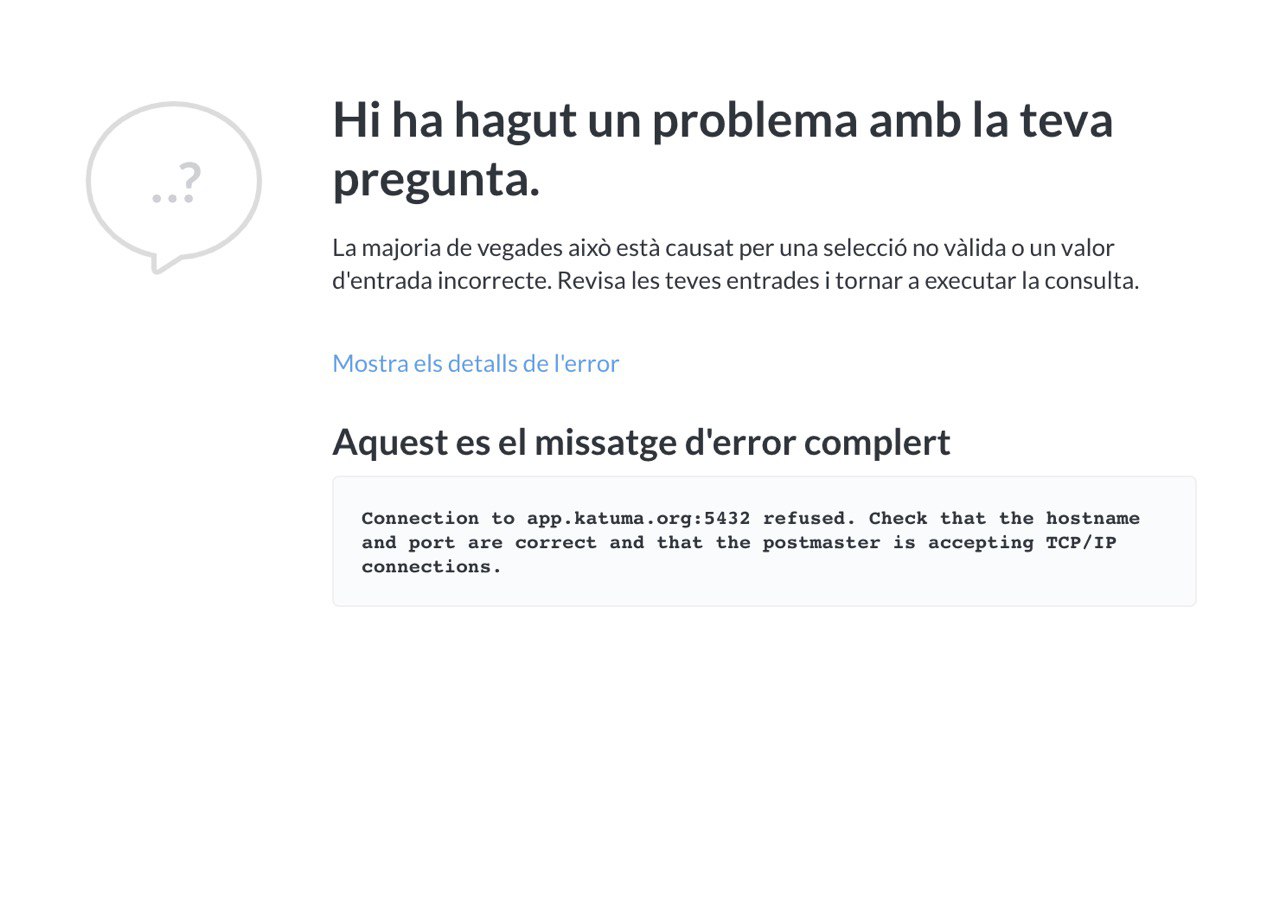
Eugeni just reported that Metabase now refuses connection. We didn't check that and I bet we didn't update the db_integration settings.
This is the message
sauloperez
on 26 May 2020
We forgot to run the db_integrations playbook :see_no_evil: Now I did, manually restarted PostgreSQL and Metabase is working again. I opened https://github.com/openfoodfoundation/ofn-install/pull/626 to handle the restart.
sauloperez
on 28 May 2020
Done :tada: !
sauloperez
on 28 May 2020
Related issues
 shen-sat
·
3Comments
shen-sat
·
3Comments
 filipefurtad0
·
3Comments
filipefurtad0
·
3Comments
 myriamboure
·
3Comments
filipefurtad0
·
3Comments
myriamboure
·
3Comments
filipefurtad0
·
3Comments
 HugsDaniel
·
3Comments
HugsDaniel
·
3Comments
Most helpful comment
EDIT all went smoothly