Openfoodnetwork: [mobile ux] Order cycle section on shopfront changes depending on open/closed/multiple
In a feature branch or master?
Order cycle section feature branch
Description
- As a: shopper
- On page: shopfront
- I want to be able to do: see when I need to select an order cycle or when there is a closing time for orders, but don't bug me with any detail on this unless this is the case.
Acceptance Criteria & Tests
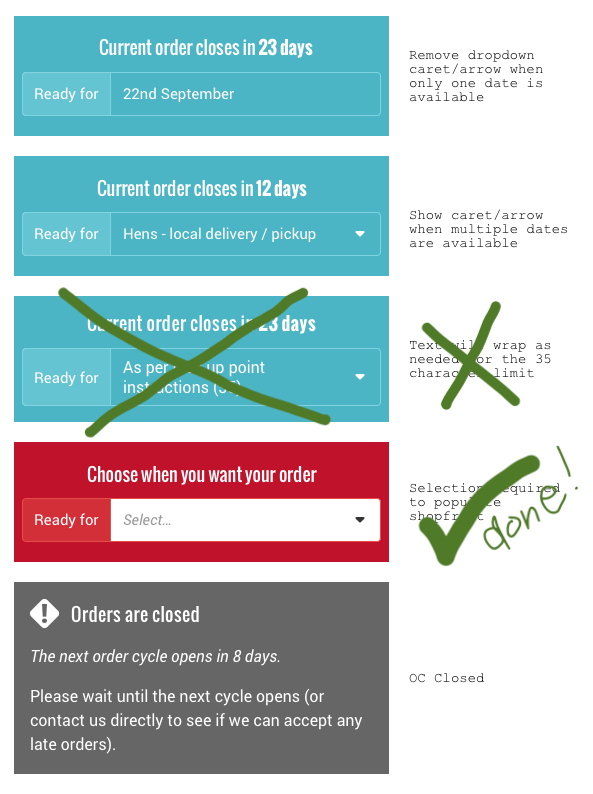
OPEN OC
- [x] When there is only 1 OC available remove the drop down arrow #5348
- [x] When selection of an order cycle is required highlight section in red and display "select" message (done as part of #4567)
- [x] When an OC has been selected from dropdown, show the dropdown arrow and display menu on click on field
NO OPEN OC
- [x] When the order cycle is closed, remove dropdown and show closed message
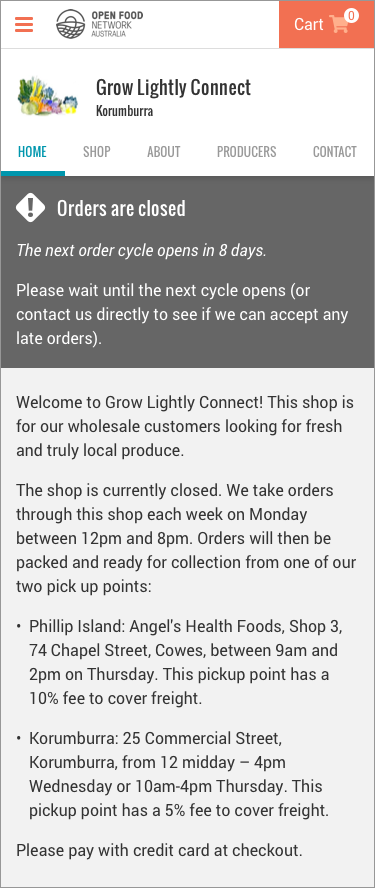
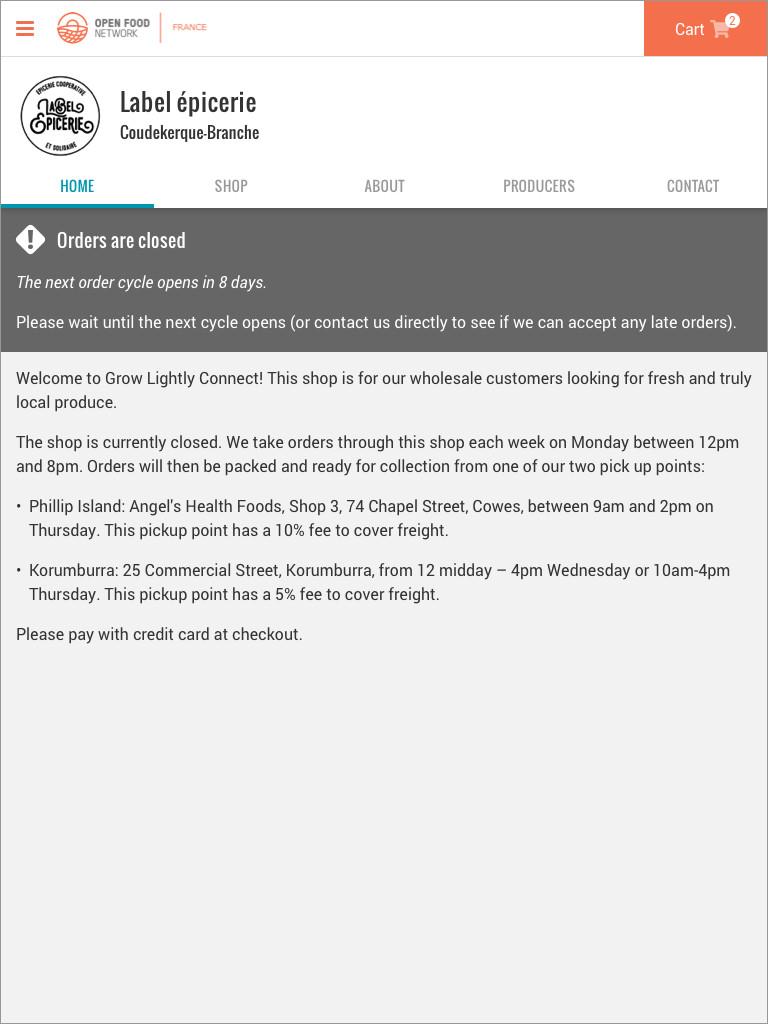
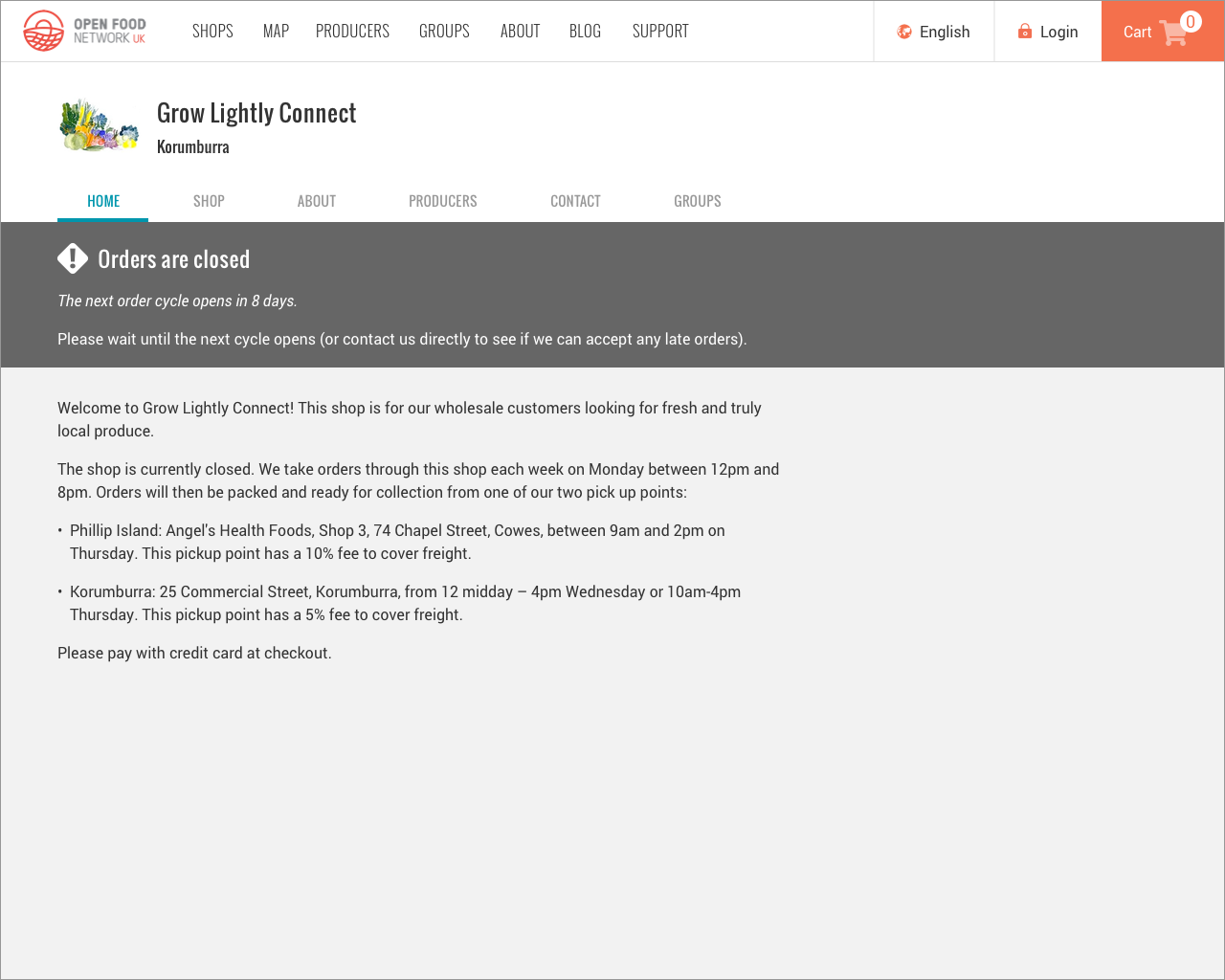
- [x] The shop closed message will display below both the 'home' and 'shop' tabs on mobile, tablet, and desktop (see designs below) - done as part of #5262
Testing
Note: for each test, the design should look the same as the screenshots above.
- Create a shop with an order cycle that doesn't close - on the shopfront order cycle section there should be no closing date message or drop down arrow.
- Create a shop with only 1 order cycle option - on the shopfront order cycle section there should be no drop down arrow and a closing date message above the field.
- Create a shop with multiple order cycles - on the shopfront order cycle section there should be a red order cycle box with a message to select your order cycle.
- For the shop with multiple order cycles - on the shopfront order cycle section there should be a drop down arrow for the user to select one, and an associated closing date message above the field that changes to display the relevant date for the order cycle selected.
- Create a shop with a closed order cycle - on the shopfront order cycle section there should be grey order cycle box and a closed message. Section should look like the design below.
NOTE: This functionality is being implemented on the existing design. Also, some of this functionality will already exist, you need to check to make sure it works as described and the copy displayed is the same as in the new design above.
_Mobile Closed Message_
_Tablet Closed Message_
_Desktop Closed Message_
Design details are kept in our Zeplin account: https://app.zeplin.io/project/59532764a6c78ff3c534b372/dashboard
-->
 daniellemoorhead
All 25 comments
@Matt-Yorkley and @mkllnk I'm adding a note here as a just in case - I'm not sure this issue is needed as I think that all OC changes will be delivered in #4574. Once you get your heads around this part of the changes you can let me know if that's the case :)
daniellemoorhead
on 22 Jan 2020
@yukoosawa wanted to confirm the TBD bits I have above (I saw designs you'd done for this last time we chatted but they're not in zeplin and so I didn't want to assume anything) - you want the OC/shopfront generic closed grey box to display on the Home and Shop tabs (underneath the tabs, above the home tab copy) for desktop, tablet, and mobile, yes?
daniellemoorhead
on 28 Feb 2020
- [ ] When the OC doesn't close, don't display the closing copy (is this even possible?)
@yukoosawa just a heads up - there is ALWAYS an end date for an order cycle, a never-ending OC isn't built into the system yet. So, I'm removing this from scope for the mobile work and it can be considered as a separate need to be prioritised.
daniellemoorhead
on 18 Mar 2020
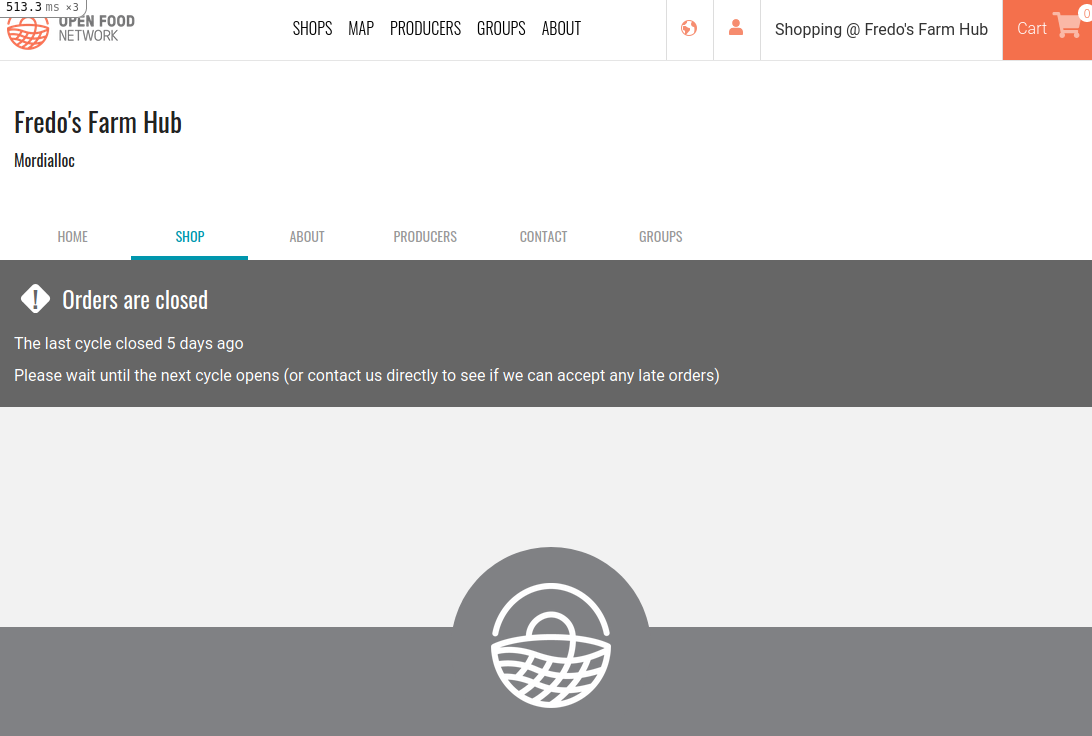
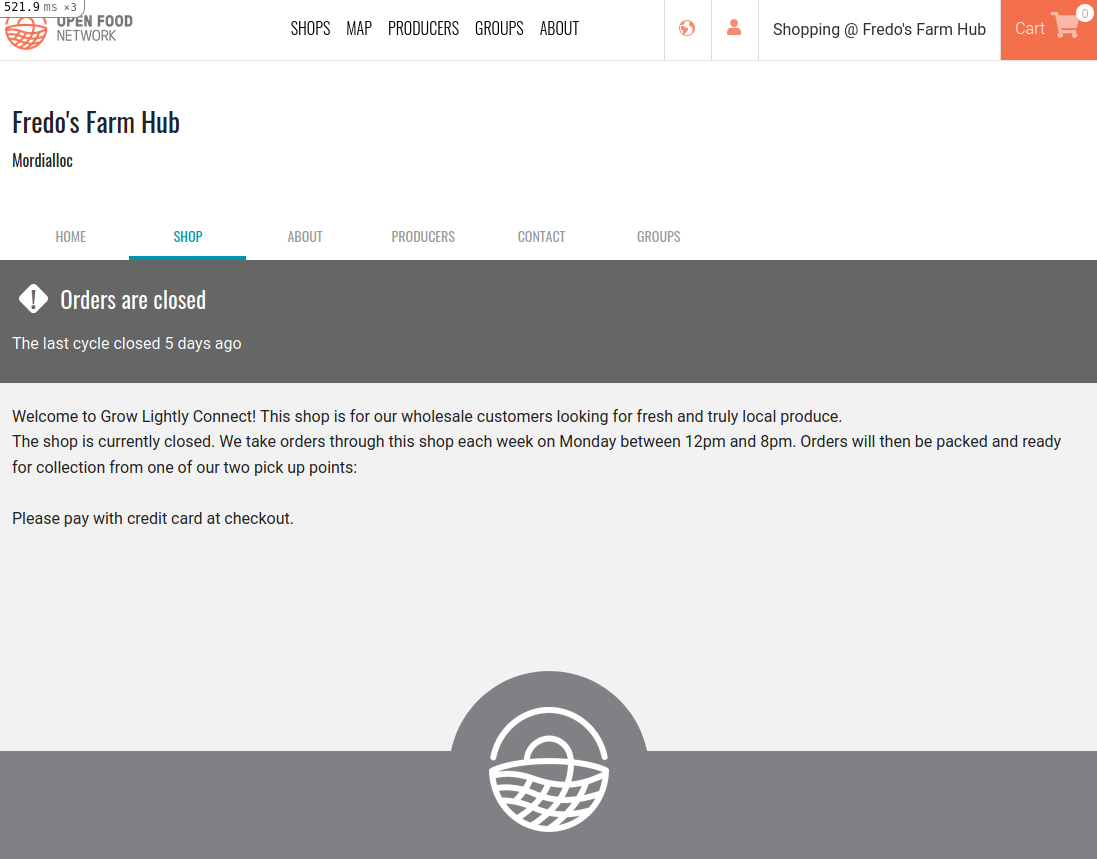
The OC closed message here includes the "Please wait until the next OC opens..." that is removed in #5216 if the enterprise has configured a closed message.
Basically 5216 defines that if there is text in the light gray area, the dark gray area will be shorter. If the darker gray area stays as per design there will be no text in the lighter gray area. In terms of design it will look quite different, isnt it?
 luisramos0
on 20 Apr 2020
luisramos0
on 20 Apr 2020
closed shop WITHOUT enterprise closed message
closed shop WITH enterprise closed message
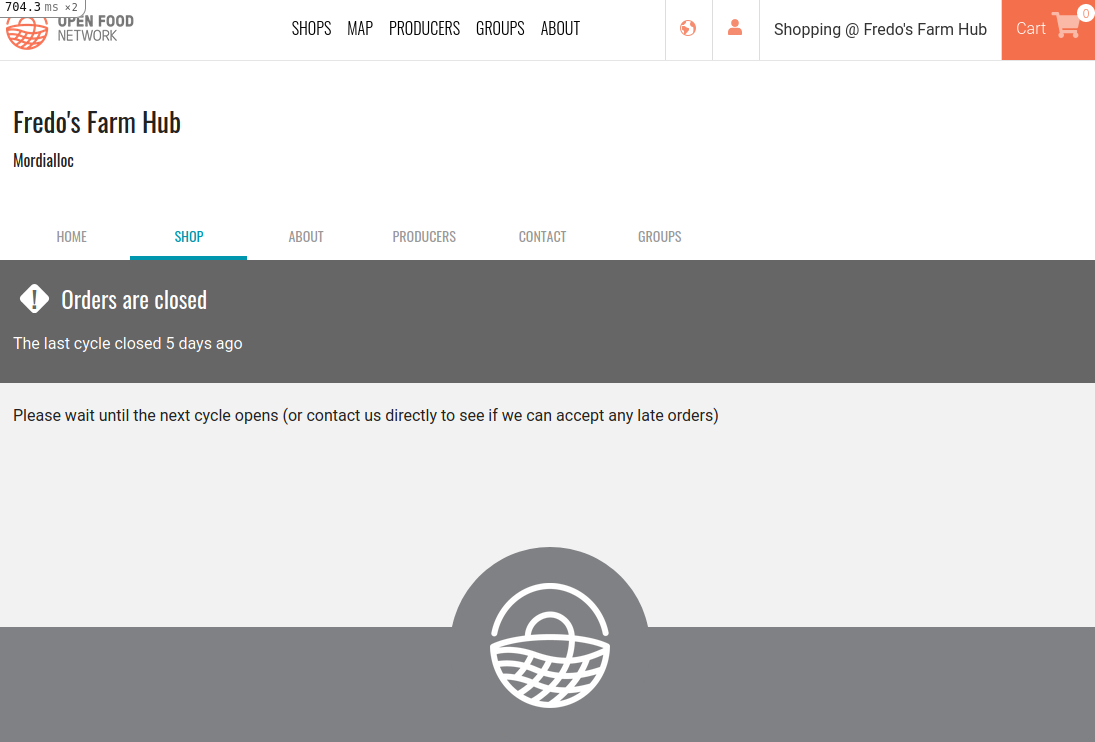
in the first case maybe we could do:
luisramos0
on 20 Apr 2020
I'm agnostic, don't mind. Is possible your suggestion could confuse enterprise as looks like they have control over the text? But probably not. Either for me
 kirstenalarsen
on 20 Apr 2020
kirstenalarsen
on 20 Apr 2020
@luisramos0 I think it's a good idea to have both the default closed message or the optional shopfront closed message displaying in the light grey area. Definitely. Please go ahead with that :)
daniellemoorhead
on 21 Apr 2020
re
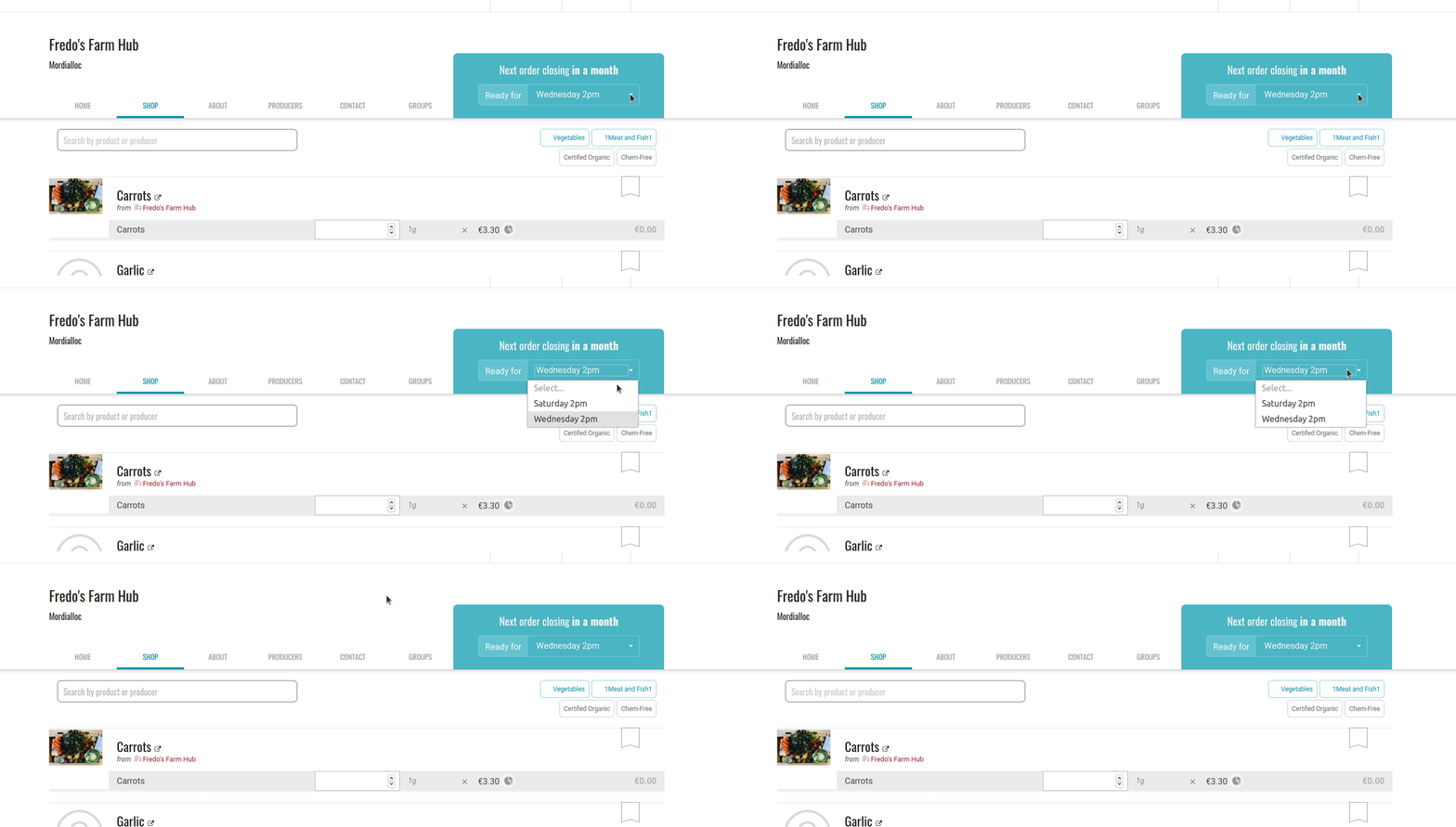
- [x] When an OC has been selected from dropdown, show the dropdown arrow and display menu on click on field
Is it not already done?
luisramos0
on 1 May 2020
regarding
- [x] When the order cycle is closed, remove dropdown and show closed message
is this not already done? (screenshot as is in prod today, PR #5262 will restyle the closed message, but the OC selector is already not there)
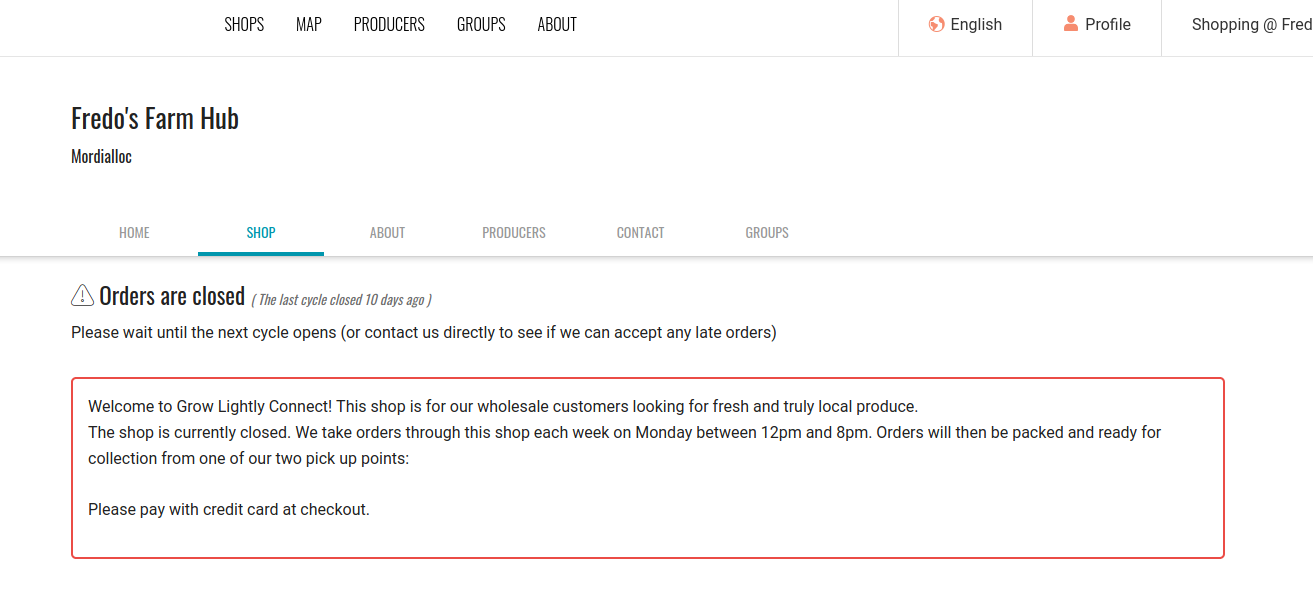
Doing this for private shops is represented in #4529.
luisramos0
on 1 May 2020
so, I believe all that is missing here to close this issue is:
- [ ] When there is only 1 OC available remove the drop down arrow
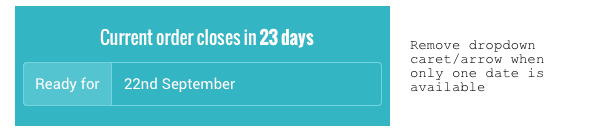
please correct me if I am wrong, thanks!
luisramos0
on 1 May 2020
@luisramos0 so both the points in No OC open are done as part of #5262?
daniellemoorhead
on 1 May 2020
no, I think "When the order cycle is closed, remove dropdown and show closed message" is already in prod.
luisramos0
on 1 May 2020
But the new styling of the closed message hasn't been implemented. That's what I'm assuming is in #5262, correct?
daniellemoorhead
on 1 May 2020
the new styling of the closed message is in #5262, it's in code review.
luisramos0
on 1 May 2020
Great, then you are correct @luisramos0 🎉

daniellemoorhead
on 2 May 2020
Tested, a few things:
NO OPEN OC
- [ ] the grey closed bar doesn't span the entire window on desktop (works fine on tablet and mobile)
- [x] The closed message displays on both Home and Shop tab - @yukoosawa is this correct, or should the home tab content still display? Wanted to check which was correct.
OPEN OC
- [x] The first check box, ie the removal of the drop down for shops with only 1 order cycle open, hasn't yet been done. @luisramos0 are you going to do this somewhere else?
Notes: https://docs.google.com/document/d/1wC42pMcgAAzqnVWBFW_Dm0MrTo5MOosZr_bBwjb56Wk/edit?usp=sharing
daniellemoorhead
on 6 May 2020
We still need PR #5262 before closing this issue.
luisramos0
on 7 May 2020
Hey @daniellemoorhead thanks for testing!
I dont understand your doubt in the second point on NO OPEN OC, that was exactly the request in the description and it's accordingly designed in zeplin. I hope this is correct because it took some time to do. It's easy to revert though :-)
re point on OPEN OC, that's done and tested by you a few hours ago in #5348
so, the only point missing here is:
"the grey closed bar doesn't span the entire window on desktop (works fine on tablet and desktop)"
design:
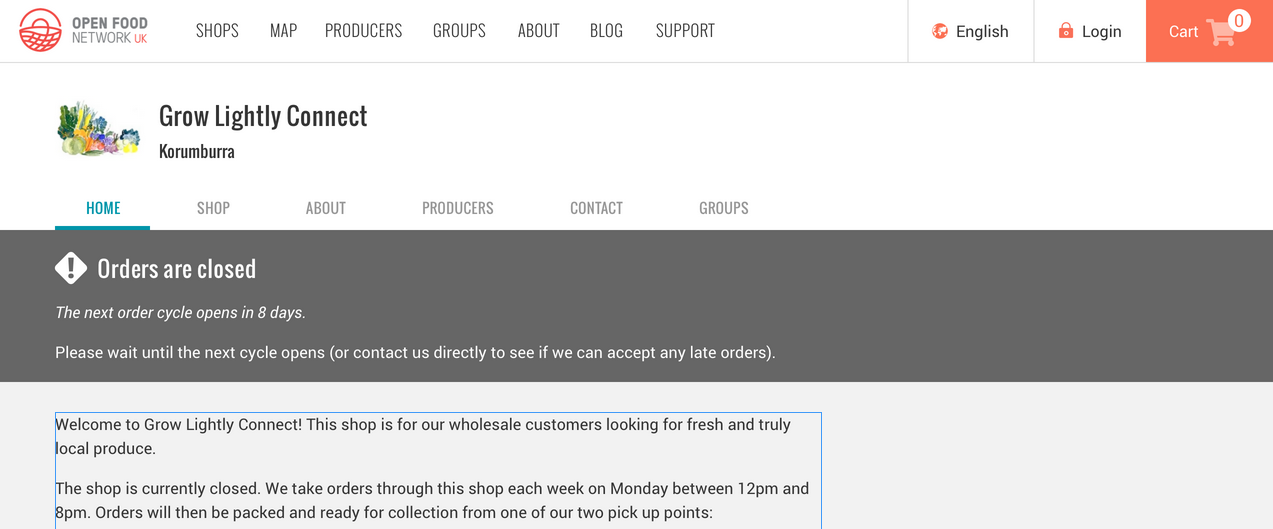
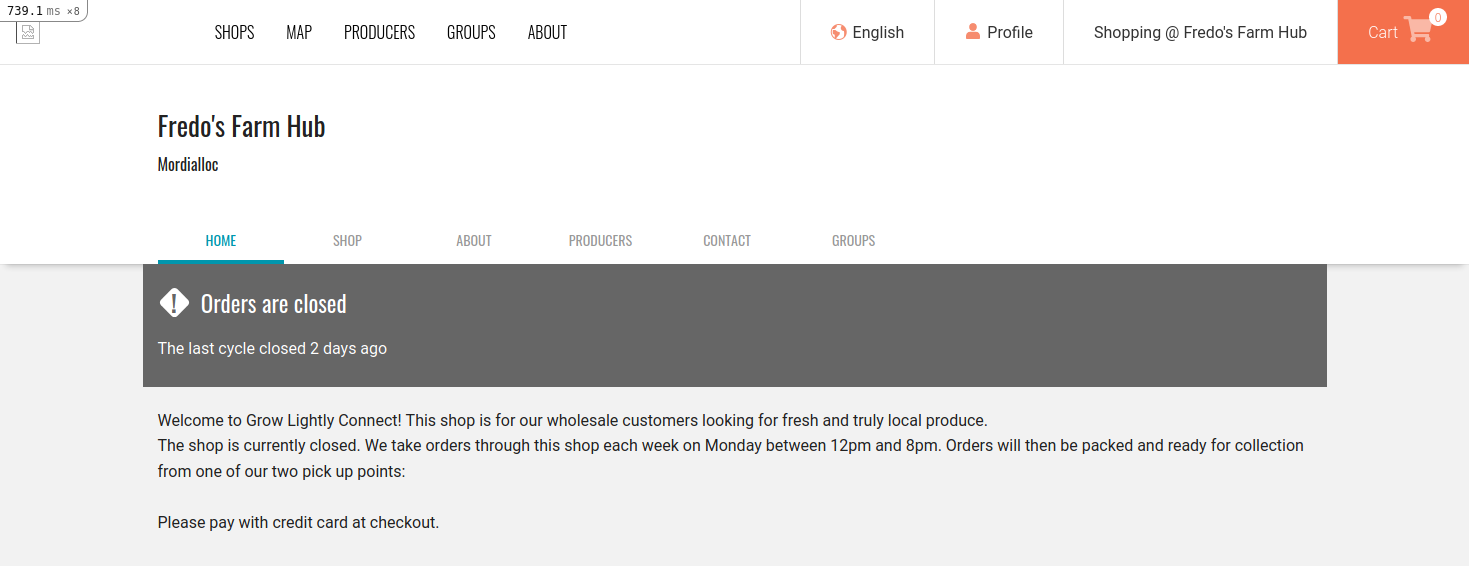
what we have so far, only happens on screens larger than 1200px:
luisramos0
on 7 May 2020
I cant expand the background color horizontally... see last screenshot on previous comment :point_up:
I'll ask for help on slack, basically:
- we use margin:auto that will keep the margin the same for all elements of the page (the empty space left and right on the page)
- margin doesnt take any background color by definition
- converting to padding (usual fix to get background color) doesnt work because padding: auto doesnt exist
How to do this?
luisramos0
on 7 May 2020
@daniellemoorhead can we merge the PR as is and keep this issue open until we fix this thing? Merging the PR now will avoid conflicts.
luisramos0
on 7 May 2020
@luisramos0 yes, I think merging is ok because the experience is still better than what we have now.
@yukoosawa and I will do a design sweep on the OC section in the coming week, so any tweaks required can happen as part of that.
Go right ahead and merge it!

daniellemoorhead
on 8 May 2020
thanks @daniellemoorhead
@sigmundpetersen I think we should use this issue to track the missing bit, right?
This issue is the last in the OC epic #4572 so when we close this issue we can close the epic.
luisramos0
on 8 May 2020
Yep sure, I was just looking at the PR description saying it closes this.
But see now there were some more missing bits 👍
 sigmundpetersen
on 8 May 2020
sigmundpetersen
on 8 May 2020
I think we close this @luisramos0, I'm doing a design sweep with @yukoosawa on the weekend for this epic and if anything comes up I'll be creating a new issue for it. So for now we close this one, because we'll be reviewing them all anyway :)
In terms of epic, leave it open for that design sweep work. I'll close it once a) the design sweep is finished, and then I'll move it to test ready so that b) we test that we achieved solving the problem.
daniellemoorhead
on 8 May 2020
ah, awesome :tada:
luisramos0
on 8 May 2020
Related issues
 sauloperez
·
3Comments
sauloperez
·
3Comments
 filipefurtad0
·
3Comments
filipefurtad0
·
3Comments
 HugsDaniel
·
3Comments
filipefurtad0
·
3Comments
HugsDaniel
·
3Comments
filipefurtad0
·
3Comments
 andrewpbrett
·
3Comments
andrewpbrett
·
3Comments