Openfoodnetwork: Cannot edit orders with bulk order management
Description
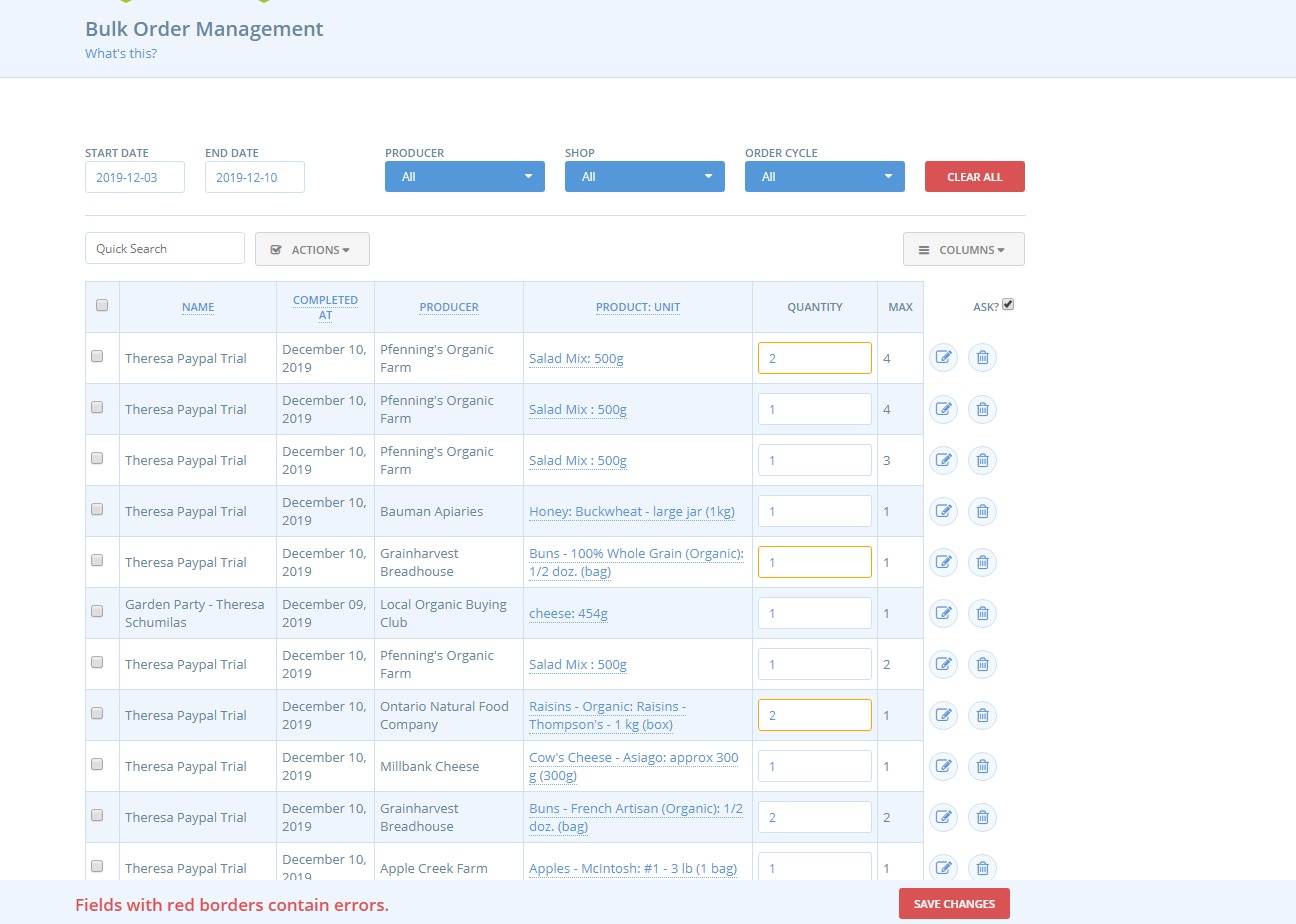
I cannot modify the quantity of a product in BOM. I cannot do this as super admin or as an enterprise manager. I cannot do this for 'item' type products or products sold by weight.
I can adjust any products sold by 'item' in the orders tab. But without the BOM working, I cannot easily adjust min/max for bulk products. Second, without the BOM working, I cannot adjust prices sold by weight.
Expected Behavior
A user should be able to adjust quantities (including weights and other measures ) in the BOM screen.
Actual Behaviour
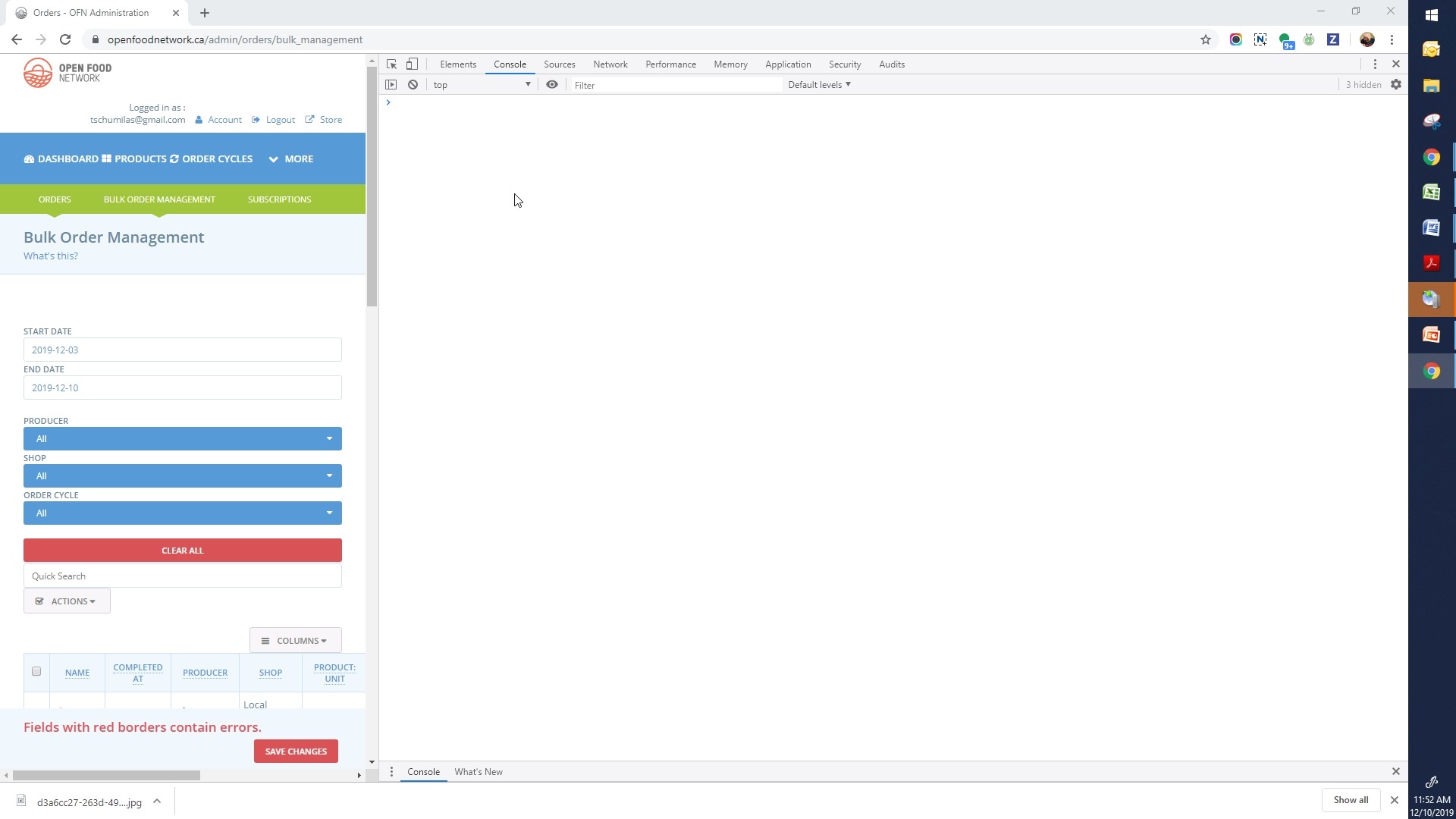
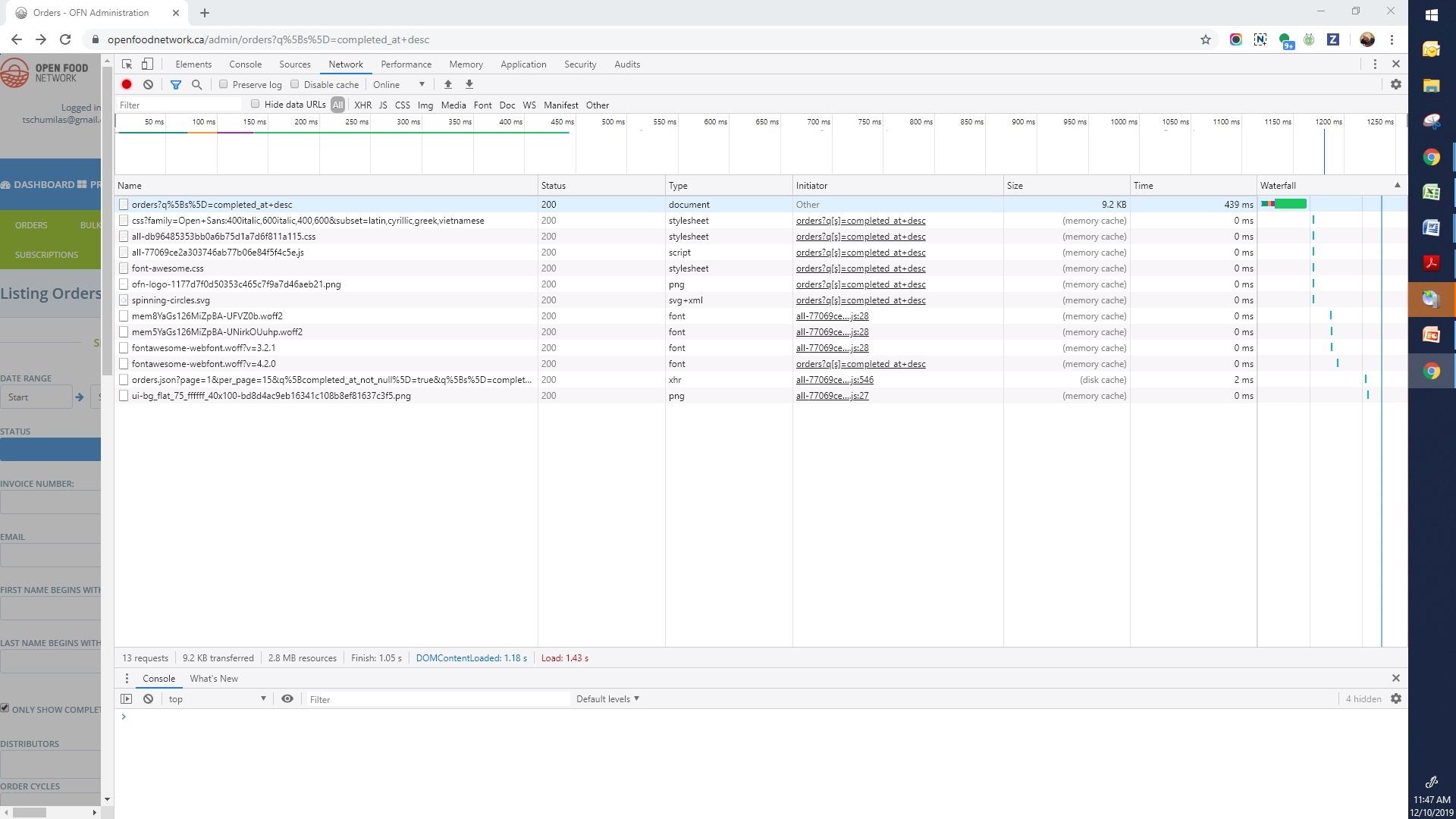
Above - impossible to adjust weight or quantities in BOM
Steps to Reproduce
Enter products (sold by 'item', sold by 'weight' and/or 'min/max' products
Place an order
Try to edit the quantities in that order.
Animated Gif/Screenshot
Workaround
No workaround for the min/max feature that I know of
No workaround for calculating price of a product weighed at sale that I know of
Workaround for editing quantities of 'item' products - can be edited on each individual order
Severity
Bug-s3
bug-s1: a critical feature is broken: checkout, payments, signup, login
bug-s2: a non-critical feature is broken, no workaround
bug-s3: a feature is broken but there is a workaround
bug-s4: it's annoying, but you can use it
bug-s5: we can live with it, only a few users impacted
https://github.com/openfoodfoundation/openfoodnetwork/wiki/Bug-severity
-->
Your Environment
OFN-CAN - live
Desktop - Using Chrome - latest version, not sure what that is
- Version used:
- Browser name and version:
- Operating System and version (desktop or mobile):
Possible Fix
 tschumilas
All 32 comments
Potential workaround to try:
In the UK we've been working around this by narrowing the search. If there are only a few products in the filtered results updates are working. Not sure if this will apply to you.
 lin-d-hop
on 11 Dec 2019
lin-d-hop
on 11 Dec 2019
OMG - I would have never thought of that. Thanks @lin-d-hop - yes BOM works if I narrow the search. Does this drop it to an s3 do you think? Really annoying for a hub with 200 orders a week.
tschumilas
on 11 Dec 2019
Yes, S3 if there's a workaround
 sigmundpetersen
on 11 Dec 2019
sigmundpetersen
on 11 Dec 2019
Sorry I said anything. This is very annoying and would love to see it fixed!
lin-d-hop
on 11 Dec 2019
Put your CA label on it @tschumilas and it will get into the next round of prioritized S3's 👍
sigmundpetersen
on 11 Dec 2019
Thanks for the comment! This came up today in my support request as well!
 RachL
on 20 Jan 2020
RachL
on 20 Jan 2020
Not sure however the user will be able to narrow the search :see_no_evil: he has really lots of orders on the same producers / shop / OC / date
RachL
on 20 Jan 2020
Its not very easy to narrow a search. I've been challenged to do this too.
tschumilas
on 20 Jan 2020
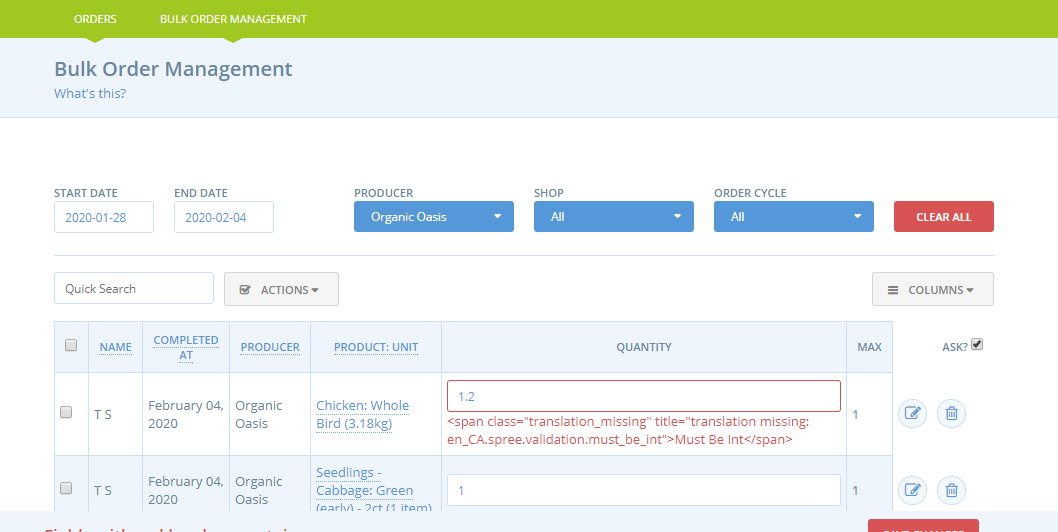
narrowing the search in order to edit variable weights in BOM does not seem to be a workaround. In the example below - I narrowed the bom search to one supplier - and cannot modify a variable weight item. I think this is critical to any supplier or hub that sells variable weighted items - unless someone else has a workaround?
tschumilas
on 4 Feb 2020
hello, the error message (although not translated) is telling you to use an integer in the quantity field, not a decimal value.
 luisramos0
on 4 Feb 2020
luisramos0
on 4 Feb 2020
to modify the weight value you need to define the columns displayed and add the weight.
luisramos0
on 4 Feb 2020
OMG - I'm SO SO SO sorry. What the heck is wrong with me? I have asked users multiple times to see if they have defined the columns displayed the way the want. I can't believe I screwed that up myself. Thanks @luisramos0 - indeed, I was trying to change the product weight in quantity instead of in product weight. I'm so very sorry to have troubled everyone. Now I feel like a total dolt.
tschumilas
on 5 Feb 2020
ok, no problem.
I guess this goes back to S3 and the "S3 bugs prioritised" column, right?
luisramos0
on 5 Feb 2020
@luisramos0 yes I think so.
RachL
on 5 Feb 2020
On the delivery train meeting we were wondering what is the process to move from s3 bugs pri to dev ready. Do we just pick the top one when we need more in dev ready?
luisramos0
on 20 Feb 2020
That was what I assumed was the process 🙂 Please advise if otherwise
sigmundpetersen
on 20 Feb 2020
Yes that's it :)
Same with paper cuts.
RachL
on 20 Feb 2020
Just FYI, I really got an increase in demand for this one. Especially now that producers and hubs have bigger number of orders :/
RachL
on 25 Mar 2020
Did this bug had a duplicate? I am pretty sure I tried to fix this without success.
I think @Matt-Yorkley is the right dev for this one :muscle:
luisramos0
on 25 Mar 2020
I hadn't actually seen this issue yet, but I think I just fixed it in: #5099 :smile:
 Matt-Yorkley
on 28 Mar 2020
Matt-Yorkley
on 28 Mar 2020
Quantity has to be an integer, but the weight column was not allowing decimals and was totally breaking saving of other line items (the weight column is actually final_weight_volume, which is often a decimal).
Matt-Yorkley
on 28 Mar 2020
ah, yes!!!! Great, the regexp! :clap:
luisramos0
on 28 Mar 2020
the final_weight_volume is usually grams and milliliters so I dont think it has decimals most of the times (and I think that's why this bug is not breaking the BOM all the time, only sometimes).
I am not sure things will work if you input a decimal value in final_weight_volume...
like 1500,5 grams? we need to test this and see that it wont break the weight calculator for example. Maybe we can add this to the test steps in 5009.
luisramos0
on 28 Mar 2020
I did this in the console with Aus production data and got over 2000 as the answer:
Spree::LineItem.where(final_weight_volume: 0.5).count
yeah, so, final_weight_volume is certainly not integer. I see ~5% of the 265k values to be non integer.
I tried to replicate this error locally but I couldnt.
What I managed to see was that if I enter a decimal value in the volume/weight field, I see an error like this:
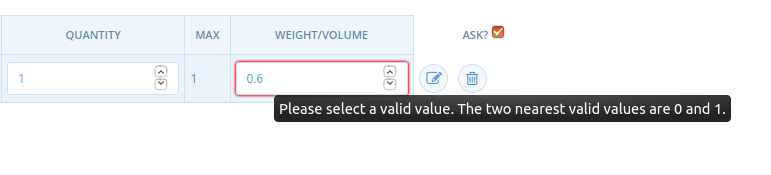
but I can still submit the form and save the decimal value successfully. I also checked that changing it to a decinal value reflects the decimal value correctly on a shipping cost based on weight.
Afterwards I tested this with PR #5099 and I confirmed it fixes this error I am showing above (a decimal value will not show an error any longer) but I am not sure it will fix the main issue in production that I couldnt replicate.
luisramos0
on 30 Mar 2020
anyway, we can ship #5099 and verify if the issue is fixed in production or not.
We just need to take note of what users/hubs are experiencing this problem in production so that we can validate after the release of #5099.
luisramos0
on 30 Mar 2020
So I'm moving this to testing with the label prod-test 💪
RachL
on 31 Mar 2020
According to @filipefurtad0 in #5099
e - I think this PR also solves the issue observed my @tschumilas in issue #4554, as before (I double checked this) it was not possible to save changes on BOM but, after staging this PR it seems to work fine.
I'm not closing this until we confirm in production as you guys mentioned.
 sauloperez
on 2 Apr 2020
sauloperez
on 2 Apr 2020
Yes, fully agree. I think it should stay there, just to make sure the PR solves it, in production.
Thank you @sauloperez
 filipefurtad0
on 2 Apr 2020
filipefurtad0
on 2 Apr 2020
time to check?
sauloperez
on 8 Apr 2020
@tschumilas are you experiencing this problem anymore? Can you tell us whether it's fixed on production for you?
 daniellemoorhead
on 14 Apr 2020
daniellemoorhead
on 14 Apr 2020
I'm closing it for now. If the issue re-occurs we can re-open it :+1:
RachL
on 18 Apr 2020
Related issues
sauloperez
·
3Comments
Matt-Yorkley
·
3Comments
luisramos0
·
3Comments
 shen-sat
·
3Comments
shen-sat
·
3Comments
shen-sat
·
3Comments
shen-sat
·
3Comments