Openfoodnetwork: [Cookies] Build coookie banner and add a toggle to power it on-off
Description
Today users are not informed about the cookies set up on their computer and don't give their consent. With GDPR we need to inform them and request their consent. The content of the cookie policy page and set up options is still pending as we need some more info to decide but we can move forward with implementing the consent banner (it can remain toggled off until the feature is ready to be released).
As a: visitor/user
I want to be able to: be notified that cookies are used and be requested my consent, and check cookie policy if I want to understand.
Acceptance criteria
A banner is displayed on desktop and mobile with following text, link to cookie policy, and button to "accept cookies"
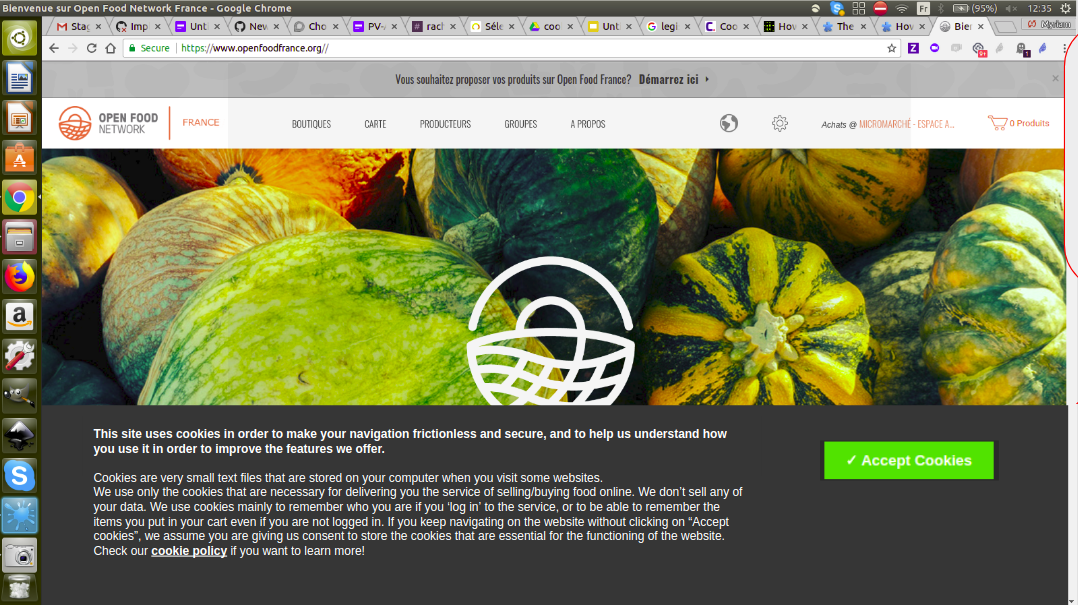
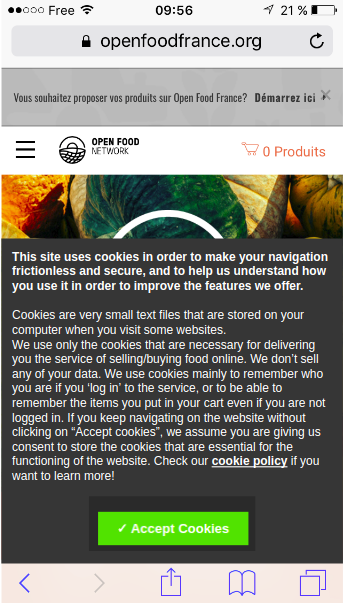
This banner is by default toggled off but can be toggled on from admin > configuration (See slide 10 https://docs.google.com/presentation/d/1uMWiW6lQhqexAe_uFmjp5QNAM1zLfnIe1bF3-_Nb5xo/edit?ts=5b2be17d#slide=id.g3c59fe849e_0_6). Updated: Even if the banner is toggled off the cookies policy link on the footer of the website should still be shown.
Technically all essential cookies are set up as soon as user either click on "accept cookies" or start navigating on the website (so if clicks on any other menu).
NOTE: Analytics cookies are out of scope for now. Missing informations to decide on them still.
 myriamboure
All 4 comments
I put a little bit more text @luisramos0 so that users are incited to click on "accept cookies" and know that if they don't click on "accept" but navigate they do consent. All clear? @RachL does it looks good to you as well?
myriamboure
on 26 Jun 2018
@myriamboure perfect !
 RachL
on 26 Jun 2018
RachL
on 26 Jun 2018
This is what I have so far:
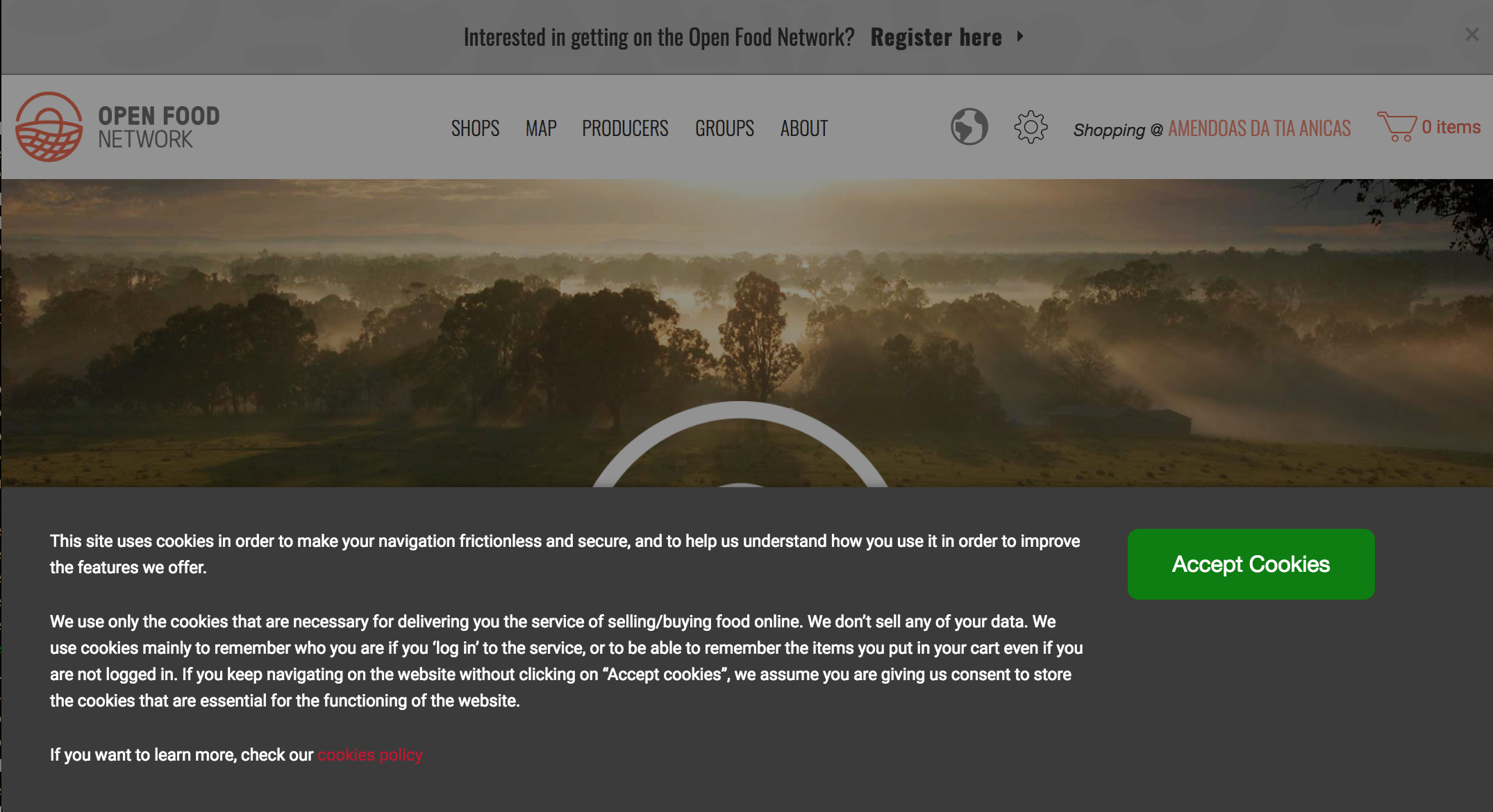
and
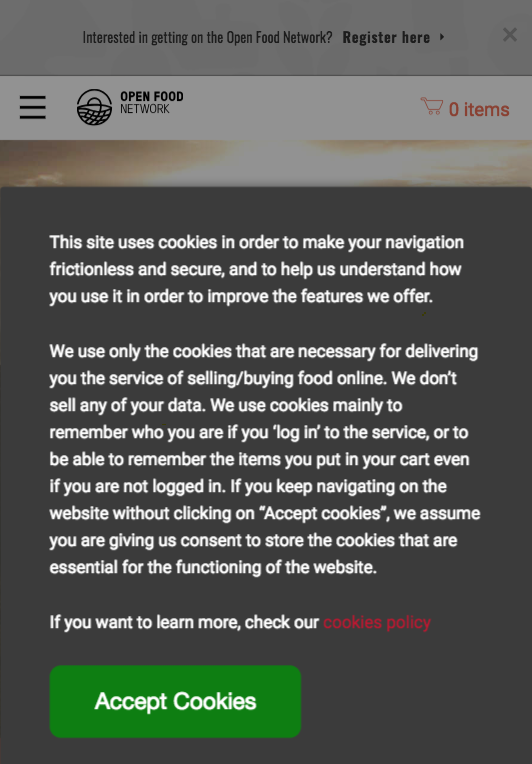
 luisramos0
on 27 Jun 2018
luisramos0
on 27 Jun 2018
Looks good @luisramos0 ! :-)
myriamboure
on 27 Jun 2018
Related issues
 shen-sat
·
3Comments
luisramos0
·
3Comments
shen-sat
·
3Comments
luisramos0
·
3Comments
 sauloperez
·
3Comments
sauloperez
·
3Comments
 HugsDaniel
·
3Comments
HugsDaniel
·
3Comments
 kirstenalarsen
·
3Comments
kirstenalarsen
·
3Comments
Most helpful comment
I put a little bit more text @luisramos0 so that users are incited to click on "accept cookies" and know that if they don't click on "accept" but navigate they do consent. All clear? @RachL does it looks good to you as well?