Open-shell-menu: [Feature Request] Show Full Path in Address Bar for Libraries
I've been trying to find a way to copy the full path to the location of the libraries from the address bar, but I can't find a good solution here for what I want. I understand that the Libraries are "special paths", but they still have a full path associated with them. I want to replace it from just saying "Documents", "Downloads" etc when I click a Library and instead show the UNC folder path on Windows (C:\User\Username\Downloads) etc.
Thanks for taking up the reigns and continuing development on this project!
 boktai1000
All 5 comments
My personal opinion would be the same as reflected on my https://github.com/Open-Shell/Open-Shell-Menu/issues/116#issuecomment-445353092 made moments ago...
~Ibuprophen
 Ibuprophen
on 7 Dec 2018
Ibuprophen
on 7 Dec 2018
@ibuprophen1 I read your comment, but can you elaborate a bit more since that seems to be related to pinned directories - and I just want it to show the Full Address Path / UNC Path. Maybe I don't have a complete understanding of how the two are related. Thank you!
boktai1000
on 8 Dec 2018
TBH @boktai1000, it may as well be me that isn't completely understanding your question... LMAO!
I do apologize for confusing you with my last response but, can you please clarify your question a bit more?
Thank you for your understanding.
~Ibuprophen
Ibuprophen
on 8 Dec 2018
Took some screenshots to hopefully elaborate a bit better.
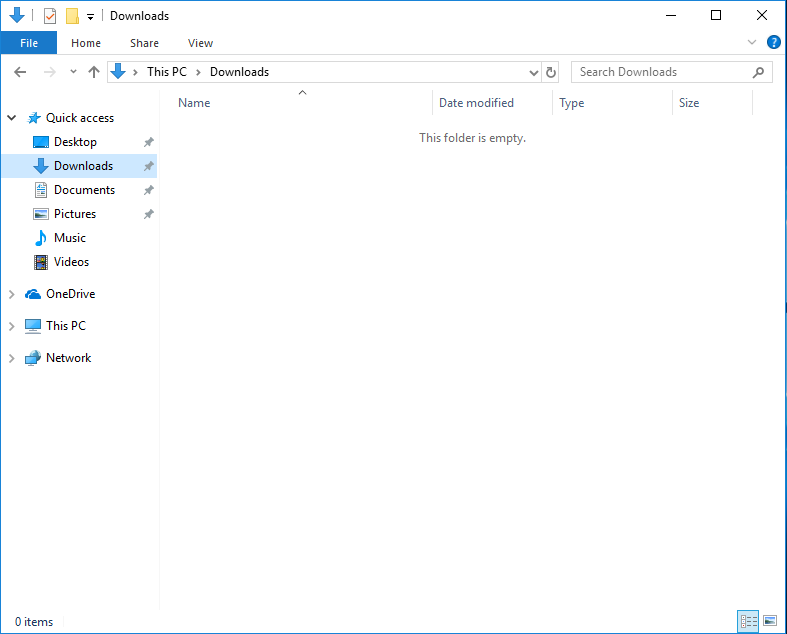
So here's a screenshot of the current behavior of vanilla Windows 10 (Note: I do not have Open Shell installed but for the sake of explaining the feature request it shouldn't matter). See in the Address bar, it lists this as a Library as "This PC > Downloads".
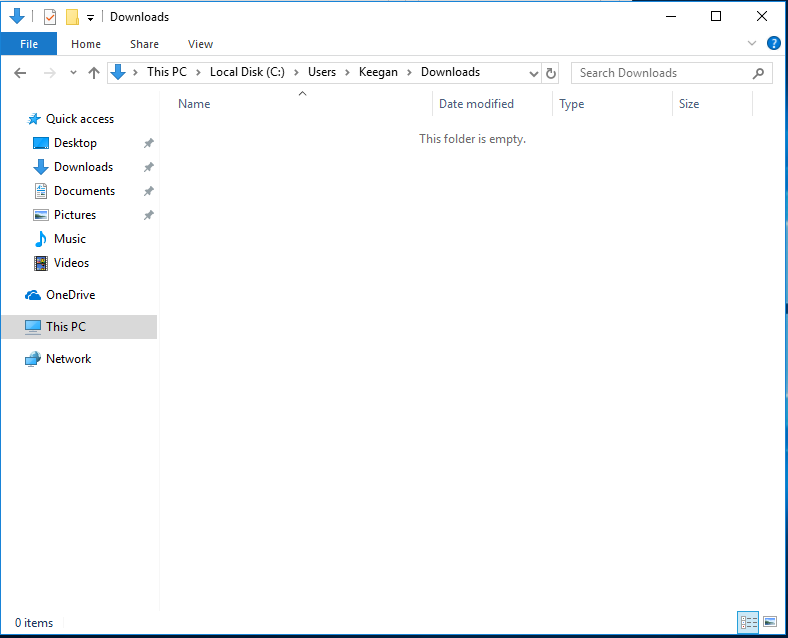
My preference would be, any time a Library such as Downloads is selected, that it instead shows the Full UNC path of the location in Windows. I've browsed to the directory in question manually here to show this as an example.
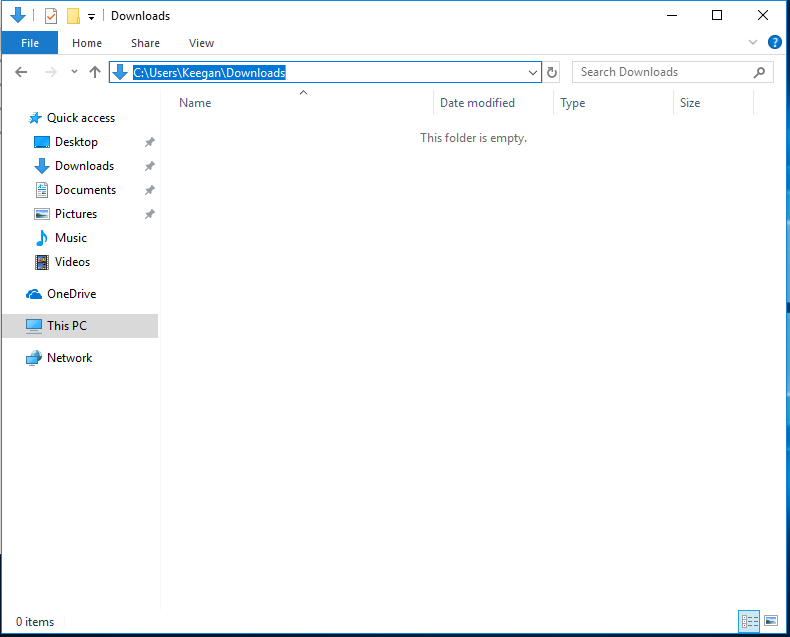
This would then allow me to click in the Address Bar to grab the path and copy it to something, say a file I'm working in, Command Prompt, IDE, etc.
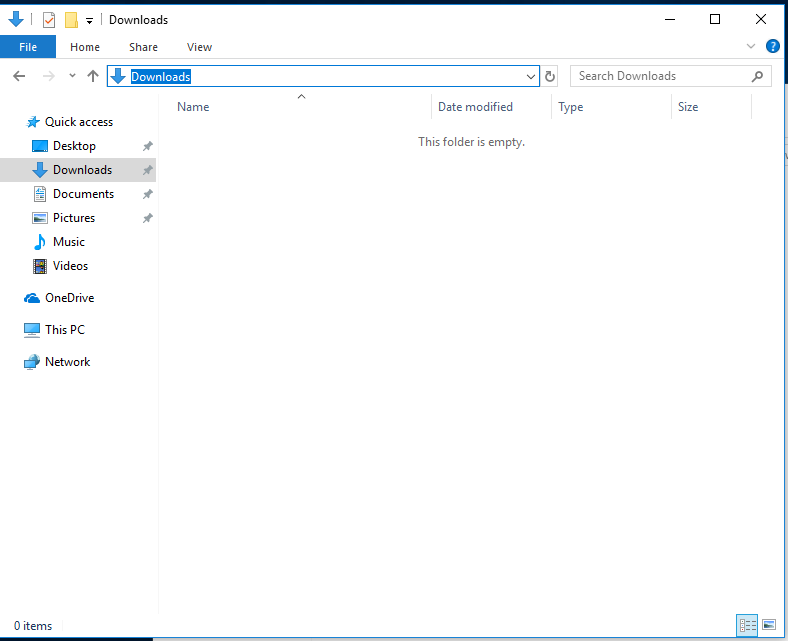
Hopefully this makes sense. Currently when you select the Address Bar from a Library location, you can only select the text that says "Downloads", "Documents", etc which I deem to essentially be useless. Screenshot to showcase this below.
boktai1000
on 11 Dec 2018
AHH! yes I understand this specific part of your question...
A final clarification...
What specific part/portion/area of the Classic Start Menu did you want this change in behavior?
There's a few areas/locations that this is/can be addressed but, it's accomplished a bit differently depending on where.
~Ibuprophen
Ibuprophen
on 12 Dec 2018
Related issues
 dertuxmalwieder
·
4Comments
dertuxmalwieder
·
4Comments
 bovirus
·
4Comments
bovirus
·
4Comments
 indyjonny
·
3Comments
Ibuprophen
·
3Comments
indyjonny
·
3Comments
Ibuprophen
·
3Comments
 thunderpants
·
4Comments
thunderpants
·
4Comments
Most helpful comment
Took some screenshots to hopefully elaborate a bit better.
So here's a screenshot of the current behavior of vanilla Windows 10 (Note: I do not have Open Shell installed but for the sake of explaining the feature request it shouldn't matter). See in the Address bar, it lists this as a Library as "This PC > Downloads".

My preference would be, any time a Library such as Downloads is selected, that it instead shows the Full UNC path of the location in Windows. I've browsed to the directory in question manually here to show this as an example.

This would then allow me to click in the Address Bar to grab the path and copy it to something, say a file I'm working in, Command Prompt, IDE, etc.

Hopefully this makes sense. Currently when you select the Address Bar from a Library location, you can only select the text that says "Downloads", "Documents", etc which I deem to essentially be useless. Screenshot to showcase this below.
