Online-go.com: Return/enter key missing on onscreen keyboard, prevents entering text on online-go.com using PS4 default browser.
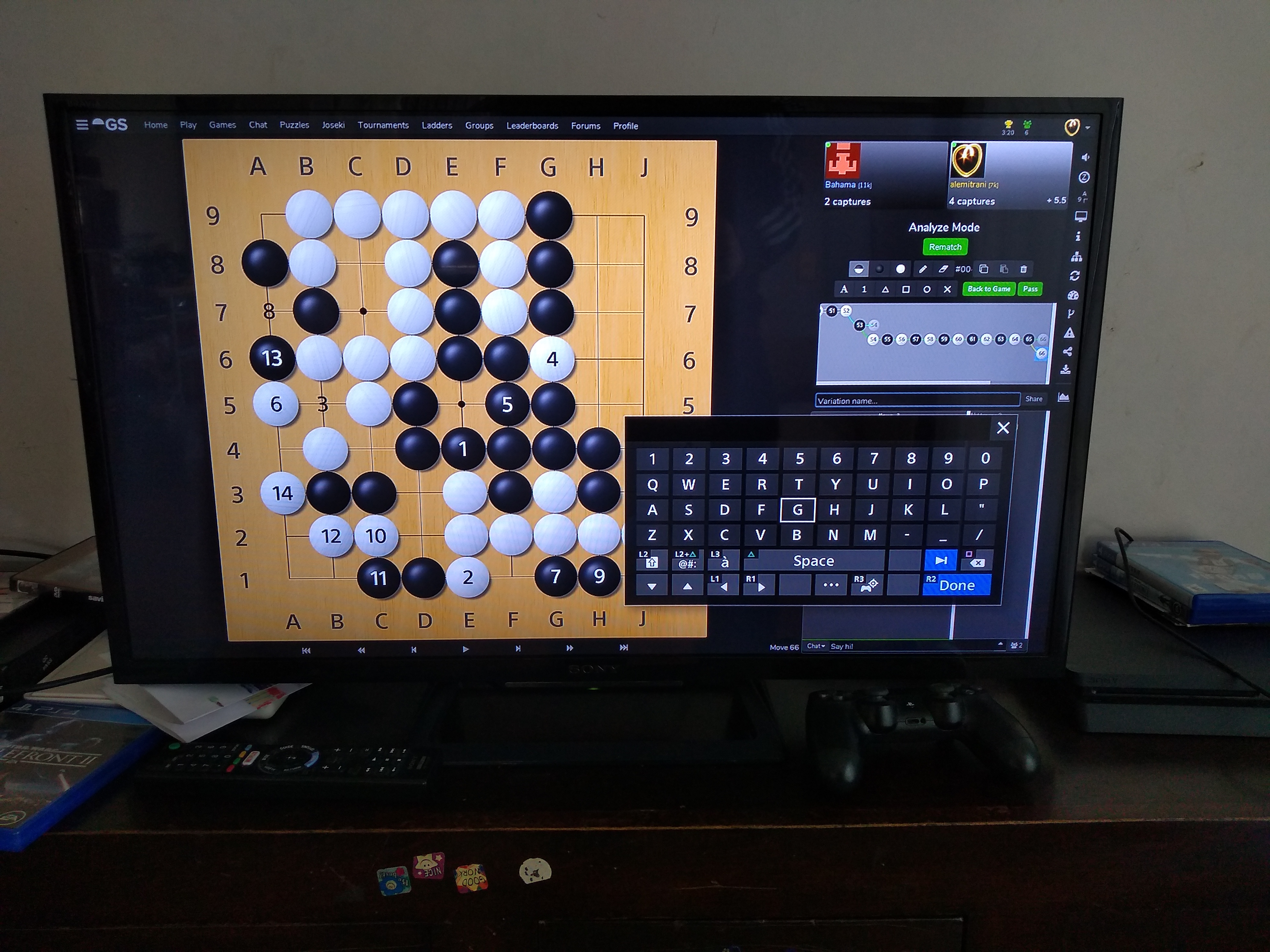
Describe the bug
On the PS4 default browser there appears to be no working "return" key and the "done" button does not work as expected to enter text - see attached image. I'm not sure whether it is a bug with OGS but it may well be so I am reporting it.
To Reproduce
Go to "www" on a PS4 and browse to online-go.com. Play a game - you're on TV!
Notice that you are restricted to using the canned responses and are unable to enter text freely - how frustrating!
Expected behavior
The "done" button should work as the return / enter key.
Alternatively, one of the blank keys to the left of "done" could be set as the "enter" key.
Screenshots
See attached image.
Desktop (please complete the following information):
N/A
Smartphone (please complete the following information):
N/A
Additional context
Add any other context about the problem here.
PlayStation 4 model PS4-251
System software 6.72
I think the browser is similar to Safari, see linked lifewire article: https://www.lifewire.com/ps4-web-browser-4134707
Thanks!
Alex
 alexmitrani
All 4 comments
I think the keyboard is an element of PS4 and not OGS. How do you submit text on other websites?
 BHydden
on 29 Sep 2019
BHydden
on 29 Sep 2019
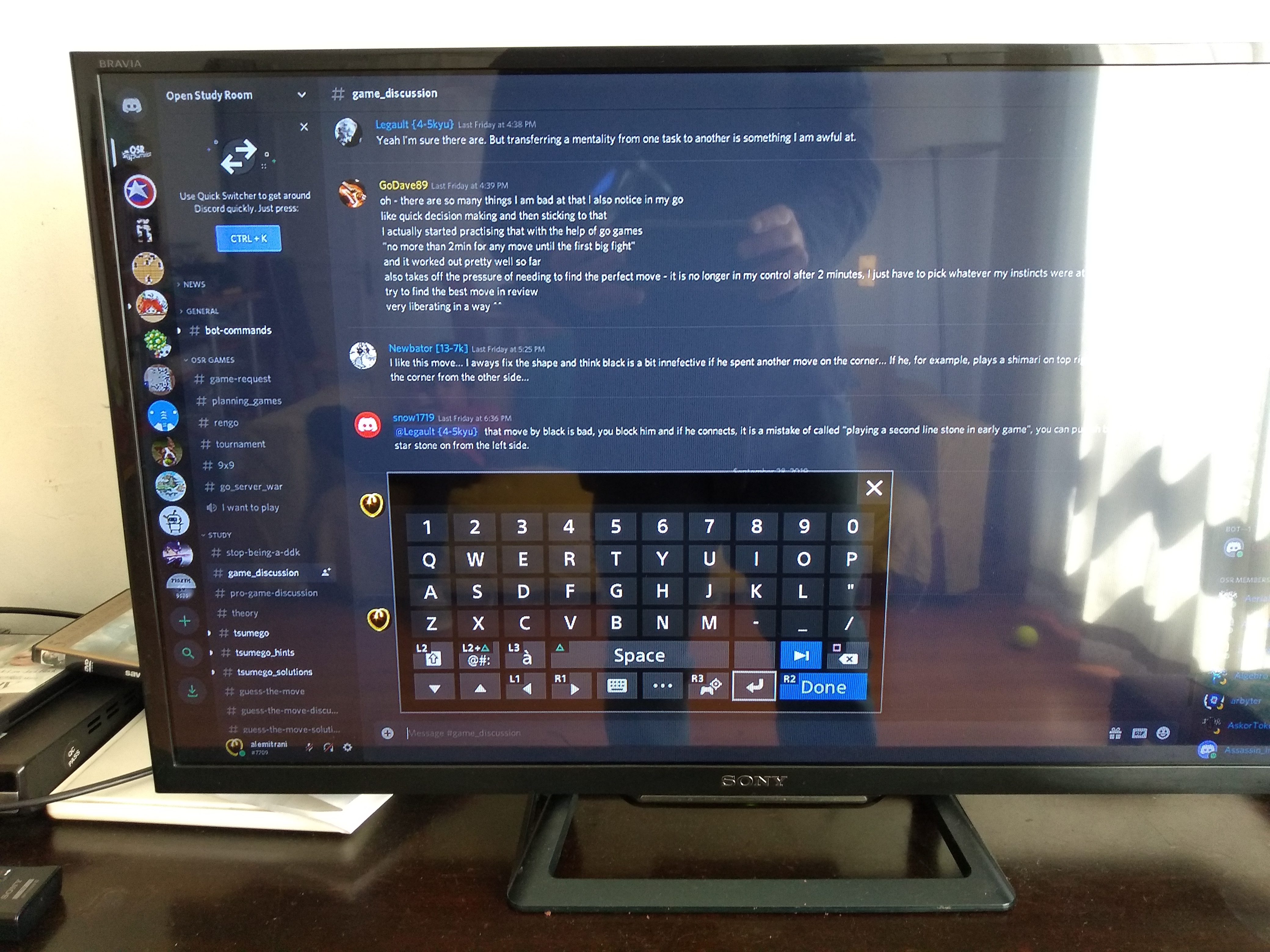
Good question @BHydden. On other sites there is a return key - see attached screenshot from Discord for instance. That is why I think there might be something on the OGS end that needs to be done to set up the onscreen keyboard correctly.
alexmitrani
on 29 Sep 2019
https://manuals.playstation.net/document/en/ps4/basic/osk.html says you can use R2 to press the enter button - does that work?
There seems to be a serious lack of documentation regarding anything to do with anything special one needs to do for the ps4 and html. On account of this, and that I don't have a PS4 to test with, I'm going to close this issue. I'd be happy to accept a PR from someone who feels like figuring out how to do whatever we need to do. Until then, R2 hopefully?
 anoek
on 5 Nov 2019
anoek
on 5 Nov 2019
I tested it, R2 closes the on-screen keyboard but does not enter the text :-(
Thanks for looking into it :-)
alexmitrani
on 9 Nov 2019
Related issues
 JDNdeveloper
·
3Comments
BHydden
·
4Comments
JDNdeveloper
·
3Comments
BHydden
·
4Comments
 GreenAsJade
·
5Comments
GreenAsJade
·
5Comments
 LaurieLinz
·
5Comments
LaurieLinz
·
5Comments
 roy7
·
5Comments
roy7
·
5Comments