Online-go.com: "Computer" button on Play page missing settings
Describe the bug
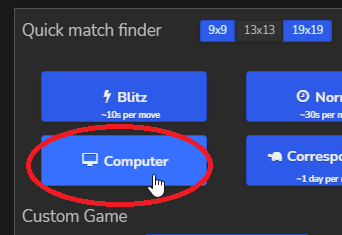
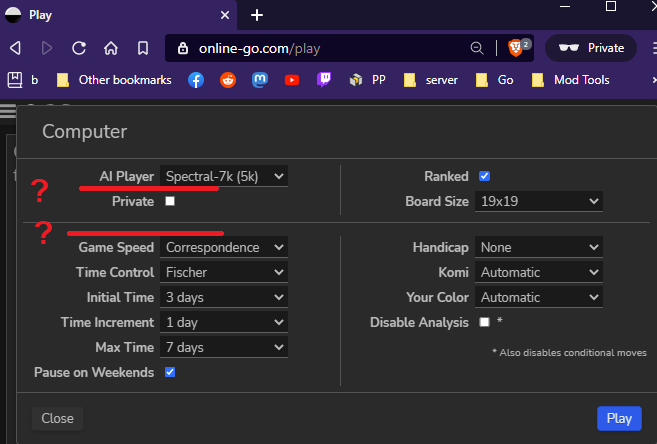
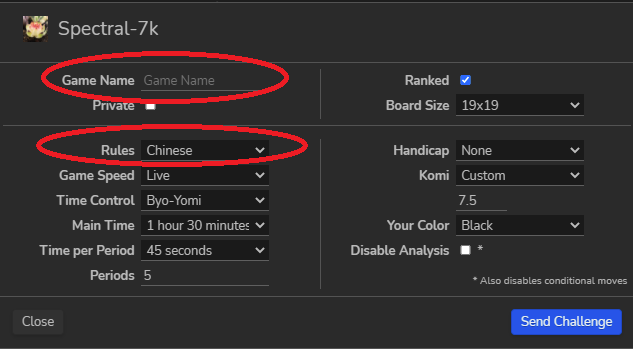
When you click the Computer button on the Play page, it is missing the options Game Name and Rules that are otherwise present if you direct challenge or rematch against an AI
To Reproduce
Steps to reproduce the behavior:
- Go to Play page
- Click on 'Computer`
- See that options for
Game NameandRulesare missing.
Expected behavior
All the options that are available with a standard challenge should also be available on the Play page.
Screenshots
 BHydden
All 4 comments
Is this not by design?
 benjaminpjones
on 6 Apr 2021
benjaminpjones
on 6 Apr 2021
Game name was left out in favor of having that space used by the AI dropdown, and I didn't feel naming those games was all that important (maybe I'm wrong there? Not sure, but I haven't heard any complaints before).
Rules is left out because most AI's can only play Chinese rules, so that's enforced.
 anoek
on 6 Apr 2021
anoek
on 6 Apr 2021
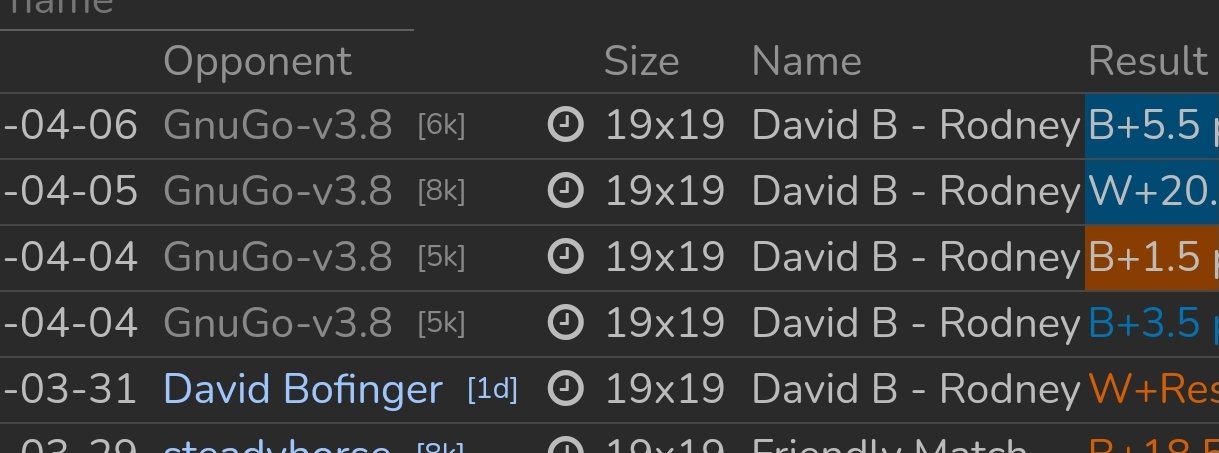
I forgot to include a detail, apologies.
The inability to set a game name has the effect of it being locked to the chosen name of your last custom game.
BHydden
on 6 Apr 2021
Ah, yeah that should be blanked
anoek
on 6 Apr 2021
Related issues
 ksafford
·
4Comments
ksafford
·
4Comments
 GreenAsJade
·
5Comments
GreenAsJade
·
3Comments
GreenAsJade
·
5Comments
GreenAsJade
·
3Comments
 flovo
·
5Comments
flovo
·
5Comments
 Wizek
·
3Comments
Wizek
·
3Comments
Most helpful comment
Ah, yeah that should be blanked