Onedrive-api-docs: [OneDriveSDK] calling xhr failure callback, status: 401
Category
- [ ] Question
- [ ] Documentation issue
- [x] Bug
Expected or Desired Behavior
Using the OneDrive JS file picker v7.2 should return a share url when an accessToken and endpointHint are provided and when the action is set to share
Observed Behavior
It seems like the SDK is receiving a 401 when making its request. It is logging in the browser console, provided below:
[OneDriveSDK] calling xhr failure callback, status: 401
// redacted XMLHttpRequest object
response: {"error":{"innerError":{"code":"invalidSignature"},"code":"unauthenticated","message":"Token contains invalid signature."}}
[OneDriveSDK] Received ajax error.
{
  "errorCode": "webRequestFailure",
  "message": "HTTP error status: 401"
}
[OneDriveSDK] Failed due to unknown error:
TypeError: Cannot read property 'length' of undefined
    at Object.t.shareItems (OneDrive.js:2)
    at OneDrive.js:2
    at OneDrive.js:10
    at H (OneDrive.js:10)
    at A (OneDrive.js:10)
    at MutationObserver.f (OneDrive.js:10)
Steps to Reproduce
Note: secrets like clientId, accessToken and endpointHint, are provided by the server and are redacted in this sample.
1) Configure the OneDrive file picker with the following options:
  var onedrive_options = {
    clientId: REDACTED-PROVIDED-FROM-SERVER,
    action: 'share',
    multiSelect: true,
    advanced: {
      accessToken: REDACTED-PROVIDED-FROM-SERVER
      endpointHint: REDACTED-PROVIDED-FROM-SERVER
    },
    success: function(data) {
      console.log(data);
    },
    cancel: function(data) {
      console.log(data);
    },
    error: function(e) {
      console.error(e);
    }
  }
}
For convenience, here's a repo you can clone and run yourself: https://github.com/conradmuan/onedrive-bug-report-repo
2) Opening the picker works fine but after clicking on a file, the SDK logs the errors listed above.
3) This happens with OneDrive for business accounts (have not confirmed on personal accounts)
Thank you.
(cc @kevintcoughlin)
 conradmuan
All 29 comments
@conradmuan thank you for the detailed bug report above and the "repro repo" 😄. I can confirm that when the Picker configuration includes endpointHint that an error is thrown. What's interesting is that if you omit _only_ the endpointHint, sharing succeeds.
We will continue to investigate...
 KevinTCoughlin
on 14 Dec 2018
KevinTCoughlin
on 14 Dec 2018
- This happens with OneDrive for business accounts (have not confirmed on personal accounts)
In my testing, providing endpointHint = "api.onedrive.com" while using my consumer account also exhibits the same HTTP 401 behavior. But it would be helpful to have additional data points here.
KevinTCoughlin
on 14 Dec 2018
Hi @KevinTCoughlin, glad my repro repo helped out! I wanted to isolate this and make it as easy as possible to repo.
What other additional data points do you require? Happy to provide!
conradmuan
on 14 Dec 2018
Hi @KevinTCoughlin, glad my repro repo helped out! I wanted to isolate this and make it as easy as possible to repo.
What other additional data points do you require? Happy to provide!
Would you be able to test the following with your consumer account?
- Set
endpointHint = "api.onedrive.com" - Provide a valid
accessTokenwhich you can get from query params after signing-in at https://developer.microsoft.com/en-us/graph/graph-explorer - Select a file to "share"
- Does the request 401?
- Unset
endpointHintfrom the config options - Repeat file sharing
- Does the request 401?
KevinTCoughlin
on 14 Dec 2018
@KevinTCoughlin happy to but would like to clarify something (forgive me for my ignorance here)
Is a consumer account a OneDrive personal (non enterprise?)
conradmuan
on 14 Dec 2018
@KevinTCoughlin happy to but would like to clarify something (forgive me for my ignorance here)
Is a consumer account a OneDrive personal (non enterprise?)
No worries, and yes it is.
KevinTCoughlin
on 14 Dec 2018
after steps 1-3 done:
Does the request 401?
Unfortunately, yes.
- Unset endpointHint from the config options
- Repeat file sharing
Interesting note here that's out of scope with this issue but I was prompted login in when the picker popped open. I noticed another issue reported by someone else noting that they experience the same thing even when providing an access token and wanted to note that here (but again it's out of scope for this issue)
However, from here, I'm unable to login in the file picker popped window (see screenshot)
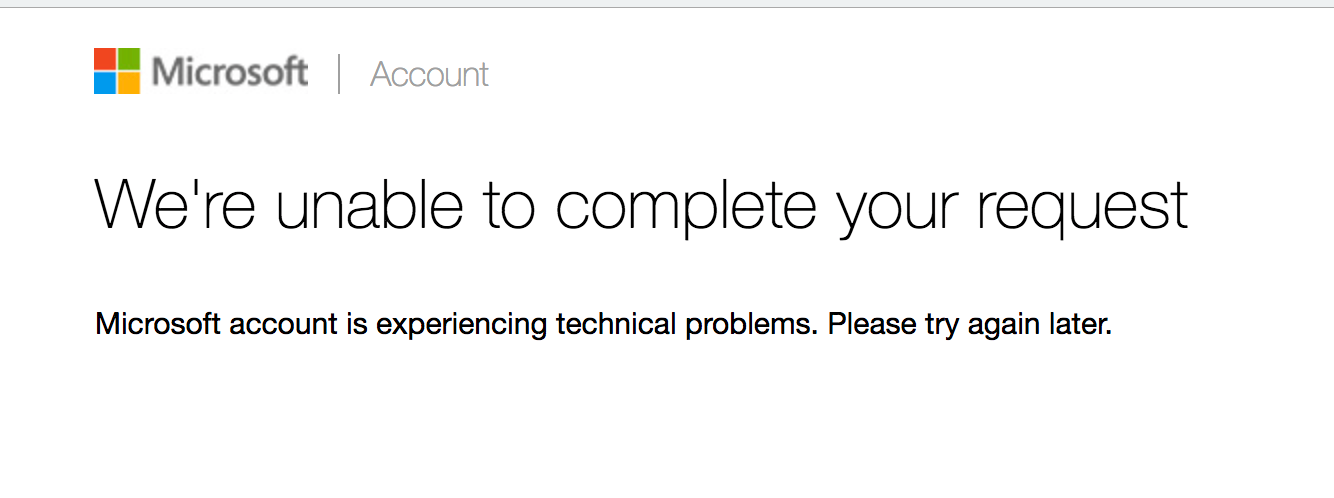
I've confirmed that I've copied the access token in the query string params after signing in with a consumer account at the graph explorer and my SDK options are
clientId: creds.clientId,
action: 'share',
multiSelect: true,
advanced: {
  accessToken: creds.accessToken,
},
Note the omitted endpoint hint
conradmuan
on 14 Dec 2018
Ok, let's shelve consumer for now since its likely unrelated.
I was able to _successfully_ generate a share URL using the above File Picker configuration with a OneDrive for Business account. Here were my steps:
- Register and use application's
clientIdfrom https://apps.dev.microsoft.com/. - Set
endpointHinttohttps://${tenantId}-my.sharepoint.com/personal/${username}_${tenantId}_onmicrosoft_com/. - Generated a valid
accessTokenusing a debug tool.
- Provided
https://${tenantId}-my.sharepoint.comas my Resource URL when generating the token.
- Provided
- Loaded
index.htmlin a clean browser and launched the File Picker. - Logged-in with the same account used in the
endpointHintabove. - Selected a file and clicked "Open".
- The response payload was _successfully_ logged to console on the host
index.htmlpage. - The payload contained a share
webUrlwhich I then used to access the shared document.
@conradmuan, am I testing the wrong scenario? If not, perhaps there is something incorrect with the endpointHint provided OR the "Resource URL" used for generating the accessToken?
I imagine given the 401 that it is related to the accessToken used.
You can use https://jwt.ms/ to decode the token to see if it matches what you'd expect given the endpoint you're trying to auth against.
KevinTCoughlin
on 14 Dec 2018
@conradmuan any update from your end on the above?
KevinTCoughlin
on 18 Dec 2018
sorry @KevinTCoughlin, I am a bit behind. I'm going to try reproing what you provided in shortly.
One thing to note is that we query for the user's endpoint using https://graph.microsoft.com/v1.0/me?$select=mySite on the backend when they auth.
I'm unsure if I get back a mySite from enterprise customers in the form of https://${tenantId}-my.sharepoint.com/personal/${username}_${tenantId}_onmicrosoft_com/ so I'll double check that as well on my end (just a thought, i'm unsure if that's related)
I'll get back to you shortly. Sorry for the delay
conradmuan
on 18 Dec 2018
sorry @KevinTCoughlin, I am a bit behind. I'm going to try reproing what you provided in shortly.
One thing to note is that we query for the user's endpoint using
https://graph.microsoft.com/v1.0/me?$select=mySiteon the backend when they auth.I'm unsure if I get back a
mySitefrom enterprise customers in the form ofhttps://${tenantId}-my.sharepoint.com/personal/${username}_${tenantId}_onmicrosoft_com/so I'll double check that as well on my end (just a thought, i'm unsure if that's related)I'll get back to you shortly. Sorry for the delay
Good to know regarding mySite! We've had some edge cases with that call related to auth which the back-end is working to address. I would be interested to know whether or not you can fetch / construct that tenant URL or if there is work required on our end.
No worries, just wanted to make sure this was still on your radar.
KevinTCoughlin
on 18 Dec 2018
Hi @KevinTCoughlin sorry for the delay,
I must have missed step 3 when I was reading through the response:
Generated a valid accessToken using a debug tool.
- Provided https://${tenantId}-my.sharepoint.com as my Resource URL when generating the token.
did you want me to register a new app and oauth a new accessToken?
If I used an existing accessToken with an existing registered app (Slack), I get a 404 FILE NOT FOUND in the popup window, where endpointHint was https://${tenantId}-my.sharepoint.com/personal/${username}_${tenantId}_onmicrosoft_com/ but I'm actually _guessing_ tenantId and username as my company's name and my username being derived from my email.
Sorry for this back and forth. I'd like to see what you're seeing so if you can tell me:
1) did you want me to register a new app (new client id)
2) do an oauth exchange with whatever script I want to get fresh accessToken
3) Can you explain what this means: Provided https://${tenantId}-my.sharepoint.com as my Resource URL when generating the token.
I have to admit that #3 is curious to me and I think I'm missing something here. What we're doing is a typical oauth flow on the backend: client id, secret and code being exchanged in a POST to https://login.microsoftonline.com/common/oauth2/v2.0/token and then redirected back to a registered redirect uri. At what point am I supposed to be providing a resource URL?
Sorry for all these questions and the delay!
conradmuan
on 18 Dec 2018
I am encountering this bug as well. Any updates on this? When do we have to provide a resource URL?
 Penspinner
on 8 Jan 2019
Penspinner
on 8 Jan 2019
Hi @conradmuan,
I'd like to back up a bit and explain a bunch of context that is needed to understand what is going on here.
The file picker operates by making requests to a public API endpoint of the onedrive/sharepoint services to obtain the file list, get a sharing link etc.
For Consumer/Personal, the requests look like:
GET https://api.onedrive.com/v1.0/{api_path_segments_here}
Authorization: bearer {token_obtained_from_MSA_authority}
For Business, the requests look like:
https://{tenant_hostname}/_api/v2.0/{api_path_segments_here}
Authorization: bearer {token_obtained_from_azure_active_directory; resourceURL=https://tenant_hostname}
However, we also have an aggregator service called Microsoft Graph (https://docs.microsoft.com/en-us/graph/api/overview?view=graph-rest-1.0) which provides a single endpoint that unifies both of the above, and additionally provides access to Active Directory, outlook/calendar and other Microsoft cloud APIs. This has the benefit of requiring only a single access token and a single endpoint to make requests against the entire suite of Microsoft cloud services.
Requests to the Graph endpoint look like:
https://graph.microsoft.com/v1.0/{api_path_segments_here}
Authorization: bearer {token_obtained_from_azure_active_directory; resource=https://graph.microsoft.com}
Note that api_path_segments are generally identical between consumer, business, and Graph, so you can write code once and just swap out the URL prefix to change which API endpoint you are hitting.
By default, the File Picker uses the Graph API endpoint because it handles both Personal and Business without needing to know ahead of time which the user wants to use, and without needing to know the hostname of the tenant the user is part of. However, the endpointHint allows you to override this manually in case you have some special scenario where the Graph endpoint doesn't make sense.
By default, the File Picker also prompts the user to login and will obtain an access token for the Graph endpoint. However, if your application already has prompted the user to login (as is the case for you), you can provide your own access token provided it is valid for the API endpoint that the file picker is trying to make requests against - in the default case, Graph.
So in summary, I believe you have the following options:
1) Do not specify endpointHint, and ensure you obtain accessToken using resourceUrl=https://graph.microsoft.com. You will need to make sure your app is registered with permissions to access the Graph API.
2) Specify endpointHint=https://{tenant_hostname}/, and ensure you obtain accessToken using resourceUrl=https://{tenant_hostname}. You will need to make sure your app is registered with permissions to access the SharePoint Online APIs.
Thanks,
Kevin L
 kevklam
on 8 Jan 2019
kevklam
on 8 Jan 2019
I have to admit that #3 is curious to me and I think I'm missing something here. What we're doing is a typical oauth flow on the backend: client id, secret and code being exchanged in a POST to
https://login.microsoftonline.com/common/oauth2/v2.0/tokenand then redirected back to a registered redirect uri. At what point am I supposed to be providing a resource URL?
It's dependent on how you registered the app and how you're obtaining the token. There's far too many ways to authenticate today, including:
1) Roll your own OAuth 2 flow (as you're doing) against either the AAD v1 or AAD v2 endpoints (https://docs.microsoft.com/en-us/azure/active-directory/develop/azure-ad-endpoint-comparison)
2) Use the older ADAL library on your platform to authenticate against AAD v1 or AAD v2(?) endpoints. This will ask you for a resourceURL/audience.
3) Use the newer MSAL library on your platform to authenticate against AAD v2 endpoint
There's also 'converged' apps and 'aad-only' apps, which I won't get into here.
In your case, since you're authenticating against AAD V2 and not specifying a resourceURL, I believe you are using a 'converged' app and getting a token for the Graph endpoint.
You should be able to paste your token into a JWT decoder and check the claims contained inside. The "aud" claim is the "audience" or resourceURL.
kevklam
on 8 Jan 2019
hi @kevklam
This is great context. Thank you.
On our end, I can indeed confirm that we're authing against AAD V2 and not specifcying a resourceUrl. I don't think we ever pass resourceUrl as a param in any requests, actually.
Given that, would these 2 assertions still apply?
- Do not specify endpointHint, and ensure you obtain accessToken using resourceUrl=https://graph.microsoft.com. You will need to make sure your app is registered with permissions to access the Graph API.
- Specify endpointHint=https://{tenant_hostname}/, and ensure you obtain accessToken using resourceUrl=https://{tenant_hostname}. You will need to make sure your app is registered with permissions to access the SharePoint Online APIs.
If I'm understanding this correctly, should leaving endpointHint out still work because the file picker would default to the graph endpoint?
When I do this, I'm prompted to login even though I'm already providing an accessToken (I mentioned it above https://github.com/OneDrive/onedrive-api-docs/issues/958#issuecomment-447430252)
Other potential useful info:
- Decoding the jwt
accessToken, theaudclaim ishttps://graph.microsoft.com
conradmuan
on 8 Jan 2019
Hi @conradmuan,
I don't personally work on the file picker (my area of focus is the web APIs), so I'm not familiar with the detailed nuances of how it handles specific inputs. You can probably specify endpointHint=https://graph.microsoft.com, or https://graph.microsoft.com/v1.0, or some variant thereof.
Your 'aud' claim looks correct for using the Graph endpoint.
Thanks,
Kevin
kevklam
on 8 Jan 2019
Hi @kevklam
Setting the endpointHint value to the following variants don't work. Here are the results:
https://graph.microsoft.com/v1.0/ (and without the trailing /)
{
  "error": {
    "code": "InvalidAuthenticationToken",
    "message": "Access token is empty.",
    "innerError": {
      "request-id": "f0f49166-c465-466f-bbdb-e97c6ff51913",
      "date": "2019-01-08T22:16:48"
    }
  }
}
(Though I can confirm that in this case, I am providing an accessToken)
https://graph.microsoft.com/ (and without the trailing /)
This just redirects the picker to a page, https://developer.microsoft.com/en-us/graph.
Understood re not your domain knowledge so I appreciate the time you took in explaining how the picker interacts with the web apis
conradmuan
on 8 Jan 2019
@conradmuan
The Picker docs currently specify that the Graph endpoint can be omitted if:
It is not required if the app talks to Microsoft Graph API.
https://docs.microsoft.com/en-us/onedrive/developer/controls/file-pickers/js-v72/open-file?view=odsp-graph-online#advanced-options
So let me see if your latest configuration causes the File Picker to omit the accessToken due to faulty logic and circle back. That would certainly be a bug.
KevinTCoughlin
on 9 Jan 2019
@KevinTCoughlin
http://js.live.net/v7.2/OneDrive.debug.js
                if (!!options.advanced.endpointHint) {
                    if (options.advanced.endpointHint.toLowerCase() === Constants_1.default.VROOM_ENDPOINT_HINT) {
                        this.endpointHint = DomainHint_1.default.msa;
                        if (typeof options.advanced.isConsumerAccount === 'undefined') {
                            this.isConsumerAccount = true;
                        }
                    } else {
                        var domainHint = TypeValidators_1.validateType(options.advanced.endpointHint, 'string', false);
                        UrlUtilities_1.validateUrlProtocol(domainHint);
                        this.endpointHint = DomainHint_1.default.tenant;
                        if (typeof options.advanced.isConsumerAccount === 'undefined') {
                            this.isConsumerAccount = false;
                        }
                        this.siteUrl = domainHint;
                    }
                    if (!!options.advanced.accessToken) {
                        this.accessToken = options.advanced.accessToken;
                    }
                }
Not sure if this is the exact part. But it looks like if the endpointHint is falsy, then it wouldn't go into that if block + not set this.accessToken to options.advanced.accessToken.
Penspinner
on 9 Jan 2019
@Penspinner yeah good point - but even when I looked into this by forcing my endpointHint to be a specific URL (like https://myorg-my.sharepoint.com/personal/user_myorg_onmicrosoft_com) and logged it to ensure it was truthy, I was still forced to log in despite also passing an accessToken.
Make sure you use an incognito window or clear cache between tests - that's what tripped me up initially here.
@kevklam I tried specifying the resourceUrl in my token request and even that doesn't work. It seems like no matter what combination of things I try, I just can't the accessToken to prevent another round of auth :(
This is proving to be a real challenge for us as we attempt to debug for users who have granted us oAuth access but have issues where every time the picker popup opens, it immediately closes and we can't figure out why.
Any ideas on further workarounds for preventing double login?
 etyp
on 10 Jan 2019
etyp
on 10 Jan 2019
@etyp Yes. I know. I am encountering the same issue. My comment was a response to KevinTCoughlin's comment.
Penspinner
on 11 Jan 2019
@etyp @Penspinner see my response in https://github.com/OneDrive/onedrive-api-docs/issues/943#issuecomment-469916583 re: accessToken usage.
I debugged the issue @conradmuan faced and it was due to the accessToken being invalid for the tenant supplied via endpointHint. I'd like to close this issue soon.
Perhaps we can have the accessToken conversation in the above linked issue?
If you are still facing issues unrelated to accessToken bypassing auth, please raise issues separately so I can triage and debug.
KevinTCoughlin
on 6 Mar 2019
@Penspinner re: your analysis of the endpointHint logic, you may be onto something which we'll be in a better position to collaborate and fix soon. The accessToken will still only bypass the SDK wrapper, see above linked comment.
KevinTCoughlin
on 6 Mar 2019
Understood, thanks @KevinTCoughlin -- we'll make sure our customers are aware of the need to double sign in for now. We might even remove the oAuth connection to avoid confusion and the auto closing issue above.
Thanks again for the update
etyp
on 6 Mar 2019
@KevinTCoughlin Thanks for responding.
I debugged the issue @conradmuan faced and it was due to the
accessTokenbeing invalid for the tenant supplied viaendpointHint.
What do you mean by invalid for the tenant supplied? Should it work if the access token was created with common as a tenant?
https://docs.microsoft.com/en-us/azure/active-directory/develop/v2-oauth2-auth-code-flow#request-an-access-token
Penspinner
on 19 Mar 2019
What do you mean by invalid for the tenant supplied? Should it work if the access token was created with
commonas a tenant?
The access token that was being used was for Microsoft Graph not for the tenant it was trying to authenticate against IIRC.
I don't know re: common as a tenant. At the end of the day, you can't bypass authentication today by providing an accessToken.
It _only_ bypasses the round of authentication that the Picker OAuth application does if any.
The framed page will still request authentication if state isn't already stored as a cookie.
KevinTCoughlin
on 19 Mar 2019
Is there any update here?
- I'm testing it with a MS personal account
- using
action: 'share' - providing a valid
access token(I tested calling the graph API using Postman). endpointHint: 'api.onedrive.com'
Everything seems to be working fine, but when I select the file, I still got the 401 error when the file picker perform the API request to get the shareable link.
 cbuffevant
on 1 Nov 2019
cbuffevant
on 1 Nov 2019
Here are my findings in the hope that this can be resolved:
This issue is not restricted to the share action alone. I am getting the same issues using the download action. The query action works and returns an object with file details as expected. Using the query action I have noted that the accessToken property is not required. If its not there you are required to authenticate via the popup. If you have a token you are passed through to the endpointHint as expected.
The issue lies when using download or share. If I remove the accessToken property using the download or share action, I receive:
[OneDriveSDK] Failed due to unknown error
So therefore accessToken is required if using the endpointHint with the download or share action. Using the same process of handing over an accessToken I tested with the query action, if we were to use the download or share action we get the dreaded 401 error back when selecting a document.
The only solution at the moment seems to be not using the endpointHint property in the options (not ideal). Therefore, by default you end up in your OneDrive for Business document store e.g. https://contoso-my.sharepoint.com/personal/foo_contoso_onmicrosoft_com/ (if you select a file here an object with file details is returned to your app as expected) and if you are able to navigate to the sharepoint site or document library required (therefore, don't disable navigation you will get an error). In this scenario you are able to select a file and those details are returned to your app with no errors.
Obviously these findings are related to my requirements of opening the popup at a specific sites document library/store. In an ideal world I would like to disable the navigation sidebar and select the columns disabled.
 matfricker
on 29 Nov 2019
matfricker
on 29 Nov 2019
Related issues
 audiorecorder
·
5Comments
audiorecorder
·
5Comments
 indigane
·
9Comments
indigane
·
9Comments
 rloehr
·
8Comments
rloehr
·
8Comments
 ANorwell
·
7Comments
ANorwell
·
7Comments
 kverhoef
·
3Comments
kverhoef
·
3Comments
Most helpful comment
Is there any update here?
action: 'share'access token(I tested calling the graph API using Postman).endpointHint: 'api.onedrive.com'Everything seems to be working fine, but when I select the file, I still got the 401 error when the file picker perform the API request to get the shareable link.