Olive: [nodes][UI] Parameters on Nodes is Nightmare Hellscape
Description: Nodes UI would require a sidebar panel for interface variables.
Summary: Putting the UI on the nodes / vertices in a DAG is a -9 curse of Nightmare Hellscape. There is a very good reason Fusion, Nuke, Houdini, Lightworks, and every other DAG based UI component isolates the parameters for the interface to an adjacent panel. Blender is the only software to put UI on the nodes themselves, and it has been such a disaster that it required a "Background image" hack to fix a problem it created.
The issue is that the variables are complex and the UI of the actual node graphs are a visual representation of various processes. Keeping that UI as contained as possible is critical, and solves all sorts of UI problems such as tab focus etc.
So a huge +10000 for Nodes integration, taken with a gargantuan warning to nip the problem of UI on the nodes in the ass right away. Don't let the UI pattern Blender uses drag the work into the problem gutter.
 sobotka
All 35 comments
I haven't even really used Olive yet, but if this is the case, as mentioned above, then I agree 5,000% Don't place the node's UI on the nodes themselves. Very bad idea. Create a separate window for the parameters.
 Chadt54
on 15 Apr 2019
Chadt54
on 15 Apr 2019
From my understanding, this suggestion is not only to remove the UI from Nodes in the Node Graph, but to completely disallow the UI in the Nodes. Thus being able to hide the Node UI would not fix the problem, as it would allow a user to still create a huge Node graph mess.
Completely removing the UI (No settings, or hide triangle) would also force the user to use a dedicated control UI panel. This would also significantly simplify the drawing of the Node Graph, both in code logic & Qt drawing time.
That said, the Node UI (as even a text label is a UI of sorts) should only relate to the node connections themselves. (housekeeping etc):
- Thumbnail of node processing
- Port Names
- Name of Node
- Right click to delete, disconnect all etc.
- Color of node based on group (Generator, Distort etc)
- Displayed on viewer (see Fusion workflow: able to display output of node on viewer 1 or 2)
 alcomposer
on 15 Apr 2019
alcomposer
on 15 Apr 2019
Now that I've gotten the chance to use the program and play around for a few minutes, I don't see a nodes window at all. Is this just talk for a future implementation of nodes, or am I missing something? Where is the Node Graph?
Chadt54
on 15 Apr 2019
Okay gotcha. To be honest, my only real experience of nodes is Blender so I largely used that as a model, but I will heed the warning and separate it.
@Chadt54 Nodes are in the nodes branch. They're extremely new (only about a week into development) and underdeveloped at the moment so largely this is discussion of future implementation.
 itsmattkc
on 15 Apr 2019
itsmattkc
on 15 Apr 2019
+1 for that. I've used Blender and Natron for compositing and Natron (copying Nuke) had a much better design - making the graph only show the graph, and the node settings be on a separate panel.
This however can also be handled in numerous ways.
Natron had a vertical "Properties" panel where each node's settings could be opened, and closed as an individual section in that panel. I always had some trouble dealing with that and many times I have changed parameters of a wrong node.
I assumed in my mind that if I select any node - it's properties will automatically show on the top of the list - and that was not the case leading to many errors on my side.
Maybe it'd be good to have the properties panel always display the selected nodes' properties on top (in a highlighted frame, to visually reference the highlight of the actively selected node) and provide an option to "pin" such panel for later use - then once deselected, the node will not hide it's properties, but they'll stay opened below the top item.
Also - highliting nodes and properties panels on mouse over to show what relates to what could be very useful.
What do you think?
 unfa
on 17 Apr 2019
unfa
on 17 Apr 2019
Some design decisions in Blender are probably questionable. Not sure if any changes were made to the Node editor in the upcoming version 2.8. Are everyone's opinions regarding the Node UI based on 2.7x?
The Godot game engine has a vastly different UI and UX compared to Blender, but they also have parameters on the nodes in their visual shader editor:
https://youtu.be/sf_Dc4ew3eM?t=146
Haven't used that either, but the concept seems sound to me. Would nodes in Olive have much more properties per node?
 Simran-B
on 18 Apr 2019
Simran-B
on 18 Apr 2019
No one can know what variables are involved for any given node. There are enough industrial grade applications that have completely avoided the UI components on the nodes to be compelling enough.
Remember, the node view is an overall, top level vantage of a particular series of transforms. Those can become remarkably complex, and as such, space is at a dire premium. Short of a small thumbnail, visual icon, or colour, it’s simply the wrong place for UI, and an absolutely wretched decision.
sobotka
on 18 Apr 2019
I can see the benefits of only showing how things are interconnected, but doesn't that mean you can only look at the properties of one node at a time? I guess for Olive this would be fine, but in a material editor it sounds hindering to me if you can't see the properties of multiple nodes at once and need to click on one before you can tweak a value (unless you use a principled shader, you often need to tweak multiple values of different nodes to keep photo realism for instance).
In the end, it's about the usability for your personal workflow I guess. I don't see a reason why a UI couldn't offer two view modes though (it's more work to implement of course, but that's not my point).
Simran-B
on 18 Apr 2019
Gaffer
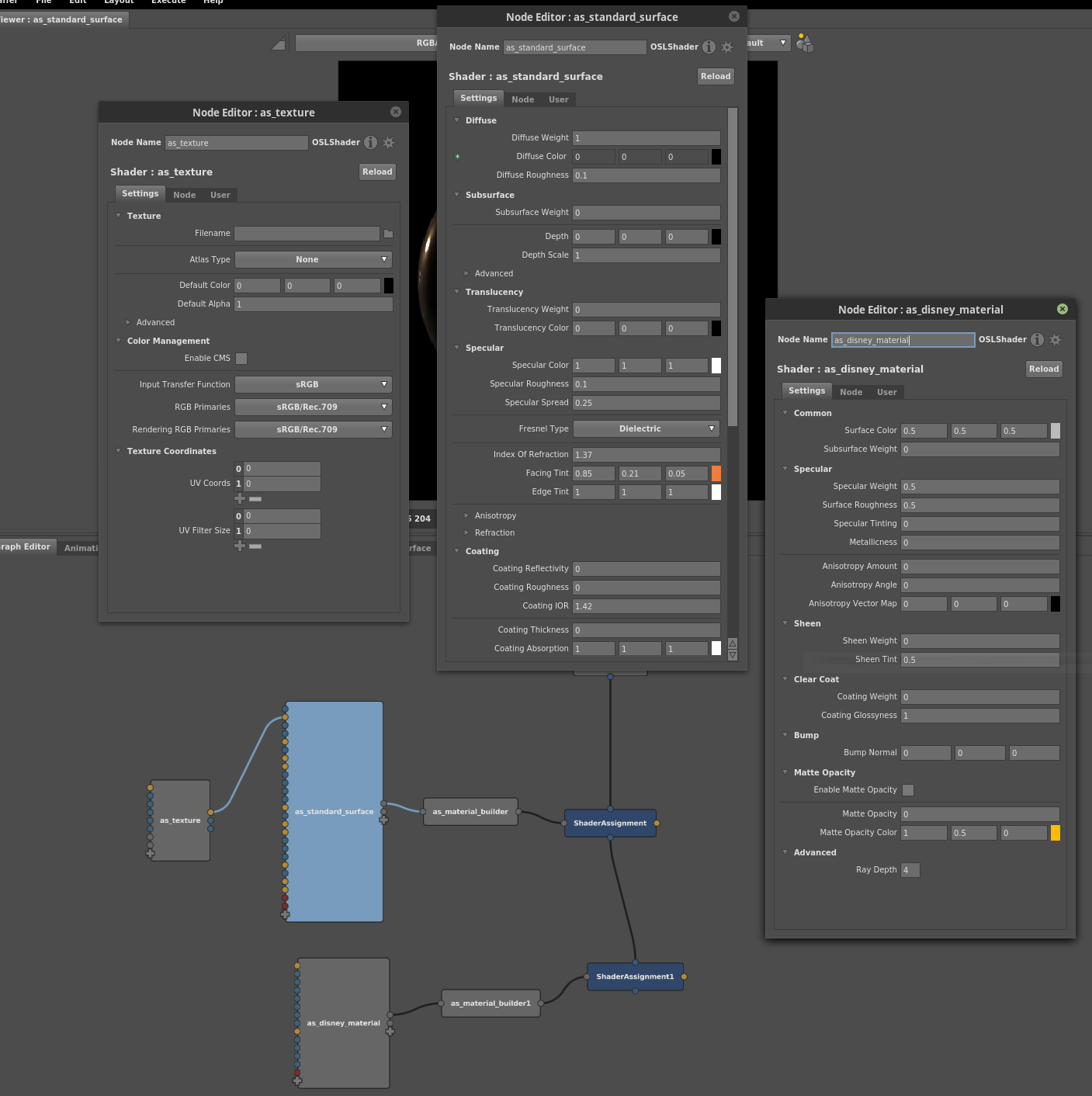
Chadt54
on 18 Apr 2019
Houdini
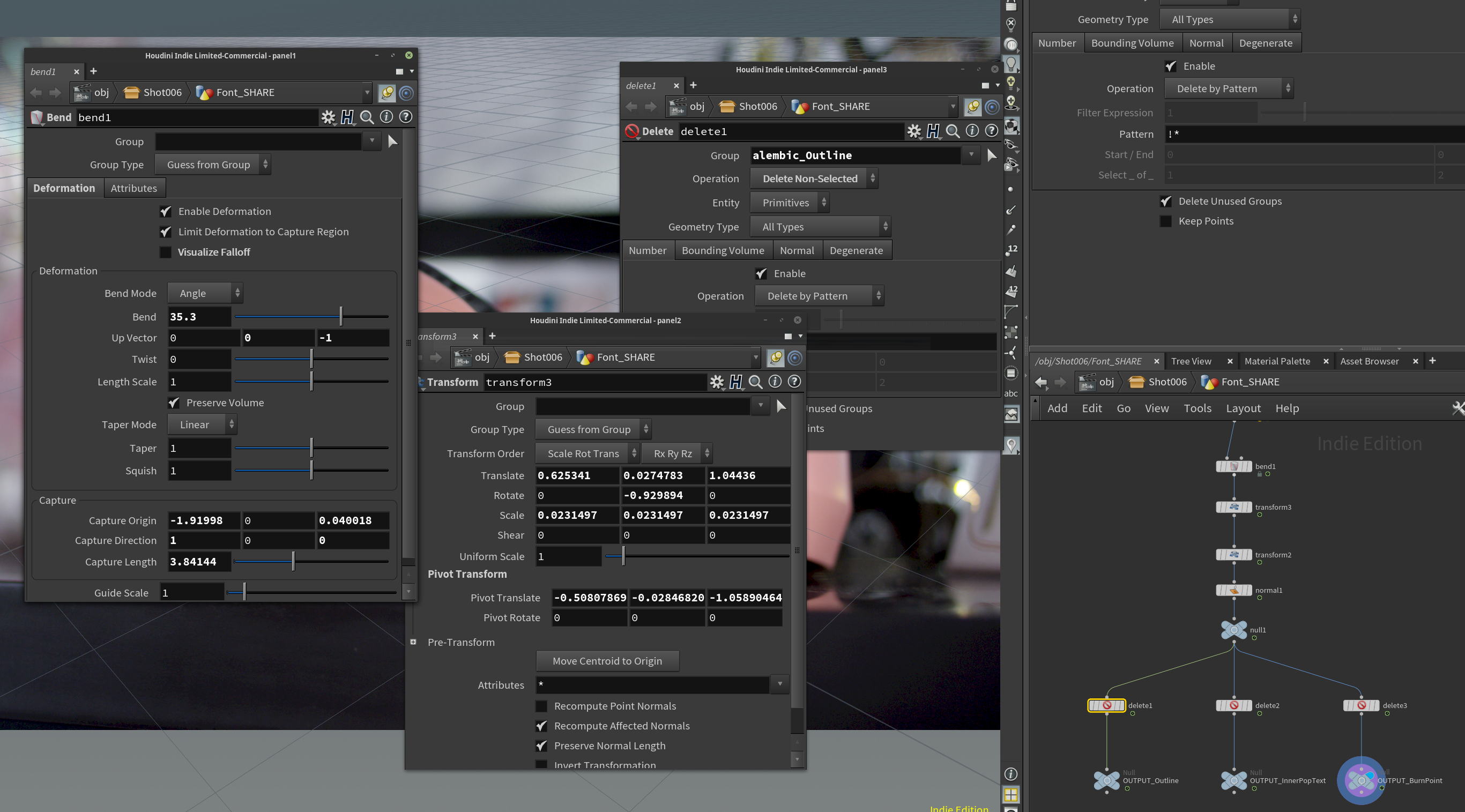
Chadt54
on 18 Apr 2019
Guerilla Render

Chadt54
on 18 Apr 2019
Natron(/Nuke)
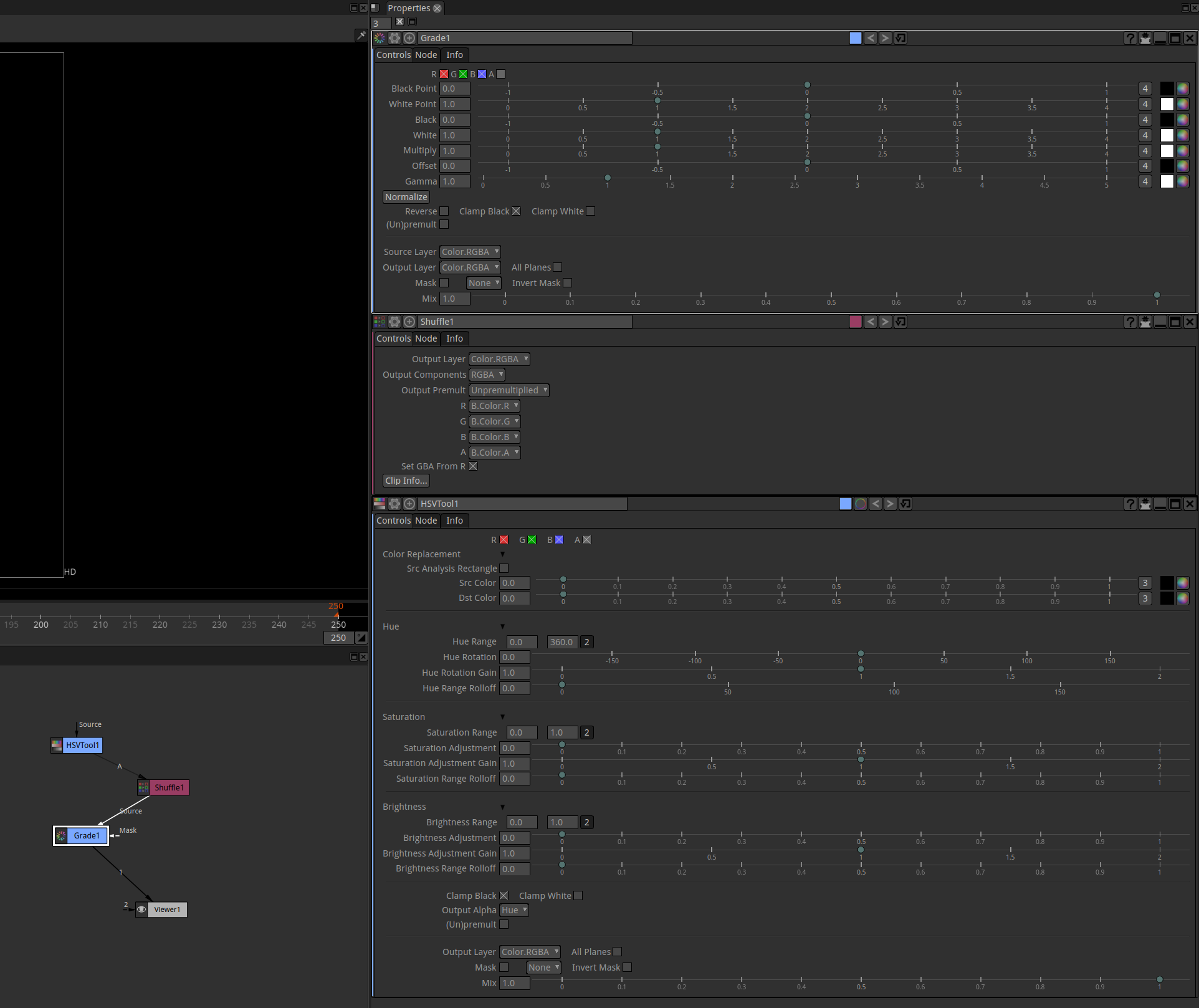
Chadt54
on 18 Apr 2019
DaVinci Fusion
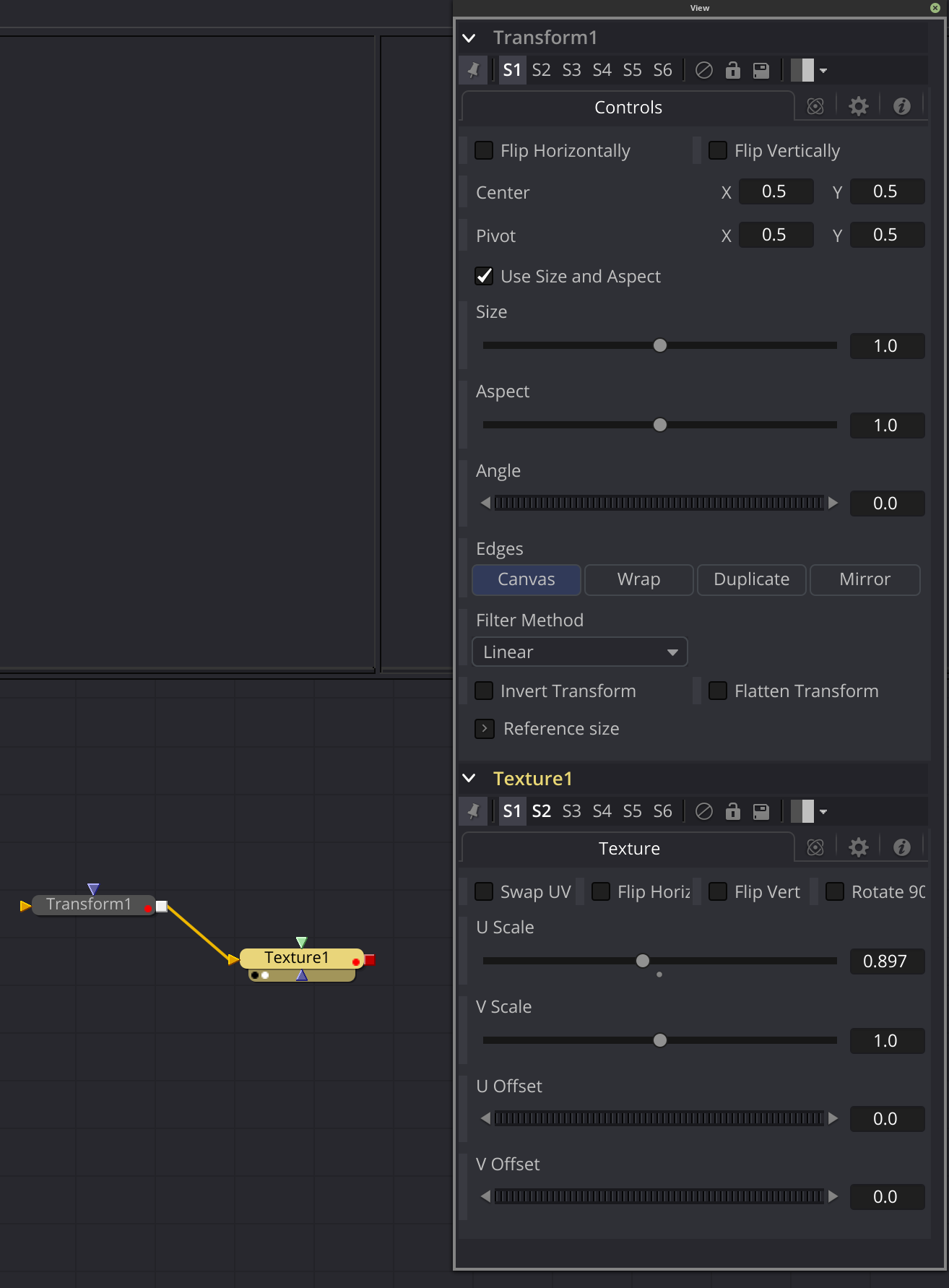
Chadt54
on 18 Apr 2019
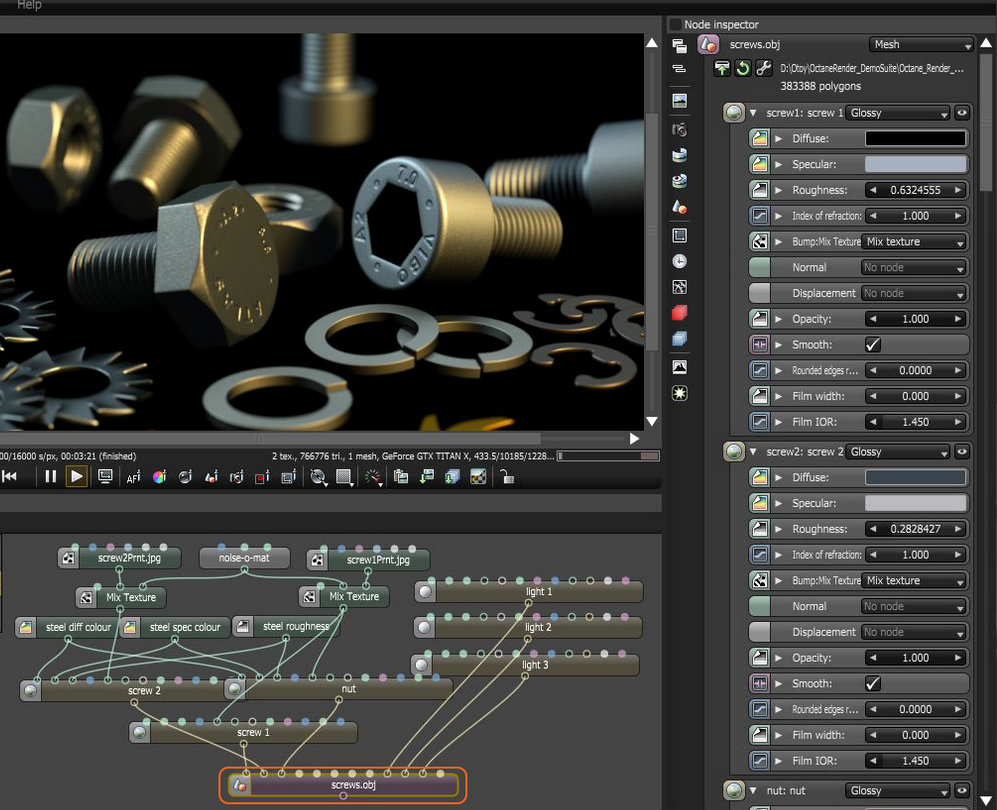
Octane Render
Chadt54
on 18 Apr 2019
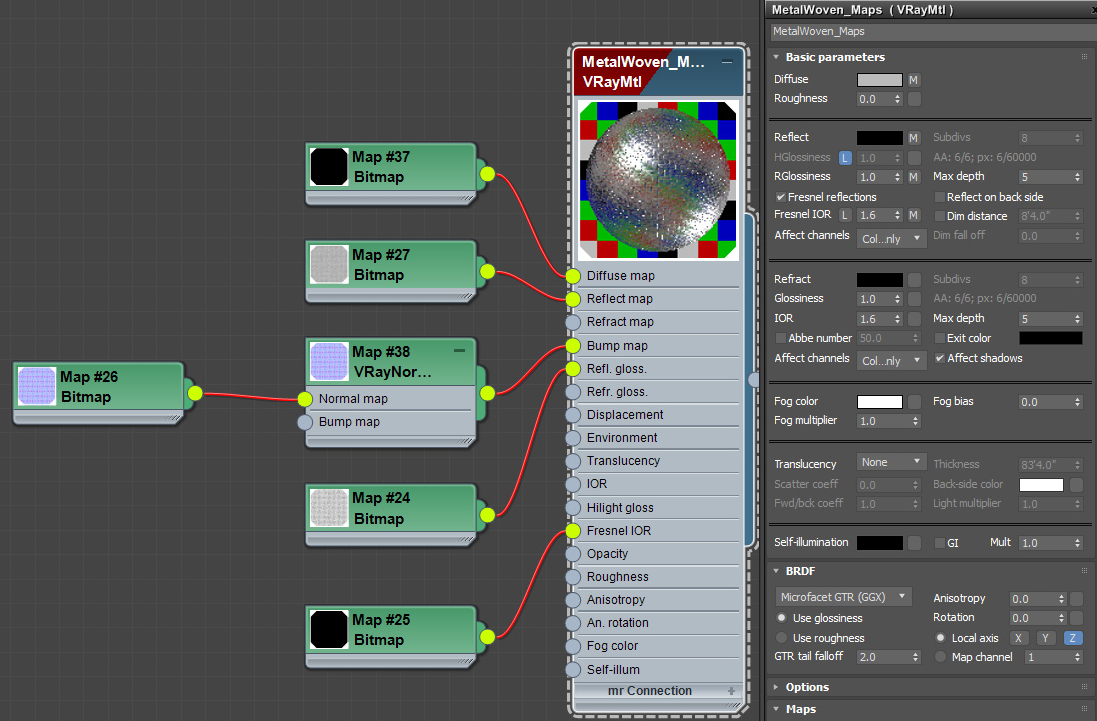
3ds Max Material Graph
Chadt54
on 18 Apr 2019
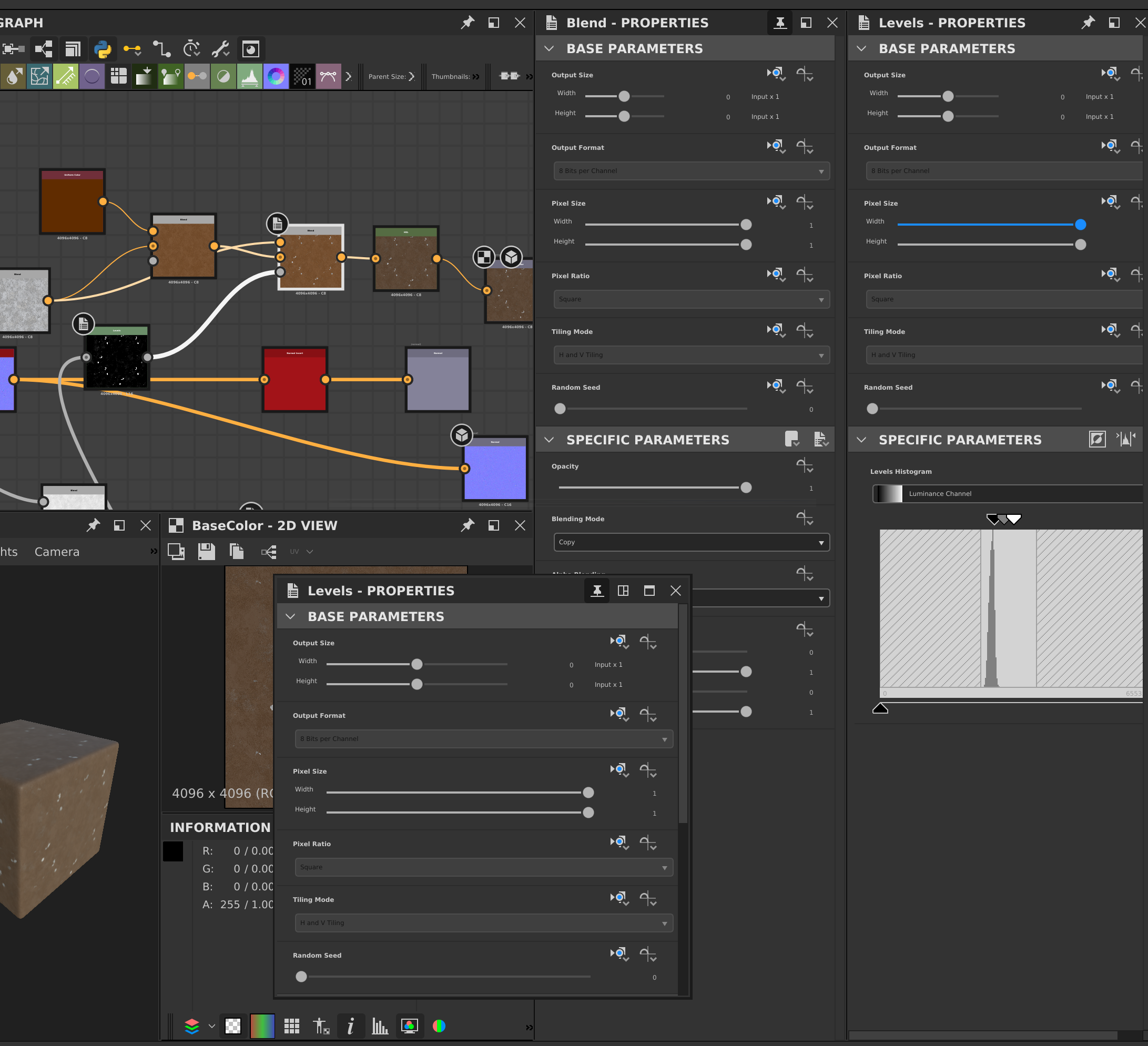
Substance Designer
Chadt54
on 18 Apr 2019
With that many properties per node it wouldn't make any sense to display them as part of the node. I haven't seen anything that messy in Blender however. Perhaps because there you use multiple nodes with a few properties each instead of a single node with hundreds of properties? Such monster nodes look like a design problem of their own. Also, separate property windows (per node) seems nasty, but I guess if you don't have to edit multiple nodes at once often then it should be acceptable.
Whatever software https://github.com/olive-editor/olive/issues/802#issuecomment-484444160 is, they get a lot of things right:
- The graph flow is top to bottom instead of left to right, with the connection points horizontal where you have more screen real estate
- The properties pane isn't a total mess, with good widgets by the look of things, and with collapsible sub-properties
- Visual hierarchy
The node icons might be a bit too small and hard to read. I like these https://github.com/olive-editor/olive/issues/802#issuecomment-484441746 but they take up a lot of space...
Simran-B
on 18 Apr 2019
@Chadt54 can you label each screenshot of nodes with the software that it is from?
alcomposer
on 18 Apr 2019
@alcomposer
Updated.
Chadt54
on 18 Apr 2019
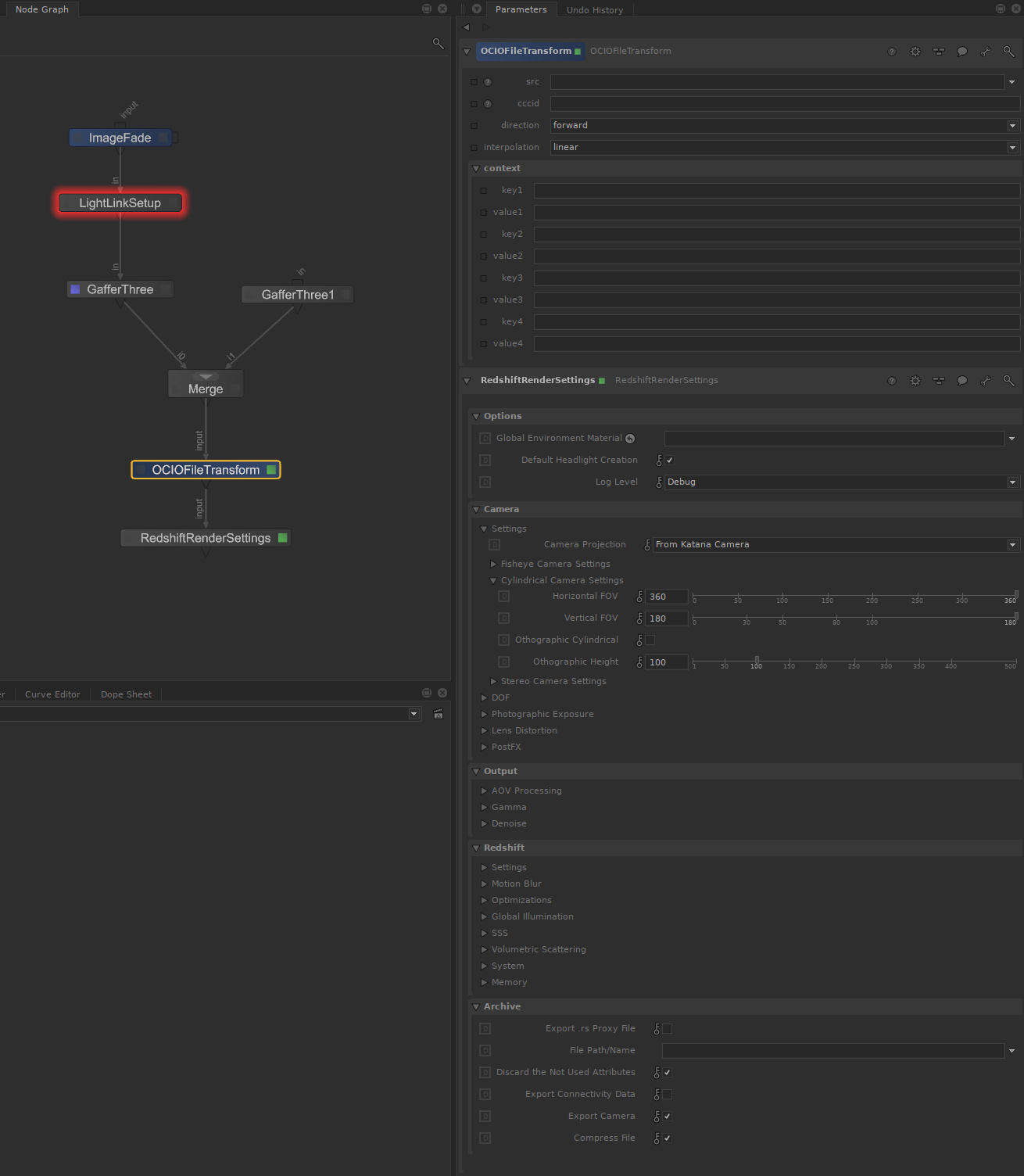
The Foundry Katana
Chadt54
on 18 Apr 2019
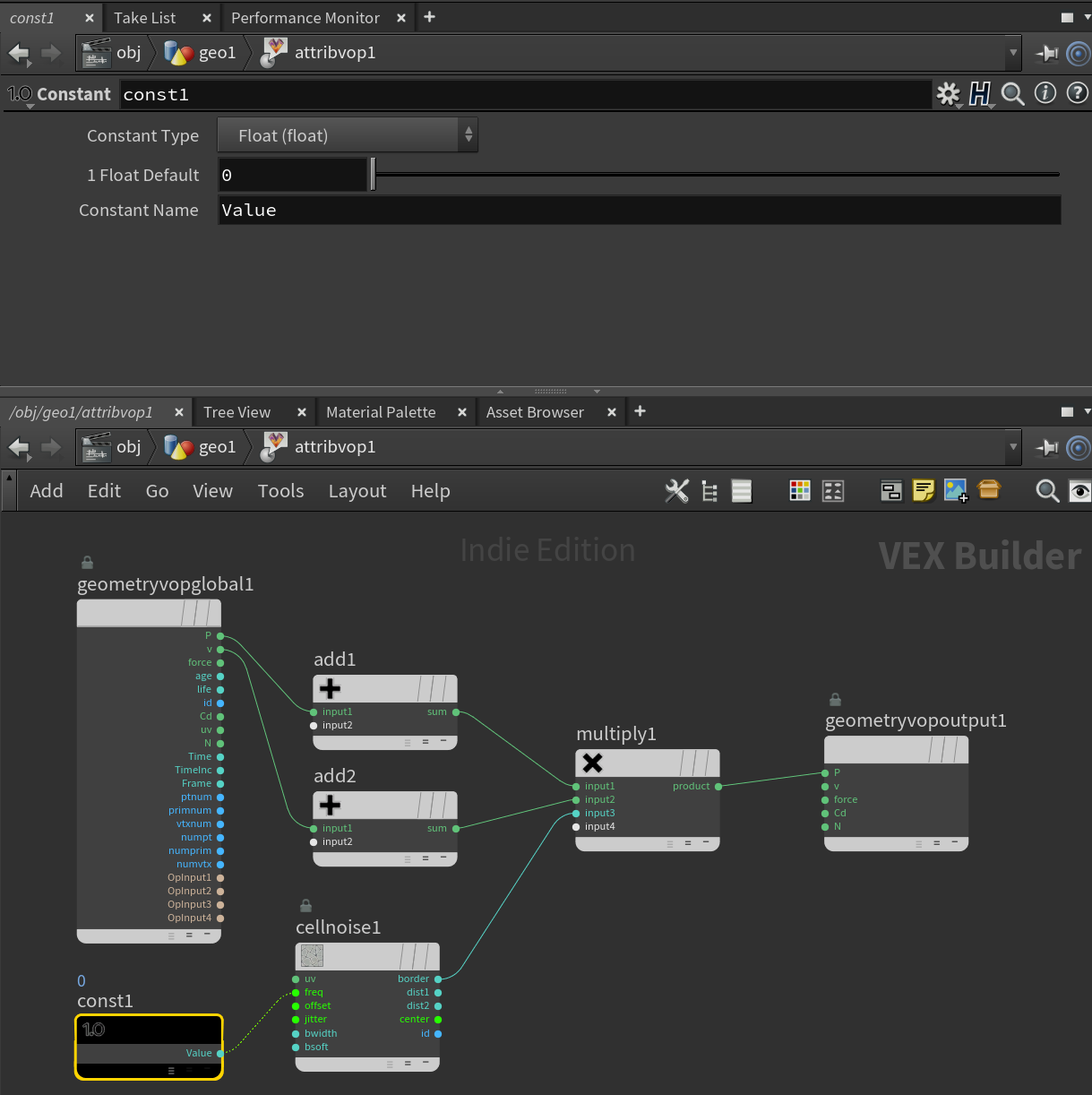
Houdini VOP Network
Chadt54
on 18 Apr 2019
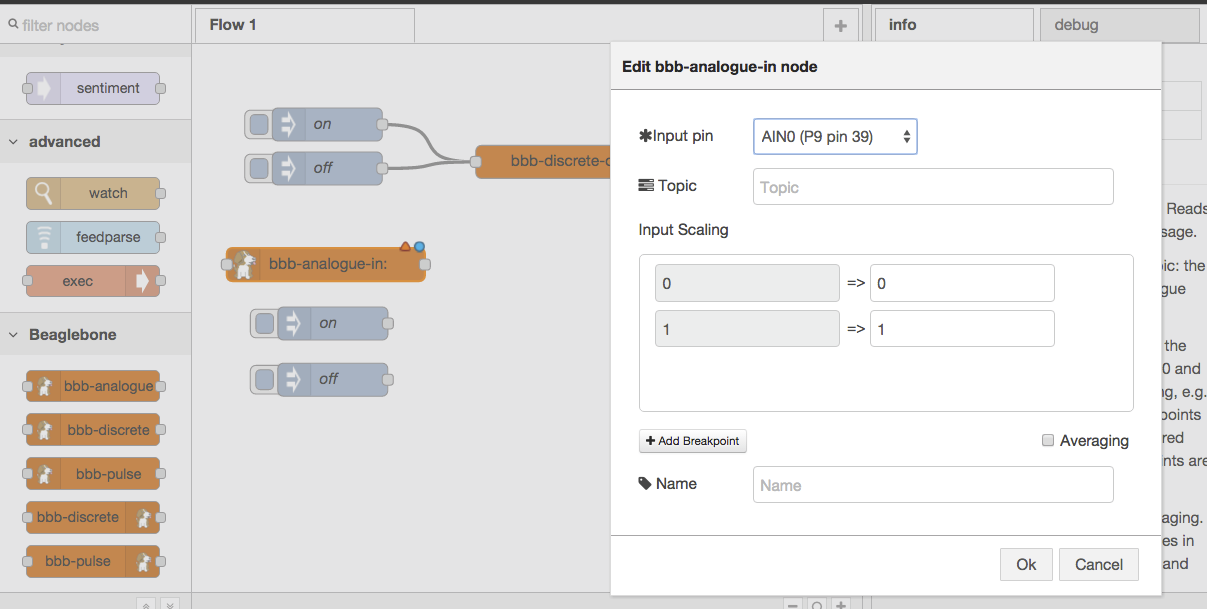
Node RED
Chadt54
on 18 Apr 2019
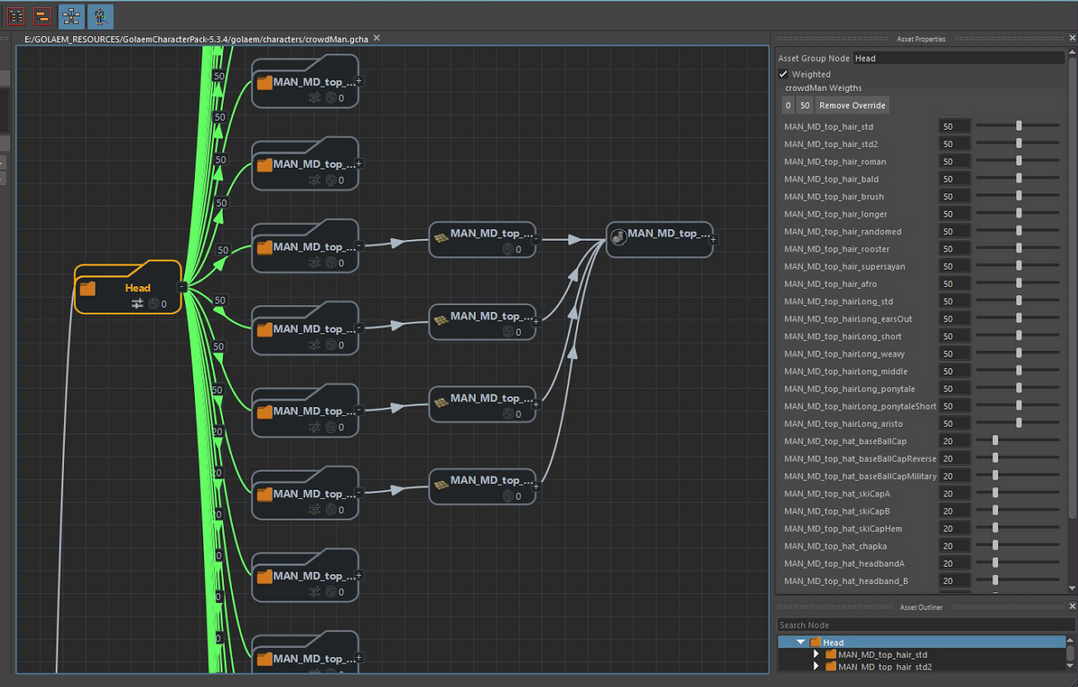
Golaem Crowd Simulation
Chadt54
on 18 Apr 2019
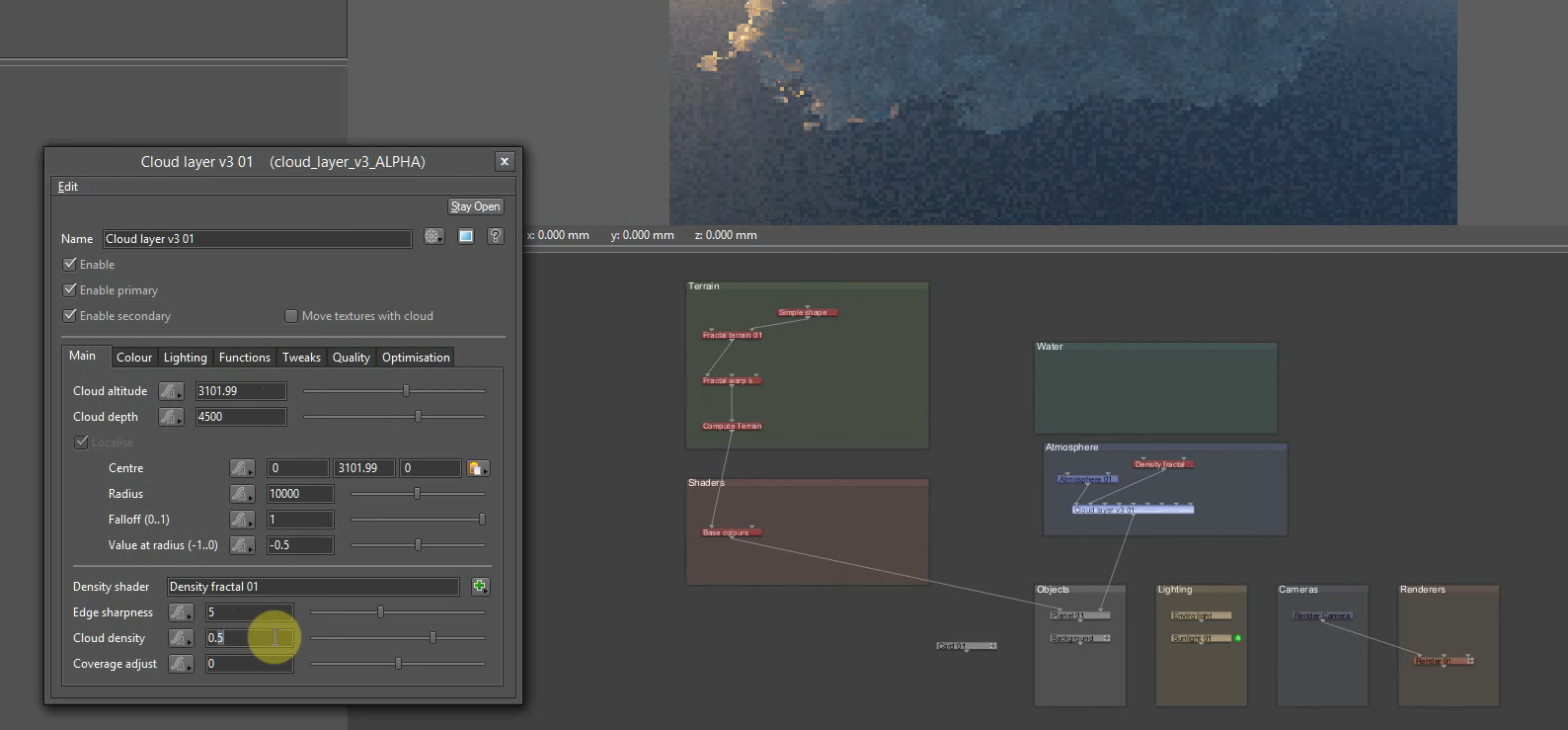
Terragen
Chadt54
on 18 Apr 2019
Unity Mecanim

Chadt54
on 18 Apr 2019
...and some node-based software I started working on recently in my spare time haha... still in the Hello World stages.. ;)
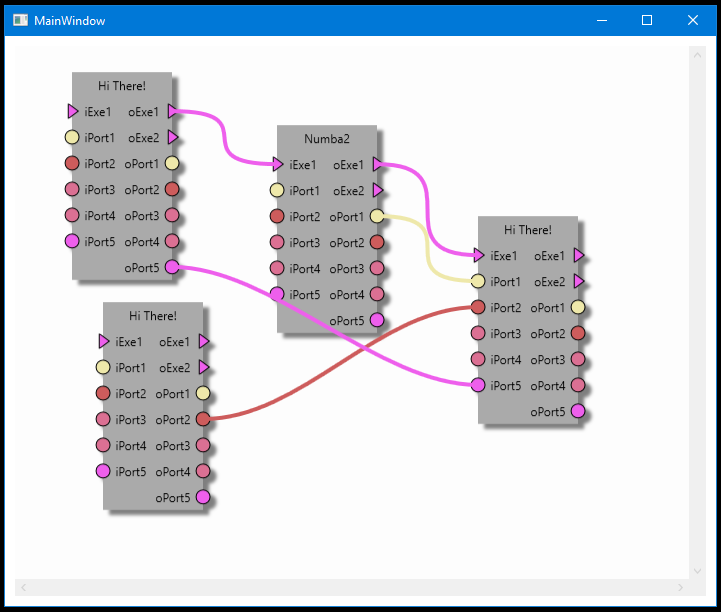
Chadt54
on 18 Apr 2019
This issue is more or less closed, given Matt is moving the interface components to a side view.
@chadt54, thanks so much for posting the various examples as to why you shouldn’t be putting UI controls on nodes. It can serve as a visual reminder in the future.
It is simply a bad idea.
@simran-b “Visual Hierarchy” is up to the author. A good DAG view permits the crafted to left to right, top to bottom, or whatever they prefer. The only caveat on a DAG is that they are acyclic.
sobotka
on 18 Apr 2019
No problem! It was fun to gather the examples. :)
Chadt54
on 18 Apr 2019
Autodesk Flame/Flair/Smoke
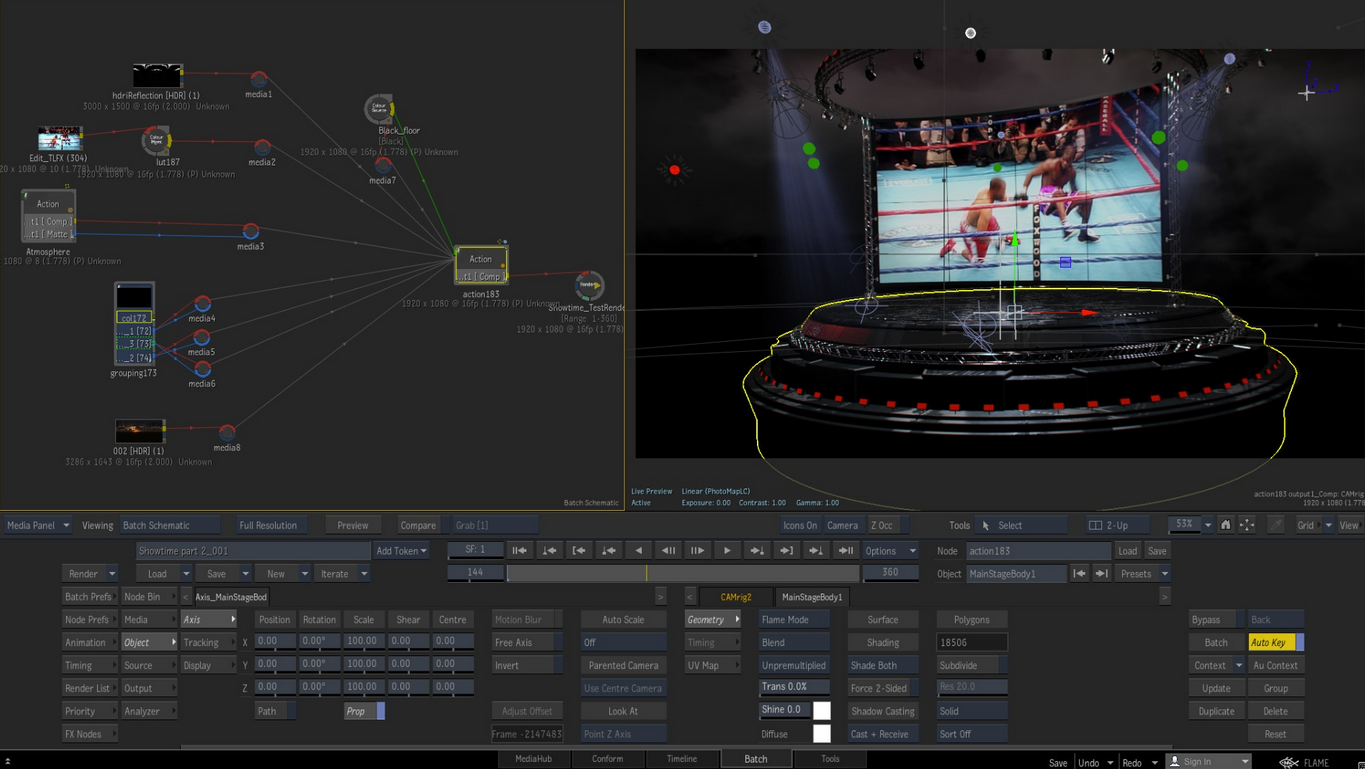
Chadt54
on 18 Apr 2019
Just a head up if it helps>
If Olive Team is planning for OFX integration then I believe it will be much more better to consider the OFX standard UI while designing as well.
As a non standard OFX UI will suffer a lot just like Fusion did. A good guideline for this design can be found in Natron or Da vinci Resolve as reference. Thanks.
 cgvirus
on 2 May 2019
cgvirus
on 2 May 2019
@cgvirus Probably a good note for #456 . Either way, the node UI has been separated now
itsmattkc
on 2 May 2019
OFX is a bit of a bomb, frankly. Great for little canned effects shops trying to sell AE plugins, but for actual lifting? Not so much.
sobotka
on 2 May 2019
@sobotka Sorry, I wasn't clear enough. I meant the side panel on the right-hand side in Octane Render (Node Inspector):
Octane Render
It has a good visual hierarchy: screw1, screw2 etc. have a rectangle around them and the icon of each object is off-set to the left, so it's really easy to see groups. Options like Diffuse seem to be expandable (arrow to the right) instead of displaying all (sub-)properties at once (dunno how it actually looks expanded).
But I also like that they have the connectors on nodes in the graph editor on the top and bottom sides. Not sure if it's better than left and right, or if one should be able to choose the "direction".
Simran-B
on 2 May 2019
@itsmattkc @sobotka is actually right. Although OFX is possibly the most common bridge between plug and host used by the industry, It's nothing but a curated C API. Also hacking this is hellish. I have found Olive is maintaining it's code in a clean and modern pattern.
Just mentioned as I saw in project board Olive Team was considering OFX integration. If so, then it will need OFX UI design decision as well.
cgvirus
on 2 May 2019
@Simran-B I couldn’t disagree more with your analysis. (Thanks again to @Chadt54 and his excellent gathering of resources here.)
A view of a DAG should communicate general flow and topography. If you A / B compare Fusion / Nuke / Houdini vs Octane, one of them is communicating _vastly_ too much information to achieve a topographical goal.
Even with the few nodes listed in the Octane demonstration, it is already an unwieldy mess. Try to visualize how a complex node chain would look in the awfully designed Octane view such as this demo in Nuke from nearly a decade ago. Notice the emphasis on the edges (Pipes) and less on interactive UI elements on the vertices (Nodes).
sobotka
on 2 May 2019
Related issues
 winfr34k
·
20Comments
winfr34k
·
20Comments
 LeandroStanger
·
25Comments
LeandroStanger
·
25Comments
 pgilfernandez
·
18Comments
pgilfernandez
·
18Comments
 Symbian9
·
27Comments
Symbian9
·
27Comments
 SebastianTheFish
·
28Comments
SebastianTheFish
·
28Comments