Olive: Swirl effect removes transparency
[If you are reporting a bug, please try to fill out all the information below. If you are requesting a feature, you can clear this template.]
System Information
Olive version: 675ea94
Source: PPA
Operating system: Ubuntu 18.10 64-bit
CPU: Intel i7
RAM: 8GB
GPU: NVIDIA Geforce GT 1030 2GB
Detailed Description
Adding a swirl effect to an transparent image removes transparency of the image. See gif below
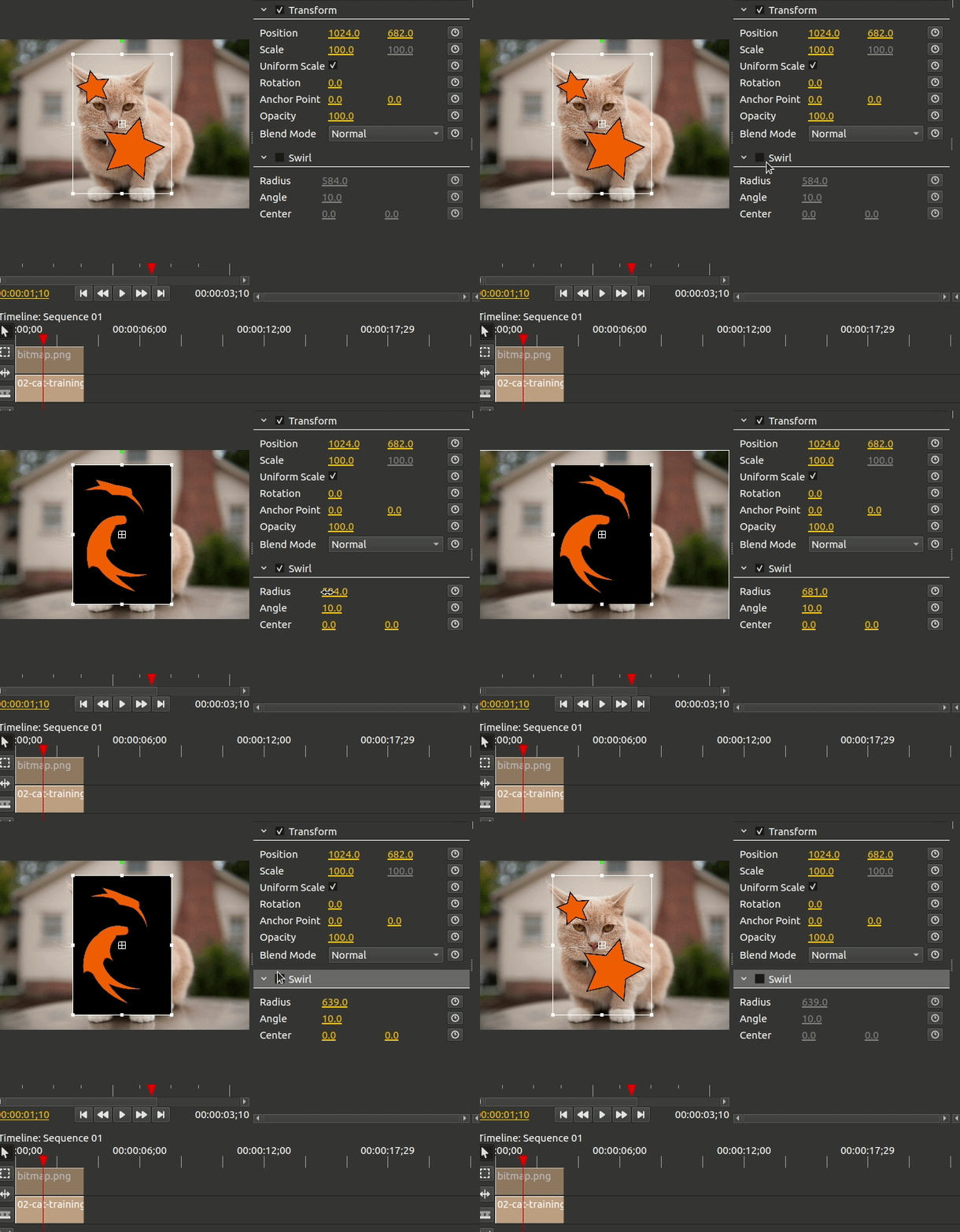
Steps to reproduce
Add a video/image.
Overlay a transparent png
Add a swirl effect to the transparent image
Adjust the settings
 hellocatfood
All 2 comments
This is already fixed in the FurtherOCIO branch. The shader also needs to work on the alpha:
#version 110

// Swirl effect parameters
uniform float radius;
uniform float angle;
uniform float center_x;
uniform float center_y;
uniform vec2 resolution;

uniform sampler2D myTexture;
varying vec2 vTexCoord;

void main(void) {
    vec2 center = vec2((resolution.x*0.5)+center_x, (resolution.y*0.5)+center_y);

    vec2 uv = vTexCoord.st;

    vec2 tc = uv * resolution;
    tc -= center;
    float dist = length(tc);
    if (dist < radius) {
        float percent = (radius - dist) / radius;
        float theta = percent * percent * (-angle*0.05) * 8.0;
        float s = sin(theta);
        float c = cos(theta);
        tc = vec2(dot(tc, vec2(c, -s)), dot(tc, vec2(s, c)));
    }
    tc += center;
    vec4 color = texture2D(myTexture, tc / resolution).rgba;  //<-- working on alpha as well (don't need the .rgba but I am spelling it our here
    gl_FragColor = color;
}
Above GLSL code running in current master:
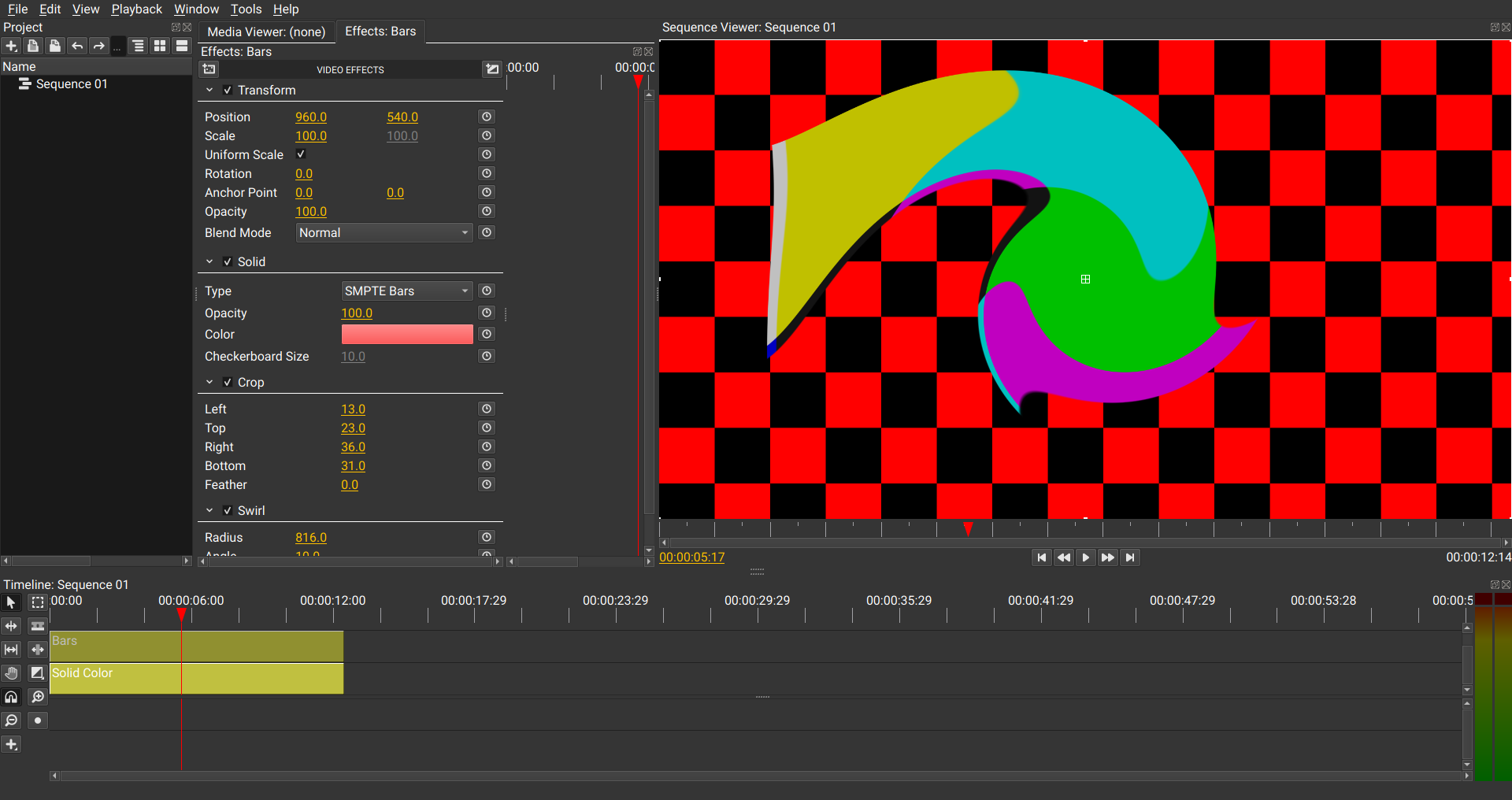
There does seem to be a glitch with the order of drawing when a user does:
__Checkerboard -> Crop -> Swirl__
Here is what happens when a user puts the above chain together and then adjusts the crop values:
Alpha drawing issue in current furtherocio*:
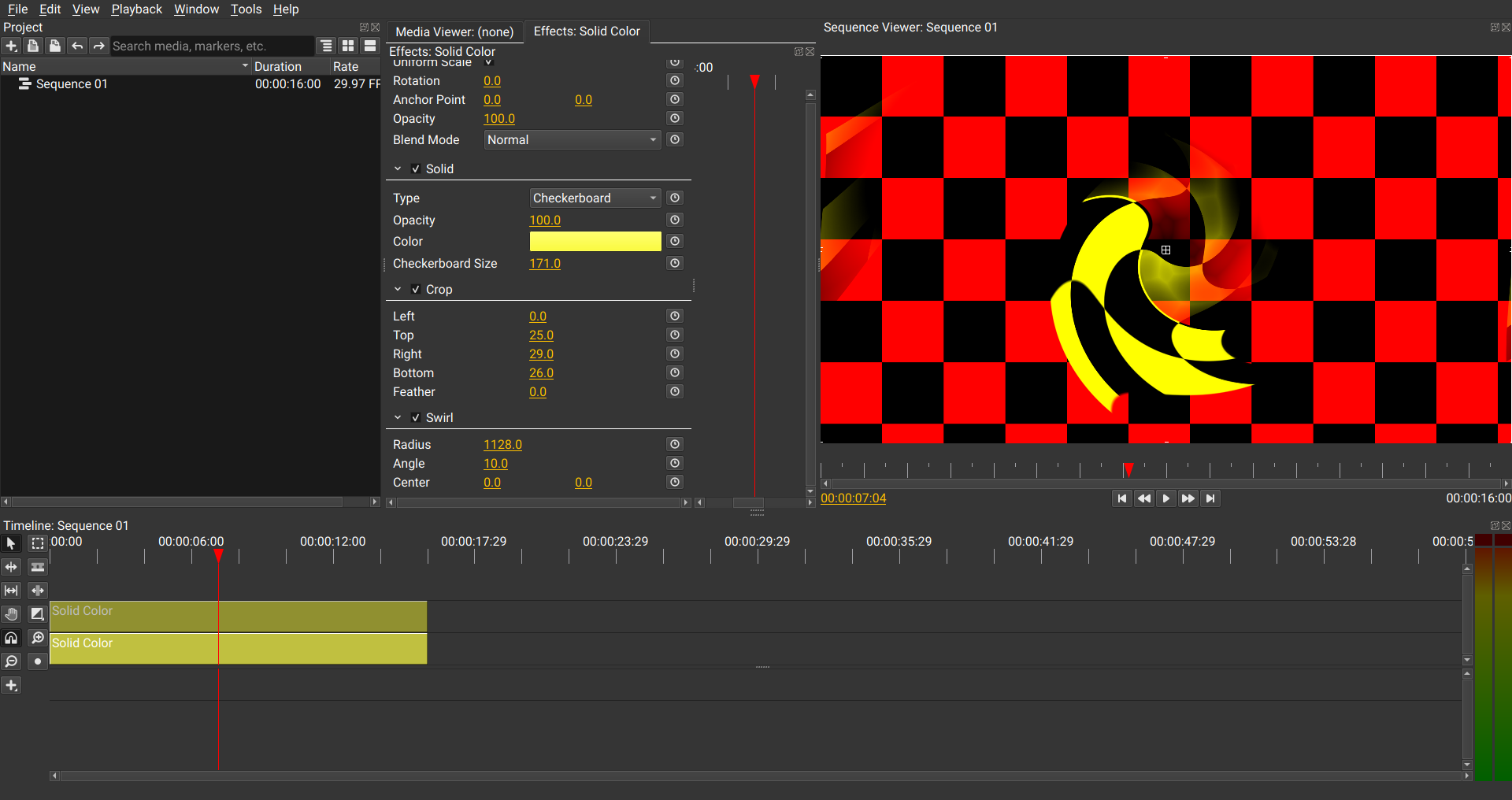
* Issue present in master branch when using modified swirl.frag as shown above.
 alcomposer
on 27 Mar 2019
alcomposer
on 27 Mar 2019
I legitimately just discovered this yesterday, I have no idea why it was written like that.
 itsmattkc
on 27 Mar 2019
itsmattkc
on 27 Mar 2019
Related issues
 Reaper10
·
31Comments
Reaper10
·
31Comments
 Corruptinator
·
81Comments
Corruptinator
·
81Comments
 sobotka
·
35Comments
itsmattkc
·
18Comments
sobotka
·
35Comments
itsmattkc
·
18Comments
 Symbian9
·
23Comments
Symbian9
·
23Comments
Most helpful comment
I legitimately just discovered this yesterday, I have no idea why it was written like that.