Officedocs-deployoffice: Office Deployment via Intune
Hi - When will the app suite on InTune be updated to include Teams?
Document details
⚠ Do not edit this section. It is required for docs.microsoft.com ➟ GitHub issue linking.
- ID: 7936ca5e-c658-4956-b174-99eaf1eb67d4
- Version Independent ID: 9ecc0b61-a941-f5e1-96c3-d32fae59eacd
- Content: Deploy Microsoft Teams with Office 365 ProPlus
- Content Source: DeployOffice/teams-install.md
- Service: o365-proplus-itpro
- GitHub Login: @DHB-MSFT
- Microsoft Alias: danbrown
 dlm99
dlm99
All 15 comments
@dlm99 -- are you asking "when will I see the Teams On/Off toggle in Intune" or "when will Teams be installed by default if I use Intune"?
Currently there's no definite ETA for when the Teams toggle will appear in the Intune UI. So without the toggle, whether Teams is installed by default will be determined by which update channel and which version you choose to install. If an update channel/version is chosen that supports the default installation of Teams (for example, Version 1902 of Monthly Channel), then Teams will be installed by default. But if you choose an update channel that doesn't have that capability (for example, Version 1808 of Semi-Annual Channel), Teams won't be installed by default. We'll update the "update channel" table near the top of the article as we get specific version numbers and release dates.
Hope that helps.
 DHB-MSFT
on 21 Feb 2019
DHB-MSFT
on 21 Feb 2019
We're on the Monthly channel, deploying Office via Intune App Suite. Are you saying that even without selecting Teams in the UI our end users will get it by default?
dlm99
on 21 Feb 2019
@dlm99 -- I'll double-check, but I think the answer is "Yes, you'll get Teams installed by default." [Update on 22 February -- I received confirmation that Teams gets installed by default for a new installation if you're selecting an update channel/version/build combination that includes that functionality.]
DHB-MSFT
on 21 Feb 2019
@dlm99 -- I'll double-check, but I think the answer is "Yes, you'll get Teams installed by default."
So Teams will be forced out to people starting with Office 365 Monthly Channel 1902, and there are currently no way to deselect Teams from the Intune \ Client Apps \ Office 365 ProPlus Suite (Windows 10)?
We have a lot of customers who don't want to deploy Teams yet, you should not force it on users of your enterprise grade client management solution.
It's already possible to deselect Teams in the Configuration.xml, ref. the documentation. It's sad that Intune is not up to speed on this, the Office 365 install part in Intune is bad enough as it is already.
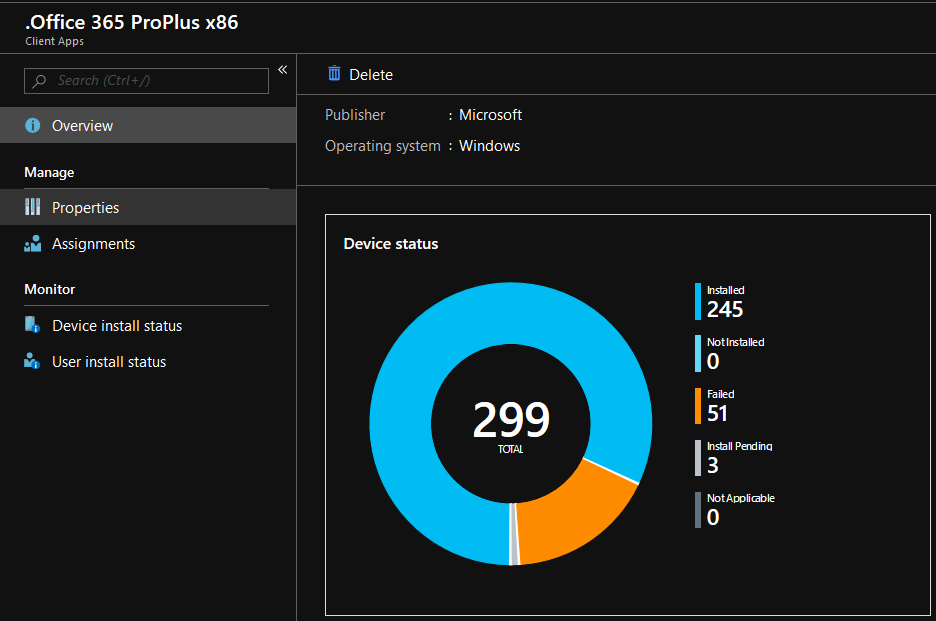
In what context will Teams through Office 365 be installed? User? Device? Will it conflict with Teams EXE or MSI installer? Or both? Nvm, found it here:
- "Teams is installed with Office 365 ProPlus in the same way that Teams is installed if you use the MSI-based installer for Teams. For each new user that signs into the device, the Teams installer runs and the Teams application is installed in the user's AppData folder."
 o-l-a-v
on 22 Feb 2019
o-l-a-v
on 22 Feb 2019
@o-l-a-v Thank you for your feedback. We've passed it along to the Intune team. If we get any updates about when a Teams checkbox will be added to the Intune UI, we'll respond back here.
DHB-MSFT
on 22 Feb 2019
@DHB-MSFT Thanks.
o-l-a-v
on 22 Feb 2019
@DHB-MSFT
I see that you closed this ticket, but the problem is not solved yet.
We have several customers complaining that they get Teams forced on them, but we have not way to control it.
Where are we to ask this question if not here?
o-l-a-v
on 14 Mar 2019
@DHB-MSFT
Why would this even been an option? To force an applications on user without even having the possibility to block it feels beyond unprofessional.
As @o-l-a-v said, on an enterprise level this is unacceptable, and I would say this is something that makes us to consider not deploying ProPLus via Intune.
Also, how can the ticket be closed? You even wrote " ....we'll respond back here." Not so service minded at all
 xNiklasJern
on 14 Mar 2019
xNiklasJern
on 14 Mar 2019
@o-l-a-v , @xNiklasJern -- We have provided your feedback to the Intune team and they are aware this is an issue. They are working to add a Teams check box to the Intune UI, but we don't have an exact date when it will appear. When it does, I'll update the article accordingly. If you want to file a support ticket with the Intune team about this issue, see How to get support for Microsoft Intune.
DHB-MSFT
on 14 Mar 2019
@DHB-MSFT
Great that you've forwarded the feedback. But it has been 1.5 months since the february 2019 release of Office 365. And you still have no ETA. This does not seem very proactive, maybe this topic should have been considered during the development?
It bothers me that you don't take this more seriously. It's almost seems like you don't understand the impact of this issue. We're paying enterprise level prices for this. This makes Intune look like a less viable enterprise client management solution.
In other words: Your in control of both products (Intune + Office 365), but can't get them work together.
(This critique is targeted to respective teams, not you directly.)
o-l-a-v
on 14 Mar 2019
The control to exclude Teams from the ProPlus installation via Intune will be available by the end of March 2019.
 chhopkin
on 15 Mar 2019
chhopkin
on 15 Mar 2019
@o-l-a-v and @xNiklasJern -- You might want to check your Intune UI. We've started seeing the Teams check box under Configure App Suite in some tenants.
DHB-MSFT
on 27 Mar 2019
@DHB-MSFT
Thanks for the heads up, I've noticed that it has appeared in several tenants already.
If Teams has been installed already, disabling it will probably not uninstall Teams from the users' profile, given that Office 365 installer uses the same mechanism as Teams installer MSI?
o-l-a-v
on 27 Mar 2019
That is correct. Editing the app in Intune will only affect the Teams app on new installs. If Teams is already installed on the device you would need to manually remove it using Add/Remove Programs.
chhopkin
on 27 Mar 2019
@chhopkin
Thanks for the confirmation.
Hmm, I must say that's kind of disappointing, and not uniform with the rest of the Office 365/ ProPlus applications. Do you provide an official solution into fixing the previous bug (I'll call it a bug cause it's not intentional) that forced Teams out to Intune devices without the ability to disabling it? I'm sure thousands, if not millions of devices are affected. By fixing I mean uninstall/ remove Teams remotely from Intune.
Do we have to script it? Or repackage Teams exe installer to win32 app package, install in user context, assign to uninstall?
And what about/ any info on:
- GPO /ADMX for Teams? Most of the other Office products has this.
- Ability to disable Teams from auto starting at each boot, using install parameters, configuration.xml, registry key, GPO or similar? It's a pretty resource heavy program.
o-l-a-v
on 27 Mar 2019
Related issues
 qgvc4
·
3Comments
qgvc4
·
3Comments
 schittli
·
5Comments
schittli
·
5Comments
 jcampbellburns
·
3Comments
jcampbellburns
·
3Comments
 SumVanan
·
4Comments
SumVanan
·
4Comments
 DaveClarkey
·
3Comments
DaveClarkey
·
3Comments