Office-js: Inserting picture with insertInlinePictureFromBase64 is inconsistent between platforms
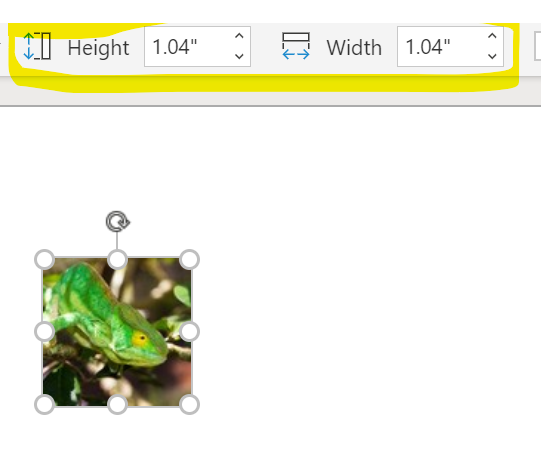
When I use the ContentControl.insertInlinePictureFromBase64 method to insert a picture, the size of the picture is not respected on Word Online.
Expected Behavior
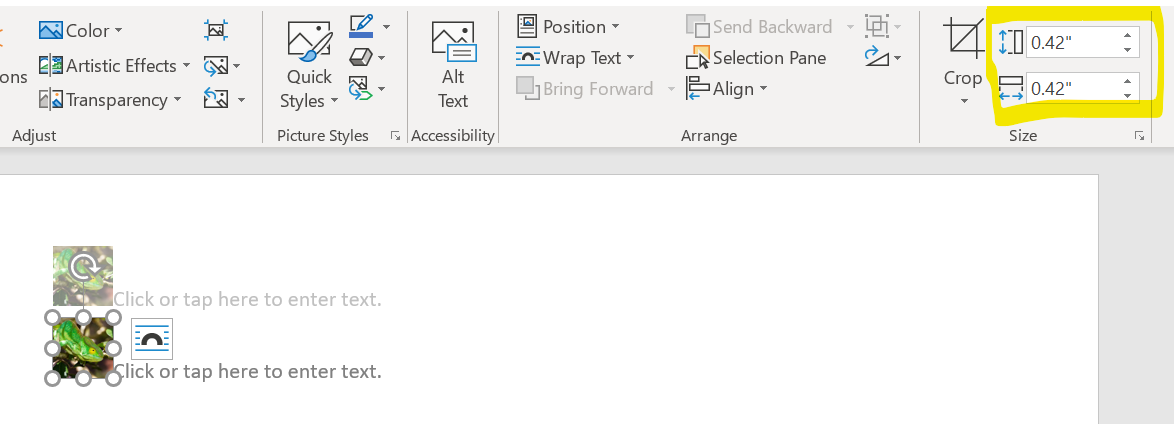
I would expect the original size of the picture to be respected, like on Word for Windows.
Current Behavior
Word Online inserts the picture with an incorrect size.
Steps to Reproduce, or Live Example
https://gist.github.com/jasonhieu1905/53fc88198c6c99ce031bbcbeb4632c94
- Run the ScriptLab snippet in Word for Windows
- Click either button to insert the 100x100 pixel image into the document
- Notice that after insertion, the size of the image is 0.42" (expected result)
- Run the ScriptLab snippet in Word Online
- Click either button to insert the 100x100 pixel image into the document
- Notice that after insertion, the size of the image is 1.04" (unexpected result)
Context
Our customers select brand images that are designed to be inserted into the header of a Word document. These images work fine when using our add-in on Word for Windows but they are unusable on Word Online. Some of our customers can therefore not use our add-in on Word Online.
Your Environment
- Platform: Office Online
- Host: Word
- Operating System: Windows
- Browser: Chrome
Useful logs
Word Online:
Word for Windows:
 htryggva
All 7 comments
In our API implementation in Word Online, we assume the picture is png/bmp/jpg. If the base64 encoded stream is a picture of these formats, we didn't see a difference btw Online and Desktop. However, we do see the different behavior in your picture. Could you let us what format of this picture you are trying to insert so that we can do more investigation. We suspect it might be caused by the format of this picture you are using.
 weshi
on 29 Mar 2019
weshi
on 29 Mar 2019
Hi @weshi. Thanks for your reply. The picture is a 100x100 pixel jpeg image with 240 dpi:

htryggva
on 30 Mar 2019
@htryggva apologies for the lack of response to your latest comment on this issue. Are you still having this problem? @weshi can you please re-engage with the customer on this issue? Thanks!
 kbrandl
on 3 Sep 2019
kbrandl
on 3 Sep 2019
@kbrandl @weshi Yes, we are still experiencing this problem.
htryggva
on 3 Sep 2019
@htryggva thanks for confirming. @weshi can you please resume investigation? Thanks!
kbrandl
on 3 Sep 2019
@htryggva : this turns out to be a feature difference between Word Online and Desktop. If you save this picture on your local machine, and then try to Insert Picture feature from the UI, you will also see the picture is rendered in different size in Word Online and Word Desktop. The API is working consistently with the UI behavior.
BTW, even in this GitHub page, your picture is shown differently than Word Desktop, but same as Word Online size.
weshi
on 7 Nov 2019
This bug was recently fixed in Word Online, and its on its way to be rolled out (maybe a couple of weeks from today).
 JuaneloJuanelo
on 5 Feb 2020
JuaneloJuanelo
on 5 Feb 2020
Related issues
 Jarch09
·
3Comments
Jarch09
·
3Comments
 KantilalJadav
·
4Comments
KantilalJadav
·
4Comments
 ndeeH
·
5Comments
ndeeH
·
5Comments
 barisbikmaz
·
4Comments
barisbikmaz
·
4Comments
 tido-ms
·
3Comments
tido-ms
·
3Comments
Most helpful comment
This bug was recently fixed in Word Online, and its on its way to be rolled out (maybe a couple of weeks from today).