Office-js: Excel Online getting 500 internal error writing data to table
My add-in loads data from the server and creates tables. Then on refresh it will clear the table and reload the data. I load the data by setting the Range values to the 2D array following the best practices of not directly loading to the table rows collection.
Users of my add-in have started reporting a strange error with Excel Online that I'm not able to debug because I'm receiving a _General Exception_ - internal error has occured from the Office-js APIs. If I look at the Network Request in Chrome Devtools I see a status 500 for the endpoint ExecuteRichApiRequest. This seems to be isolated to Excel Online because the same code works fine in Windows and Mac with no errors and is able to refresh the table.
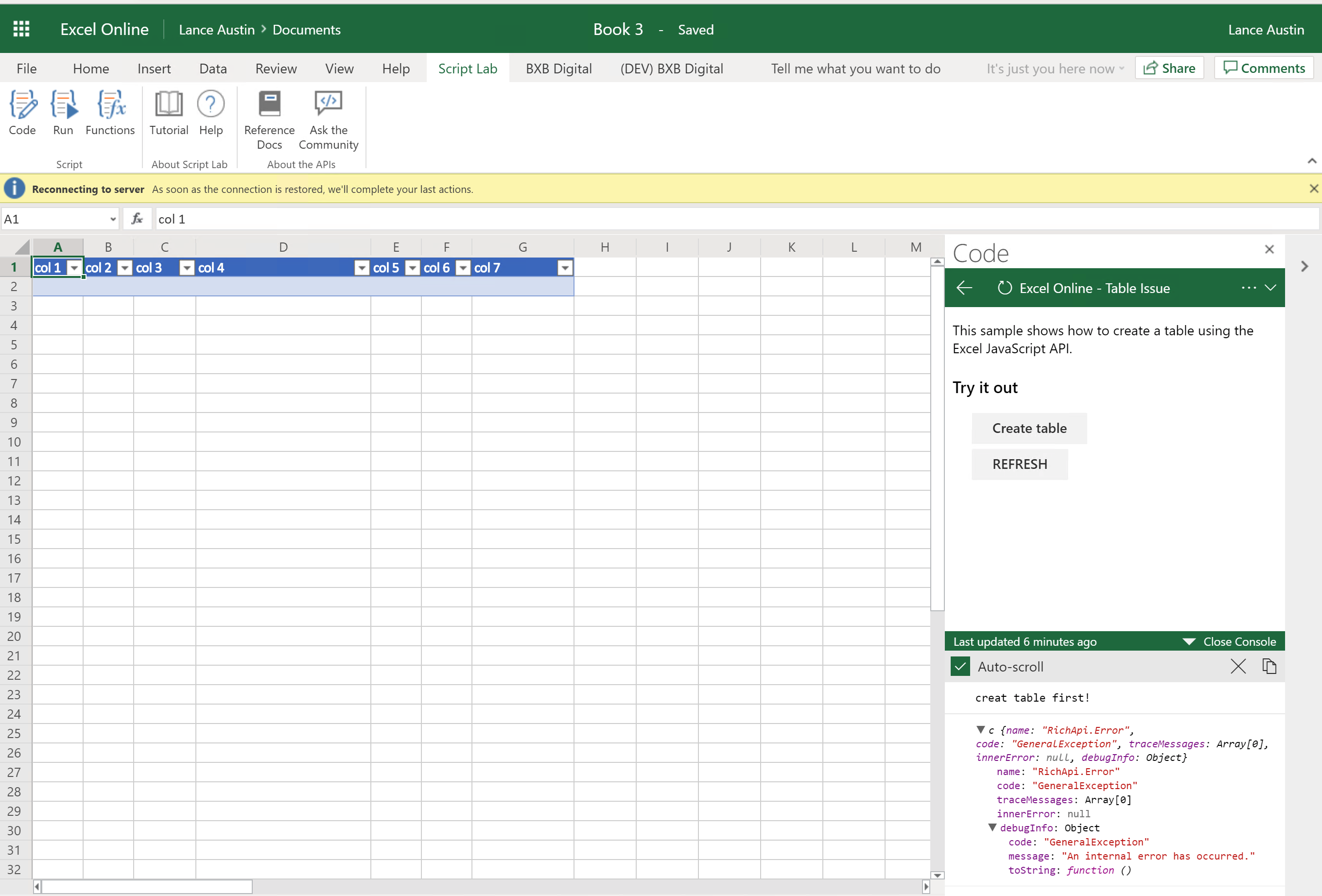
Once this error occurs it seems to lock up the workbook and cause it to disconnect from the server. Here is a screenshot:

Expected Behavior
I would expect for Excel Online to refresh the table with no problems just like Windows and Mac does at this time.
Current Behavior
Outline above in my description of the issue but basically I can create the table, load it with data and it works. Then when I try to refresh the same table I get the a General Exception. To refresh the table I find the table, delete the body range and insert the new data in the range for the body. This lets the table auto expand when synced. Again it works fine on the Mac and Windows but causes an error in Excel Online. Note...it is not failing for all the tables that I try to load/refresh but something about the data I have provided in the Gist causes it to fail.
Steps to Reproduce, or Live Example
Here is a gist that can imported into Script Lab that demonstrates the error. The code is very similar to my add-in but simplified for the gist.
https://gist.github.com/LanceEa/8fc9001c80c25ac46239c47b0d251b43
Context
Trying to refresh tables. Not all of our customers have access to Windows or Macs and the only way they can access or add-ins is through Excel Online. Many of the other tables will work but for some reason the data provided in the Gist fails to work. Not sure if it is volume of data which I think is really small or something in the data itself. Maybe the dates but none the less I would have expected a small table like this to have no problems refreshing.
Your Environment
- Platform: Issue in Excel Online but tested in Windows and PC
- Host: Excel
- Office version number: Online - 16.0.11006.31875, Mac & Windows (Insider Fast)
- Operating System: OSX High Sierra & Windows 10 April Update
- Browser (if using Office Online): Chrome 69.0.3497.100 (Official Build) (64-bit), IE11
Useful logs
See screenshot above.
Thanks and please let me know if I can provide any further information.
 LanceEa
All 26 comments
@sumurthy @JuaneloJuanelo @Zlatkovsky - I could really use some help on the above. If you could please take look at it I would appreciate it. Unfortunately, I'm not sure how else to debug due to the Office-JS api returning a general exception.
Any help would be appreciated!
Regards,
Lance
LanceEa
on 10 Oct 2018
This is still happening on the latest version of Excel Online that was released this week.
Build 16.0.11009.37955
I spoke to @tong-1324 and he was able to reproduce the issue with the gist I provided above. Would someone be able to verify this as a bug or not?
Thanks,
Lance
LanceEa
on 12 Oct 2018
Pinging...hoping to get this moved to the top of people's email...this still continues to plague us. We begun instructing users away from Excel Online because of this issue.
Here is the latest version I just tested on:
16.0.11028.37957
LanceEa
on 30 Oct 2018
Hey Lance, very sorry for the delay on this. We're on it now, have filed an internal incident on this and engineers are looking into it. I'll follow up here, and if you have further info please let me know.
 dmahugh
on 7 Nov 2018
dmahugh
on 7 Nov 2018
This is a bug, and it has been logged internally to get it fixed. For now you should be able to work around it by doing multiple requests with less data in each request. (For internal Microsoft reference, see ICM # 90931432.) Thanks for pointing this out, Lance!
dmahugh
on 8 Nov 2018
@dmahugh - Thanks for looking into this and getting it logged. Can we leave the issue open until it is resolved? I know giving estimated timings is what us software engineers like to do 😄 but can I get a ballpark exception of when this might be addressed (weeks, months, half a year??). Like I mentioned at this point I direct my users away from excel online and encourage them to get onto a Mac or get Office 2016.
I do not know if the work-around is as simple as less data in each request because I have other tables that I create in the same fashion that have way more records and columns that refresh with no problems. Also, the table gets created on the first try. It is the subsequent refreshes where the error occurs. Maybe something to do with the fact that it is clearing & extending a table vs creating a new table.
Another point if I remove a single column from this dataset then it works but I guess I don't know what is special about this dataset...maybe the dates??
Let me know if there is anything I can test or additional context I can provide to help get this resolved.
Thanks,
Lance
LanceEa
on 8 Nov 2018
Thanks for the additional info, @LanceEa
I'll pass that on, and I'm going to re-open the issue. I'll also try to get more info for you on an ETA for the bug fix.
dmahugh
on 8 Nov 2018
@LanceEa I've heard today that this bug has been resolved. Please let me know if you run into it or anything similar going forward, and thanks again for your help in identifying it.
dmahugh
on 4 Jan 2019
@dmahugh - Thanks for the update. I have tested and so far it seems to be addressed. I have asked two other colleagues of mine to test and verify as well. I will let you know as soon as I hear back from them!
LanceEa
on 8 Jan 2019
@dmahugh - Has the fix been deployed? I'm still seeing the issue and getting 500 error returned. The gist above still fails in ScriptLabs.
The current Excel Online build for me is 16.0.11305.35027
LanceEa
on 10 Jan 2019
Turns out it has not been deployed, sorry about that! (I misunderstood an internal communication.)
I'll follow up with engineering on this. By the way, are you able to work around it doing multiple smaller requests?
dmahugh
on 10 Jan 2019
Ok thanks for the update. I'm sure I could but my Excel Online user base is small and right now they have been accepting of the work around.
Workaround:
Delete the excel sheet and/or delete the table before refreshing.
Again not ideal but we have a good enough relationship with our customers and the users that they are willing to do it for now.
LanceEa
on 10 Jan 2019
This issue has been resolved and the fix is in production, so closing the issue. Let us know if you run into anything with the latest builds or have any additional information, and thanks for reporting it!
dmahugh
on 17 Apr 2019
@dmahugh - I had a user report an issue to me this week for Excel Online and it appears to be the same 500 error I outlined above. I re-ran the Gist I shared above and I'm still getting internal 500 error using this gist as well.
Here is the version of Excel Online I'm on:
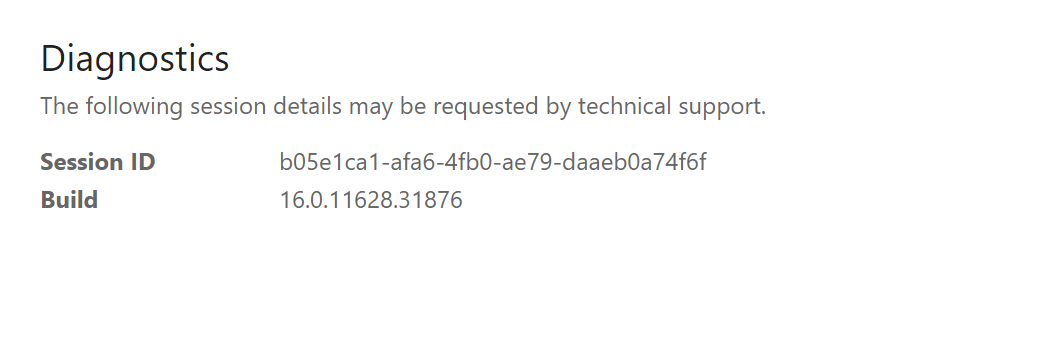
Is it fixed in this release?
LanceEa
on 30 Apr 2019
@LanceEa sorry to hear that you're still experiencing this problem. @dmahugh is out of the office (on vacation) for the next few weeks, but I'll re-open this issue. Unfortunately, I'm not sure who Doug was working with on this. Would you like me to try to escalate this issue to someone else on the team, or (since it sounds like there's a work-around and this issue isn't affecting a large number of users), should we plan for Doug to re-engage with you on this when he's back in the office again?
 kbrandl
on 30 Apr 2019
kbrandl
on 30 Apr 2019
@kbrandl - I will talk to the user that reported the issue and see if there is an urgency around this but the work around is not working currently so my Excel Online users run into this issue when downloading certain tables.
I see that Doug had internal ticket attached. Can we see if that was in fact resolved and maybe follow-up with the engineer working on that to see if they tested against the provided gist?
(For internal Microsoft reference, see ICM # 90931432.)
I also tested in my Dev Tenant this morning which is a newer version and it got the 500 internal error as well:
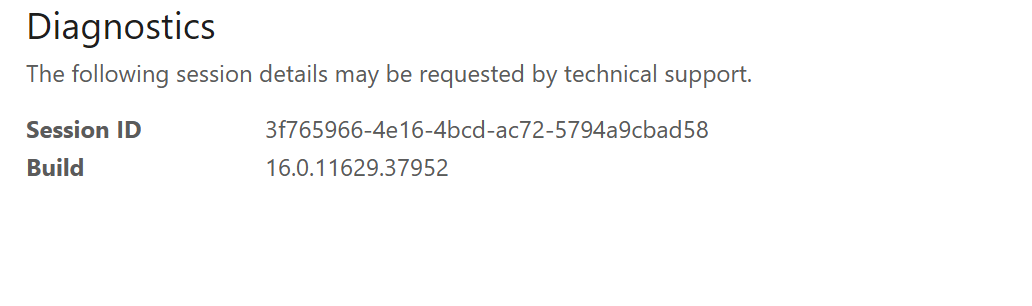
The workbook ends up disconnecting after the 500 internal error returned as seen here:
LanceEa
on 1 May 2019
@LanceEa Understood, thanks for the additional info. I'll follow up on the ICM ticket today to see if I can get the engineering folks re-engaged on this issue.
kbrandl
on 1 May 2019
@LanceEa I've escalated this issue to the engineers again so that they'll resume investigation of this problem. (FYI for Microsoft employees - new ICM # is 117929385)
FYI, I'll be OOF for a couple of weeks starting later today. @Rick-Kirkham can you please keep an eye on this issue (and related ICM incident # 117929385) and keep @LanceEa updated on any new info from engineering re status of their investigation? Thank you!
kbrandl
on 1 May 2019
@kbrandl - Thanks and let me know if you need more information.
LanceEa
on 1 May 2019
@Rick-Kirkham - I just wanted to check-in to see if there were any additional updates on this or if need more information from me?
LanceEa
on 10 May 2019
@LanceEa apologies for the slow response on this, I'm back in the office today and just checked on the status of the corresponding ticket that was opened with engineering. I see that they've acknowledged the ticket, but there's no indication of any progress in addressing it. I've reached out to the engineer directly for a status update and will let you know what I hear back.
kbrandl
on 14 May 2019
@kbrandl - Thanks! Let me know if you need me to test anything or provide more information.
LanceEa
on 15 May 2019
@LanceEa, good news -- engineering has confirmed that they've identified the cause of this issue and applied a fix. @dmahugh is back in the office today and will provide an update here about when the fix will be deployed (i.e., available to you) as soon as that info is known.
(@dmahugh -- for more details, see ICM # 117929385.)
kbrandl
on 20 May 2019
Hey @LanceEa , this is now fixed in production. I've just verified that the Gist you provided works on Excel Online for me - let me know if you still see the issue.
FYI in case it applies to any of your users: this fix is not yet deployed to Excel Online in the regional clouds such as Cloud Germany or Cloud China, but those will be deployed next week.
I'm going to go ahead and close this issue, but let us know if you see any need to re-open it. And thanks for your patience and the detailed repro steps!
dmahugh
on 20 May 2019
@dmahugh @kbrandl - Thanks for tracking this down for me!
I just tested myself and everything seems to be working correctly. I'm verifying with my users now and will ping you back if we find any additional issues.
Cheers 🍻
LanceEa
on 23 May 2019
I am also having the same bug
My Code is
Excel.run((context) ->
sheet = context.workbook.worksheets.getItem(s_name)
response_data = {"A1"=>"1000","A2"=>"1001","B1"=>"1000","B2"=>"1001","C1"=>"1000","C2"=>"1001"} # similary 54000+ records
angular.forEach response_data, (key, value) ->
range = sheet.getRange(key)
range.values = [[ value ]]
context.sync().then ->
console.log("Data synchronized")
return
).catch (error) ->
console.log 'Error: ' + error
My Excel version is

I am having issue is Excel Online
 soorajhealthplotter
on 10 Mar 2020
soorajhealthplotter
on 10 Mar 2020
Related issues
 rvanlaak
·
4Comments
rvanlaak
·
4Comments
 dimitri-bourreau
·
4Comments
dimitri-bourreau
·
4Comments
 Alturos
·
4Comments
Alturos
·
4Comments
 tido-ms
·
3Comments
tido-ms
·
3Comments
 sshukurov
·
4Comments
sshukurov
·
4Comments
Most helpful comment
@dmahugh @kbrandl - Thanks for tracking this down for me!
I just tested myself and everything seems to be working correctly. I'm verifying with my users now and will ping you back if we find any additional issues.
Cheers 🍻