Office-docs-powershell: EXO Module 2.0.3 - Parallel connection to SCC and EXO yields different value for 'RemotePowerShellEnabled' for the same user
When establishing a paralle connection (Exchange Online & Security & Complance Center) is the property RemotePowerShellEnabled populated with different values for the same user.
To reproduce this problem, execute the following code:
````PowerShell
Import-Module ExchangeOnlineManagement -MinimumVersion 2.0.3
$upnTestUser = '<%UPN of user where "RemotePowerShellEnabled" is set to FALSE%>'
first establish connection to EXO
Write-Host "Establishing connection to Exchange Online..."
Connect-ExchangeOnline
retrieve a user where "RemotePowerShellEnabled" is set to FALSE
$user1 = Get-User -Identity $upnTestUser
Write-Host "(1) Value of prop. [RemotePowerShellEnabled]: '$($user1.RemotePowerShellEnabled)'"
now connect to SCC (Security and Compliance Center)
Write-Host "Establishing connection to Security & Compliance Center..."
Connect-IPPSSession
$user2 = Get-User -Identity $upnTestUser
Write-Host "(2) Value of prop. [RemotePowerShellEnabled]: '$($user2.RemotePowerShellEnabled)'"
````
This code results in the following output:
PowerShell
(1) Value of prop. [RemotePowerShellEnabled]: 'False'
WARNING: Your connection has been redirected to the following URI: "https://eur01b.ps.compliance.protection.outlook.com/Powershell-LiveId?BasicAuthToOAuthConversion=true;PSVersion=5.1.19041.546"
(2) Value of prop. [RemotePowerShellEnabled]: 'True'
 thuld
thuld
All 7 comments
Hi @thuld, thank you for your feedback.
I didn't experience the same behaviour:
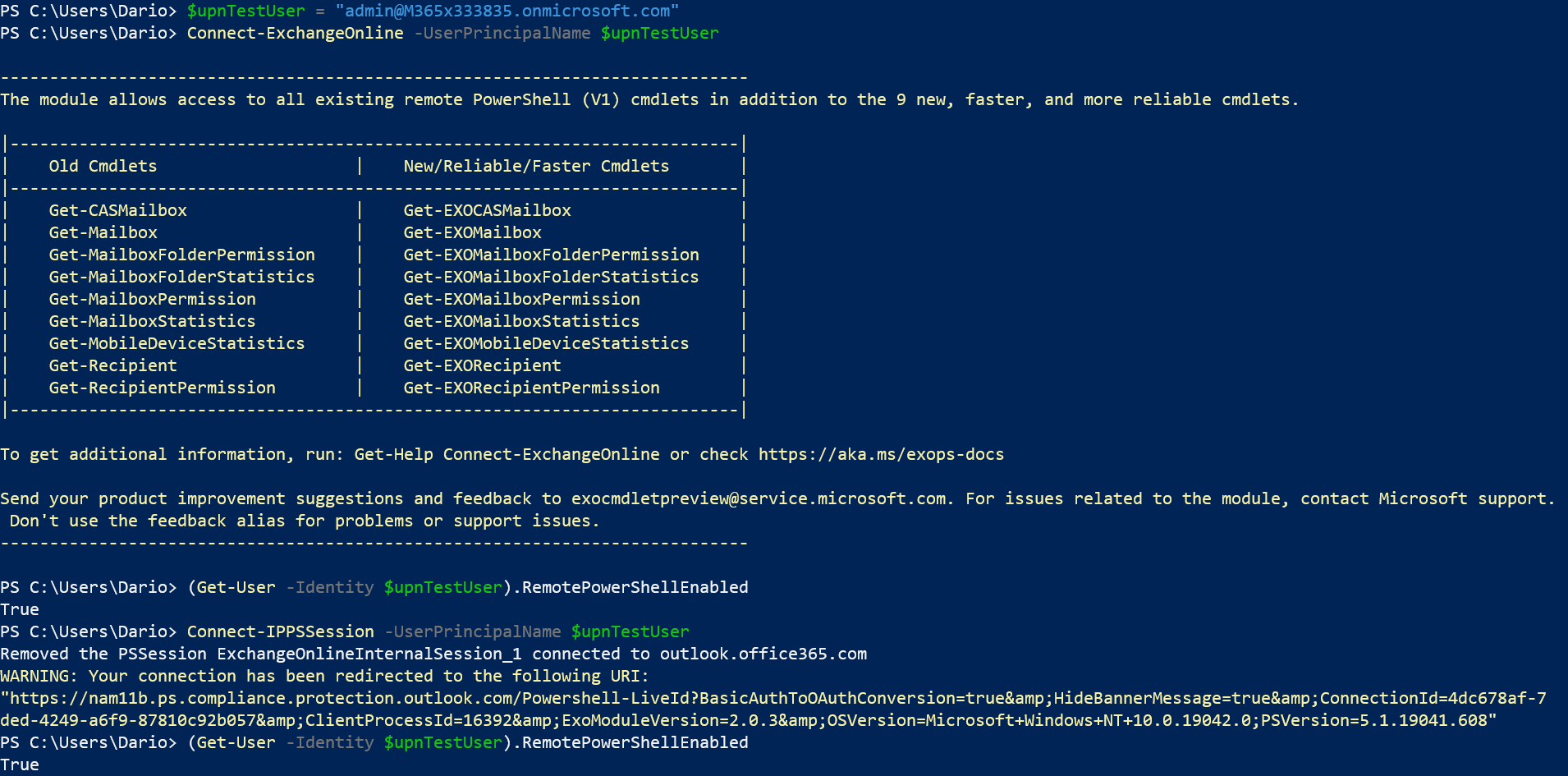
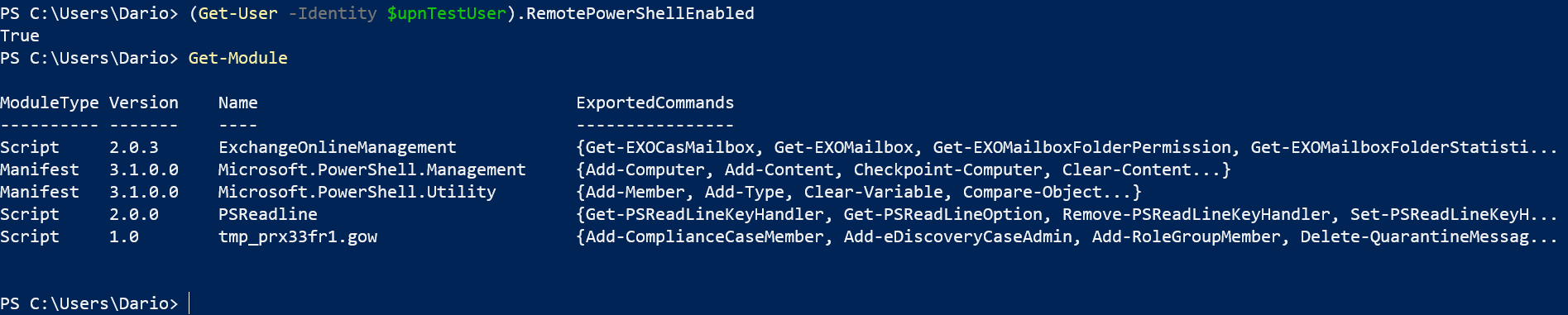
For your inquiry, I need to kindly suggest opening a support ticket directly from your tenant's administration. They will be able to help you as here we are limited to documentation issues and improvements.
Support URL: https://docs.microsoft.com/microsoft-365/admin/contact-support-for-business-products.
Thank you!
 dariomws
on 29 Oct 2020
dariomws
on 29 Oct 2020
@dariomws Thank you very much for the contribution and sharing this explanation. @thuld Hope this comment is helpful for you. Considering the nature of the issue, as advised, please open a service ticket in your tenant and follow with them for the resolution. We proceed here to close it.
We will be very happy if you can share the outcome or resolution with us if you see documentation update is required. We will certainly update this documentation with that valuable information. Thanks again, for taking out some time to open the issue. Appreciate and encourage you to do the same in future also.
 yogkumgit
on 2 Nov 2020
yogkumgit
on 2 Nov 2020
@yogkumgit @dariomws You missed the point of this bug. You need to test this with a user where property RemotePowerShellEnabled is set to FALSE.
@dariomws In you tests returns the code in both cases TRUE.
thuld
on 2 Nov 2020
@yogkumgit @dariomws This problem is confirmed by multiple users in our tenant
thuld
on 2 Nov 2020
@thuld I thought the problem here is that when you connect to EXO and SCC PowerShell, you see different values for the same user. At least this is what I understand based on the title.
I tried again with an account with this value set to FALSE and I cannot connect to EXO PowerShell but can connect to SCC PowerShell. RemotePowerShellEnabled description in the Set-User article does not mention SCC, so I think it's expected.
Because I think you have an issue with the product, I need to kindly suggest opening a support ticket directly from your tenant's administration. They will be able to help you as here we are limited to documentation issues and improvements.
Support URL: https://docs.microsoft.com/microsoft-365/admin/contact-support-for-business-products.
Thank you!
dariomws
on 2 Nov 2020
@thuld Also tried to connect with an account and then check the value RemotePowerShellEnabled for a different account with this set to FALSE, and here I can see that we see wrong value in SCC PS:
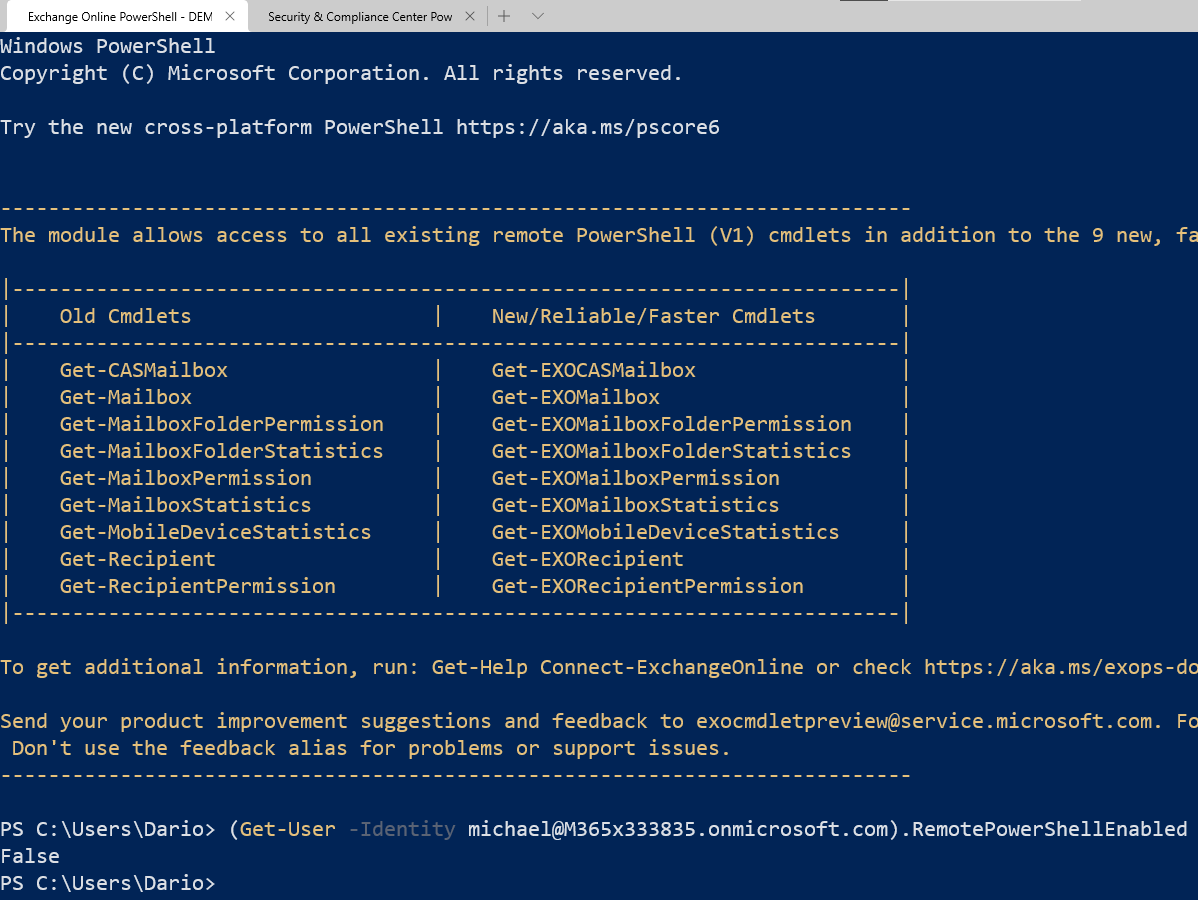
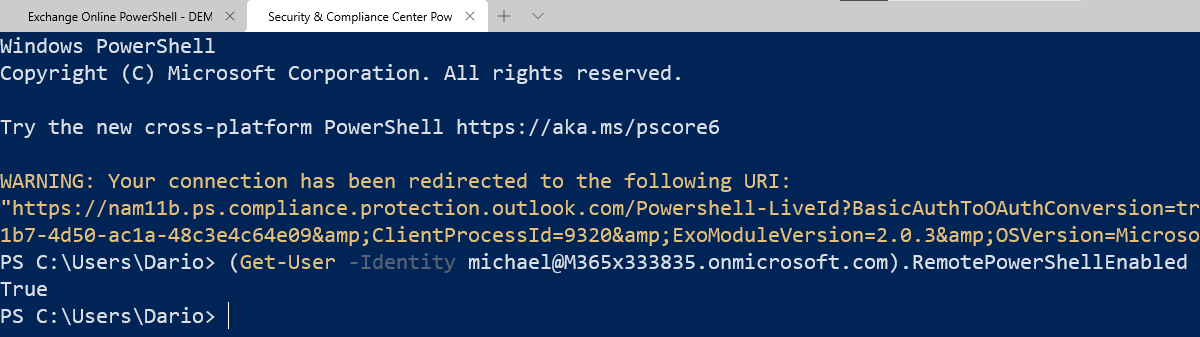
Sorry but for this kind of issue, I need to redirect you to support. I hope you understand. Thanks!
dariomws
on 2 Nov 2020
Ok, based on the feedback provided by Microsoft 365 support is this by design:
This appears to be by design. The IP session is pulling user data from the EOP forest, the EXO session is pulling data from the EXO forest.
The RemotePowershellEnabled property is not dual written or kept in sync with EOP, so when it is updated in EXO the change isn't synced to EOP. The value that is authoritative is the EXO value and that is the one that should be used.
thuld
on 15 Dec 2020
Related issues
 Staffanb88
·
3Comments
Staffanb88
·
3Comments
 aravindmunna
·
3Comments
aravindmunna
·
3Comments
 markgort86
·
4Comments
markgort86
·
4Comments
 CallMeByMyName
·
5Comments
CallMeByMyName
·
5Comments
 BlasMS
·
4Comments
BlasMS
·
4Comments
Most helpful comment
Ok, based on the feedback provided by Microsoft 365 support is this by design: