Office-docs-powershell: -Filter with wildcards.
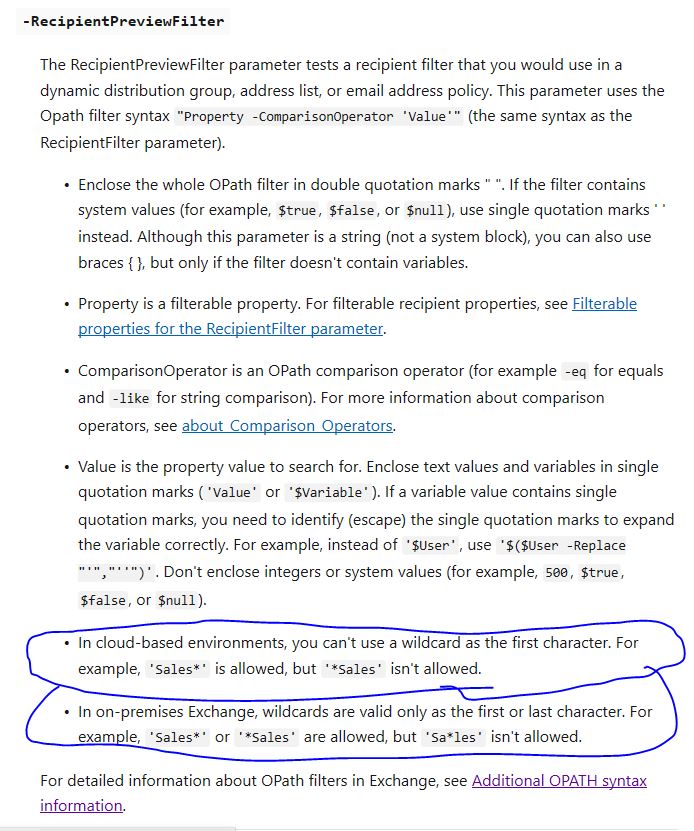
The parameter -RecipientTypeDetails follow the same rules than -RecipientPreviewFilter for use wildcards with -filter:
-In cloud-based environments, you can't use a wildcard as the first character. For example, 'Sales' is allowed, but 'Sales' isn't allowed.
-In on-premises Exchange, wildcards are valid only as the first or last character. For example, 'Sales' or 'Sales' are allowed, but 'Sa*les' isn't allowed.
Could we check add to the document?
Thanks
Document Details
⚠ Do not edit this section. It is required for docs.microsoft.com ➟ GitHub issue linking.
- ID: dfd8c226-5efd-0f1b-425c-4baede68e191
- Version Independent ID: 1537b71f-7b9e-6cea-bb21-3cedeefbba08
- Content: Get-Recipient (exchange)
- Content Source: exchange/exchange-ps/exchange/users-and-groups/Get-Recipient.md
- Service: exchange-powershell
- GitHub Login: @chrisda
- Microsoft Alias: chrisda
 BlasMS
All 4 comments


BlasMS
on 10 Feb 2020
@officedocsbot assign @yogkumgit
 yogkumgit
on 10 Feb 2020
yogkumgit
on 10 Feb 2020
Hi @BlasMS, thank you for your feedback.
Same as https://github.com/MicrosoftDocs/office-docs-powershell/issues/4861.
 dariomws
on 13 Feb 2020
dariomws
on 13 Feb 2020
❤1
@dariomws306 thanks
BlasMS
on 18 Feb 2020
👍2
Was this page helpful?
0 / 5 - 0 ratings
Related issues
 tumtum73
·
5Comments
tumtum73
·
5Comments
 CallMeByMyName
·
5Comments
CallMeByMyName
·
5Comments
 tomlarse
·
5Comments
tomlarse
·
5Comments
 KevinNSTA
·
4Comments
KevinNSTA
·
4Comments
 LindaSchaar
·
4Comments
LindaSchaar
·
4Comments
Most helpful comment
@dariomws306 thanks