Octolapse: Find Alternative Camera Image Control Mechanism
Custom image preferences are great, but rely on mjpgstreamer's control.htm page to receive camera control commands. Find an alternative method for both detecting the camera's control ability and for updating each control that will work more generally for cameras directly attached via USB to the host (hopefully for Linux, Windows and Mac).
Would solve #424.
 FormerLurker
All 16 comments
@FormerLurker Some input of the referenced issue would be very helpful. We could use some help figuring out a good way to allow users to use both OctoLapse and TSD's 25FPS streaming
 raymondh2
on 4 Feb 2020
raymondh2
on 4 Feb 2020
I have posted a comment. Once v0.4 is released I'd be interested in cooperating on this. I think implementing H.264 in TSD is a great feature, and I'd love for these two plugins to play nicely with each other!
FormerLurker
on 4 Feb 2020
Is there an update on this? I just re-imaged my Raspberry Pi, and as such, installed the latest Octolapse and Spaghetti Detective plugins. However, Octolapse fails to load settings or work at all as long as The Spaghetti Detective is active. Now that v0.4 is released, has there been any progress made on making the 2 plugins play nice together? Thanks.
 bjhiltbrand
on 29 Jun 2020
bjhiltbrand
on 29 Jun 2020
Yes, TSD has included a compatibility mode that should work. Check your TSD settings and give it a go. Let me know how it goes!
FormerLurker
on 29 Jun 2020
Make sure you completely reboot your raspberry pi after changing to compatibly mode
raymondh2
on 29 Jun 2020
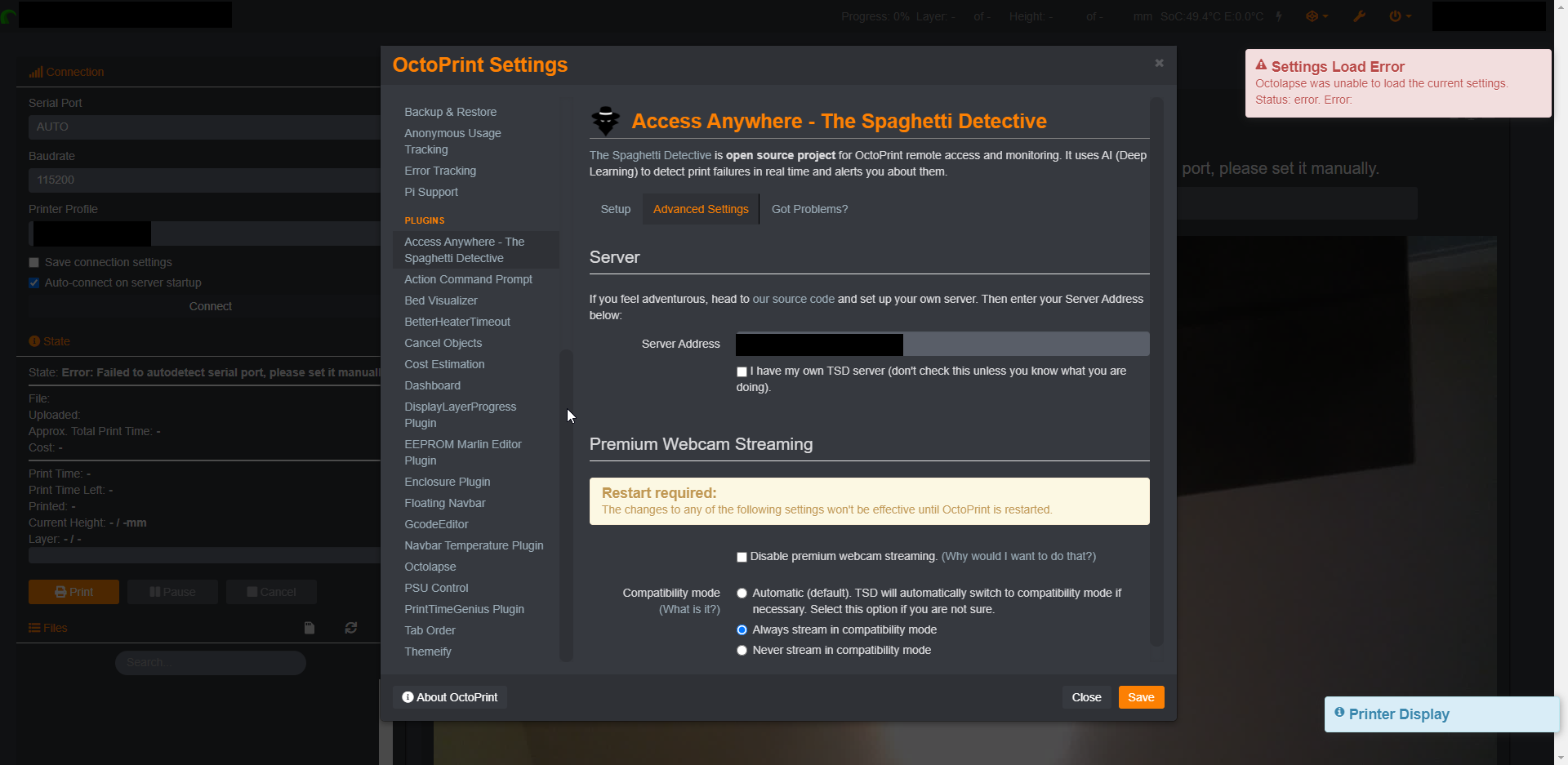
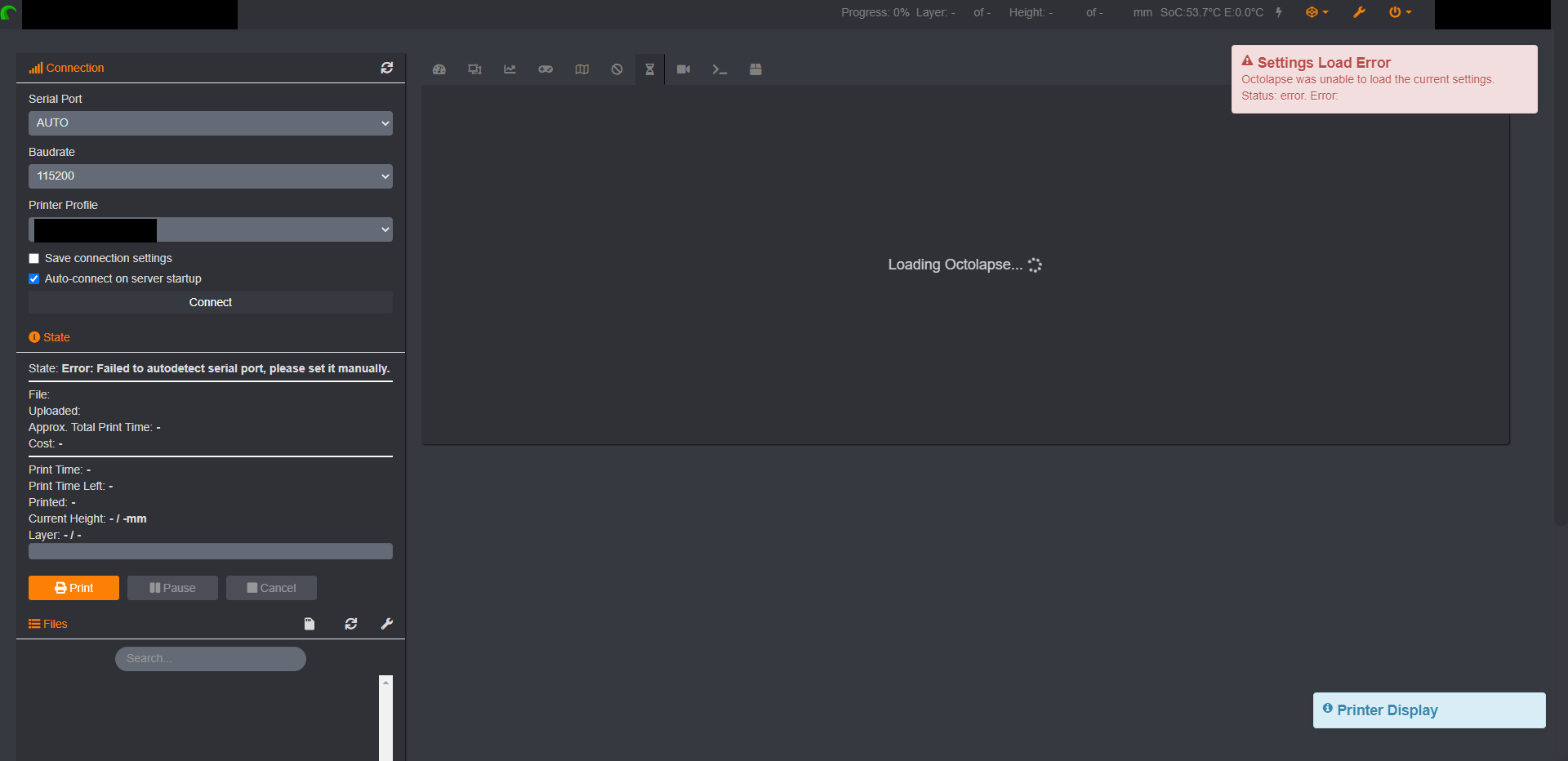
Wow! That was a fast response! Thank you for that. I re-enabled the TSD plugin took a look at the settings. I think I found the setting that you mentioned. It was set to the default option of "Automatic". I changed it to always in compatibility mode and restarted, but still seem to have issues with Octolapse being unable to load when TSD is active.
bjhiltbrand
on 30 Jun 2020
That is an odd error message for this situation, and i am a bit baffled by it. As the other poster said, do a full reboot first. If you still see the same error, please post your plugin_octolapse.log file.
FormerLurker
on 30 Jun 2020
Also feel free to ask for help on the TSD Discord as it should be working on compatibly mode.
raymondh2
on 30 Jun 2020
I did a reboot, and full shutdown/power off. The issue still remains.
Here is my log file. Doesn't look like there's anything out of the ordinary.
plugin_octolapse.log
bjhiltbrand
on 30 Jun 2020
@RaymondHimle, I'm just catching up on the discord group, as I haven't been in there for a while. I'll see if others have been in this situation.
bjhiltbrand
on 30 Jun 2020
Fyi, i am in the process of updating the plugin documents for TSD and Octoprint Anywhere to reflect the changes. Things have been a bit crazy lately, and I have been delayed over and over. I WILL get to it ASAP.
FormerLurker
on 30 Jun 2020
Check the browser console for errors please. F12 usually opens the console.
FormerLurker
on 30 Jun 2020
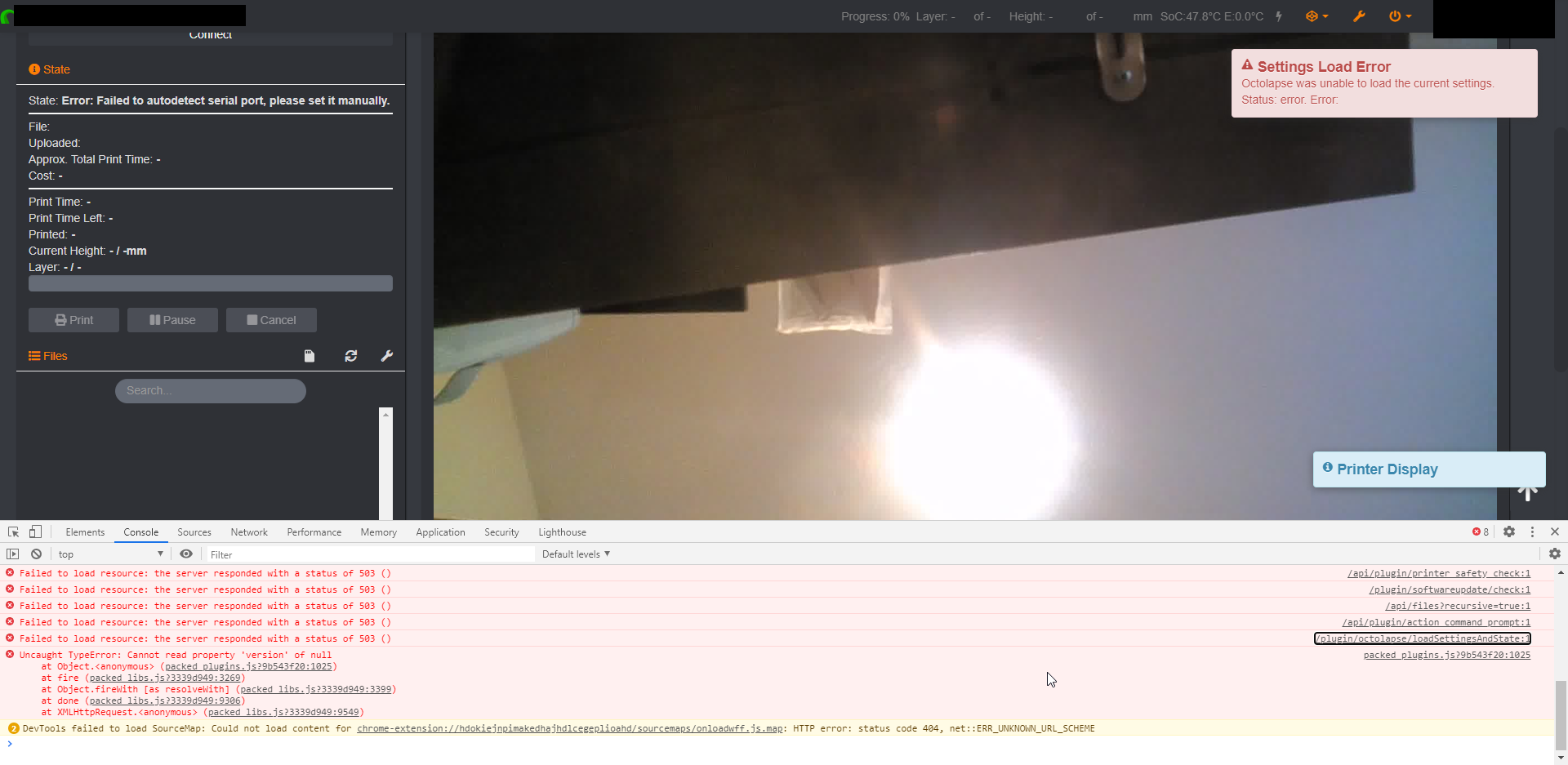
Looks like there is at least one error from the Octolapse Plugin.
bjhiltbrand
on 30 Jun 2020
Lots of 503 (permission errors) responses there. Can you export and post settings.json (octoprint settings->Octolapse->export settings)? I can review it tomorrow.
FormerLurker
on 30 Jun 2020
Apparently, github won't let you upload json files on their own, please unzip to find the file you're after. Thank you so much for being so responsive. I really appreciate it. Have a good night.
bjhiltbrand
on 30 Jun 2020
For future reference, upload these to gist.github.com. thanks!
FormerLurker
on 30 Jun 2020
Related issues
 gege2b
·
17Comments
FormerLurker
·
16Comments
FormerLurker
·
8Comments
gege2b
·
17Comments
FormerLurker
·
16Comments
FormerLurker
·
8Comments
 jccf07
·
9Comments
jccf07
·
9Comments
 yoyo42
·
4Comments
yoyo42
·
4Comments