October: Implement a new Grid widget and behavior
What this is
This is a pre-merge discussion of a new "Grid" widget and behavior. The Grid widget will provide another format of displaying multiple model records on a page, similar to the List widget and behavior. Grids display each record as a "tile" - a single box of information for each record, with one or more columns of tiles displayed on the page. The standard tile will have the following information:
- A title: The main field of record, ie. a title or name
- A subtitle: A defining attribute of the record, ie. a category or a related model title
- A description: A short paragraph detailing the record, ie. a summary
- An image: A representative image of the record
The main benefit of a Grid is the potential for responsiveness for smaller devices (ie. tablets and mobile devices). Whilst measures have been taken to allow the List widget to respond better for mobile devices, it can be extremely difficult to fit great amounts of information in a List widget and have all that information be visible on a mobile device.
The Grid will be built to allow developers to define columns for multiple viewport widths, decreasing the number of columns that are displayed in the Grid as the size of the display shrinks. As Grid tiles are more flexible in height, more information can be presented to the user.
Grids will behave closely with Lists in that the records can be sorted, searched and filtered. In addition, the behavior and widget will provide several events to allow extensibility of the widget from within the controller as well as from plugins.
Potential use cases
At the moment, we envisage this will be used for the Plugins & Updates screen (see #4345), however, potential use cases for the grid would be for photo galleries, product lists, user profiles and much more.
Design mock-up
TBC
Proposed configuration
As with the List widget and behavior, plugin developers will be able to specify a configuration YAML file (eg. config_grid.yml) that will allow for the following configuration values:
Field | Description
------------- | -------------
modelClass | a model class name, the grid data is loaded from this model.
filter | filter configuration, see filtering the list.
recordUrl | link each grid tile to another page. Eg: users/update:id. The :id part is replaced with the record identifier. This allows you to link the grid behavior and the form behavior.
recordOnClick | custom JavaScript code to execute when clicking on a record.
noRecordsMessage | a message to display when no records are found, can refer to a localization string.
recordsPerPage | records to display per page, use 0 for no pages. Default: 0
showPageNumbers | displays page numbers with pagination. Disable this to improve grid performance when working with large tables. Default: true
toolbar | reference to a Toolbar Widget configuration file, or an array with configuration (see below).
showSorting | displays the sorting link on each column. Default: true
defaultSort | sets a default sorting column and direction when user preference is not defined. Supports a string or an array with keys column and direction.
showCheckboxes | displays checkboxes next to each record. Default: false.
The following configuration values will be unique to the Grid widget and behaviour:
Field | Description
------------- | -------------
gridCssClass | Custom classes to add to the Grid container
titleField | The model attribute or accessor to use for the title, if using the default tile partial
subtitleField | The model attribute or accessor to use for the subtitle, if using the default tile partial
descriptionField | the model attribute or accessor to use for the description, if using the default tile partial
imageField | the model attribute, accessor or attachment to use for the image, if using the default tile partial
partial | If provided, will use a custom partial to display the content of a tile. The partial will be provided the $record variable which will contain the record for that tile.
searchable | The list of fields or scopes that will be available for searching.
sortable | The list of fields or scopes that will be available for sorting.
Proposed events
TBC
 bennothommo
All 7 comments
Add to discussion:
Good luck building it. I just want to ask and say, I would expect 50% of people to be happy with a grid and 50% want a list. If there could be an option to choose between the two that would be great.
(Having over 100 plugins a list is easy to search through than a grid).
Also please consider larger screen sizes, right now I'm using an 80 inch 4K computer monitor as an example. 4 columns would look huge, so the way I get around this issue is just using the flexbox flex-wrap Property, see here an example: https://www.w3schools.com/css/tryit.asp?filename=trycss3_flexbox_flex-wrap_wrap
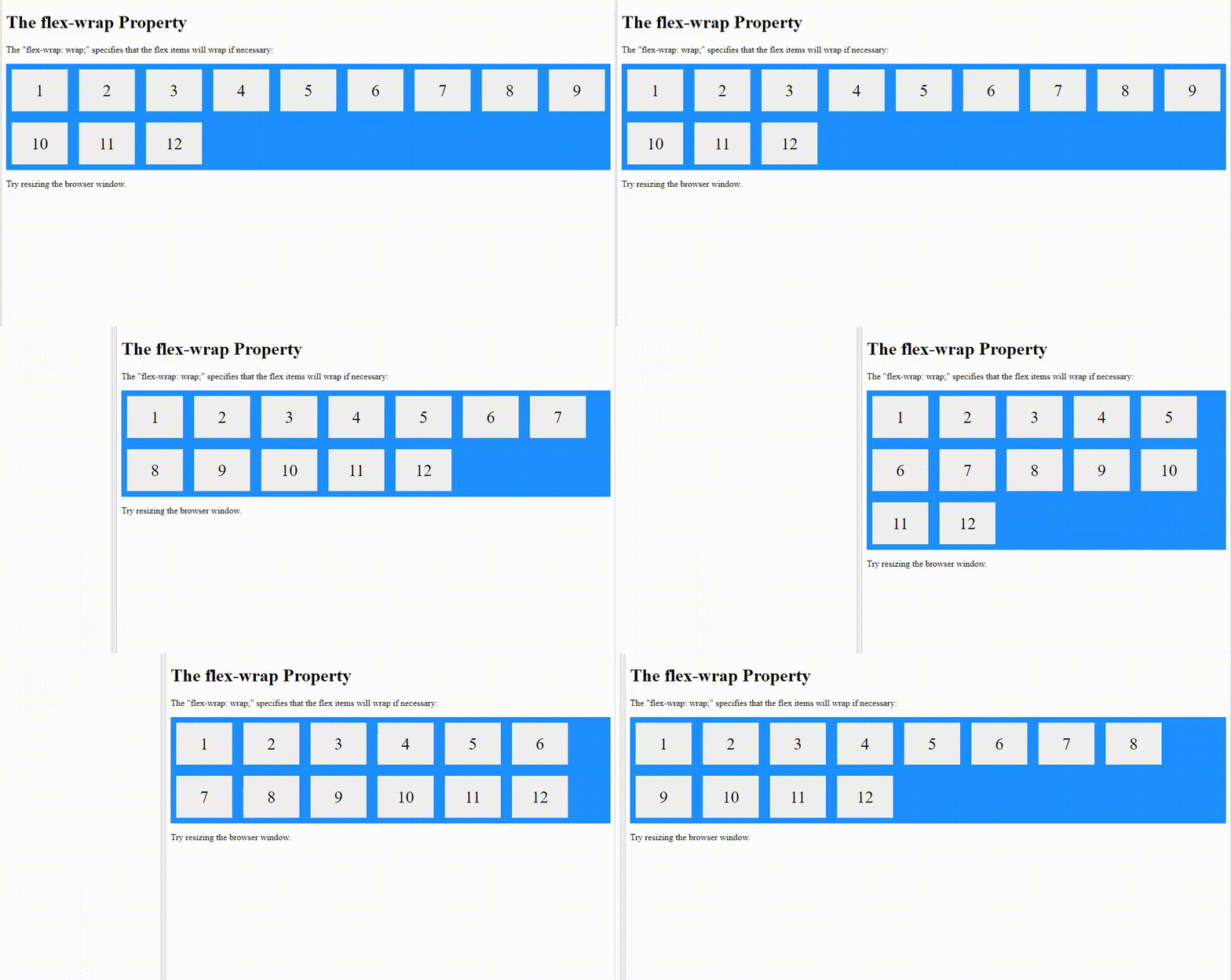
You may want to do something like this for large screens.
 ghost
on 27 May 2019
ghost
on 27 May 2019
Hi @bennothommo not sure if this is useful to you, I was using codepen yesterday and thought of this issue, here's a screenshot of what I was thinking (maybe useful?)

ghost
on 13 Jul 2019
Thanks heaps for that @ayumihamsaki - your post above inspired me to pivot the development of the Grid widget a bit. I'm looking at implementing it as a "view" of the Lists widget now, as I realised during development that it was using way too much shared code for it to be a separate widget. The upshot is that you'll be able to toggle the view like your image above. :)
bennothommo
on 15 Jul 2019
@bennothommo Have a look at https://github.com/blubcow/oc-tileable-plugin. I came across this a while back and have been meaning to share with you. It's not the most elegant solution but it does work to some degree, although it can use some improvement.
 LarryBarker
on 8 Aug 2019
LarryBarker
on 8 Aug 2019
This issue will be closed and archived in 3 days, as there has been no activity in the last 30 days. If this issue is still relevant or you would like to see action on it, please respond and we will get the ball rolling.
![github-actions[bot] picture](https://avatars.githubusercontent.com/in/15368?v=4&s=40) github-actions[bot]
on 2 Oct 2019
github-actions[bot]
on 2 Oct 2019
@LarBearrr Whoops, sorry for the delayed response. Thanks for that link. I think I did come across that when I initially researched the idea. I'm going a slightly different route in that it will become a "view" for the Lists widget instead of an all-new widget, but that looks nifty nonetheless.
bennothommo
on 2 Oct 2019
This issue will be closed and archived in 3 days, as there has been no activity in the last 60 days.
If this issue is still relevant or you would like to see it actioned, please respond and we will re-open this issue.
If this issue is critical to your business, consider joining the Premium Support Program where a Service Level Agreement is offered.
github-actions[bot]
on 2 May 2020
Related issues
 ChVuagniaux
·
3Comments
ChVuagniaux
·
3Comments
 kdoonboli
·
3Comments
kdoonboli
·
3Comments
 mittultechnobrave
·
3Comments
mittultechnobrave
·
3Comments
 dunets
·
3Comments
dunets
·
3Comments
 gergo85
·
3Comments
gergo85
·
3Comments
Most helpful comment
Thanks heaps for that @ayumihamsaki - your post above inspired me to pivot the development of the Grid widget a bit. I'm looking at implementing it as a "view" of the Lists widget now, as I realised during development that it was using way too much shared code for it to be a separate widget. The upshot is that you'll be able to toggle the view like your image above. :)