Obs-mac-virtualcam: [Bug] Ancient MBP with High Sierra Problems
I know this is going to be fringe case, so I don't expect too much, but I was wanting to at least inform you of the results :)
Describe the issue
When using virtual cam of virtual cam in OBS the picture is all "wound up" I see movement of the camera, but it's not clear (see screenshots below)
Discord never gets past the "Start Virtual Camera" screen even with the Virtual Camera on
To Reproduce
It might just be this ancient MBP, but I'm an OBS vet (and this works BEAUTIFULLY on my ~2015 iMac!)
Behavior
See screenshots of distorted picture below
Screenshots
Discord Test Preview

In-OBS - bottom left is live webcam, and top right is a feedback of the OBS Virtual Camera

Desktop (please complete the following information):
- OS version: macOS High Sierra 10.13.6
- Latest OBS and Discord
- Version [e.g. 1.0.0]
Additional context
Add any other context about the problem here.
 jdgwf
jdgwf
All 13 comments
Again, this works BEAUTIFULLY on my ~2015 iMac (will try my 2009 MacPro later today or tomorrow), so treat this as more informative than a support request.
jdgwf
on 14 May 2020
Currently uninstalling OBS and the old virtcam driver just in case...
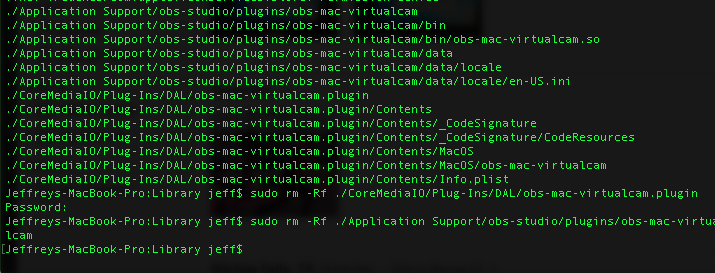
Will reboot/reinstall and let you know the results
jdgwf
on 14 May 2020
Same problem even after uninstall, reboot, reinstall obs (to make sure Virtual Cam was not there), reinstall of Virtual Cam and identical distortion of image.
jdgwf
on 14 May 2020
As I suspected, the driver works great with an moderately upgraded 2009 MacPro on High Sierra
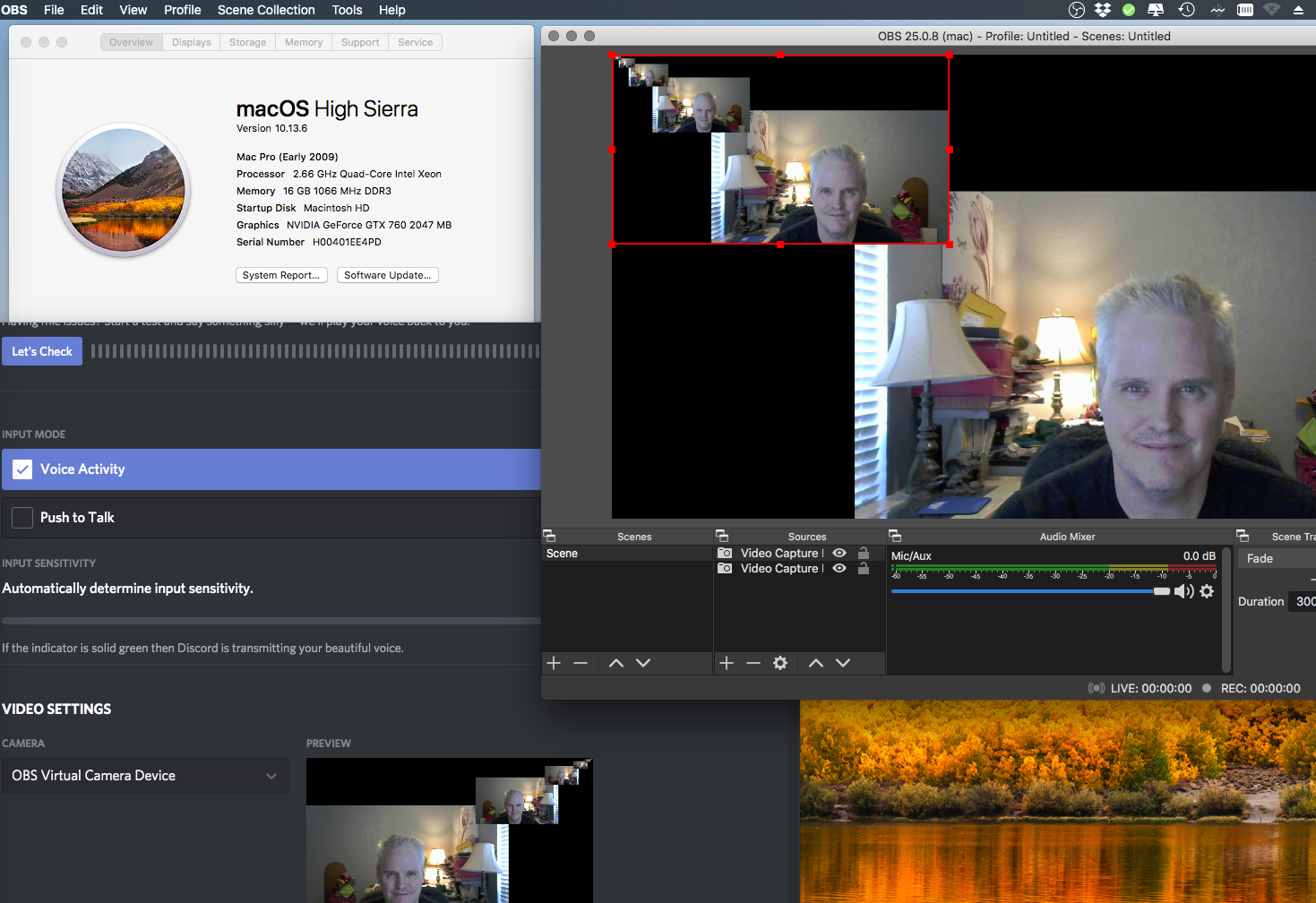
Top Left: About this Mac
Bottom Left: Discord Video Preview of Virtual Cam driver
Right (OBS): Bottom Left: Live Cam
Right (OBS): Top Right: "Feedback" of Virtual Camera Driver
:)
jdgwf
on 14 May 2020
This is a weird one!
To me the OBS screenshot looks like a mismatch in the resolution of what's getting sent from the the plugin vs what OBS is expecting. But then no idea why that would affect video showing in discord.
 johnboiles
on 15 May 2020
johnboiles
on 15 May 2020
Hi, in my case, identical probem but i resolve this by : output resolution 1920x1080 in OBS.
Mac 10.14, OBS 25.0, OBS VirtualCam 1.1, Zoom 4.6.8 OK
In discord 0.0.257, no camera detect (No OBS-Camera, juste FaceTime Camera)
 Tifaifai
on 15 May 2020
Tifaifai
on 15 May 2020
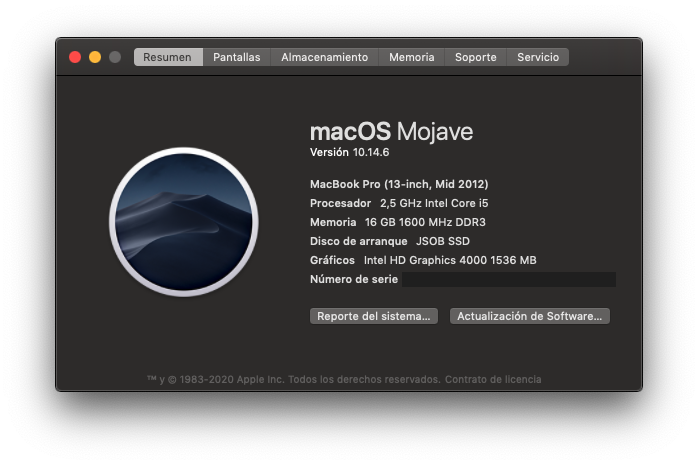
Same issue
 Jhonsebas77
on 16 May 2020
Jhonsebas77
on 16 May 2020
@jdgwf @Jhonsebas77 @Tifaifai I think this should be fixed in the latest release. Could yall give it a try and report back?
johnboiles
on 29 May 2020
I just installed - the Virtual Camera service now gives me the 'Tools'->'Start Camera' blue screen whether the service is running or not. Installed and even rebooted just in case an older version of it was still in memory.
It's a mute point for me, I'm retiring that old MBP anyway :)
jdgwf
on 29 May 2020
You don't get the distortion in OBS anymore right?
johnboiles
on 29 May 2020
Any sort of Console.app logs when you open Discord on macOS 10.13 and try to use the virtual camera would be helpful. Sounds like the inter-process communication to OBS is breaking down for some reason.
johnboiles
on 29 May 2020
@jdgwf @Jhonsebas77 @Tifaifai I think this should be fixed in the latest release. Could yall give it a try and report back?
For me, it works great!
Jhonsebas77
on 30 May 2020
This is more or less a duplicate of #160 I think. Closing (but maybe I'll leave that open after I archive this repo, for reference)
johnboiles
on 15 Dec 2020
Related issues
 alexandr-
·
14Comments
alexandr-
·
14Comments
 wookayin
·
3Comments
johnboiles
·
10Comments
wookayin
·
3Comments
johnboiles
·
10Comments
 technovangelist
·
4Comments
technovangelist
·
4Comments
 mkarliner
·
11Comments
mkarliner
·
11Comments