Obs-mac-virtualcam: macOS System Apps blocking DAL (FaceTime, Photo Booth)
Quoting the wiki:
Recent versions of macOS seem to disallow DAL plugins for system apps (e.g. Safari, Facetime, Photobooth).
TODO: Which versions of macOS block DAL plugins in which apps?
If people with older versions of macOS could provide these information that would be much appreciated 😃
(Just post them in the comment section here)
Current state:
10.13 High Sierra
|App|Works with DAL|
|---|---|
|FaceTime|No|
 gxalpha
All 16 comments
10.14.5 Mojave
App | Works with DAL | Console Output
------------ | ------------- | -------------
FaceTime | nope | Error loading /Library/CoreMediaIO/Plug-Ins/DAL/obs-mac-virtualcam.plugin/Contents/MacOS/obs-mac-virtualcam: dlopen(/Library/CoreMediaIO/Plug-Ins/DAL/obs-mac-virtualcam.plugin/Contents/MacOS/obs-mac-virtualcam, 0x0106): code signature in (/Library/CoreMediaIO/Plug-Ins/DAL/obs-mac-virtualcam.plugin/Contents/MacOS/obs-mac-virtualcam) not valid for use in process: mapping process is a platform binary, but mapped file is not
Quicktime | yes - as long as VirtCam isn't started only outputs [email protected] | OBSDAL: -[PlugIn startStream] OBSDAL: -[Stream startServingDefaultFrames] OBSDAL: Server is not available
Quicktime | no, not really - if VirtCam is started recording crashes after a view frames | OBSDAL: Queue is full, bailing out repeated once a second as long Quicktime is running
PhotoBooth | no | Error loading /Library/CoreMediaIO/Plug-Ins/DAL/obs-mac-virtualcam.plugin/Contents/MacOS/obs-mac-virtualcam: dlopen(/Library/CoreMediaIO/Plug-Ins/DAL/obs-mac-virtualcam.plugin/Contents/MacOS/obs-mac-virtualcam, 0x0106): code signature in (/Library/CoreMediaIO/Plug-Ins/DAL/obs-mac-virtualcam.plugin/Contents/MacOS/obs-mac-virtualcam) not valid for use in process: mapping process is a platform binary, but mapped file is not
all console.log entries are followed by a kernel message
Library Validation failed: Rejecting '/Library/CoreMediaIO/Plug-Ins/DAL/obs-mac-virtualcam.plugin/Contents/MacOS/obs-mac-virtualcam' (Team ID: 62G85M9ZN5, platform: no) for process 'FaceTime(12741)' (Team ID: none, platform: yes), reason: mapping process is a platform binary, but mapped file is not
 c3labs
on 16 May 2020
c3labs
on 16 May 2020
Thanks for the investigation!!!
I wonder if there are any workarounds for mapping process is a platform binary, but mapped file is not. Perhaps disabling SIP?
The QuickTime recording issue is something different I think. I suspect it's a timestamping issue. Tracking that in #91
 johnboiles
on 16 May 2020
johnboiles
on 16 May 2020
I wonder who ieo is: https://forums.developer.apple.com/thread/131826 ?
c3labs
on 16 May 2020
Not sure! I think Apple could solve this securely by adding a layer of indirection where the DAL plugins run in a separate process from FaceTime/PhotoBooth. Similar to how Chrome solved this but at the OS level
johnboiles
on 16 May 2020
macOS High Sierra 10.13.6
| App | Works? | Console |
|-----|--------|-----------------|
| Photobooth.app | Yes | | |
| FaceTime.app | Yes | |
| Safari.app | No | (couldn't find anything) |
| QuickTime Player.app | Sort of [1] | OBSDAL: Server is not available and OBSDAL: Queue is full, bailing out repeatedly.
[1] After selecting the source, the stream has lots of hiccups, and only shows the default splash screen "OBS Virtual Cam is inactive".
 diogoterremoto
on 18 May 2020
diogoterremoto
on 18 May 2020
macOS Mojave 10.14.6
App | Works? | Console
-- | -- | --
Zoom.app | Yes | (v 5.0.2)
FaceTime.app | No |
Photobooth.app | Yes |
Microsoft Teams.app | Yes | (v 1.3.00.9271)
GoToMeeting.app | Yes | (v 10.8.0 b 16786)
GoToTraining | Yes |
 max-ott
on 18 May 2020
max-ott
on 18 May 2020
Interesting that PhotoBooth does not work for @c3labs on 10.14.5 but it does work for @max-ott on 10.14.6
johnboiles
on 18 May 2020
Photobooth also does not work for me on 10.14.6.
As a sidenote, I discovered that if I duplicate the Facetime.app into something else like "MyFacetime.app" and run that, all the DAL cams are listed. Apparently this "demotes" the platform apps to user apps?
On "MyPhotoBooth" I can actually use those.
On "MyFaceTime" however, I cannot use the virtual cams as it seem to be defaulting to a normal camera anyhow (or the avconferenced involved providing the AVConferencePreview XPC service?) .
default 11:09:31.029255 +0200   FaceTime    User selected new camera from menu: obs-virtual-cam-device
default 11:09:31.029371 +0200   FaceTime    Found matching device: [obs-virtual-cam-device] <private>
default 11:09:31.029433 +0200   FaceTime    AVConferencePreview [WARNING] -[AVConferencePreview setLocalCameraWithUID:]:708 requestedCameraUniqueID = obs-virtual-cam-device
default 11:09:31.030051 +0200   FaceTime    AVConferencePreview [WARNING] -[AVConferencePreview localCameraUID]:766 AVConferencePreview localCamera obs-virtual-cam-device
default 11:09:31.041256 +0200   FaceTime    Adding video menu item (camera): [obs-virtual-cam-device] <private> -> <private>
This is an interesting thread which discusses the problem with Apple, with the "only" solution at this point is to disable SIP.
 gerwindehaan
on 21 May 2020
gerwindehaan
on 21 May 2020
@gerwindehaan whoa neat trick! Yeah if FaceTime uses XPC to something that actually handles the video that'd make sense a simple rename wouldn't work.
johnboiles
on 21 May 2020
Out of curiosity I tried the trick to rename FaceTime mentioned above and also disabled SIP (yes, I know I should not do this) and I'm able to switch to "OBS Virtual Camera" however FaceTime only seems to see the OBS logo and no video.
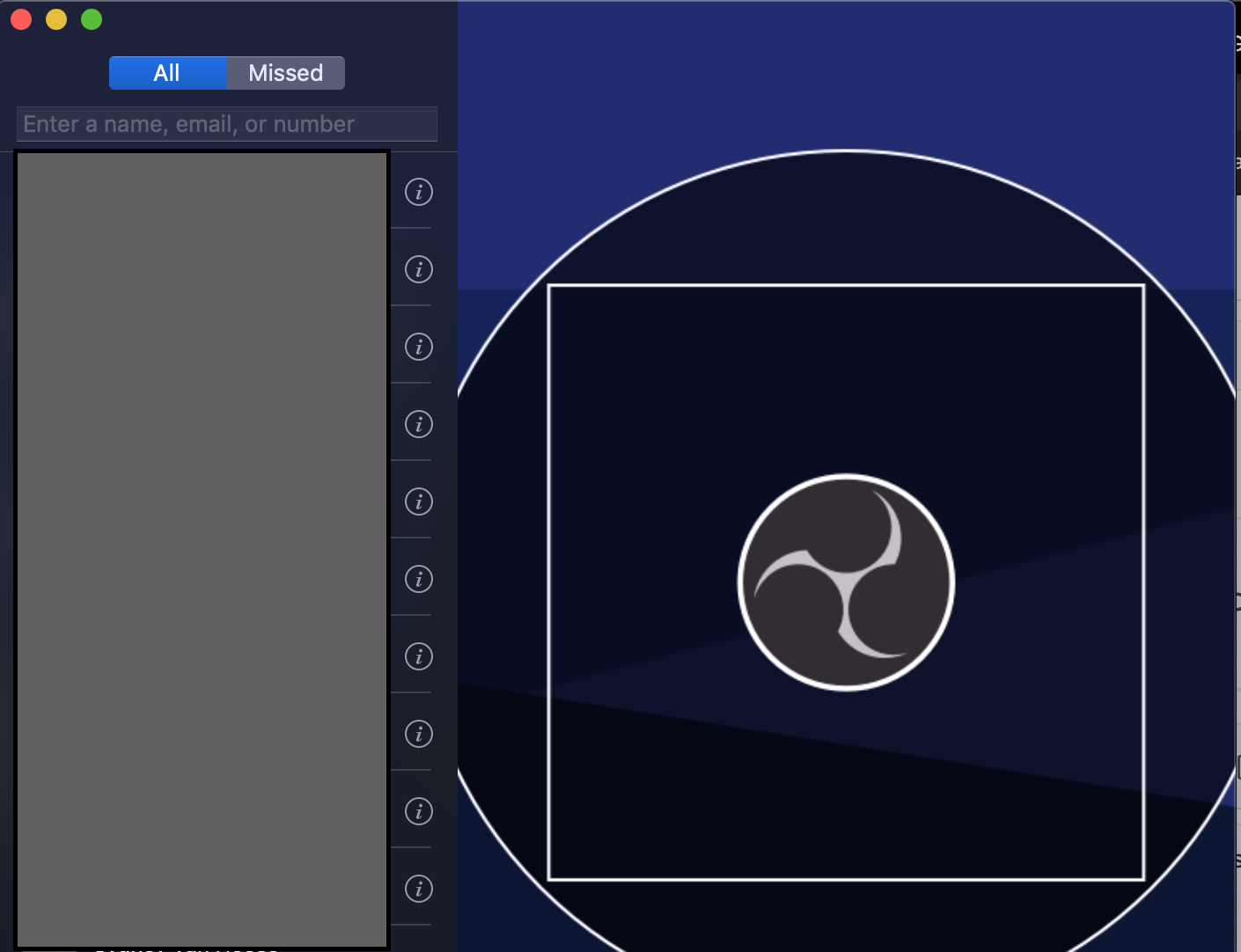
With SIP enabled it wouldn't even show the logo for me.
 instantdelay
on 12 Jul 2020
instantdelay
on 12 Jul 2020
Commented https://github.com/johnboiles/obs-mac-virtualcam/issues/4#issuecomment-657896452 on the other thread, but thought it was mentioning here.
I know disabling SIP has been brought up a few times, and isn't perfect for everyone (obviously), but you don't have to fully disable SIP to get it working in all apps. I am running Catalina right now and FaceTime is working with EpocCam (same idea as this plugin).
csrutil enable --without fs will do it and leave some protections in place.
You can read more about the implications of that here: https://eclecticlight.co/2017/04/28/sierras-system-integrity-protection-sip-beyond-root/
I also added this to the wiki here. Let me know if thats ok or if we would like to see any changes.
 inickt
on 14 Jul 2020
inickt
on 14 Jul 2020
Out of curiosity I tried the trick to rename FaceTime mentioned above and also disabled SIP (yes, I know I should not do this) and I'm able to switch to "OBS Virtual Camera" however FaceTime only seems to see the OBS logo and no video.
With SIP enabled it wouldn't even show the logo for me.
Having this same issue. Not sure what kind of workaround could be put in place. Thanks!
 calabresechris
on 31 Jul 2020
calabresechris
on 31 Jul 2020
Also having the same issue. I want to use my iPhone as a webcam on my Macbppl when I have the lid closed and it is docked using my external monitor.
Can confirm that the duplicating FaceTime app does work on macOS Big Sur still but you can't use It (as before) seems the only way is to disable SIP?
Is it not possible for us to sign the plugins? I have a developer apple account
 MrBenFTW
on 8 Aug 2020
MrBenFTW
on 8 Aug 2020
The DAL plugin distributed here should be properly signed and stuff.
gxalpha
on 8 Aug 2020
Same issue here with FaceTime.app after enabling SIP. Additionally, the OBS logo is mirrored sideways (a version string of "1.2.1" is displayed at the bottom of the OBS logo graphics but only readable from right to left).
 metawops
on 22 Nov 2020
metawops
on 22 Nov 2020
Closing since this is more or less a duplicate of #4 but would be worth compiling all these workarounds into the OBS wiki or something.
johnboiles
on 15 Dec 2020
Related issues
 lisaross
·
9Comments
lisaross
·
9Comments
 emmecirm
·
3Comments
emmecirm
·
3Comments
 mkarliner
·
11Comments
mkarliner
·
11Comments
 wookayin
·
3Comments
johnboiles
·
4Comments
wookayin
·
3Comments
johnboiles
·
4Comments
Most helpful comment
macOS High Sierra 10.13.6
| App | Works? | Console |
|-----|--------|-----------------|
| Photobooth.app | Yes | | |
| FaceTime.app | Yes | |
| Safari.app | No | (couldn't find anything) |
| QuickTime Player.app | Sort of [1] |
OBSDAL: Server is not availableandOBSDAL: Queue is full, bailing outrepeatedly.[1] After selecting the source, the stream has lots of hiccups, and only shows the default splash screen "OBS Virtual Cam is inactive".