Obs-mac-virtualcam: DAL plugins don't work in apps with hardened runtime (e.g. in Zoom, Teams, Skype, Safari, Quicktime, Photo Booth etc)
I ran through the compile and everything seems to be fine, am able to run OBS from the terminal, but I'm not seeing any new video sources in Photo Both or Google Hangouts.
The console output when launching indicates that it _is_ loading the module (though there is some warning)
Is there some other step I need to complete?
```❯ ./obs
info: CPU Name: Intel(R) Core(TM) i7-7920HQ CPU @ 3.10GHz
info: CPU Speed: 3100MHz
info: Physical Cores: 4, Logical Cores: 8
info: Physical Memory: 16384MB Total
info: OS Name: Mac OS X (NSMACHOperatingSystem)
info: OS Version: Version 10.14.6 (Build 18G3020)
info: Kernel Version: 18.7.0
info: hotkeys-cocoa: Using layout 'com.apple.keylayout.US'
info: Portable mode: false
QMetaObject::connectSlotsByName: No matching signal for on_advAudioProps_clicked()
QMetaObject::connectSlotsByName: No matching signal for on_advAudioProps_destroyed()
QMetaObject::connectSlotsByName: No matching signal for on_actionGridMode_triggered()
QMetaObject::connectSlotsByName: No matching signal for on_program_customContextMenuRequested(QPoint)
info: OBS 25.0.3-10-g094edda8 (mac)
info: ---------------------------------
info: ---------------------------------
info: audio settings reset:
samples per sec: 44100
speakers: 2
info: ---------------------------------
info: Initializing OpenGL...
info: Loading up OpenGL on adapter ATI Technologies Inc. AMD Radeon Pro 560 OpenGL Engine
info: OpenGL loaded successfully, version 4.1 ATI-2.11.21, shading language 4.10
info: ---------------------------------
info: video settings reset:
base resolution: 1680x1050
output resolution: 1120x700
downscale filter: Bicubic
fps: 30/1
format: NV12
YUV mode: 601/Partial
info: NV12 texture support not available
info: Audio monitoring device:
name: Default
id: default
info: ---------------------------------
warning: Failed to load 'en-US' text for module: 'decklink-ouput-ui.so'
error: os_dlopen(libpython3.7m.dylib->libpython3.7m.dylib): dlopen(libpython3.7m.dylib, 257): image not found
warning: [Python] Could not load library: libpython3.7m.dylib
2020-04-02 16:38:30.976 obs[31358:10316186] alloc
2020-04-02 16:38:30.976 obs[31358:10316186] query 2
2020-04-02 16:38:30.976 obs[31358:10316186] release 2
2020-04-02 16:38:30.976 obs[31358:10316186] * MyPlugInitializeWithObjectID
2020-04-02 16:38:30.976 obs[31358:10316186] init
2020-04-02 16:38:30.976 obs[31358:10316186] MyPlugObjectSetPropertyData
2020-04-02 16:38:30.976 obs[31358:10316186] MyPlugObjectSetPropertyData
2020-04-02 16:38:30.976 obs[31358:10316186] MyPlugObjectSetPropertyData
2020-04-02 16:38:31.050 obs[31358:10316186] Trying to get Surface
2020-04-02 16:38:31.051 obs[31358:10316186] Found Surface
2020-04-02 16:38:31.051 obs[31358:10316186] Surface is the wrong size: 320 240 vs 640.000000 480.000000
2020-04-02 16:38:31.051 obs[31358:10316186] Surface is 0x0
2020-04-02 16:38:31.052 obs[31358:10316186] Driver name is 8 CamTwist
2020-04-02 16:38:31.052 obs[31358:10316186]
mediaSubType:'BGRA'
mediaSpecific: {
codecType: 'BGRA' dimensions: 640 x 480
}
extensions: {
1 :
}
}
2020-04-02 16:38:31.052 obs[31358:10316186] Name CamTwist
2020-04-02 16:38:31.078 obs[31358:10316186] alloc
2020-04-02 16:38:31.078 obs[31358:10316186] query 2
2020-04-02 16:38:31.078 obs[31358:10316186] release 2
2020-04-02 16:38:31.078 obs[31358:10316186] * MyPlugInitializeWithObjectID
2020-04-02 16:38:31.078 obs[31358:10316186] init
2020-04-02 16:38:31.078 obs[31358:10316186] MyPlugObjectSetPropertyData
2020-04-02 16:38:31.078 obs[31358:10316186] MyPlugObjectSetPropertyData
2020-04-02 16:38:31.078 obs[31358:10316186] MyPlugObjectSetPropertyData
2020-04-02 16:38:31.078 obs[31358:10316186]
mediaSubType:'2vuy'
mediaSpecific: {
codecType: '2vuy' dimensions: 640 x 480
}
extensions: {
0 :
}
}
2020-04-02 16:38:31.142 obs[31358:10316186] Name CamTwist (2VUY)
warning: A DeckLink iterator could not be created. The DeckLink drivers may not be installed
info: No blackmagic support
info: [VideoToolbox encoder]: Adding VideoToolbox H264 encoders
warning: Failed to load 'en-US' text for module: 'obs-mac-virtualcam.so'
warning: Ignoring old obs-browser.so version
info: ---------------------------------
info: Loaded Modules:
info: text-freetype2.so
info: rtmp-services.so
info: obs-x264.so
info: obs-vst.so
info: obs-transitions.so
info: obs-outputs.so
info: obs-mac-virtualcam.so
info: obs-filters.so
info: obs-ffmpeg.so
info: mac-vth264.so
info: mac-syphon.so
info: mac-decklink.so
info: mac-capture.so
info: mac-avcapture.so
info: image-source.so
info: frontend-tools.so
info: decklink-ouput-ui.so
info: coreaudio-encoder.so
info: ---------------------------------
info: ==== Startup complete ===============================================
error: Service '' not found
info: All scene data cleared
info: ------------------------------------------------
info: coreaudio: device 'Built-in Microphone' initialized
info: [Media Source 'Media Source']: settings:
input: /Users/cweiss/Downloads/Binary_numbers_alpha_overlay_01_Videvo.mov
input_format: (null)
speed: 100
is_looping: yes
is_hw_decoding: no
is_clear_on_media_end: yes
restart_on_activate: yes
close_when_inactive: no
2020-04-02 16:38:31.471 obs[31358:10316186] MyPlugObjectHasProperty
2020-04-02 16:38:31.471 obs[31358:10316186] enog
2020-04-02 16:38:31.471 obs[31358:10316186] bolg
2020-04-02 16:38:31.471 obs[31358:10316186] 0
2020-04-02 16:38:31.471 obs[31358:10316186] MyPlugObjectSetPropertyData
2020-04-02 16:38:31.471 obs[31358:10316186] MyPlugObjectSetPropertyData
2020-04-02 16:38:31.471 obs[31358:10316186] MyPlugObjectSetPropertyData
2020-04-02 16:38:31.471 obs[31358:10316186] MyPlugObjectSetPropertyData
2020-04-02 16:38:31.471 obs[31358:10316186] MyPlugObjectSetPropertyData
2020-04-02 16:38:31.471 obs[31358:10316186] MyPlugObjectGetPropertyDataSize
2020-04-02 16:38:31.471 obs[31358:10316186] sel dnwo
2020-04-02 16:38:31.471 obs[31358:10316186] scope bolg
2020-04-02 16:38:31.472 obs[31358:10316186] elt 0
2020-04-02 16:38:31.472 obs[31358:10316186] MyPlugObjectGetPropertyDataSize
2020-04-02 16:38:31.472 obs[31358:10316186] sel dnwo
2020-04-02 16:38:31.472 obs[31358:10316186] scope bolg
2020-04-02 16:38:31.472 obs[31358:10316186] elt 0
2020-04-02 16:38:31.472 obs[31358:10316186] MyPlugObjectGetPropertyDataSize
2020-04-02 16:38:31.472 obs[31358:10316186] sel dnwo
2020-04-02 16:38:31.472 obs[31358:10316186] scope bolg
2020-04-02 16:38:31.472 obs[31358:10316186] elt 0
2020-04-02 16:38:31.472 obs[31358:10316186] MyPlugObjectGetPropertyDataSize
2020-04-02 16:38:31.472 obs[31358:10316186] sel dnwo
2020-04-02 16:38:31.472 obs[31358:10316186] scope bolg
2020-04-02 16:38:31.472 obs[31358:10316186] elt 0
2020-04-02 16:38:31.472 obs[31358:10316186] MyPlugObjectGetPropertyDataSize
2020-04-02 16:38:31.472 obs[31358:10316186] sel dnwo
2020-04-02 16:38:31.472 obs[31358:10316186] scope bolg
2020-04-02 16:38:31.472 obs[31358:10316186] elt 0
2020-04-02 16:38:31.472 obs[31358:10316186] MyPlugObjectGetPropertyDataSize
2020-04-02 16:38:31.472 obs[31358:10316186] sel dnwo
2020-04-02 16:38:31.472 obs[31358:10316186] scope bolg
2020-04-02 16:38:31.472 obs[31358:10316186] elt 0
2020-04-02 16:38:31.472 obs[31358:10316186] MyPlugObjectSetPropertyData
2020-04-02 16:38:31.472 obs[31358:10316186] MyPlugObjectHasProperty
2020-04-02 16:38:31.472 obs[31358:10316186] grrf
2020-04-02 16:38:31.472 obs[31358:10316186] bolg
2020-04-02 16:38:31.472 obs[31358:10316186] 0
2020-04-02 16:38:31.472 obs[31358:10316186] MyPlugObjectHasProperty
2020-04-02 16:38:31.472 obs[31358:10316186] grrf
2020-04-02 16:38:31.472 obs[31358:10316186] bolg
2020-04-02 16:38:31.472 obs[31358:10316186] 0
2020-04-02 16:38:31.472 obs[31358:10316186] MyPlugObjectHasProperty
2020-04-02 16:38:31.472 obs[31358:10316186] trfn
2020-04-02 16:38:31.472 obs[31358:10316186] bolg
2020-04-02 16:38:31.472 obs[31358:10316186] 0
2020-04-02 16:38:31.472 obs[31358:10316186] MyPlugObjectHasProperty
2020-04-02 16:38:31.472 obs[31358:10316186] trfm
2020-04-02 16:38:31.472 obs[31358:10316186] bolg
2020-04-02 16:38:31.472 obs[31358:10316186] 0
2020-04-02 16:38:31.472 obs[31358:10316186] MyPlugObjectHasProperty
2020-04-02 16:38:31.472 obs[31358:10316186] trfn
2020-04-02 16:38:31.472 obs[31358:10316186] bolg
2020-04-02 16:38:31.472 obs[31358:10316186] 0
2020-04-02 16:38:31.472 obs[31358:10316186] DN: CamTwist
2020-04-02 16:38:31.472 obs[31358:10316186] MyPlugObjectHasProperty
2020-04-02 16:38:31.472 obs[31358:10316186] dulp
2020-04-02 16:38:31.472 obs[31358:10316186] tpni
2020-04-02 16:38:31.472 obs[31358:10316186] 0
2020-04-02 16:38:31.472 obs[31358:10316186] MyPlugObjectGetPropertyDataSize
2020-04-02 16:38:31.472 obs[31358:10316186] sel dnwo
2020-04-02 16:38:31.472 obs[31358:10316186] scope bolg
2020-04-02 16:38:31.472 obs[31358:10316186] elt 0
2020-04-02 16:38:31.472 obs[31358:10316186] MyPlugObjectHasProperty
2020-04-02 16:38:31.472 obs[31358:10316186] enog
2020-04-02 16:38:31.472 obs[31358:10316186] bolg
2020-04-02 16:38:31.472 obs[31358:10316186] 0
2020-04-02 16:38:31.472 obs[31358:10316186] MyPlugObjectSetPropertyData
2020-04-02 16:38:31.472 obs[31358:10316186] MyPlugObjectSetPropertyData
2020-04-02 16:38:31.472 obs[31358:10316186] MyPlugObjectSetPropertyData
2020-04-02 16:38:31.473 obs[31358:10316186] MyPlugObjectSetPropertyData
2020-04-02 16:38:31.473 obs[31358:10316186] MyPlugObjectSetPropertyData
2020-04-02 16:38:31.473 obs[31358:10316186] MyPlugObjectGetPropertyDataSize
2020-04-02 16:38:31.473 obs[31358:10316186] sel dnwo
2020-04-02 16:38:31.473 obs[31358:10316186] scope bolg
2020-04-02 16:38:31.473 obs[31358:10316186] elt 0
2020-04-02 16:38:31.473 obs[31358:10316186] MyPlugObjectGetPropertyDataSize
2020-04-02 16:38:31.473 obs[31358:10316186] sel dnwo
2020-04-02 16:38:31.473 obs[31358:10316186] scope bolg
2020-04-02 16:38:31.473 obs[31358:10316186] elt 0
2020-04-02 16:38:31.473 obs[31358:10316186] MyPlugObjectGetPropertyDataSize
2020-04-02 16:38:31.473 obs[31358:10316186] sel dnwo
2020-04-02 16:38:31.473 obs[31358:10316186] scope bolg
2020-04-02 16:38:31.473 obs[31358:10316186] elt 0
2020-04-02 16:38:31.473 obs[31358:10316186] MyPlugObjectGetPropertyDataSize
2020-04-02 16:38:31.473 obs[31358:10316186] sel dnwo
2020-04-02 16:38:31.473 obs[31358:10316186] scope bolg
2020-04-02 16:38:31.473 obs[31358:10316186] elt 0
2020-04-02 16:38:31.473 obs[31358:10316186] MyPlugObjectGetPropertyDataSize
2020-04-02 16:38:31.473 obs[31358:10316186] sel dnwo
2020-04-02 16:38:31.473 obs[31358:10316186] scope bolg
2020-04-02 16:38:31.473 obs[31358:10316186] elt 0
2020-04-02 16:38:31.473 obs[31358:10316186] MyPlugObjectGetPropertyDataSize
2020-04-02 16:38:31.473 obs[31358:10316186] sel dnwo
2020-04-02 16:38:31.473 obs[31358:10316186] scope bolg
2020-04-02 16:38:31.473 obs[31358:10316186] elt 0
2020-04-02 16:38:31.473 obs[31358:10316186] MyPlugObjectSetPropertyData
2020-04-02 16:38:31.473 obs[31358:10316186] MyPlugObjectHasProperty
2020-04-02 16:38:31.473 obs[31358:10316186] grrf
2020-04-02 16:38:31.473 obs[31358:10316186] bolg
2020-04-02 16:38:31.473 obs[31358:10316186] 0
2020-04-02 16:38:31.473 obs[31358:10316186] MyPlugObjectHasProperty
2020-04-02 16:38:31.473 obs[31358:10316186] grrf
2020-04-02 16:38:31.473 obs[31358:10316186] bolg
2020-04-02 16:38:31.473 obs[31358:10316186] 0
2020-04-02 16:38:31.473 obs[31358:10316186] MyPlugObjectHasProperty
2020-04-02 16:38:31.473 obs[31358:10316186] trfn
2020-04-02 16:38:31.473 obs[31358:10316186] bolg
2020-04-02 16:38:31.473 obs[31358:10316186] 0
2020-04-02 16:38:31.473 obs[31358:10316186] MyPlugObjectHasProperty
2020-04-02 16:38:31.473 obs[31358:10316186] trfm
2020-04-02 16:38:31.473 obs[31358:10316186] bolg
2020-04-02 16:38:31.473 obs[31358:10316186] 0
2020-04-02 16:38:31.473 obs[31358:10316186] MyPlugObjectHasProperty
2020-04-02 16:38:31.473 obs[31358:10316186] trfn
2020-04-02 16:38:31.473 obs[31358:10316186] bolg
2020-04-02 16:38:31.473 obs[31358:10316186] 0
2020-04-02 16:38:31.473 obs[31358:10316186] DN: CamTwist (2VUY)
2020-04-02 16:38:31.473 obs[31358:10316186] MyPlugObjectHasProperty
2020-04-02 16:38:31.473 obs[31358:10316186] dulp
2020-04-02 16:38:31.473 obs[31358:10316186] tpni
2020-04-02 16:38:31.473 obs[31358:10316186] 0
2020-04-02 16:38:31.473 obs[31358:10316186] MyPlugObjectGetPropertyDataSize
2020-04-02 16:38:31.473 obs[31358:10316186] sel dnwo
2020-04-02 16:38:31.473 obs[31358:10316186] scope bolg
2020-04-02 16:38:31.473 obs[31358:10316186] elt 0
info: EyeSight: Selected device 'FaceTime HD Camera'
info: EyeSight: Using preset 1280x720
info: Switched to scene 'Scene'
info: ------------------------------------------------
info: Loaded scenes:
info: - scene 'Scene':
info: - source: 'Syphon Client' (syphon-input)
info: - source: 'Media Source' (ffmpeg_source)
info: - source: 'EyeSight' (av_capture_input)
info: - filter: 'Crop/Pad' (crop_filter)
info: - filter: 'Chroma Key' (chroma_key_filter)
info: ------------------------------------------------
info: adding 23 milliseconds of audio buffering, total audio buffering is now 23 milliseconds (source: Mic/Aux)
info: User Removed source 'Syphon Client' (syphon-input) from scene 'Scene'
info: EyeSight: Selected preset AVCaptureSessionPreset1280x720
 ChrisWeiss
All 185 comments
Yeah I've been running into sporadic code signing issues. Every now and then macOS will block the plugin from loading. I haven't been able to pin down why it only happens sometimes. Do you see anything in Console.app if you search for virtualcam?
 johnboiles
on 3 Apr 2020
johnboiles
on 3 Apr 2020
It shouldn’t be needed, but after a restart I got it (Google Meet on Chrome, but only shows sometimes on Photo Booth: this also happens with other virtual camera devices)
 rberenguel
on 3 Apr 2020
rberenguel
on 3 Apr 2020
Did you try a Google Meet meeting and the person on the other end was able to see you? I've been having trouble with this (see #2) -- I can see my own preview fine but the person on the other end reports my video as frozen.
johnboiles
on 3 Apr 2020
Yes I’ve seen your other issue. No, it was late and I just was confirming it seemed to work, this was only in the preview. The frame syncing you added didn’t fix the issue?
rberenguel
on 3 Apr 2020
Sure enough, I get the following in Console (even after a reboot):
default 10:00:02.619975 -0700 Photo Booth Error loading /Library/
CoreMediaIO/Plug-Ins/DAL/obs-mac-virtualcam.plugin/Contents/MacOS/obs-mac-virtualcam:  dlopen(/Library/CoreMediaIO/Plug-Ins/DAL/obs-mac-virtualcam.plugin/Contents/MacOS/obs-mac-virtualcam, 0x0106): code signature in (/Library/CoreMediaIO/Plug-Ins/DAL/obs-mac-virtualcam.plugin/Contents/MacOS/obs-mac-virtualcam) not valid for use in process: mapped file has no Team ID and is not a platform binary (signed with custom identity or adhoc?)
default 10:00:02.620077 -0700   Photo Booth Cannot find function pointer AppleCMIODPSampleVCamPlugIn for factory <CFUUID 0x6000017270c0> 35FDFF29-BFCF-4644-AB77-B759DE932ABE in CFBundle/CFPlugIn 0x7f82913134f0 </Library/CoreMediaIO/Plug-Ins/DAL/obs-mac-virtualcam.plugin> (bundle, not loaded)
FWIW - This is a corporate laptop and it's pretty locked down. (I dont think I could get away with disabling SIP to get some of the other solutions to work).
ChrisWeiss
on 3 Apr 2020
I've gotten this _sometimes_ as well and it's baffling to me. One thing I'm trying is changing my codesigning identity to my personal developer account
diff --git a/src/dal-plugin/CMakeLists.txt b/src/dal-plugin/CMakeLists.txt
index c354f13c..a358bfc1 100644
--- a/src/dal-plugin/CMakeLists.txt
+++ b/src/dal-plugin/CMakeLists.txt
@@ -155,6 +155,6 @@ add_custom_command(TARGET dal-plugin

 add_custom_command(TARGET dal-plugin
        POST_BUILD
-       COMMAND /usr/bin/codesign --force --deep --sign - --timestamp=none ${TARGET_DIR}/obs-mac-virtualcam.plugin
+       COMMAND /usr/bin/codesign --force --deep --sign [my 40 char codesign identity] --timestamp=none ${TARGET_DIR}/obs-mac-virtualcam.plugin
        COMMENT "Codesign plugin"
 )
Then that assigns a Team ID during codesigning. But it doesn't explain why it _sometimes_ works without a team id.
@ChrisWeiss does your locked down corporate laptop have Carbon Black on it? Mine does and I always give that thing a suspicious look when spooky system things like this happen.
johnboiles
on 3 Apr 2020
On this issue: I was only able to get video in quicktime. While in other apps like photo booth and discord i can select the virtualcam, it won't give output.
For discord the preview shows a black screen, and the actual video shows that it is loading all the time; and for photo booth when i select the virtualcam, the picture of the facetime camera i had before just freezes.
I know we're probably not at this point yet, but I just wanted to inform you about the issue. Also rebooting didn't help.
 gxalpha
on 4 Apr 2020
gxalpha
on 4 Apr 2020
Thanks for the additional info @gxalpha! Every bit is helpful to try to understand what is happening!
johnboiles
on 4 Apr 2020
I am experiencing this issue as well. I was able to get this plugin working on my employer laptop (which I believe is Mojave) but not on my personal computer which is on Catalina.
I am able to see the virtual camera in Hangouts and Quicktime, but not Zoom or Photobooth.
I tried to get a list of available input devices and got the following which makes me think that this is onto something:
$ system_profiler SPCameraDataType

2020-04-04 17:21:25.454 system_profiler[884:23513] Error loading /Library/CoreMediaIO/Plug-Ins/DAL/obs-mac-virtualcam.plugin/Contents/MacOS/obs-mac-virtualcam:  dlopen(/Library/CoreMediaIO/Plug-Ins/DAL/obs-mac-virtualcam.plugin/Contents/MacOS/obs-mac-virtualcam, 0x0106): code signature in (/Library/CoreMediaIO/Plug-Ins/DAL/obs-mac-virtualcam.plugin/Contents/MacOS/obs-mac-virtualcam) not valid for use in process: mapped file has no Team ID and is not a platform binary (signed with custom identity or adhoc?)
Camera:

    FaceTime HD Camera (Built-in):

      Model ID: UVC Camera VendorID_1452 ProductID_34304
      Unique ID: 0x[redacted]8600

    HD Pro Webcam C920:

      Model ID: UVC Camera VendorID_1133 ProductID_2093
      Unique ID: 0x[redacted]082d
Hope this helps narrow it down, when this is working it's great!
 spenserpothier
on 5 Apr 2020
spenserpothier
on 5 Apr 2020
I have intermittent functionality after reboots, recompiles, etc
right now Im getting
$ system_profiler SPCameraDataType
2020-04-04 19:55:21.258 system_profiler[8078:40898] Error loading /Library/CoreMediaIO/Plug-Ins/DAL/obs-mac-virtualcam.plugin/Contents/MacOS/obs-mac-virtualcam:  dlopen(/Library/CoreMediaIO/Plug-Ins/DAL/obs-mac-virtualcam.plugin/Contents/MacOS/obs-mac-virtualcam, 0x0106): code signature in (/Library/CoreMediaIO/Plug-Ins/DAL/obs-mac-virtualcam.plugin/Contents/MacOS/obs-mac-virtualcam) not valid for use in process: mapped file has no Team ID and is not a platform binary (signed with custom identity or adhoc?)
2020-04-04 19:55:21.258 system_profiler[8078:40898] Cannot find function pointer AppleCMIODPSampleVCamPlugIn for factory 35FDFF29-BFCF-4644-AB77-B759DE932ABE in CFBundle/CFPlugIn 0x7fa31722cbc0 </Library/CoreMediaIO/Plug-Ins/DAL/obs-mac-virtualcam.plugin> (bundle, not loaded)
Camera:

    FaceTime HD Camera:

      Model ID: Apple Camera VendorID_0x106B ProductID_0x1570
      Unique ID: …
 cgudea
on 5 Apr 2020
cgudea
on 5 Apr 2020
No Carbon Black, we do have other security tools installed that I can't disclose :) I'll try doing the build on my personal Mac.
Any other information I can provide to help?
ChrisWeiss
on 5 Apr 2020
The inconsistency is super frustrating to me -- sometimes macOS allows it to run and sometimes it doesn't. I haven't been able to find a pattern.
I _think_ this will be solved once we make a distribution package of this with a real production code signature. If anyone wants to help get a release infrastructure up and running here that'd be great!
For now, my hack above seems to be working ok when I get into this state where it won't run. To make/retrieve your codesigning identity
1) Make sure you're logged into Xcode with your Apple ID (Xcode->Preferences->Accounts)
1) security find-identity -v -p codesigning to see the available codesigning identities and the associated 40 character hex identifier.
1) Change the CMakeLists.txt file for dal-plugin to use codesign --sign [your 40 char id] instead of codesign --sign -
diff --git a/src/dal-plugin/CMakeLists.txt b/src/dal-plugin/CMakeLists.txt
index c354f13c..a358bfc1 100644
--- a/src/dal-plugin/CMakeLists.txt
+++ b/src/dal-plugin/CMakeLists.txt
@@ -155,6 +155,6 @@ add_custom_command(TARGET dal-plugin

 add_custom_command(TARGET dal-plugin
        POST_BUILD
-       COMMAND /usr/bin/codesign --force --deep --sign - --timestamp=none ${TARGET_DIR}/obs-mac-virtualcam.plugin
+       COMMAND /usr/bin/codesign --force --deep --sign [my 40 char codesign identity] --timestamp=none ${TARGET_DIR}/obs-mac-virtualcam.plugin
        COMMENT "Codesign plugin"
 )
Another data point here.
- Catalina 10.15.4
- Xcode 11.4
- Homebrew other bits
- No special security software
security fin...returns a valid identifier from xcode for my account- I get the same error whether I use ad-hoc (
-) or my hex identifier
code signature in (/Library/CoreMediaIO/Plug-Ins/DAL/obs-mac-virtualcam.plugin/Contents/MacOS/obs-mac-virtualcam) not valid for use in process: mapping process is a platform binary, but mapped file is not
Rebooting and/or re-signing does not change this. No action/response needed, I'll keep following this issue on my own. Thanks for digging into this feature so quickly!
 anoldguy
on 8 Apr 2020
anoldguy
on 8 Apr 2020
@anoldguy Thanks for the data point! What software are you using to try to view the webcam stream? I think one part of this is that some software seems more sensitive than others
johnboiles
on 8 Apr 2020
Anything. PhotoBooth, Hangouts, Meet, Zoom, Whereby, Quicktime.
anoldguy
on 8 Apr 2020
Just one more piece of info, as of the latest update to zoom it is not working in either Mojave or Catalina.
Still showing up in quicktime and hangouts for me though.
spenserpothier
on 10 Apr 2020
Could it be unable to run even if signed due to Library Validation?
https://developer.apple.com/documentation/security/hardened_runtime
https://developer.apple.com/documentation/bundleresources/entitlements/com_apple_security_cs_disable-library-validation
Judging from https://nvd.nist.gov/vuln/detail/CVE-2020-11470, it appears that Zoom removed the entitlement in version 4.6.8, which could explain why it works for some people but not others.
I might try installing https://github.com/mologie/macos-disable-library-validation tomorrow in order to see if this is truly the issue.
Since installing the above requires disabling SIP, I just downgraded Zoom.us to 4.6.8. If any of you also want to do so for testing purposes, you can run brew cask install hkatzdev/cask-zoomus-vc/zoomus if you use Homebrew or just download it from https://zoom.us/client/4.6.19178.0323/Zoom.pkg. After downgrading, I was able to use the OBS Virtual Camera. Additionally, another app called CamTwist, which similarly stopped working in later versions of Zoom.us, started working again in the older version.
Therefore, I'm pretty sure it was to do with Library Validation. Unfortunately, I can't think of a good solution that doesn't involve disabling SIP unless Zoom signs the plugin, which would only fix it for Zoom.
 hkatzdev
on 10 Apr 2020
hkatzdev
on 10 Apr 2020
For Zoom at least, it is possible to get this to work by resigning it with the Disable Library Validation Entitlement. I signed the latest zoom with sudo codesign --entitlements entitlements.xml -f -s - /Applications/zoom.us.app and have not noticed any issues yet. Perhaps there could be a script that automates this for apps of your choosing?
Edit: Adding the Disable Library Validation Entitlement doesn't appear to be necessary, although if I had to guess that has to do with it not being signed with a certificate (although if zoom.us and the plugin were signed with the same certificate I believe it still wouldn't be necessary). This is definitely not optimal for security reasons but it works.
hkatzdev
on 10 Apr 2020
@hkatzdev Thank you for all the info about library validation and the workarounds! The Snap Camera docs also talk about how Zoom 4.6.9+ are not supported.
So here are the codesigning issues we know about:
- Some apps (Zoom, Slack) cannot any DAL plugins that are not signed with the same code signature as the application.
- Why this happens: The macOS Library Validation security feature does not allow apps to load plugins with different code signatures _unless_ the app explicitly disables library validation.
- Workarounds: Add the entitlement to disable library validation or download older versions of apps (thanks @hkatzdev!)
- Adhoc codesigning (
codesign --sign -) only sometimes works (Console.app showsmapped file has no Team ID and is not a platform binaryin the console). This will probably cease to be an issue once we make production certificate codesigned releases.
- Why this happens: We don't know yet. We haven't figured out the pattern! More research needed.
- Workaround: codesign with your personal developer certificate.
- System applications (Safari, FaceTime, PhotoBooth) cannot load DAL Plugins (Console.app shows
not valid for use in process: mapping process is a platform binary, but mapped file is not) (reported by @anoldguy)
- Why this happens: Seems to be a macOS security feature to prevent arbitrary code from loading in macOS.
- Workaround: None so far. 3rd party webcams seem to work though. Is that because the driver for those comes from Apple (for UVC cameras). If we went deeper and emulated hardware could we make it work?
johnboiles
on 10 Apr 2020
@anoldguy can you double check that when using your own signing identity, and trying to open the source in QuickTime and Chrome you get the same not valid for use in process: mapping process is a platform binary, but mapped file is not message?
I want to make sure you didn't copy/paste that log from a system application (like Facetime) and got a different error from other applications (QuickTime, Chrome) that are working for some of us on Catalina.
johnboiles
on 10 Apr 2020
Clean built the project. Current state:
Quicktime: Works
Browser based: Safari, no camera. Firefox, camera, but no video.
OS (Facetime/Photobooth): No camera.
anoldguy
on 10 Apr 2020
@anoldguy and do you get that same platform binary error message when using QuickTime/Firefox? Or only for Safari/Facetime/Photobooth?
johnboiles
on 10 Apr 2020
Thank you all for the effort!! This helps a lot.
I confirm @hkatzdev's comment works for the latest zoom! For documentation sake, I wasn't familiar with PropertyLists, but I made it work having the below content for entitlements.xml
<?xml version="1.0" encoding="UTF-8"?>
<!DOCTYPE plist PUBLIC "-//Apple//DTD PLIST 1.0//EN" "http://www.apple.com/DTDs/PropertyList-1.0.dtd">
<plist version="1.0">
<dict>
    <key>com.apple.security.cs.disable-library-validation</key>
    <true/>
</dict>
</plist>
 yasushisakai
on 11 Apr 2020
yasushisakai
on 11 Apr 2020
Thanks @yasushisakai and @hkatzdev this works fine for me and Zoom 4.6.10 (20041.0408)
 jmb
on 11 Apr 2020
jmb
on 11 Apr 2020
Yeah thanks @hkatzdev and @yasushisakai, your solution fixed it for me too, Zoom 4.6.10 on Catalina 10.15.3. I can access my Blackmagic capture device again from within Zoom. Cheers!
 Jacob-Dyer
on 11 Apr 2020
Jacob-Dyer
on 11 Apr 2020
This also allowed AWS Chime to see the virtual camera... I have an open ticket with that team about that problem. Thanks!
On Sat, Apr 11, 2020, at 8:50 AM, Jacob Dyer wrote:
Yeah thanks @hkatzdev https://github.com/hkatzdev and @yasushisakai https://github.com/yasushisakai, your solution fixed it for me too, Zoom 4.6.10 on Catalina 10.15.3. I can access my Blackmagic capture device again from within Zoom. Cheers!
—
You are receiving this because you are subscribed to this thread.
Reply to this email directly, view it on GitHub https://github.com/johnboiles/obs-mac-virtualcam/issues/4#issuecomment-612414059, or unsubscribe https://github.com/notifications/unsubscribe-auth/AATMTBANGQTMJELEVUCYPKLRMBRPVANCNFSM4L3C5TLA.
 jimmydigital
on 11 Apr 2020
jimmydigital
on 11 Apr 2020
Unfortunately, I made a mistake with the code I posted earlier. While resigning the code as I mentioned above works, it also completely removes the hardened runtime, which is not great for security. Instead, here is some very poorly written code that should do the following.
1) Get the entitlements as xml
2) Parse it using xml2
3) Add the Disable Library Validation Entitlement to the list
4) Turn it back into an xml file with 2xml and save it as an xml file
5) Using the preserve-metadata option, attempt to change the least amount of things when resigning (including keeping hardened mode on if it was enabled before) while adding the new entitlement.
I tested the below command on Zoom.us, and now I have obs-mac-virtualcam working with Zoom.us's hardened mode enabled.
APPLICATION=/Applications/zoom.us.app && codesign -d --entitlements :- $APPLICATION | { xml2; echo "/plist/dict/key=com.apple.security.cs.disable-library-validation"; echo "/plist/dict/true"; } | 2xml > entitlements.xml && sudo codesign --sign - $APPLICATION --force --preserve-metadata=identifier,resource-rules,flags --entitlements=entitlements.xml && rm entitlements.xml
hkatzdev
on 12 Apr 2020
Thanks again, I have reinstalled zoom and this works perfectly (I just had to use homebrew to install xml2).
jmb
on 12 Apr 2020
Am I correct in assuming manually resigning third party apps will likely cause issues with their update mechanism?
 brinsche
on 12 Apr 2020
brinsche
on 12 Apr 2020
Am I correct in assuming manually resigning third party apps will likely cause issues with their update mechanism?
It appears that for zoom.us (4.6.8-->4.6.10 at least) the app is replaced on an update, which just means that we would have to resign it again. Everything else seems to work. However, it would be a good idea to test with other apps to see if this does lead to a problem.
Also this is definitely not the optimal solution, since it reintroduces CVE-2020-11470. Unfortunately, I don't know of a better, more secure way.
hkatzdev
on 12 Apr 2020
It may be possible to create a virtual webcam by using the new DriverKit, but that would be macOS 10.15+ and it seems like you need to apply to get a special entitlement to use it. According to this you should be able to turn off System Integrity Protection to test it locally but I haven't tried that and Xcode won't even compile a project with a DriverKit component otherwise.
Also I'm a little surprised the zoom update works, I guess it only checks the signature of the update and not whether old and new version match?
brinsche
on 12 Apr 2020
DriverKit seems super promising. If anyone can find any DriverKit sample code that implements a camera that would be hugely helpful. I wonder if Apple is going to remove DAL plugins all together at some point
johnboiles
on 12 Apr 2020
There seems to be very little DriverKit code yet, I could only find the code from the USB sample from the WWDC session video https://github.com/knightsc/USBApp
Here are the general debugging docs https://developer.apple.com/documentation/driverkit/debugging_and_testing_system_extensions and this https://developer.apple.com/documentation/bundleresources/entitlements/com_apple_developer_hid_virtual_device?language=objc could be an indicator that it's at least not impossible to create a virtual camera
I think it's not unlikely for apple to remove DAL plugins at some point in the future
brinsche
on 13 Apr 2020
I think this https://en.wikipedia.org/wiki/USB_video_device_class would be the correct USB device class to virtualise, the spec is here: https://www.usb.org/document-library/video-class-v15-document-set
a correct UVC implementation could then be picked up by the native macos uvc driver which would probably be the ideal and future proof implementation
the main hurdle, beside the probably sizeable effort, might be communicating between the driverkit driver implementation and another app/obs I don't know if the drivers might be sandboxed in a way that might make this difficult, so testing this first is probably a good idea, but I'm way out of my depth here, I hope this helps someone!
brinsche
on 13 Apr 2020
Seems that CoreMedia DAL is the common means for making virtual cameras work right now; I tried looking at the webcamoid source and it looks to be using the same process. (I know nothing about this- literally acting as a human text filter ;-) )
And looking at /Library/CoreMediaIO/Plug-Ins/DAL/ on my system (Catalina), I see plugins for CamTwistStudio and Webcamoid (AkVirtualCamera.plugin).
I agree, long term, given that we should expect more apps to be hardened, an alternative is needed, but my 2c is abstract the interfaces, and make it work with DAL for now, especially as there are so few DriverKit examples right now, and none re non-HID virtual devices.
I did find this article that was useful as an introduction to DriverKit for the complete noob like me:
https://www.apriorit.com/dev-blog/669-mac-system-extensions.
 julianrendell
on 17 Apr 2020
julianrendell
on 17 Apr 2020
Agreed. Let's make what we have work first then later we can get DriverKit working.
johnboiles
on 17 Apr 2020
Unfortunately, I made a mistake with the code I posted earlier. While resigning the code as I mentioned above works, it also completely removes the hardened runtime, which is not great for security. Instead, here is some very poorly written code that should do the following.
- Get the entitlements as xml
- Parse it using xml2
- Add the Disable Library Validation Entitlement to the list
- Turn it back into an xml file with 2xml and save it as an xml file
- Using the preserve-metadata option, attempt to change the least amount of things when resigning (including keeping hardened mode on if it was enabled before) while adding the new entitlement.
I tested the below command on Zoom.us, and now I have obs-mac-virtualcam working with Zoom.us's hardened mode enabled.
APPLICATION=/Applications/zoom.us.app && codesign -d --entitlements :- $APPLICATION | { xml2; echo "/plist/dict/key=com.apple.security.cs.disable-library-validation"; echo "/plist/dict/true"; } | 2xml > entitlements.xml && sudo codesign --sign - $APPLICATION --force --preserve-metadata=identifier,resource-rules,flags --entitlements=entitlements.xml && rm entitlements.xml
This just made my zoom crash on startup. Removing codesigning entirely worked well
codesign --remove-signature /Applications/zoom.us.app/
 blackmad
on 19 Apr 2020
blackmad
on 19 Apr 2020
The problem with removing the signature is that it also completely removes the hardened runtime instead of only partly disabling it, which is probably worse for security. Could you please send me a log of Zoom crashing @blackmad? Would like to figure out why - not the first time I've heard that it crashes zoom but an uninstall and reinstall usually works. Also I forgot to mention that you have to install xml2 in homebrew first and only run this command once on an unmodified zoom.
hkatzdev
on 19 Apr 2020
Seems like Chromium does a workaround (running a child process with com.apple.security.cs.disable-library-validation=true for video capture) to enable virtual cameras while hardend runtime is on.
I hope Zoom does the same too.
 seanchas116
on 20 Apr 2020
seanchas116
on 20 Apr 2020
Just starting to learn Objective C so I can't help with this issue directly but I got an e-mail from Apple that it's offering some individual consultations to developers. Maybe we could pitch this issue there?
Btw. The xml2 works great for me on Catalina
 ruudboon
on 21 Apr 2020
ruudboon
on 21 Apr 2020
I'm at the same stage as @anoldguy, with "system_profiler SPCameraDataType" giving me the "mapping process is a platform binary, but mapped file is not" and zero functionality from the plug-in across any app. I'm using macOS 10.15.4, so I've been lurking here waiting for someone to come up with a workaround that doesn't disable security.
From a little sleuthing about @johnboiles request for DriverKit examples of camera drivers, I came across the youtube: https://youtu.be/rD4Ng4okVis which describes some of the major changes that recent OS updates have made to (hardware) device drivers. It looks like, as of Feb 2, any device driver needs to be "notarized" by Apple before it will work--this makes sense since it is a very solid way to make sure no "unauthorized" code is run on an unsuspecting machine. But it also prevents code generated locally from being run on the "platform".
Thus, it seems that this project is stuck in a bit of limbo, it sounds like compiling the driver code locally and even signing it locally will fail in the latest OS Version, so it needs to be distributed in compiled form with a valid and notarized signature??? Maybe going through the process of notarization would work for all?
At this point, I'm well beyond my (extremely dated) programming skills, and don't feel that I can contribute more than this. If it's helpful, use it. If it's not, ignore it. Meanwhile, back to lurking....
 jburbs
on 23 Apr 2020
jburbs
on 23 Apr 2020
From a little sleuthing about @johnboiles request for DriverKit examples of camera drivers, I came across the youtube: https://youtu.be/rD4Ng4okVis which describes some of the major changes that recent OS updates have made to (hardware) device drivers. It looks like, as of Feb 2, any device driver needs to be "notarized" by Apple before it will work--this makes sense since it is a very solid way to make sure no "unauthorized" code is run on an unsuspecting machine. But it also prevents code generated locally from being run on the "platform".
Thus, it seems that this project is stuck in a bit of limbo, it sounds like compiling the driver code locally and even signing it locally will fail in the latest OS Version, so it needs to be distributed in compiled form with a valid and notarized signature??? Maybe going through the process of notarization would work for all?
So far, I have been unable to get the plug-in to work with anything other than Skype & Quicktime. Zoom (I'm on 5.0.1, so it obviously won't work with that), but Photobooth, Hangouts, Discord do not see it, no matter what.
I went ahead and signed it with my Developer ID and notarized it via Apple, and spctl verifies the signing and notarization:
obs-mac-virtualcam.plugin: accepted
source=Notarized Developer ID
origin=Developer ID Application: Kenneth Lowrie (XXXXXXXXXX)
But unfortunately, it still only works with Quicktime and Skype.
So I'm not so sure that the notarization step is going to make any difference... Hopefully someone will figure out a solution soon. :)
 kenlowrie
on 3 May 2020
kenlowrie
on 3 May 2020
This will be fixed once the new DAL-plugin is implemented.
Which browser are you using to access Hangouts? Chrome should work.
gxalpha
on 3 May 2020
This will be fixed once the new DAL-plugin is implemented.
Which browser are you using to access Hangouts? Chrome should work.
I'm using Chrome. Version 81.0.4044.129 (Official Build) (64-bit)
Any ETA on the new DAL-plugin release? Do you need any alpha/beta testers? Let me know, I'd be happy to take a look at it as soon as it's ready.
kenlowrie
on 4 May 2020
@kenlowrie I found the approach described earlier (contributed by @hkatzdev) to work for me:
If you are running an app and do NOT see the virtual camera appear, first check the known bugs. If you believe that it is not a bug, then the app probably has a hardened runtime without the library entitlement. By running remove-library-validation ${APPLICATION}, you can manually add the library entitlement. For example, with Zoom.us you would run remove-library-validation /Applications/Zoom.us.app. Don't worry - it will first back up your app in case something goes wrong. Keep in mind that this can introduce certain (minor in my opinion) security vulnerabilities in apps (see CVE-2020-11470)
For me, the remove-library-validation works with Zoom and GoToMeeting, and the OBS-Mac-VirtualCam appears as an option along with appropriate video.
jburbs
on 4 May 2020
FWIW I found hacky workaround for getting this plugin to work with Slack Version 4.5.0 030422a-s@1588375643 (Production).
I wrote up a step by step on my page here, but essentially you can utilize Electron's codesigning tool electron-osx-sign.
electron-osx-sign /Applications/Slack.app \
    --type=development \
    --entitlements="/path/to/entitlements.xml" \
    --gatekeeper-assess=false \
with the same entitlements as above. Not ideal, but works.
 joshspicer
on 4 May 2020
joshspicer
on 4 May 2020
Confirming that Skype for Business 16.28.185 works when you use
codesign --remove-signature /Applications/Skype\ for\ Business.app/
the virtual camera doesn't show as a source without running that.
 barnesjr
on 4 May 2020
barnesjr
on 4 May 2020
Has anyone discovered a workaround with Cisco Webex Meetings? As of release 40.2.16.14 or so, use of virtual cameras seems to have been removed.
Removing codesignature from the ~/Library/Application Support/WebEx Folder/<versioned folder>/Meeting Center.app seems to just break the application from launching meetings.
I had a similar experience with the com.apple.security.cs.disable-library-validation approach as well.
For now, launching the meeting directly from a Chrome browser still works with the virtual cameras, but it's not a great experience.
We have a support case open with Cisco but I'm not expecting much.
 billimek
on 4 May 2020
billimek
on 4 May 2020
Has anyone discovered a workaround with Cisco Webex Meetings? As of release 40.2.16.14 or so, use of virtual cameras seems to have been removed.
Removing codesignature from the ~/Library/Application Support/WebEx Folder/
/Meeting Center.app seems to just break the application from launching meetings.
I've discovered that, after I unsign ~/Library/Application Support/WebEx Folder/<versioned folder>/Cisco Webex Meetings.app (which is apparently called Meeting Center.app in your build), and then try to join a meeting using the standard /Applications/Cisco Webex Meetings.app, nothing happens at all as you observed.
However, if I launch ~/Library/Application Support/WebEx Folder/<versioned folder>/Cisco Webex Meetings.app directly, the meeting launches and I can choose the virtual cameras.
EDIT: It seems that launching the Application Support .app directly loads whatever meeting you last tried to start, so e.g., if I just clicked a web link to start a meeting, it will load that, or if I just clicked a recent room in /Applications/Cisco Webex Meetings.app it will load that.
 ChaseOnTheWeb
on 4 May 2020
ChaseOnTheWeb
on 4 May 2020
@ChaseOnTheWeb - confirmed, I just unsigned ~/Library/Application Support/WebEx Folder/
 budisangithub
on 6 May 2020
budisangithub
on 6 May 2020
For Zoom users, the workaround to install a backdated version (4.6.8 or earlier) will NO LONGER BE AN OPTION on May 30 due to a required update that Zoom is enforcing related to a move to GCM Encryption.
 raypp2
on 12 May 2020
raypp2
on 12 May 2020
@ChaseOnTheWeb & @budisangithub I was told that Cisco confirmed that the WebEx 'virtual camera' issue is a defect and the fix is allegedly going to be included in the 40.6 release.
billimek
on 12 May 2020
If any of y'all are able I'd love to start collecting these per-app workarounds in the COMPATIBILITY.md file. That will be the place for folks to understand what software supports this plugin out-of-the-pox as well as what workarounds are possible to make different apps work
johnboiles
on 12 May 2020
@johnboiles said...
If any of y'all are able I'd love to start collecting these per-app workarounds in the COMPATIBILITY.md file. That will be the place for folks to understand what software supports this plugin out-of-the-pox as well as what workarounds are possible to make different apps work
Would it make sense to open the wiki on this repository? That might be an easier way to update/edit the contents, rather than PR'ing into a single file. Just a thought.
 gep13
on 12 May 2020
gep13
on 12 May 2020
🤷 I don't have a strong opinion. @gxalpha has been the most active person in updating the documentation. @gxalpha do you have a preference?
johnboiles
on 12 May 2020
It probably would be.
I personally don't have experience with the GitHub wiki, but everything can be learned :D
gxalpha
on 12 May 2020
Let's try it and we can always go back if we need.
johnboiles
on 12 May 2020
Ok created the wiki and opened it up if anyone wants to work on moving the existing COMPATIBILITY.md file to the wiki
johnboiles
on 12 May 2020
@johnboiles @gxalpha I was just doing some digging, and I turned up the following...
https://devforum.zoom.us/t/zoom-desktop-does-not-detect-obs-virtual-cam-anymore/9609/21
I don't have OBS on a Windows machine just now, but I am wondering if something was added specifically to handle the OBS Virtual Cam plugin that runs on a Windows machine. If so, it could be that there is an avenue to get this plugin working in Zoom as well.
gep13
on 12 May 2020
@johnboiles @gxalpha I was just doing some digging, and I turned up the following...
https://devforum.zoom.us/t/zoom-desktop-does-not-detect-obs-virtual-cam-anymore/9609/21
I don't have OBS on a Windows machine just now, but I am wondering if something was added specifically to handle the OBS Virtual Cam plugin that runs on a Windows machine. If so, it could be that there is an avenue to get this plugin working in Zoom as well.
There is a workaround in the Wiki. It’s under compatibility.
sudo codesign -f -s - /Applications/zoom.us.app
 jkuepker
on 13 May 2020
jkuepker
on 13 May 2020
@jkuepker thank you. yes, I am aware of the workaround, and currently using it. Based on the link above though, I am hoping that a workaround may not be required.
gep13
on 13 May 2020
Going to close this since I think we've solved all the codesigning issues we can solve on our side with the .pkg installer and distribution codesigning.
johnboiles
on 14 May 2020
@johnboiles would it then be an option to provide a detailed tutorial in the readme for people who want to use the Zoom workaround? It's a bit of a pain to read through all of this issue to figure it out — or are you planning a release which already makes this possible in itself?
 chrisspiegl
on 14 May 2020
chrisspiegl
on 14 May 2020
See the wiki https://github.com/johnboiles/obs-mac-virtualcam/wiki/Compatibility#apps-dont-allow-dal-plugins
johnboiles
on 14 May 2020
Until now, I am using the package from @hkatzdev ,
https://drive.google.com/file/d/1SuL6BAubTMbXGXgGGvGPz6Bld0w_ovrX/view.
The package from @hkatzdev (1) work with Webex Team (2) work with Webex Web App under Chrome (3) does not work with Webex Desk App
Last night, I tried the pkg from @johnboiles, and follow the steps below :
download the pkg-installer artifact from my recent build.
uninstall/remove any existing plugin
sudo rm -rf /Library/CoreMediaIO/Plug-Ins/DAL/obs-mac-virtualcam.plugin
sudo rm -rf /Library/Application Support/obs-studio/plugins/obs-mac-virtualcam
sudo rm -rf ~/Library/Application Support/obs-studio/plugins/obs-mac-virtualcam
- delete the OBS app and re-install it obs 25.0.8
sudo rm -rf /Applications/OBS.app
- unzip the pkg-installer.zip file and run the obs-mac-virtualcam-24d867b-pkg-build.pkg file.
Unfortunatelly ...
Webex Team : I can select OBS Virtual Cam, but the video does not appear
Webex Web App (Chrome) : I can not even select OBS virtual cam (but I can see TwistCam and SnapCamera)
Webex Desk App : I can not select OBS Virtual Camera (I also can not see TwistCam and SnapCamera)
So, I delete everything and fall back to pkg from @hkatzdev which at least (1) work with Webex Team (2) work with Webex Web App under Chrome (3) does not work with Webex Desk App
budisangithub
on 15 May 2020
I got his working by first installing brew install xml2 to get xml2 (I also have Xcode and the Developer Tools installed on my system which is probably needed for this to work).
And then running the following as one command in the terminal (originally from @thedug):
APPLICATION=/Applications/zoom.us.app \
&& codesign -d --entitlements :- $APPLICATION | { \
xml2; \
echo "/plist/dict/key=com.apple.security.cs.disable-library-validation"; \
echo "/plist/dict/true"; \
} \
| 2xml > entitlements.xml \
&& sudo codesign --sign - $APPLICATION --force --preserve-metadata=identifier,resource-rules,flags --entitlements=entitlements.xml \
&& rm entitlements.xml
I truly hope that Zoom, Skype, and others are going to update their applications again to support these types of virtual sources. It's so damn limiting without them.
chrisspiegl
on 23 May 2020
@chrisspiegl, you're in luck! Just announced that Zoom will be fixing the problem in the release slated for today.
"Changes to existing features
Re-enable virtual camera support
Support for virtual cameras will be re-enabled for users on client version 5.0.4."
https://support.zoom.us/hc/en-us/articles/201361963-New-updates-for-macOS
That appears to be the only purpose of this release so they must have gotten a lot of noise on this issue. Way to go to everyone who bugged them and posted about this!
raypp2
on 23 May 2020
Wow, that's awesome news and I can't wait to get this update. Especially since I am about to make a video about especially using the OBS Virtualcam. Glad they are open to this and are already in the process of fixing the issue themselves. Could have been faster, but better late than never.
chrisspiegl
on 23 May 2020
@chrisspiegl thank you for the all-in-one command! I had been wanting something like that.
@raypp2 good eye! This is great! I wonder if they're doing it securely like chrome by running the virtual cam DAL plugins in a separate process. Will be interesting to reverse engineer a bit. Hopefully apple does something like this at the OS layer at some point
johnboiles
on 23 May 2020
If you're interested in seeing how I've been using this at scale:
https://www.facebook.com/KostumeKultPage/videos/2948232085290743
Basically layers performers and DJs on top of participants in virtual zoom events. Underground themed .... clearly.
raypp2
on 23 May 2020
The Zoom update (which came out today with the virtual camera support "added") is still giving me
Error loading /Library/CoreMediaIO/Plug-Ins/DAL/obs-mac-virtualcam.plugin/Contents/MacOS/obs-mac-virtualcam:  dlopen(/Library/CoreMediaIO/Plug-Ins/DAL/obs-mac-virtualcam.plugin/Contents/MacOS/obs-mac-virtualcam, 262): no suitable image found.  Did find:
    /Library/CoreMediaIO/Plug-Ins/DAL/obs-mac-virtualcam.plugin/Contents/MacOS/obs-mac-virtualcam: code signature in (/Library/CoreMediaIO/Plug-Ins/DAL/obs-mac-virtualcam.plugin/Contents/MacOS/obs-mac-virtualcam) not valid for use in process using Library Validation: mapping process and mapped file (non-platform) have different Team IDs
    /Library/CoreMediaIO/Plug-Ins/DAL/obs-mac-virtualcam.plugin/Contents/MacOS/obs-mac-virtualcam: stat() failed with errno=60
in the console... So I don't know what has actually changed with Zoom.
 justincormack
on 25 May 2020
justincormack
on 25 May 2020
Same here. The good news is that running the entitlements again solves the problem.
 thedug
on 25 May 2020
thedug
on 25 May 2020
Same here. The good news is that running the entitlements again solves the problem.
When you say "running the entitlements" what do you mean? I'm not getting an error, the virtual camera just doesn't show up as a camera to pick in Zoom.
[Edit] Ok I figured out. I ran the command that @chrisspiegl shows in a prior comment that he attributes to @thedug Thanks guys.
 gbarnabic
on 25 May 2020
gbarnabic
on 25 May 2020
@justincormack @thedug @gbarnabic I was really hoping that the 5.0.4 update of the Zoom Client would allow the Virtual Camera to work without having to do anything extra.
Aside from the change to the entitlements, is there anything that this project can do, i.e. changes in the way that the pkg is made, or is this a change in Zoom itself to allow the Virtual Camera to work?
gep13
on 25 May 2020
The Zoom update (which came out today with the virtual camera support "added") is still giving me Error
On the zoom website it is still under upcoming, so maybe they released something else and didn't include the virtual camera support

gxalpha
on 25 May 2020
The change needed is in Zoom. The only way this could be made to work without changing Zoom would be if the Zoom team codesigned this plugin. That would solve it for Zoom but not all the other apps with similar issues.
johnboiles
on 25 May 2020
The same error occurs on other virtual cameras (NDI Virtual Input), but that can select from the pulldown.
 mizt
on 25 May 2020
mizt
on 25 May 2020
@gxalpha to be clear, this is the update that I installed:

@mizt I was able to correctly get the NDI Virtual Input to work in Zoom, but enabling the NDI Output in OBS.
gep13
on 25 May 2020
I can confirm that with the Zoom 5.0.4 update running on MacOS 10.15.4, I am able to see and activate the Snap Camera virtual camera inside zoom without resigning the zoom application, so it appears that the Zoom update does re-enable virtual cameras. The obs mac virtual cam is not appearing in the list of cameras inside zoom though.
To summarize:
Zoom 5.0.4 without any changes loads these virtual cameras
- Snap Camera
- NDI Virtual Input
- Wirecast Virtual Camera
Unsigning zoom 5.0.4 (I'm not recommending that people do this) means that these other virtual cameras also show up:
- OBS Virtual Camera
- CamTwist
I don't know the underlying technical reason that the OBS and CamTwist plugins are not being listed.
 statik
on 25 May 2020
statik
on 25 May 2020
I do wonder if Zoom has a whitelist off known Virtual Cameras, perhaps based on the certificate used to sign the pig/dmg, and that is being used to populate the list.
Does anyone have any contacts at Zoom to ask this question?
gep13
on 25 May 2020
I do wonder if Zoom has a whitelist off known Virtual Cameras, perhaps based on the certificate used to sign the pig/dmg, and that is being used to populate the list.
Does anyone have any contacts at Zoom to ask this question?
I wonder if notarizing the obs-virtual-camera plugin would make a difference? Might be worth a try, unless someone has a contact at Zoom they could ask directly to find out the requirements needed so the virtual camera from obs would also work out of the box...
kenlowrie
on 25 May 2020
@kenlowrie thinking about it... my company is a paying customer if Zoom. I am going to raise a support ticket asking what is required, and I will report back here if I find out anything.
gep13
on 25 May 2020
@gep13 thanks for opening a ticket with Zoom. If Snap Camera works but not this plugin, seems very possible they're using a whitelist.
@kenlowrie the pkg here is already notarized. Is there a way to also notarize a binary? I'm signing things with a real Apple Distribution certificate but let me know if you know of another step.
johnboiles
on 25 May 2020
For those of you who can see other virtual cameras in Zoom do you still see the mapping process and mapped file (non-platform) have different Team IDs Console.app log referring to obs-mac-virtualcam (like @justincormack mentioned above). If that's the case it seems like there is some extra codesigning hoop we need to jump through.
johnboiles
on 25 May 2020
I do see the message
mapping process and mapped file (non-platform) have different Team IDs
    /Library/CoreMediaIO/Plug-Ins/DAL/obs-mac-virtualcam.plugin/Contents/MacOS/obs-mac-virtualcam: stat() failed with errno=1
Interestingly, I see those different TeamID messages appearing for SnapCam, Wirecast, and NDI plugins as well.
Not sure if I am interpreting these results correctly, but from everything that I've been able to check locally it seems that the obs-mac-virtualcam plugin is properly notarized, although I'm not familiar with the finer points of stapling.
Comparing Snap Camera
codesign --test-requirement="=notarized" --verify --verbose SnapCamera.plugin
SnapCamera.plugin: valid on disk
SnapCamera.plugin: satisfies its Designated Requirement
SnapCamera.plugin: explicit requirement satisfied

spctl -a -vv -t install SnapCamera.plugin
SnapCamera.plugin: accepted
source=Notarized Developer ID
origin=Developer ID Application: Snap, Inc. (424M5254LK)
to obs-mac-virtualcam
codesign --test-requirement="=notarized" --verify --verbose obs-mac-virtualcam.plugin
obs-mac-virtualcam.plugin: valid on disk
obs-mac-virtualcam.plugin: satisfies its Designated Requirement
obs-mac-virtualcam.plugin: explicit requirement satisfied

spctl -a -vv -t install obs-mac-virtualcam.plugin
obs-mac-virtualcam.plugin: accepted
source=Notarized Developer ID
origin=Developer ID Application: John Boiles (62G85M9ZN5)
then comparing to CamTwist, I see CamTwist is not notarized (as expected)
codesign --test-requirement="=notarized" --verify --verbose CamTwist.plugin
CamTwist.plugin: a sealed resource is missing or invalid

spctl -a -vv -t install CamTwist.plugin
CamTwist.plugin: a sealed resource is missing or invalid
On minor difference that I have spotted is group ownership of the obs-mac-virtualcam bundle being admin instead of wheel:
/Library/CoreMediaIO/Plug-Ins/DAL
ls -lah *.plugin/
CamTwist.plugin/:
total 0
drwxr-xr-x  3 root  wheel    96B May  2  2019 .
drwxr-xr-x  8 root  wheel   256B May 17 12:28 ..
drwxr-xr-x  6 root  wheel   192B May  2  2019 Contents

NDIVirtualCamera.plugin/:
total 0
drwxr-xr-x  3 root  wheel    96B May  4 16:45 .
drwxr-xr-x  8 root  wheel   256B May 17 12:28 ..
drwxr-xr-x  7 root  wheel   224B May  4 16:45 Contents

SnapCamera.plugin/:
total 0
drwxr-xr-x  3 root  wheel    96B Apr 23 08:45 .
drwxr-xr-x  8 root  wheel   256B May 17 12:28 ..
drwxr-xr-x  6 root  wheel   192B Apr 23 08:45 Contents

WirecastVirtualCamera.plugin/:
total 0
drwxr-xr-x  3 root  wheel    96B Mar 21 01:11 .
drwxr-xr-x  8 root  wheel   256B May 17 12:28 ..
drwxr-xr-x  6 root  wheel   192B Mar 21 01:11 Contents

obs-mac-virtualcam.plugin/:
total 0
drwxr-xr-x  3 root  admin    96B May 14 18:05 .
drwxr-xr-x  8 root  wheel   256B May 17 12:28 ..
drwxr-xr-x  5 root  admin   160B May 14 18:05 Contents
@statik good sleuthing! Not convinced the permissions would change anything but it's an interesting data point. Does changing the permissions break the codesignature? If you have any changes you want to try submit them in a PR and I can run the notarization & signing.
johnboiles
on 25 May 2020
That's much more thorough a test than what I did, @statik ... :)
Maybe you're on to something with the ownership. Hmmm.
FWIW, I did:
$ xcrun stapler validate obs-mac-virtualcam.plugin
Processing: /Library/CoreMediaIO/Plug-Ins/DAL/obs-mac-virtualcam.plugin
obs-mac-virtualcam.plugin does not have a ticket stapled to it.
ken:/Library/CoreMediaIO/Plug-Ins/DAL $
Which is how I have in the past checked to make sure my ticket was properly attached during the notarization process. But I'm sure I know much less about all this codesigning and notarizing junk than most folks on this thread.
kenlowrie
on 25 May 2020
@kenlowrie FWIW I get the same thing with SnapCamera.
> xcrun stapler validate /Library/CoreMediaIO/Plug-Ins/DAL/SnapCamera.plugin
Processing: /Library/CoreMediaIO/Plug-Ins/DAL/SnapCamera.plugin
SnapCamera.plugin does not have a ticket stapled to it.
This is the first time I've dealt with notarization so I"m not expert either. I _thought_ notarization was just for the pkg, but if there's a notarization step for the .plugin I'm definitely not doing it.
johnboiles
on 25 May 2020
@kenlowrie the
pkghere is already notarized. Is there a way to also notarize a binary? I'm signing things with a real Apple Distribution certificate but let me know if you know of another step.
Hi @johnboiles. I hadn't seen this before my last reply. I'm not sure about notarizing the individual binary, but I think you are probably correct. I think the notarization is intended more for bundles and packages, and not individual binaries. Although I _thought_ that the notarization process actually extracts all the binaries, scans them for viruses, etc., and then generates some type of hash that it stores for when later when things need to be "validated".
But I don't know for sure, this is mostly speculation on my part.
kenlowrie
on 25 May 2020
@johnboiles Changing the permissions locally (and rebooting to make sure the plugin wasn't cached somewhere) didn't change anything for me, and the codesign checks still passed.
@kenlowrie ah good point, running the stapler validation against snapcam to see if that is any different, looks like it's the same
xcrun stapler validate SnapCamera.plugin
Processing: /Library/CoreMediaIO/Plug-Ins/DAL/SnapCamera.plugin
SnapCamera.plugin does not have a ticket stapled to it.
I haven't found any more clues 😞
statik
on 25 May 2020
I get the same mapped file (non-platform) have different Team IDs message for SnapCamera in Zoom. One difference is that I see
/Library/CoreMediaIO/Plug-Ins/DAL/SnapCamera.plugin/Contents/MacOS/SnapCamera: stat() failed with errno=60
vs
/Library/CoreMediaIO/Plug-Ins/DAL/obs-mac-virtualcam.plugin/Contents/MacOS/obs-mac-virtualcam: stat() failed with errno=1
Not sure if that means anything. Some quick googling makes it seem like 60 might mean a timeout where 1 is not found. 🤷
johnboiles
on 25 May 2020
I believe I found the whitelist:
strings /Applications/zoom.us.app/Contents/Frameworks/nydus.framework/Versions/A/nydus | grep "Developer ID Application"
Developer ID Application: Zoom Video Communications, Inc. (BJ4HAAB9B3)
Developer ID Application: Snap, Inc. (424M5254LK)
Developer ID Application: Visicom Media Inc. (6SUWV7QQBJ)
Developer ID Application: Blackmagic Design Inc (9ZGFBWLSYP)
Developer ID Application: Telestream LLC (WSG985FR47)
Developer ID Application: Wizards of OBS LLC (2MMRE5MTB8)
Developer ID Application: Kinoni Oy (P2N5288CNQ)
Developer ID Application: Boinx Software Ltd. (6372P8EH2J)
Developer ID Application: Ecamm Network, LLC (5EJH68M642)
Developer ID Application: NewTek, Inc. (W8U66ET244)
Great find @statik!! That's it!
Ooh Wizards of OBS LLC is in there. So this will magically work once this gets merged into the OBS codebase. In the meantime we have a few options
- Ask Zoom to add my codesigning to their whitelist
- Ask the OBS folks to let me use their codesigning certs from this repo
- Do nothing (keep re-codesigning Zoom manually) and push forward towards getting this ready for merging with the OBS codebase (see #105)
johnboiles
on 25 May 2020
I don't like option 3, although I realize that's been the only way to use the virtualcam with Zoom so far. I wonder if they would go for option 1, at least in the interim, until the code is merged. Option 2 would seem like the easiest way, if approval could be obtained... my two cents.
kenlowrie
on 25 May 2020
The biggest thing I'm unsure about for merging into the OBS codebase is whether we'd be open to merging this in without Windows and Linux support. I don't think that was captured explicitly in the RFC. @dodgepong mentioned the Windows work is happening now, not sure about the Linux work. The time horizon for merging this in is going to greatly depend on that decision.
johnboiles
on 25 May 2020
Also interesting that Wizards of OBS LLC is in there at all! That means they must have looked at this plugin and decided they would hold out until was merged into the main OBS codebase. I see no other reason for them to add that codesigning in there since OBS doesn't have any other Mac plugins that Zoom would want to load.
johnboiles
on 25 May 2020
Also interesting that
Wizards of OBS LLCis in there at all! That means they must have looked at this plugin and decided they would hold out until was merged into the main OBS codebase. I see no other reason for them to add that codesigning in there since OBS doesn't have any other Mac plugins that Zoom would want to load.
Perhaps. Or maybe the developer that was tasked with determining all the IDs stopped after locating the one used with OBS, and just assumed that the mac plug-in would be part of it...
kenlowrie
on 25 May 2020
That's a good point @kenlowrie; maybe it was a mistake. Can't hurt to ask them to add it!
johnboiles
on 25 May 2020
@johnboiles I seem to remember someone saying that the Virtual Camera Input for OBS running on Windows works in Zoom. Might be interesting to check what it is being built with in terms of the whitelist?
This is what I have asked the Zoom Support Team:
Is the Virtual Camera support limited to a certain selection of Virtual Camera Inputs, or is there something in particular that this project needs to do in order to be able to work with Zoom?
I will follow up if/when I get a response.
gep13
on 25 May 2020
How can we ask Zoom to add this to the list of accepted apps? I'd happily send them support for that!
 conformist1
on 27 May 2020
conformist1
on 27 May 2020
How can we ask Zoom to add this to the list of accepted apps? I'd happily send them support for that!
We’re a paying Zoom customer and I submitted a support request through the ‘send feedback’ option in the ‘about’ menu in the app. The more folks that do that the better.
 adamalthus
on 27 May 2020
adamalthus
on 27 May 2020
I'm a paying customer of zoom, will send the same comment.
 sanfordlewis
on 27 May 2020
sanfordlewis
on 27 May 2020
Another paying customer of zoom - Comment sent yesterday to Zoom 'feedback'.
 msmuir
on 28 May 2020
msmuir
on 28 May 2020
@adamalthus @sanfordlewis @msmuir have any of you had a response from Support? I am still waiting for a reply.
gep13
on 28 May 2020
Nope. Not yet.
On Thu, May 28, 2020 at 9:34 AM Gary Ewan Park notifications@github.com
wrote:
@adamalthus https://github.com/adamalthus @sanfordlewis
https://github.com/sanfordlewis @msmuir https://github.com/msmuir
have any of you had a response from Support? I am still waiting for a reply.—
You are receiving this because you were mentioned.
Reply to this email directly, view it on GitHub
https://github.com/johnboiles/obs-mac-virtualcam/issues/4#issuecomment-635353602,
or unsubscribe
https://github.com/notifications/unsubscribe-auth/APXVKFR33DMUZAEYC3TIUW3RTZR75ANCNFSM4L3C5TLA
.
sanfordlewis
on 28 May 2020
I noticed that "manycams" virtual camera does work, and it seems to me
that that program is largely derivative of OBS.
On Thu, May 28, 2020 at 9:42 AM Sanford Lewis sanfordlewis@gmail.com
wrote:
Nope. Not yet.
On Thu, May 28, 2020 at 9:34 AM Gary Ewan Park notifications@github.com
wrote:@adamalthus https://github.com/adamalthus @sanfordlewis
https://github.com/sanfordlewis @msmuir https://github.com/msmuir
have any of you had a response from Support? I am still waiting for a reply.—
You are receiving this because you were mentioned.
Reply to this email directly, view it on GitHub
https://github.com/johnboiles/obs-mac-virtualcam/issues/4#issuecomment-635353602,
or unsubscribe
https://github.com/notifications/unsubscribe-auth/APXVKFR33DMUZAEYC3TIUW3RTZR75ANCNFSM4L3C5TLA
.
sanfordlewis
on 28 May 2020
I've been in touch with a product manager about getting them to fix their broken experience on breakout rooms. I can mention it to him.
What exactly would we need to have added to the whitelist?
What should I make sure to share with him?
thedug
on 28 May 2020
@adamalthus @sanfordlewis @msmuir have any of you had a response from Support? I am still waiting for a reply.
Nothing yet. Depends whether they are treating it as a true support channel or a product feedback channel I guess.
adamalthus
on 28 May 2020
@thedug said...
What should I make sure to share with him?
We would need @johnboiles to confirm, but I suspect we would need the public key of the certificate used to sign the plugin, so that it can be added to the whitelist. Assuming that they confirm that this is what the above is.
gep13
on 28 May 2020
Yes, probably the public key of the certificate. But it's hard to say for certain; they might even be matching the identifier? One of their developers would be able to tell us for sure.
johnboiles
on 28 May 2020
Nothing here yet either.
msmuir
on 28 May 2020
I am a paying customer of Zoom also and I have an open support ticket with Zoom now. They acknowledged adding the OBS developer code signing certificate to their whitelist and they wanted me to confirm that version 5.0.4 works with OBS. Obviously it does not because of the issues outlined in this thread.
I asked them to add the code signing certificate for this plugin to their whitelist. They seem pretty eager to get my issue closed because they are pushing out a forced update soon that will break anybody's ability to run an older version of Zoom. The forced update is related to their end-to-end encryption. I guess I'll see what they say to my request about whitelisting this plugin.
 grimesp
on 29 May 2020
grimesp
on 29 May 2020
@grimesp this sounds like great news! Fingers crossed that this resolves the issue!
gep13
on 29 May 2020
I got this response from Zoom support:
Hi,
I actually had another ticket in regards to the OBS virtual-cam. I did pass the information along to my engineer and he is looking into it. However I am not sure if the plugin will meet our security standards. I will keep this ticket open on my end and update you with any information I receive.
grimesp
on 29 May 2020
It might be worth mentioning to them that the current workaround is to remove codesigning. I understand their point of view that they are adding security risk each time by adding more certificates their whitelist, but if the alternative is that a bunch of their customers are removing the code signature, that seems like a much larger risk, especially given that the code here is open source and fully auditable by anyone.
johnboiles
on 30 May 2020
It might be worth mentioning that the current workaround is to remove codesigning from Zoom. I understand the point of view that Zoom is adding security risk each time by adding more certificates your whitelist, but the alternative is that a bunch of your customers are removing the codesigning check from Zoom, which seems like a much larger risk, especially given that the OBS virtual camera plugin is open source and fully auditable by anyone.
I passed this message to Zoom support.
grimesp
on 30 May 2020
Interesting workaround: zoom does allow / have on their white list the NDI Virtualcam which can also be used with OBS with the OBS NDI Plugin.
Still hoping for the webcam plugin to be whitelisted though.
chrisspiegl
on 30 May 2020
So, zoom updated their software today but I still am not able to access the OBS virtual cam. I wonder if others have had success.
On May 28, 2020, at 9:34 AM, Gary Ewan Park notifications@github.com wrote:
@adamalthus https://github.com/adamalthus @sanfordlewis https://github.com/sanfordlewis @msmuir https://github.com/msmuir have any of you had a response from Support? I am still waiting for a reply.
—
You are receiving this because you were mentioned.
Reply to this email directly, view it on GitHub https://github.com/johnboiles/obs-mac-virtualcam/issues/4#issuecomment-635353602, or unsubscribe https://github.com/notifications/unsubscribe-auth/APXVKFR33DMUZAEYC3TIUW3RTZR75ANCNFSM4L3C5TLA.
sanfordlewis
on 3 Jun 2020
@sanfordlewis Could you check the result of strings /Applications/zoom.us.app/Contents/Frameworks/nydus.framework/Versions/A/nydus | grep "Developer ID Application"?
gxalpha
on 3 Jun 2020
That is beyond my coding know how, but if you send me detailed instructions as to how to do it I am willing. Might be easier to ask someone else who is a developer. I’m just a media maker.
On Jun 3, 2020, at 9:52 AM, gxalpha notifications@github.com wrote:
@sanfordlewis https://github.com/sanfordlewis Could you check the result of strings /Applications/zoom.us.app/Contents/Frameworks/nydus.framework/Versions/A/nydus | grep "Developer ID Application"?
—
You are receiving this because you were mentioned.
Reply to this email directly, view it on GitHub https://github.com/johnboiles/obs-mac-virtualcam/issues/4#issuecomment-638212210, or unsubscribe https://github.com/notifications/unsubscribe-auth/APXVKFQ6VOJNWQ3XK4MYRM3RUZIRNANCNFSM4L3C5TLA.
sanfordlewis
on 3 Jun 2020
Just copy-paste the command I sent above (not supposed to have line-breaks) to Terminal.app
Should look like this:

Then press enter and post the outcomes here (There will be a text output), it should look a little like https://github.com/johnboiles/obs-mac-virtualcam/issues/4#issuecomment-633700264
gxalpha
on 3 Jun 2020
Here's the result for Version: 5.0.5 (26223.0603):
Developer ID Application: Zoom Video Communications, Inc. (BJ4HAAB9B3)
Developer ID Application: Snap, Inc. (424M5254LK)
Developer ID Application: Visicom Media Inc. (6SUWV7QQBJ)
Developer ID Application: Blackmagic Design Inc (9ZGFBWLSYP)
Developer ID Application: Telestream LLC (WSG985FR47)
Developer ID Application: Wizards of OBS LLC (2MMRE5MTB8)
Developer ID Application: Kinoni Oy (P2N5288CNQ)
Developer ID Application: Boinx Software Ltd. (6372P8EH2J)
Developer ID Application: Ecamm Network, LLC (5EJH68M642)
Developer ID Application: NewTek, Inc. (W8U66ET244)
Developer ID Application: Vesa Heikkila (49J9VSEK39)
Developer ID Application: Prezi Inc. (G3FPFFW4NC)
Developer ID Application: Logitech Inc. (QED4VVPZWA)
Developer ID Application: Reincubate Ltd (Q248YREB53)
Developer ID Application: Cascable AB (EB5BP6YJ4R)
Developer ID Application: GoPro, Inc. (5R97Y7Q7FD)
Developer ID Application: Loomai, Inc. (98Q66P5BC7)
 liamjones
on 3 Jun 2020
liamjones
on 3 Jun 2020
Thanks! It's a shame they didn't include @johnboiles
--> That means it still won't work, need more support tickets 😄
gxalpha
on 3 Jun 2020
Same here for Version: 5.0.5 (26223.0603)
Developer ID Application: Zoom Video Communications, Inc. (BJ4HAAB9B3)
Developer ID Application: Snap, Inc. (424M5254LK)
Developer ID Application: Visicom Media Inc. (6SUWV7QQBJ)
Developer ID Application: Blackmagic Design Inc (9ZGFBWLSYP)
Developer ID Application: Telestream LLC (WSG985FR47)
Developer ID Application: Wizards of OBS LLC (2MMRE5MTB8)
Developer ID Application: Kinoni Oy (P2N5288CNQ)
Developer ID Application: Boinx Software Ltd. (6372P8EH2J)
Developer ID Application: Ecamm Network, LLC (5EJH68M642)
Developer ID Application: NewTek, Inc. (W8U66ET244)
Developer ID Application: Vesa Heikkila (49J9VSEK39)
Developer ID Application: Prezi Inc. (G3FPFFW4NC)
Developer ID Application: Logitech Inc. (QED4VVPZWA)
Developer ID Application: Reincubate Ltd (Q248YREB53)
Developer ID Application: Cascable AB (EB5BP6YJ4R)
Developer ID Application: GoPro, Inc. (5R97Y7Q7FD)
Developer ID Application: Loomai, Inc. (98Q66P5BC7)
adamalthus
on 3 Jun 2020
@gxalpha looks like they have added 7 new entries into that whitelist since the last update, so fingers crossed it will make it into the next update.
gep13
on 3 Jun 2020
'Vesa Heikkila' looks like an individual's name. So maybe there's hope that they'll add me.
johnboiles
on 3 Jun 2020
'Vesa Heikkila' looks like an individual's name. So maybe there's hope that they'll add me.
In case anyone is curious, it looks like that is the developer of this app, which lets you use a phone camera as a virtual webcam on your desktop: https://iriun.com/
 NReilingh
on 3 Jun 2020
NReilingh
on 3 Jun 2020
@NReilingh that is a great find, and hopefully a good precedence for getting this plugin whitelisted as well.
gep13
on 3 Jun 2020
I have the same issue of the virtual camera not showing up (testing with the latest Zoom). EpocCam (another virtual camera) is showing up fine.
I am using the pre-built hosted pkg on the github releases page
Error in console:
Error loading /Library/CoreMediaIO/Plug-Ins/DAL/obs-mac-virtualcam.plugin/Contents/MacOS/obs-mac-virtualcam:  dlopen(/Library/CoreMediaIO/Plug-Ins/DAL/obs-mac-virtualcam.plugin/Contents/MacOS/obs-mac-virtualcam, 262): no suitable image found.  Did find:
    /Library/CoreMediaIO/Plug-Ins/DAL/obs-mac-virtualcam.plugin/Contents/MacOS/obs-mac-virtualcam: code signature in (/Library/CoreMediaIO/Plug-Ins/DAL/obs-mac-virtualcam.plugin/Contents/MacOS/obs-mac-virtualcam) not valid for use in process using Library Validation: mapping process and mapped file (non-platform) have different Team IDs
    /Library/CoreMediaIO/Plug-Ins/DAL/obs-mac-virtualcam.plugin/Contents/MacOS/obs-mac-virtualcam: stat() failed with errno=1
 ndesai
on 3 Jun 2020
ndesai
on 3 Jun 2020
@NReilingh great find; thanks for sharing!
@ndesai looks like EpocCam is Kinoni Oy in the allow list above.
johnboiles
on 3 Jun 2020
My company (Cascable AB) is one of the developers that was added in 5.0.5. Unfortunately, I don't have any magic information to share — in fact, I only found out when a user let me know it worked with the update. I never had any useful communication back from Zoom. Here's what I did:
I tweeted @zoom_us from my personal account asking them to add my app.
I tweeted @zoom_us from my company account, asking them to add my app, and asking users to ask too. As you can see, that Tweet got basically zero traction: https://twitter.com/CascableApp/status/1266388992645349377. However, I do know a small number of users did contact Zoom themselves.
I contacted their developer relations team. After several days, I got a useless autoreply from them. I replied again pointing out (politely) that the reply didn't help and re-explaining what I was asking. I got another response, last week, saying they'd escalate it. I haven't heard anything since.
A couple of weeks ago, there was an email address publicly visible on the Zoom developer pages, but I notice that it's now gone — out of respect of that, I won't publish the email here as I'm sure they're getting absolutely slammed. @johnboiles If you haven't contacted the developer relations team yet, I'll happily share the email address with you privately.
And that sums up my interaction with Zoom — basically, complete silence. Today I was about to start writing a GUI app to remove the signature from Zoom in a friendly way for my users — I'm happy that doesn't have to happen. 😅
 iKenndac
on 4 Jun 2020
iKenndac
on 4 Jun 2020
Thanks for sharing your experience @iKenndac!! Yes please send me that email in a Twitter DM
johnboiles
on 4 Jun 2020
You can disable library validation using this:
codesign --remove-signature /Applications/zoom.us.app
and it allows the virtual cam to work in the meantime, at least until Zoom allows this plugin!
ndesai
on 4 Jun 2020
The virtual camera list is interesting in that it turned up several mac media apps I wasn't aware of. After a bit of hunting around here is the list of virtual camera suppliers enabled in zoom 5.0.5 and URLs of their products:
Visicom Media Inc https://manycam.com/
Vesa Heikkila https://iriun.com/
Snap, Inc. https://snapcamera.snapchat.com/
Telestream LLC https://www.telestream.net/wirecast/
Kinoni Oy https://www.kinoni.com/
Cascable AB https://cascable.se/pro-webcam/
Loomai, Inc. https://loomai.com/loomielive
Go Pro https://www.camerasuite.org/
Reincubate Ltd https://reincubate.com/camo/
Prezi Inc https://prezi.com/video/
Ecamm Network, LLC https://www.ecamm.com/mac/ecammlive/
Boinx Software Ltd. https://boinx.com/mimolive/
Blackmagic Design Inc https://www.blackmagicdesign.com/products/blackmagicwebpresenter
NewTek, Inc. https://www.ndi.tv/tools/
Logitech Inc. https://www.logitech.com/product/capture
 philip-lamb
on 5 Jun 2020
philip-lamb
on 5 Jun 2020
@mydudechris I think you posted this in the wrong place, this is literally the issues tan of the virtualcam you linked :smile:
gxalpha
on 5 Jun 2020
@gxalpha ah shoot, I thought I was in a different project. Thanks!
 mydudechris
on 5 Jun 2020
mydudechris
on 5 Jun 2020
Where do we need to submit to have Zoom allow a plugin like yours?
 ldenoue
on 8 Jun 2020
ldenoue
on 8 Jun 2020
@johnboiles @gxalpha I have just had a response from the Zoom support team, and it isn't good news 😿
Upon reaching out to my development team, it would seem that we are only able to whitelist the official OBS package (which has been accomplished in 5.0.4). Unfortunately, dev versions and third party plugins cannot be added to the whitelist at this time. I have noted the request in a feature request to hopefully implement the plugin at a later date, though an official implementation from OBS would probably fix the issue as well. I'm sorry I wasn't able to provide better news at this time.
gep13
on 9 Jun 2020
Have we considered petitioning the OBS project to take this one under their wing, so that it could be released under the OBS developer certificate while not yet being fully mainlined into OBS?
NReilingh
on 9 Jun 2020
A petition isn't necessary, that's been the plan from the beginning.
 dodgepong
on 9 Jun 2020
dodgepong
on 9 Jun 2020
@dodgepong I know the intent has been to eventually merge into the OBS project, but that would presumably require a lot more work than just reorganizing the repo ownership and getting someone to do a build. My question is whether the OBS project would accept releasing this one with their developer certificate in its _current_ state, as a direct solution to the Zoom issue.
NReilingh
on 9 Jun 2020
I don't think it would require a terrible amount of reorganizing to merge in (some things still need to be done on OBS's side first), but no, it won't be released with OBS's signature in its current state.
dodgepong
on 9 Jun 2020
@jp9000 would ultimately have to make a desision about that, but he said he's quite busy at the moment so I wouldn't have too many hopes at the moment, also giving away your developers license in a huge risk.
Also fyi @NReilingh : @dodgepong is member of the obs project
Edit: Damn, 3 seconds late 😄
gxalpha
on 9 Jun 2020
Just as a heads up for anyone this might be a help. With the web-app from Webex you can get the plugin working, if you are using Chrome you can go to chrome://settings/content/camera and let Chrome use the OBS Virtual Cam as a default source
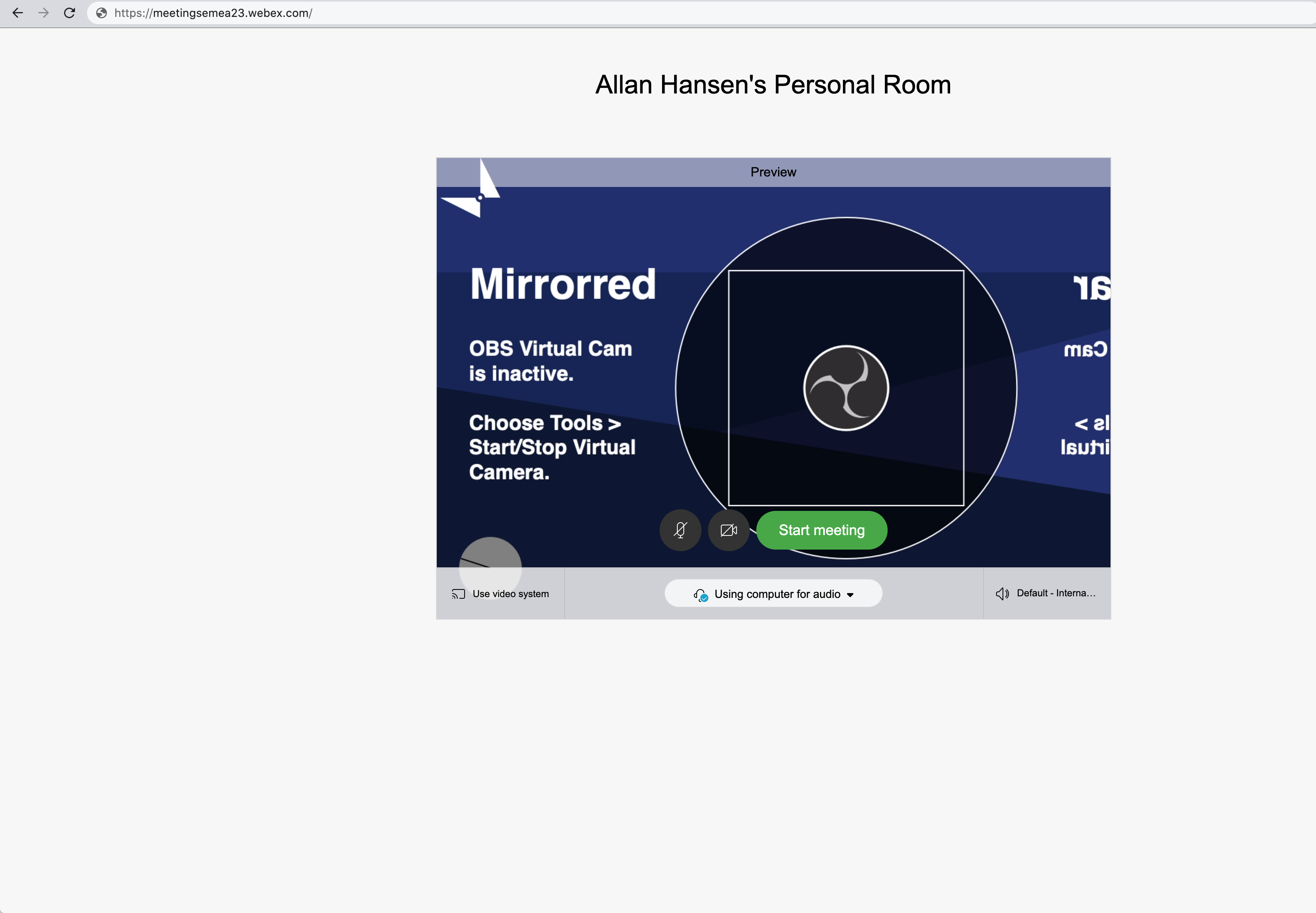
 allanlundhansen
on 16 Jun 2020
allanlundhansen
on 16 Jun 2020
Running codesign --remove-signature to fix Slack, make the app stop working for me 😞. Is there another way to get slack working with obs-mac-virtualcam?
thanks!
 elalemanyo
on 29 Jun 2020
elalemanyo
on 29 Jun 2020
Running
codesign --remove-signatureto fix Slack, make the app stop working for me 😞. Is there another way to get slack working with obs-mac-virtualcam?
thanks!
Slack is an Electron-app so codesign will not work. You have to use Electron-osx-sign to make the magic happen .. have a look at https://github.com/johnboiles/obs-mac-virtualcam/issues/4#issuecomment-623388850 - it also works with self signed code signing certificates
 c3labs
on 29 Jun 2020
c3labs
on 29 Jun 2020
@c3labs Thanks! I didn't see that comment, I'm sorry.
elalemanyo
on 29 Jun 2020
I have just updated zoom to the latest version (5.1.1) and the change notes advise 'All virtual Cameras Supported' (or similar).
The OBS virtual camera plug-in is now working with Zoom for me!
Malcolm
msmuir
on 29 Jun 2020
Whoa that's huge!
johnboiles
on 29 Jun 2020
Confirmed! That's great news. Thanks for sharing @msmuir!
johnboiles
on 29 Jun 2020
Wow, amazing!
Seems like they figured out how Chrome manages virtualcams securely :D
gxalpha
on 29 Jun 2020
Indeed, this is amazing! Has anyone run the command that listed out what has been whitelisted within zoom? Would be interesting to see if your certificate is now on the list.
gep13
on 29 Jun 2020
It looks like there is no longer an allow list. My guess would be that there is now a sandbox process handling loading of the virtual camera, similar to what chrome does, but I have not dug deeper to confirm.
strings /Applications/zoom.us.app/Contents/Frameworks/nydus.framework/Versions/A/nydus | grep "Developer ID Application"
anchor apple generic and certificate leaf[subject.OU] = BJ4HAAB9B3 and certificate leaf[subject.CN] = "Developer ID Application: Zoom Video Communications, Inc. (BJ4HAAB9B3)"
I confim the virtual cam is allowed by default, I can see & choose the OBS Virtual CAM output - with no tweeks to do at all.
I still have to do a real test though.
I installed latest zoom version 5.1.1 (28575.0629) for IT professionnal (easier to deploy via munki than the standard installer)
 oemden
on 30 Jun 2020
oemden
on 30 Jun 2020
So far I can’t figure out how to make it show up in Zoom. I’ll be
interested in hearing if anybody gets it to work.
On Mon, Jun 29, 2020 at 7:16 PM Olivier Emsellem notifications@github.com
wrote:
I confim the virtual cam is allowed by default, I can see & choose the OBS
Virtual CAM output - with no tweeks to do at all.
I still have to do a real test though.
I installed latest zoom version 5.1.1 (28575.0629) for IT professionnal
(easier to deploy via munki than the standard installer)—
You are receiving this because you were mentioned.
Reply to this email directly, view it on GitHub
https://github.com/johnboiles/obs-mac-virtualcam/issues/4#issuecomment-651417165,
or unsubscribe
https://github.com/notifications/unsubscribe-auth/APXVKFUZW3FWD5IKKWT4EKLRZEOGLANCNFSM4L3C5TLA
.
sanfordlewis
on 30 Jun 2020
I've tested and it's working great. I forced Zoom to do an update query and then updated it to version 5.1.1, then ran the obs-mac-virtualcam installer .pkg, then restarted Zoom and OBS, chose Tools->Start Virtual Camera from OBS, and whee it shows up as a video input in Zoom. Nice!
philip-lamb
on 30 Jun 2020
So far I can’t figure out how to make it show up in Zoom. I’ll be interested in hearing if anybody gets it to work.
Same problem here, I even deleted Zoom, reinstalled and rebooted.
Any ideas?
jmb
on 30 Jun 2020
I found that the virtualcam plugin wasn't working for me in apps other than Zoom — it didn't appear as a selectable camera — but was able to get it working by uninstalling (using the commands in the Wiki) and reinstalling the plugin. Since doing that I have confirmed that the virtual camera works in Zoom 5.1.1 on my laptop running macOS Catalina 10.15.5.
 svenaas
on 30 Jun 2020
svenaas
on 30 Jun 2020
@ChaseOnTheWeb & @budisangithub I was told that Cisco confirmed that the WebEx 'virtual camera' issue is a defect and the fix is allegedly going to be included in the 40.6 release.
My site got WBS 40.6 this morning, and I'm on 40.6.5.5 Webex Meetings app, no joy.
 xjosh
on 30 Jun 2020
xjosh
on 30 Jun 2020
I found that the virtualcam plugin wasn't working for me in apps other than Zoom — it didn't appear as a selectable camera — but was able to get it working by uninstalling (using the commands in the Wiki) and reinstalling the plugin. Since doing that I have confirmed that the virtual camera works in Zoom 5.1.1 on my laptop running macOS Catalina 10.15.5.
Thanks, removing and then reinstalling worked a treat.
jmb
on 30 Jun 2020
Correction and calling out the question below - Do I need to use NDI to run the audio to zoom when I’m using the virtual camera for the video feed?
Sanford
On Jun 30, 2020, at 1:33 PM, Sanford Lewis sanfordlewis@gmail.com wrote:
I upgraded my zoom software and now it works. I have to say it looks significantly better than the NDI video.
Now a confusing problem. When I was using NDI To go from obs I ran the audio through Ndi and added audio delay so that video in zoom is in sync.
But the OBS audio output is not showing up as an option. Do I need to use DIA as my audio connection, or is there a way that the OBS audio should be channeled similar to the video of the virtual camera?
On Tue, Jun 30, 2020 at 12:30 PM xjosh <[email protected] notifications@github.com> wrote:
@ChaseOnTheWeb https://github.com/ChaseOnTheWeb & @budisangithub https://github.com/budisangithub I was told that Cisco confirmed that the WebEx 'virtual camera' issue is a defect and the fix is allegedly going to be included in the 40.6 release.
My site got WBS 40.6 this morning, and I'm on 40.6.5.5 Webex Meetings app, no joy.
—
You are receiving this because you were mentioned.
Reply to this email directly, view it on GitHub https://github.com/johnboiles/obs-mac-virtualcam/issues/4#issuecomment-651905688, or unsubscribe https://github.com/notifications/unsubscribe-auth/APXVKFSJ6NRSVFWKU33R3ZTRZIHKPANCNFSM4L3C5TLA.
sanfordlewis
on 30 Jun 2020
I'm running Webex 40.6.5.5 and the OBS virtual camera does not show up using the desktop Webex app on my mac - the wiki suggests that this version should work (beginning 40.6.4.13). OBS virtual camera does work with the Webex browser app within Chrome.
 richardbrockie
on 5 Jul 2020
richardbrockie
on 5 Jul 2020
@richardbrockie. I believe the wiki is not updated. Cisco Webex has confirmed that both webex meeting and webex team desktop app don’t support virtual camera (https://help.webex.com/en-us/WBX9000032849/Virtual-Camera-Driver-Stopped-Working-After-a-Site-Upgrade)
OBS Virtual Camera does work with Webex Browser App within Chrome. Just make sure to follow these steps (1) Start OBS and Virtual Camera (2) Start Chrome Webex WebApp (3) It’s normal if you don’t see the Virtual Camera now (4) Click disable Camera (from Webex WebApp) (5) Click enable Camera again (6) Click setting (on the right hand site from camera button) (7) Select the virtual camera.
I am currently stuck with the above ritual, and I am now considering to switch from Mac to Windows
budisangithub
on 6 Jul 2020
@budisangithub: Thanks - I had stumbled on the procedure you outlined to trigger the webcam menu to show in the Webex webapp - that's an annoying bug.
Interestingly, my IT-maintained work MacBook is currently using v39.7.7.27 and the OBS virtual camera is showing up just fine...
richardbrockie
on 6 Jul 2020
@richardbrockie - then you may want to inform your IT to keep it that way 😅
budisangithub
on 6 Jul 2020
Hey everyone, thanks for the update!
Just two things:
- Could someone try if resigning / unsigning the desktop app helps? (https://github.com/johnboiles/obs-mac-virtualcam/wiki/Compatibility#apps-dont-allow-dal-plugins)
- @budisangithub which version of the virtualcam are you using? It is definitely not normal that you need to follow this weird procedure, everything in Chrome should work out of the box (or affect every camera, not just this virtual one).
gxalpha
on 6 Jul 2020
@gxalpha:
The Webex dance within Chrome applies to all video devices - when connecting, the video sources don't show up in the options until I first disable and then re-enable video. This looks like a Webex bug, not an OBS virtual camera bug.
The desktop Webex app was updated to 4.7.2.15 today. I tried re-signing/un-signing with no success. I didn't find a Renderer within the Webex app, so just tried un-signing the whole thing, ie:
$ sudo codesign --remove-signature Cisco\ Webex\ Meetings.app
richardbrockie
on 7 Jul 2020
FYI I know disabling SIP has been brought up a few times, and isn't perfect for everyone (obviously), but you don't have to fully disable SIP to get it working in all apps. I am running Catalina right now and FaceTime is working with EpocCam (same idea as this plugin).
csrutil enable --without fs will do it.
You can read more about the implications of that here: https://eclecticlight.co/2017/04/28/sierras-system-integrity-protection-sip-beyond-root/
Edit: Added to the wiki here. Let me know if thats ok or if we would like to see any changes.
 inickt
on 14 Jul 2020
inickt
on 14 Jul 2020
@inickt:
Tried it with OBS Studio 25.0.8 and OBS shows up as a source, but FaceTime only gives a test pattern (OBS logo inside a square inside a circle on a blue background).
Has anyone else gotten this to work?
jburbs
on 15 Jul 2020
@inickt:
Tried it with OBS Studio 25.0.8 and OBS shows up as a source, but FaceTime only gives a test pattern (OBS logo inside a square inside a circle on a blue background).
Has anyone else gotten this to work?
If you see the logo, sounds like maybe you didn't start the camera. OBS|Tools|Start Virtual Camera.
kenlowrie
on 15 Jul 2020
No, the camera was started. I use it all the time for Zoom. This wasn't the
test pattern (Mirrored one) that I get when I forget to start the camera,
it was a simple square.
On Tue, Jul 14, 2020 at 4:20 PM Ken Lowrie notifications@github.com wrote:
@inickt https://github.com/inickt:
Tried it with OBS Studio 25.0.8 and OBS shows up as a source, but FaceTime
only gives a test pattern (OBS logo inside a square inside a circle on a
blue background).Has anyone else gotten this to work?
If you see the logo, sounds like maybe you didn't start the camera.
OBS|Tools|Start Virtual Camera.—
You are receiving this because you commented.
Reply to this email directly, view it on GitHub
https://github.com/johnboiles/obs-mac-virtualcam/issues/4#issuecomment-658459445,
or unsubscribe
https://github.com/notifications/unsubscribe-auth/APJE6Z2A5LFNMWK4CIPLTLDR3TR3RANCNFSM4L3C5TLA
.
jburbs
on 15 Jul 2020
Could you please attach a screenshot?
gxalpha
on 15 Jul 2020
Executing the csrutil command generates a warning:

FaceTime then allows OBS Virtual Camera as a source. However, it doesn't pass video through:

jburbs
on 15 Jul 2020
@jburbs: You're seeing the central part of the OBS virtual camera test card (before the virtual camera is started in the Tools menu as suggested by @kenlowrie).
FaceTime uses a portrait rather than landscape format - here's the full card taken from the preview when connecting using an old version of Webex that can use virtual cameras:

richardbrockie
on 15 Jul 2020
@richardbrockie
Yes. I get it, read my previous comments. The camera was started, I use it regularly for Zoom, so I am familiar with the process!
Has anyone actually gotten this to work with FaceTime? @inickt only said it worked with EpocCam...
jburbs
on 15 Jul 2020
Yeah I wonder if its something with the communication between the DAL plugin and OBS itself. Obviously EpocCam is different but I thought it would have the same application here.
inickt
on 15 Jul 2020
@richardbrockie
Yes. I get it, read my previous comments. The camera _was_ started, I use it regularly for Zoom, so I am familiar with the process!
@jburbs - sorry for missing that. I've learned something!
richardbrockie
on 15 Jul 2020
@richardbrockie NP, it happens to the best of us ;-)
jburbs
on 16 Jul 2020
@richardbrockie - then you may want to inform your IT to keep it that way 😅
@budisangithub The buggers updated us to 40.7.6.10 today at work - they broke my virtual camera on the desktop app. I'll lodge a complaint with IT - maybe some feedback will get through to Cisco from a reasonably large customer?
richardbrockie
on 8 Aug 2020
Guys, what I have read so far: even if plugin is properly signed and notarized it won't work with latest builds of zoom & teams? This will happen with all the plugins. Can some one please confirm?
 Raj123456788
on 10 Sep 2020
Raj123456788
on 10 Sep 2020
Guys, what I have read so far: even if plugin is properly signed and notarized it won't work with latest builds of zoom & teams? This will happen with all the plugins. Can some one please confirm?
@Raj123456788 I just updated to the latest Zoom version and everything still works without any fancy workarounds.
NReilingh
on 11 Sep 2020
@NReilingh but I am seeing issues with Teams sorry did not test on zoom but saw a thread complaining about it. Can you confirm version number for zoom?
Raj123456788
on 11 Sep 2020
@Raj123456788 @NReilingh see the documentation on compatibility here.
Zoom works on the latest version, Skype and Teams need workarounds
gxalpha
on 11 Sep 2020
i'm having kinda similar issues as have been explained above... in mac os catalina 10.15.6, when i start teams or discord or any other app that wants to load the DAL plugins i get from the application:
Cannot find function pointer PlugInMain for factory <CFUUID 0x600001058840> 35FDFF29-BFCF-4644-AB77-B759DE932ABE in CFBundle/CFPlugIn 0x7fcd8c57afc0 </Library/CoreMediaIO/Plug-Ins/DAL/obs-mac-virtualcam.plugin> (bundle, not loaded)
from the other DAL plugins (SnapCamera & NDIVirtualInput) i get from kernel:
Library Validation failed: Rejecting '/Library/CoreMediaIO/Plug-Ins/DAL/NDIVirtualCamera.plugin/Contents/MacOS/NDIVirtualCamera' (Team ID: W8U66ET244, platform: no) for process 'Discord(2081)' (Team ID: 53Q6R32WPB, platform: no), reason: mapping process and mapped file (non-platform) have different Team IDs
allthou i have not found this particular error for virtualcam plugin...
edit:
found it as well from the OBS-mac-virtualcam
Library Validation failed: Rejecting '/Library/CoreMediaIO/Plug-Ins/DAL/obs-mac-virtualcam.plugin/Contents/MacOS/obs-mac-virtualcam' (Team ID: 62G85M9ZN5, platform: no) for process 'Teams(1922)' (Team ID: UBF8T346G9, platform: no), reason: mapping process and mapped file (non-platform) have different Team IDs
the same error from all the programs (Discord, MS Teams)
 akrizs
on 8 Oct 2020
akrizs
on 8 Oct 2020
for discord, see here: https://github.com/johnboiles/obs-mac-virtualcam/wiki
teams is kind of weird
gxalpha
on 11 Oct 2020
Related issues
gep13
·
8Comments
 wookayin
·
3Comments
wookayin
·
3Comments
 harrisrobin
·
9Comments
harrisrobin
·
9Comments
 jdgwf
·
13Comments
jdgwf
·
13Comments
 mkarliner
·
11Comments
mkarliner
·
11Comments
Most helpful comment
Unfortunately, I made a mistake with the code I posted earlier. While resigning the code as I mentioned above works, it also completely removes the hardened runtime, which is not great for security. Instead, here is some very poorly written code that should do the following.
1) Get the entitlements as xml
2) Parse it using xml2
3) Add the Disable Library Validation Entitlement to the list
4) Turn it back into an xml file with 2xml and save it as an xml file
5) Using the preserve-metadata option, attempt to change the least amount of things when resigning (including keeping hardened mode on if it was enabled before) while adding the new entitlement.
I tested the below command on Zoom.us, and now I have obs-mac-virtualcam working with Zoom.us's hardened mode enabled.
APPLICATION=/Applications/zoom.us.app && codesign -d --entitlements :- $APPLICATION | { xml2; echo "/plist/dict/key=com.apple.security.cs.disable-library-validation"; echo "/plist/dict/true"; } | 2xml > entitlements.xml && sudo codesign --sign - $APPLICATION --force --preserve-metadata=identifier,resource-rules,flags --entitlements=entitlements.xml && rm entitlements.xml