Nvim-tree.lua: Prevent open a buffer in NvimTree window?
I often accidentally open a buffer in NvimTree window, via Fzf, tabline buffers, etc. That's quite annoying.
I tried to mimic the NerdTree solution: https://github.com/preservim/nerdtree#how-can-i-prevent-other-buffers-replacing-nerdtree-in-its-window
autocmd BufEnter * if expand('%') =~ 'NvimTree' && bufname('%') !~ 'NvimTree' && winnr('$') > 1 |
    \ let buf=bufnr() | buffer# | execute "normal! \<C-W>w" | execute 'buffer'.buf | endif
But it doesn't work.
 vufly
vufly
All 11 comments
you could bind you fzf keys in the tree buffer to avoid that. My solution for this:
vim.g.nvim_tree_bindings = {
    ["<C-p>"] = ":wincmd l | Files<CR>",
    ["<C-t>"] = ":wincmd l | RG<CR>",
    ["<C-b>"] = ":wincmd l | Buffers<CR>",
}
 kyazdani42
on 27 Feb 2021
kyazdani42
on 27 Feb 2021
Do you have a solution for the autocmd BufEnter. It would work without having to bind other plugins's keymaps. I don't know how to by "clicking to tab" like this.
I cannot figure out the different between NvimTree and NerdTree windows and buffers that make the similar solution does not work.
vufly
on 27 Feb 2021
hum i'm not sure, I've always struggled with this issue. I never did master vimscript unforntunatly.
kyazdani42
on 1 Mar 2021
just fixed this in latest master, it might be clunky but if you feel it good, you don't have to make mappings anymore :)
kyazdani42
on 16 Apr 2021
It still opens other buffers from fzf pickers for me. Not always though, didn't find a pattern when it does and when it doesn't happen.
 cloggier
on 17 Apr 2021
cloggier
on 17 Apr 2021
hum strange, i'll reopen this if i can reproduce
kyazdani42
on 17 Apr 2021
Thanks, I will come back to you if I find a reproducible pattern. At the moment I just keep trying to open files with fzf from nvim-tree and most of the times they open in window on the right (so it works) but every now and then it will eventually open in nvim-tree buffer.
cloggier
on 17 Apr 2021
thanks for the debugging though, i really appreciate it ! I'll do more debugging myself then
kyazdani42
on 17 Apr 2021
just fixed that in latest master, seems like setting the cursor after the BufEnter/find_file command was erroring because of the new buffers being put in the tree window. Also deferred the autocmd on the event loop to avoid conflicting with the find file command
kyazdani42
on 17 Apr 2021
Seems to work well now, thanks!
cloggier
on 17 Apr 2021
@kyazdani42 while the autocmd works, the buffer that opens is not "of the same type" (background color is like the one in the NvimTree window) and the line numbers for example are missing. See an example:
NvimTree + a regular buffer:
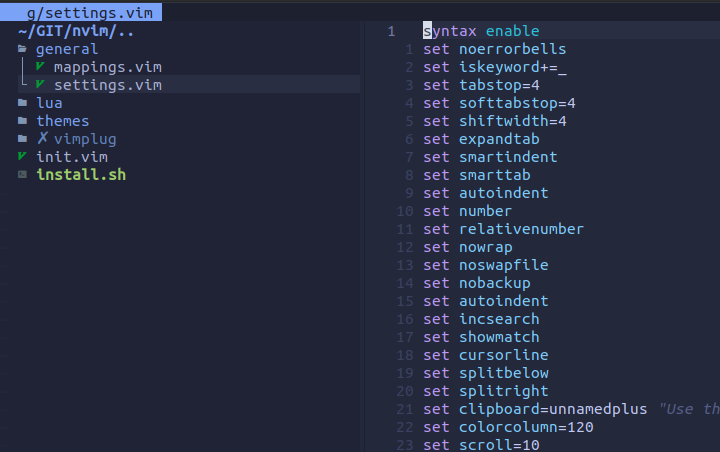
Now, if I open another file within the NvimTree window, the autocmd kicks in, opening the buffer in another window but the buffer looks different:
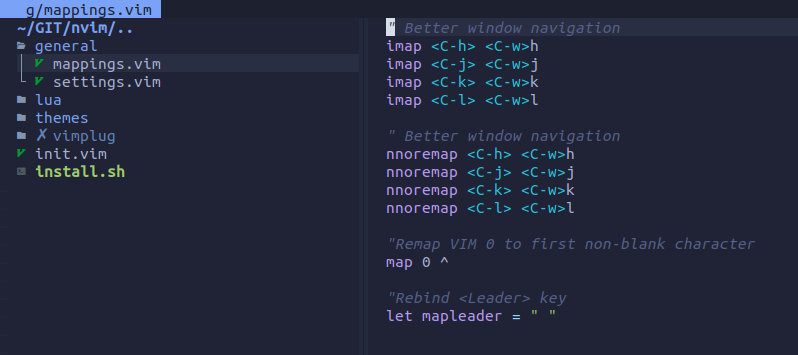
Note that the line numbers are missing, the background color is different, etc. Do you know what can be causing that and how to address that?
EDIT: I just realized that the autocmd is not necessary and that the plugin is taking care of that. The question of why the new buffer has no line numbers and different background still applies though
 LuisCebrian
on 6 May 2021
LuisCebrian
on 6 May 2021
Related issues
 gmr458
·
5Comments
gmr458
·
5Comments
 seblj
·
6Comments
seblj
·
6Comments
 chinnkarahoi
·
7Comments
chinnkarahoi
·
7Comments
 DimitrisMilonopoulos
·
5Comments
DimitrisMilonopoulos
·
5Comments
 kristijanhusak
·
5Comments
kristijanhusak
·
5Comments
Most helpful comment
just fixed this in latest master, it might be clunky but if you feel it good, you don't have to make mappings anymore :)