Notepads: [Bug] Can't close depending on application position
Describe the bug
When closing Notepads with an unsaved file open Notepads prompts the user if they would like to save, discard, or cancel. If Notepads is dragged halfway under the taskbar/bottom of the screen and the user attempts to close the application with an unsaved file open it the dialog choices are unselectable, and the user cannot close the application without using task manager or a similar method (You cannot drag the application back into view while the unsaved changes dialog box is open).
To Reproduce
Drag Notepads halfway off the bottom of the screen with an unsaved file. Click close button.
Expected behavior
Allow user to move application while unsaved changes dialog box is open.
Screenshots
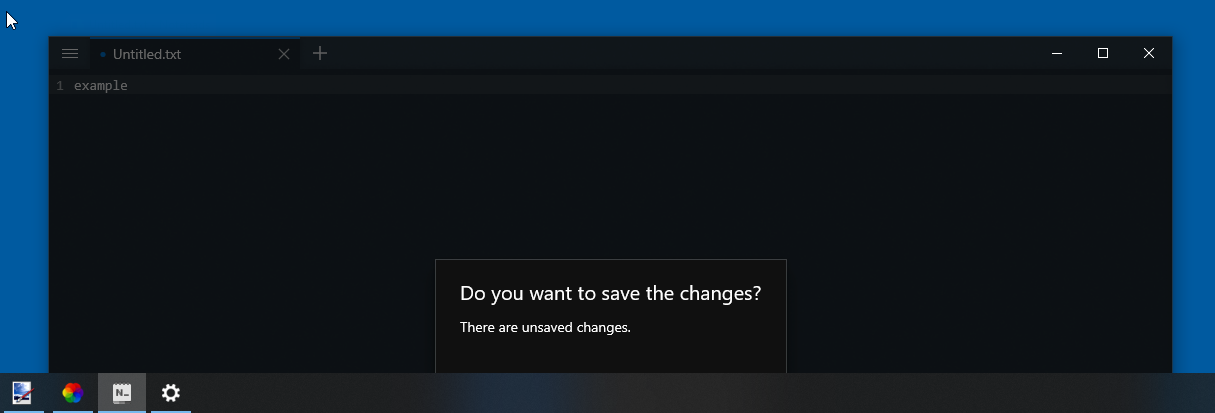
Desktop:
- OS: Windows 10 Pro 2004 19041.508
- Notepads Version 1.4.2.0
 Kuuchuu
All 2 comments
Issue-Label Bot is automatically applying the label bug to this issue, with a confidence of 0.99. Please mark this comment with :thumbsup: or :thumbsdown: to give our bot feedback!
Links: app homepage, dashboard and code for this bot.
![issue-label-bot[bot] picture](https://avatars2.githubusercontent.com/in/27079?v=4&s=40) issue-label-bot[bot]
on 8 Oct 2020
issue-label-bot[bot]
on 8 Oct 2020
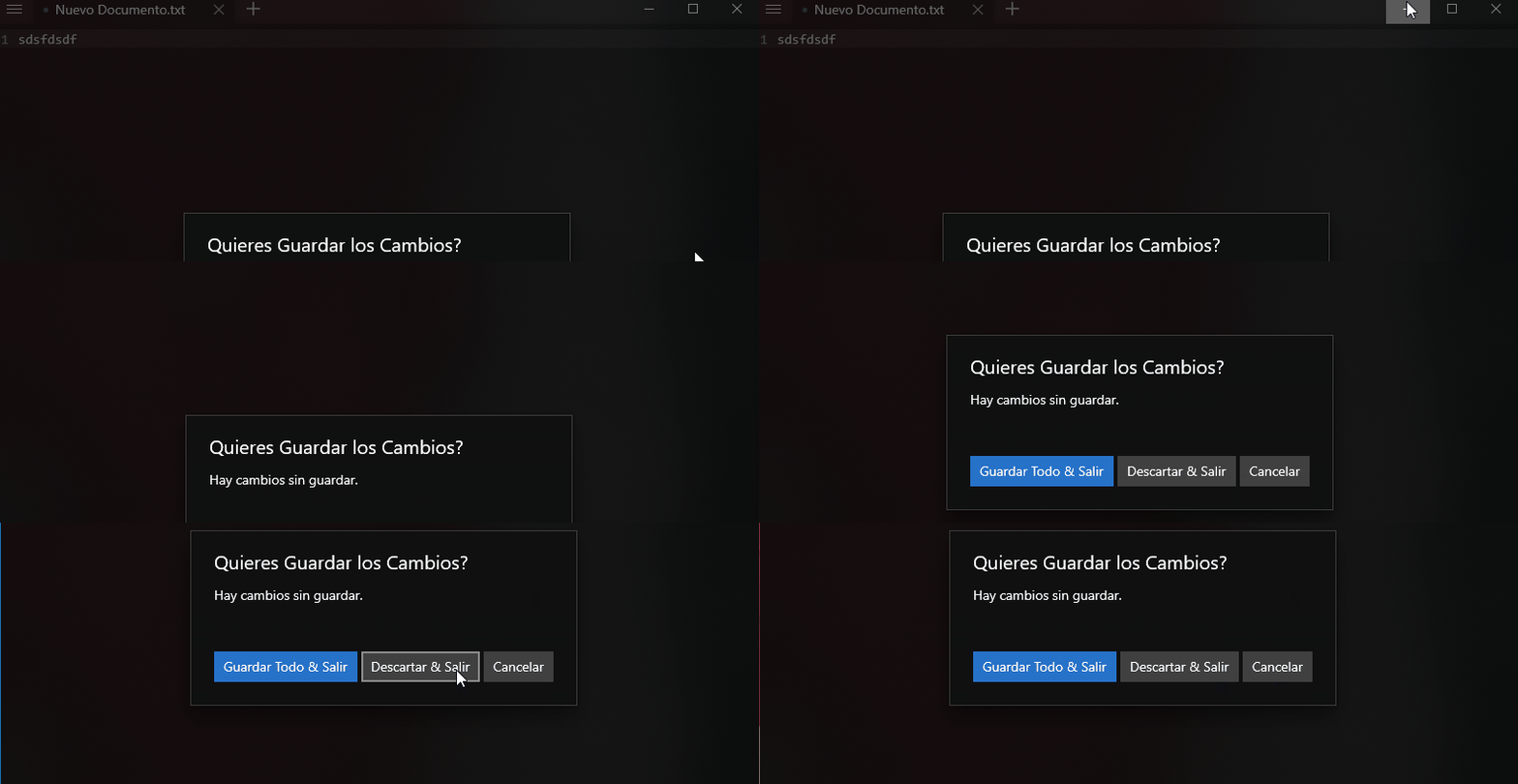
It's possible to drag and move the window if you click on a small area next to the left of the minimize button. This is because, by default UWP apps can't have a fully customized title bar, see a related issue here On the other hand, I understand that this is not user friendly at all, but this is not a Notepads bug, and instead this happens because a design on the Content Dialog control. This control is show modally and currently there isn't a modeless version of it. Again, there is a relevant issue here.
 XamDR
on 8 Oct 2020
XamDR
on 8 Oct 2020
Related issues
 frousselet
·
3Comments
frousselet
·
3Comments
 IslandRhythms
·
6Comments
IslandRhythms
·
6Comments
 WalterWolf49
·
5Comments
WalterWolf49
·
5Comments
 validatedev
·
4Comments
validatedev
·
4Comments
 MC-Guan
·
4Comments
MC-Guan
·
4Comments
Most helpful comment
It's possible to drag and move the window if you click on a small area next to the left of the minimize button. This is because, by default UWP apps can't have a fully customized title bar, see a related issue here On the other hand, I understand that this is not user friendly at all, but this is not a Notepads bug, and instead this happens because a design on the
Content Dialogcontrol. This control is show modally and currently there isn't a modeless version of it. Again, there is a relevant issue here.